Archive for the ‘Review’ Category

SolarWinds Mobile Admin lets IT staff BYOD

Monday, April 16th, 2012

If you can’t beat them, join them! After years of fighting the tide of consumerisation of corporate IT, IT staff can now cross over to the “Dark Side” and  – bring THEIR own device to work.

Pricing for SolarWinds Mobile Admin software starts at US$695 per license and includes the first year of maintenance. Download the free 30-day evaluation trial online to try it out.
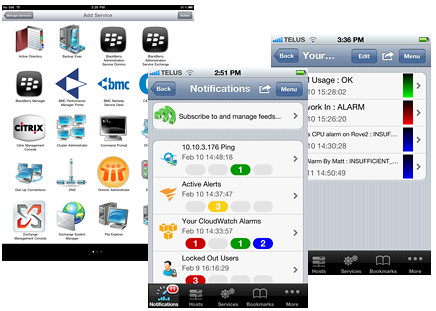
SolarWinds Mobile Admin Version 7

SolarWinds Mobile Admin Version 7

With the consumerisation of IT, employees and (more significantly) CXOs are banging down the doors of the IT departments to be allowed to bring their choice of personal devices to work and to access the Enterprise IT systems with these gadgets.
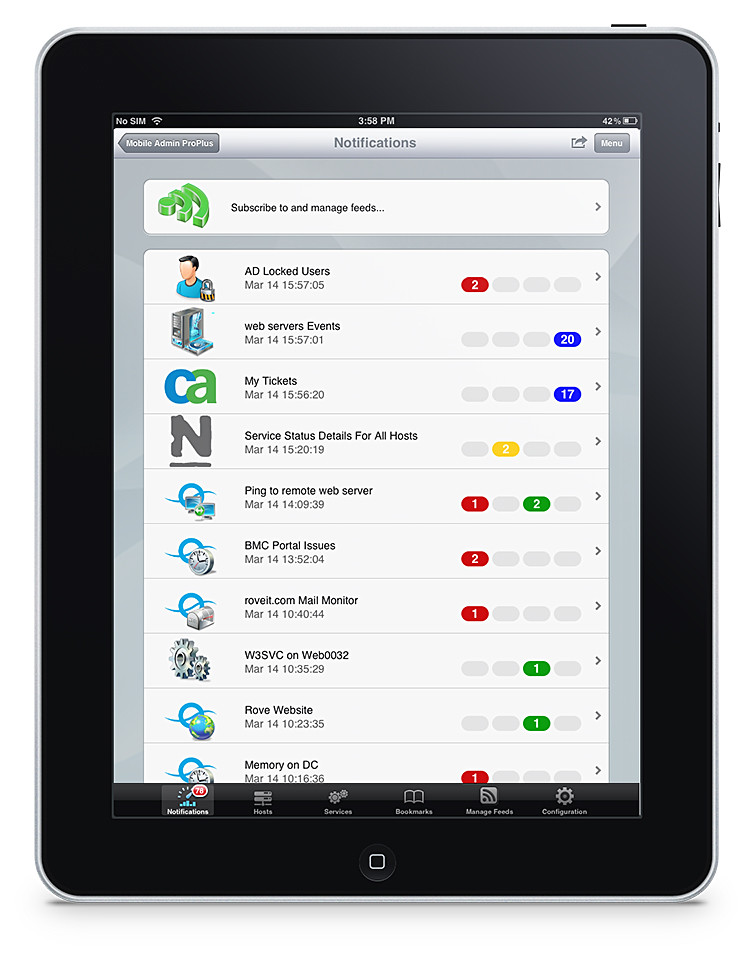
IT staff can now "Bring Your Own Device" too!

IT staff can now "Bring Your Own Device" too!

A strict No-No in the past, mane enterprises and organisations have given in to the pressure and allowed BYOD (Bring Your Own Devices) into their IT policies.

Now, the IT personnel too can jump on the bandwagon too.

SolarWinds, a provider of IT management software, has acquired Rove and released version 7 of the latter’s Mobile Admin software.

SolarWinds Mobile Admin software is designed specifically for mobile devices, with native applications for the most common mobile operating systems, and an extensive list of remote fix capabilities.

Now IT staff can also work with any device, from anywhere, anytime of the day (or night).
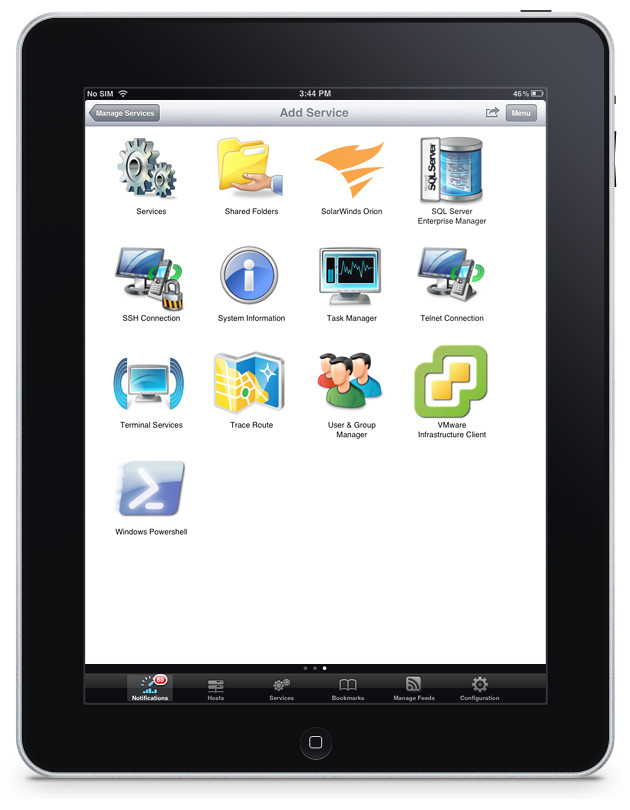
Mobile Admin works on iOS, Android and BlackBerry mobile devices.

Mobile Admin works on iOS, Android and BlackBerry mobile devices.

From the queues of a grocery store, or at the cafe with friends, an IT staff can manage a server on the other side of the world – resetting passwords and rebooting servers.

Mobile Admin is used by thousands of customers to monitor and manage their corporate IT infrastructure from their iPhone, iPad, Android smartphones and tablets, BlackBerry smartphones and PlayBook (OS2), and Kindle Fire.

In addition to dozens of third party systems and services, the latest version of Mobile Admin now adds support for Amazon EC2, Microsoft Active Sync, and SolarWinds network and server management products.

Some of the main features of SolarWinds Mobile Admin 7.0 are listed below.
(more…)

Mother’s Day gift ideas from Logitech

Sunday, April 15th, 2012

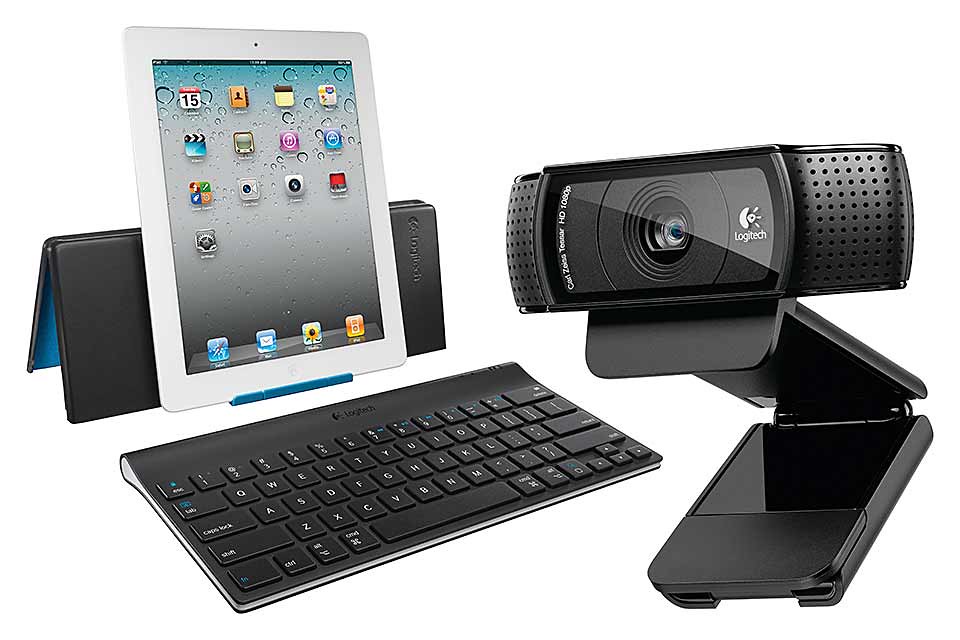
Whether you have a mobile mum, a geeky mum, a travelling mum, or a stay-at-home mum, Logitech has something you can get for her.

Mother's Day gadget gift ideas from Logitech

Mother's Day gadget gift ideas from Logitech

Mother’s Day is on 13 May this year. If you’re looking to buy a gift for a mom – which can also be the mother of your children – check out Logitech’s collection of gadgets and accessories.

(more…)

What’s better than a Canon EOS-1D X? Ans: A Canon EOS-1D C!

Friday, April 13th, 2012

Canon has announced the EOS-1D C, a DSLR capable of recording video at 4K resolution (4,096 x 2,160 pixels) at a frame rate of 24p, or Full HD resolution (1,920×1,080 pixels) at 60p – whilst retaining the still image shooting prowess of the EOS-1D X.

This new flagship DSLR will be available from end October this year (prices TBA).

Canon EOS-1D C, flagship DSLR with 4K video - available in October 2012.

Canon EOS-1D C, flagship DSLR with 4K video - available in October 2012.

The Canon EOS-1D C is designed for use in motion picture, television and other high-resolution digital production industries.

The DSLR provides its users a physically compact yet digitally powerful machine to meet the high demands of today’s production standards.

The Canon EOS-1D C records 4K resolution video (4,096 x 2,160 pixels) at a frame rate of 24p, with 8-bit Motion JPEG compression, cropped to an APS-H-equivalent angle of view.

It can also record Full HD video (1,920 x 1,080 pixels) at a maximum frame rate of 60p, answering the demanding needs of industry professionals.

In addition, the EOS-1D C allows for efficient workflow during production and post-production, with features within the firmware and the accompanying software suite.

Connections panel on one side of the camera.

Connections panel on one side of the camera.

The camera records all video, including 4K, directly to the inserted CF card without having to use peripheral equipment such as external storage devices, bringing increased mobility to its user.

When required, captured video (excluding 4K video) can be output to an external recorder via an HDMI terminal, using an uncompressed YCbCr 4:2:2 signal.

For motion-picture productions, the camera incorporates a Super 35mm crop function, enabling video to be recorded in the industry-standard 35mm angle of view.

The Canon Log Gamma enables the recording of high-quality video with rich gradation expression.

This produces the impressive image quality required in motion-pictures by minimizing both shadow detail loss and highlight detail loss while retaining a high level of color-grading freedom.

Top view of the Canon EOS-1D C

Top view of the Canon EOS-1D C

The EOS-1D C ships with software applications such as EOS Utility and Picture Style Editor.

Canon EOS-1D C body

Canon EOS-1D C body

EOS Utility allows a whole host of camera operations to be controlled via a PC, while the Picture Style Editor allows users to edit and register customized image settings in the camera.

These two applications enable real-time processes such as editing the picture style and confirming results on a monitor during set up or even on the shooting set, increasing production efficiency.

Playback software that ships with the camera allows 4K/Motion JPEG and Full HD video at 60p shot on the EOS-1D C to be output on an external monitor with no loss in image quality.

It also enables video shot with the Canon Log Gamma to be output on a monitor with video gamma applied.

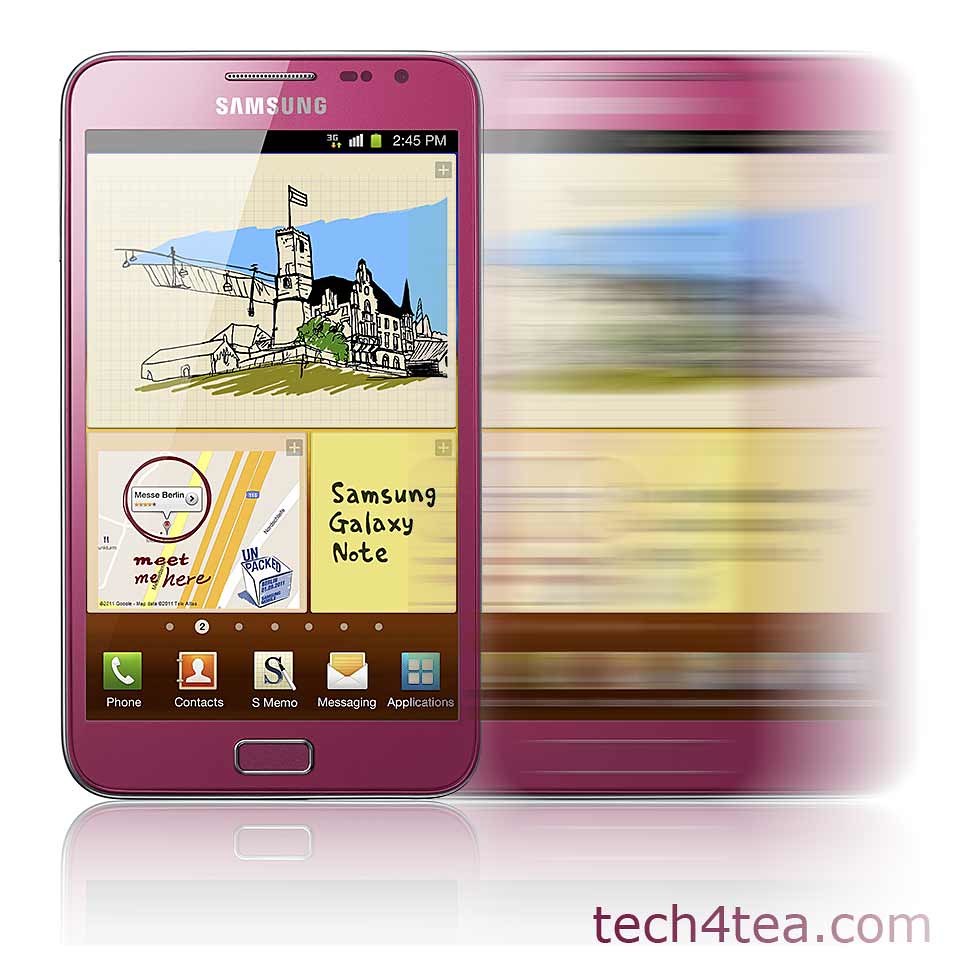
NEW! PINK Galaxy Note to hit Singapore on 14 April

Thursday, April 12th, 2012

Samsung has just revealed that the pink version of the GALAXY Note will be available in Singapore this Saturday – that’s the day after tomorrow.

Price without contract will be S$948 (incl. GST) without contract.

The PINK Samsung Galaxy Note hits Singapore shelves this Saturday (14 April).

The PINK Samsung Galaxy Note hits Singapore shelves this Saturday (14 April).

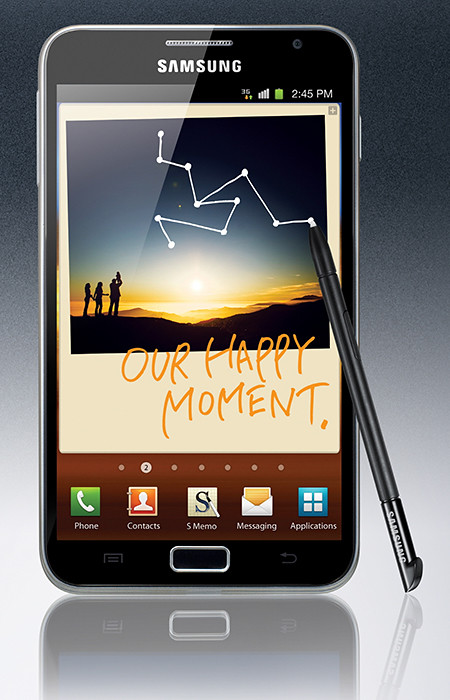
The GALAXY Note was first announced back in November last year, together with the GALAXY Nexus.

Samsung GALAXY Note (S$998, 16GB) will be available in Singapore in November 2011.The GALAXY Note tries to create a new niche form factor by combining the larger screen size of tablets with the portability of smart phones.

The 9.65mm thick GALAXY Note features the world’s first and largest 5.3” HD Super AMOLED touch screen display at WXGA (1280×800, 285ppi) resolution. It works with pen-input technology using a stylus called the S Pen.

Powered by a 1.4 GHz dual-core processor, the gadget runs on Android 2.3 (Gingerbread) and comes with 16GB onboard storage, with a microSD slot that supports up to 32GB.

GALAXY Note comes with an 8-megapixel rear camera and a 2-megapixel front camera.

The main technical specifications of the Samsung GALAXY Note is tabulated below.

(more…)

Can’t afford a Leica S2? Rent one!

Tuesday, April 10th, 2012

The Leica S2 comes with a hefty price-tag: S$32,550. Now you can rent one from the Camera Rental Centre, at S$588 per day, together with a choice of two lenses.

The medium format professional camera system - Leica S2.

The medium format professional camera system - Leica S2.

The available lenses are the Elmarit-S 30mm f/2.8, Summarit-S 35mm f/2.5, Summarit-S 70mm f/2.5 and the APO-Macro Summarit-S f/2.5.

“This rental program offers photographers a chance to test-drive the S2 under their preferred time and desired duration,” said Sunil Kaul, Managing Director of Leica Camera Asia Pacific.The retail prices for these lenses range from S$6,560 to S$9,630.

Special arrangements can be made to cater time for photographers who wish to get acquainted with the 37.5-megapixel camera before using it for a shoot.

Upon request, Leica lens adapters for the Mamiya 645, Pentax 67 and Hasselblad V system are available too, at no extra charge.

Camera Rental Centre
email: info@camerarental.biz
tel: +65 9650 4158

The medium-format Leica S2 is built with a weather-sealed body that ensures that photographers can shoot even in the most extreme conditions.

High-speed, accurate autofocus aids photographers to nail the perfect shot, frame after frame.

New portable hard drive: WD My Passport 2TB

Thursday, April 5th, 2012

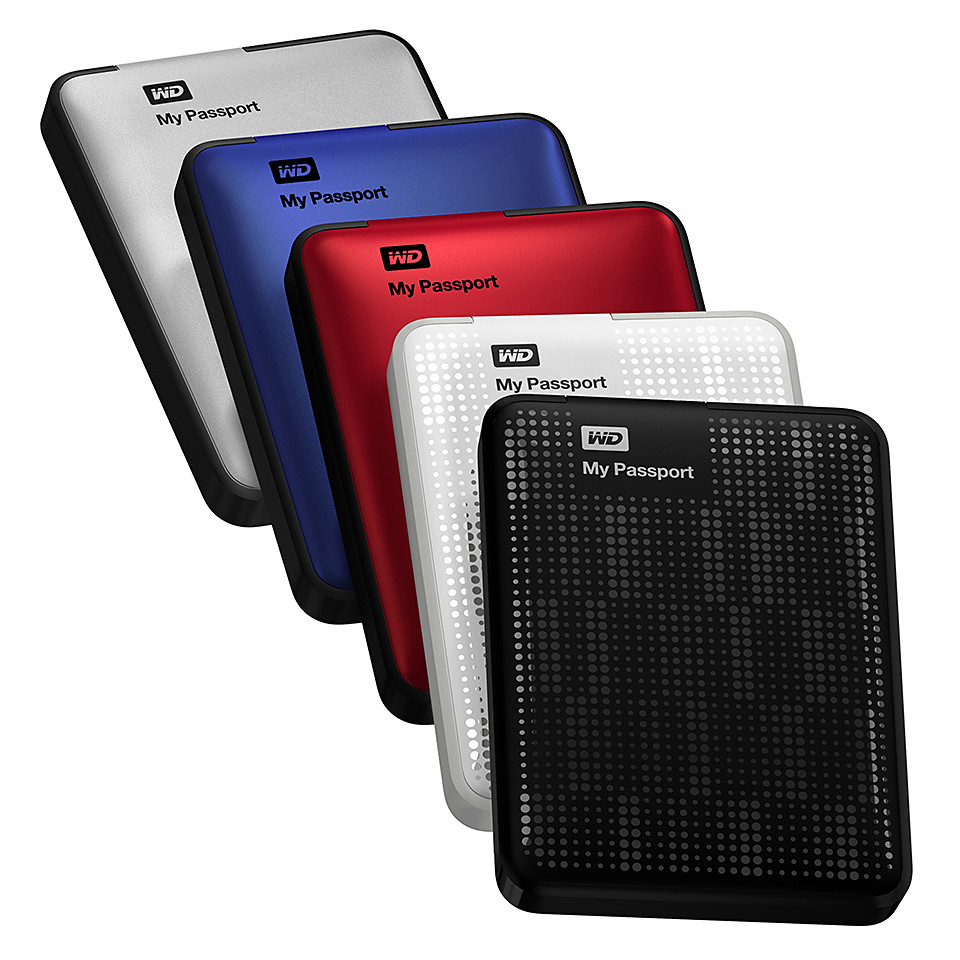
Western Digital has announced the first 2TB portable drive in its My Passport line. It is available now at S$319. Review here. (Update: WD has also launched the My Passport Studio 2TB for Mac users for S$369.)

Western Digital My Passport 2TB portable hard drive, S$319.

Western Digital My Passport 2TB portable hard drive, S$319.

With a new enclosure design, the 2TB My Passport portable drive has an outer shell that is resistant to scratches and fingerprints.

My Passport portable drives come in many colours.

My Passport portable drives come in many colours.

My Passport portable drives feature fast USB 3.0 connectivity; USB 2.0 compatibility; continuous, automatic backup software; and password protection with hardware encryption.

The included software offers the flexibility to customize the drive to a user’s storage preferences: installing all features, only the components needed, or using the drive without the software.

Below is the fact sheet for the hard drive.

(more…)

New voice recorders: Olympus WS-811 and WS-812

Wednesday, April 4th, 2012

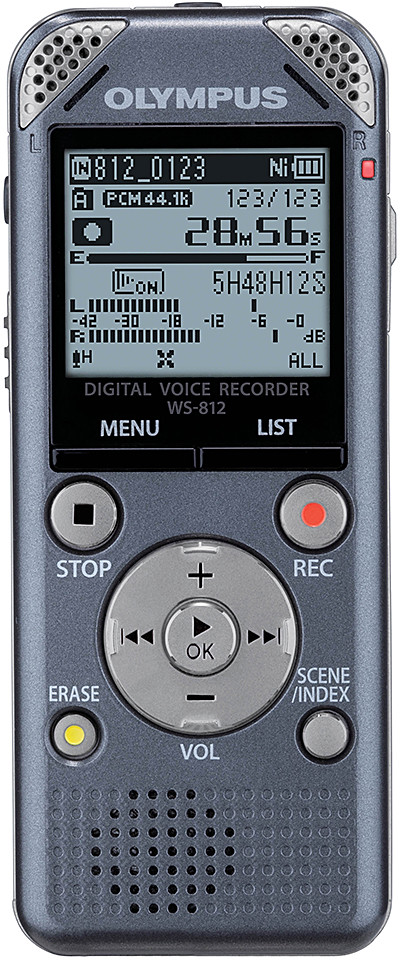
The new WS-811 (S$158) and WS-812 (S$188) incorporate newly-developed, high sensitivity, low noise directional microphones ensuring the human voice is captured in optimal stereo quality. Available now.

The new Olympus WS-811 (S$158) and WS-812 (S$188) voice recorders are available now.

The new Olympus WS-811 (S$158) and WS-812 (S$188) voice recorders are available now.

The Olympus WS-811 and WS-812 promise a high signal-to-noise (S/N) ratio for pure-sounding recordings.

Olympus WS-811

Olympus WS-811

The two models also allow recording levels to be set manually to ensure complete user control.

Files can be saved in mp3 or WMA format

These multi-function devices combine a stereo recorder with USB stick and mp3 player functionality.

Playback speed can be adjusted to allow for quick and easy perusal of file contents to boost efficiency.

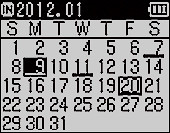
Files can now be located more easily due to the Calendar Search function.

This allows recordings to be found via the date they were created.

Scanning through and listening to the files is also made more comfortable and fast due to playback speeds up to 3.5x quicker than normal on the WS-812 (2x speed on the WS-811).

These slender, lightweight audio recorders require only one AAA-type battery and deliver up to 27 hours of recording time (in LP mode).

Calendar search screen

Calendar search screen

The internal memories of the Olympus WS-811 (2GB) and WS-812 (4GB) can be extended with a microSD Card slot enabling up to 32GB of additional storage capacity.

An integrated USB port provides USB stick functionality and facilitate the fast and easy transfer of files directly to and from a computer, without the need for cables.

Battery life has been extended. The new sub-CPU and audio codec, power consumption is reduced by around 8% allowing 27 hours or more of recording with a single AAA-type alkaline battery.

Olympus WS-812

Olympus WS-812

Additional features of the WS-812

The WS-812 incorporate CD-quality 44.1k/16bit PCM (WAV) recording.

Sound recording levels can be set manually.

Voice Playback technology distinguishes the human voice from other sounds so that non-voice portions are skipped and only those with voice are played back.

Fluctuating sound levels because of soft or loud voices, or due to people speaking from various distances from the microphone, are balanced out by the Voice Balancer function.

Recordings may also be played back using the Voice Changer feature (WS-812) that lets the frequency and playback speed of voice to be adjusted to suit individual needs and preferences.

Files can also be simply moved between folders for better organization.

Main features of the Olympus WS-811 and WS-812 are listed below.

(more…)

New mouse: Logitech Touch Mouse M600

Tuesday, April 3rd, 2012

The M600 features a touch surface that lets you swipe and scroll on it with your fingertips to navigate intuitively while surfing the Web. It is now available in Singapore at S$89.

Logitech Touch Mouse M600 - available now for S$89.

Logitech Touch Mouse M600 - available now for S$89.

With the Logitech Touch Mouse M600 you can scroll and swipe wherever the fingertips rest on the mouse.

Logitech Touch Mouse M600Logitech Flow Scroll software makes scrolling fluid, much like scrolling on the touchscreen of a smartphone.

Slide a finger along the touch surface to experience immediate, continuous and free-flowing Web page scrolling.

The mouse’s unique shape is designed to facilitate the tasks we do most – pointing, clicking and scrolling.

It can be used by both right- and left-handers, with click areas that can easily be reassigned with Logitech SetPoint software.

Intuitive control at the fingertipsIn addition, the Logitech Touch Mouse M600 includes the tiny Logitech Unifying receiver, which can connect up to six compatible mice and keyboards through one USB port.

Add a keyboard, switch between mice, mix and match to fit your lifestyle, without having to change receivers or sacrifice another USB port.

The Logitech Touch Mouse M600 was named an International CES Innovations 2012 Design and Engineering Awards Honoree in the Computer Peripherals product category.

The M600 is connected via a USB port and is compatible with Windows 7.

The mouse measures 111.3 x 64.3 x 29.2 mm and weighs 107.7g (with battery).

It comes with 3-year limited hardware warranty.

New tablet: Samsung SLATE PC Series 7

Tuesday, April 3rd, 2012

Powered by an Intel Core i5 processor and featuring an 11.6” screen, the powerful but portable Windows 7 device will be available this month at S$1,688.

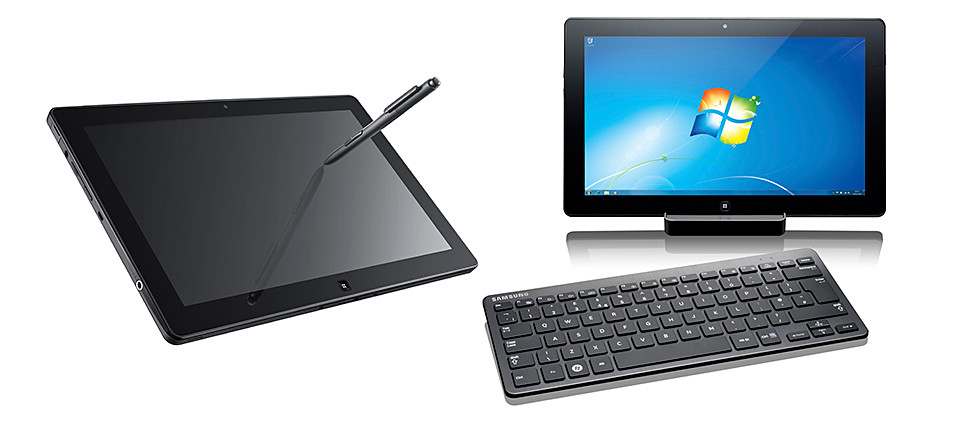
The Samsung SLATE PC Series 7 can be used as a tablet or be used as a desktop.

The Samsung SLATE PC Series 7 can be used as a tablet or be used as a desktop.

The Samsung SLATE PC Series 7 is 12.9mm (0.5”) in thinness and weighs only 860g.

The docking station for the tablet.

The docking station for the tablet.

When connected to the docking station, and the Bluetooth keyboard and mouse (both sold separately), the Slate operates as a desktop PC.

The docking station provides the interface to other devices and enables the flexibility to sync to a larger monitor.

On its own, the SLATE PC Series 7 can used as an ultra-portable device just like a tablet. Battery life is up to 6 hours.

Used as a desktop when docked in and connected to optional Bluetooth keyboard.

Used as a desktop when docked in and connected to optional Bluetooth keyboard.

Multiple input methods from touch screen keyboard to digital pen ensure make it a flexible solution for capturing, creating and presenting content on the go, using Microsoft Office 2010 or via web applications.

Samsung SLATE PC Series 7 (S$1,688)

Samsung SLATE PC Series 7 (S$1,688)

An integrated microphone and dual 2MP (front) / 3MP (rear) cameras record audio/visual files, which can be stored and shared via the full-sized USB port or Wi-Fi, WiMAX and HSPA+ connection.

The SuperBright Plus 11.6” HD display provides outstanding picture quality and text-readability with 400nit brightness – 100% brighter than normal laptop displays, enabling full visual experience even outdoors.

The SLATE PC Series 7 boots up in 15 seconds and wakes from standby in 2 seconds.

Below are the key specifications.

System Configuration
CPU Intel Huron River Core i5 2467M / Core i3
Operating System Genuine Windows 7 Professional
LCD 11.6” HD display, 16:9 aspect ratio, 400nit brightness, PLS(view angle>=170 degree)
GFX Intel HD Graphics 3000
Memory 2GB / 4GB DDR3 1333MHz
Storage 64 / 128 GB SSD
Webcam Front : 2.0M, Rear: 3.0M
WWAN HSPA+ (802.11 bgn)
PAN BT 3.0
Battery 40Wh (up to 6 hours – based on Mobile Mark test)
Dimensions/Wt 12.9mm / 860g (0.5” / 1.89lbs)
Input / Output
Input Capacitive Touch + Digitizer/ AF Coating, Durable Glass
Ports 1x USB2.0 (Type A), m-HDMI, Audio (in/out), micro SD slot
Dock Connector Interface: USB 2.0, Gigabit Ethernet, DC-in, HDMI
Keyboard Bluetooth keyboard (optional)

TODAY! HTC One X and HTC One V hit the shelves

Monday, April 2nd, 2012

The HTC One X (S$898 without contract) and HTC One V (S$398) are available in Singapore from today, after their launch last Friday.

Lennard Hoornik - President, HTC South Asia - waxes lyrical about the HTC One X.

Lennard Hoornik - President, HTC South Asia - waxes lyrical about the HTC One X.

“One of the key objectives for the HTC One series, was to enable the user to remember their best moments in life easily, whether it be capturing a photo or listening to a song, so it was crucial for us to improve these emotional experiences with an amazing camera and authentic sound experience,” said Lennard Hoornik.I had the chance to speak with Lennard Hoornik during the launch of the HTC One series of smartphones last Friday at Marina Bay Sands.

Lennard Hoornik is the President of HTC South Asia.

On the impending retirement of HTCSense.com’s cloud backup services, Hoornik pointed out that – with the Android’s in-built synching functionalities through Google, coupled with Dropbox integration with the HTC One smartphones – there was no need to replicate the services.

The HTC One X

I was also given a demo by Darren Sng of how the Media Link enabled the content and media of the HTC One X to be “thrown” onto an HDTV in the living room – so that others could view videos on the phone or view web sites accessed by the smartphone.

The Senior Director of Asia Product Marketing at HTC also described how the HTC Car app makes it easy for the driver to control and play music from the HTC One X on the car’s sound system.

A HTC Car Stereo Clip that is plugged into the auxillary socket of the car stereo allows wireless reception of music from the HTC One X, while large icons on the smartphone’s screen make it easier for the driver to take calls and play music.

Both the Media Link and the Car Stereo Clip are sold separately.

Below are the key specifications of the HTC One X and HTC One V.

HTC One X HTC One V
OS Android 4.0(ICS) with HTC Sense 4
Display 4.7″, 1280 x 720 3.7″, 480 x 800
CPU NVIDIA Tegra 3 Quad-core, 1.5GHz 1GHz
Memory 32GB 4GB
Dropbox 25GB – free for 2 years
Size 134.36 x 69.9 x 8.9 mm 120.3 x 59.7 x 9.24 mm
Weight
(with Bty)
130g 115g
Sound Beats Audio
Connectivity
  • Wi-Fi
  • Bluetooth 4.0
  • micro-USB port
  • 3.5MM stereo audio jack
  • DLNA
  • Wi-Fi
  • Bluetooth 4.0
  • micro-USB port
  • 3.5MM stereo audio jack
  • microSD card slot
Camera
  • 8 megapixel
  • f2.0, 28mm lens
  • Autofocus + flash
  • 1080p HD video recording
  • 1.3 MP front camera
  • 5 megapixel
  • f2.0, 28mm lens
  • Autofocus + flash
  • 720p HD video recording
Battery 1800mAh 1500mAh
Talk time
  • Up to 800min (WCDMA)
  • Up to 1020min (GSM)
  • Up to 500min (WCDMA)
  • Up to 540min (GSM)
Standby Time
  • Up to 525hr (WCDMA)
  • Up to 545hr (GSM)
  • Up to 617hr (WCDMA)
  • Up to 533hr (GSM)