Posts Tagged ‘review’

Review: WD My Passport Studio 2TB portable HDD for Macs

Monday, March 11th, 2013

Two super-fast FireWire 800 ports, password protection, and a MacBook-inspired, metal enclosure make this drive the ideal companion for the photographer, videographer, graphic artist, or creative professional on the go. RRP: S$299.

You can see (from right) two FireWire 800 ports, a USB 2.0 port and a white/blue activity light at the back of the WD My Passport Studio 2TB portable hard drive.

You can see (from right) two FireWire 800 ports, a USB 2.0 port and a white/blue activity light at the back of the WD My Passport Studio 2TB portable hard drive.

The two super-fast FireWire 800 ports enables you to save and access data at up to 800 Mb/s.

The WD My Passport Studio 2TB comes pre-formatted in HFS+ Journaled for Mac OS X Leopard or Snow Leopard.

So you can simply connect the drive to the Mac with the included FireWire 800 cable to enjoy instant compatibility with Apple Time Machine, which provides quick and easy automatic backup for your Mac hard drives.

(more…)

Review: WD My Passport Edge 500GB portable hard drive

Sunday, March 10th, 2013

WD’s My Passport Edge 500GB is slimmer than its siblings in the My Passport range of portable hard drives, supports both USB 2.0 and 3.0, and comes bundled with backup and data protection software. RRP: S$109.

WD My Passport Edge offers high capacity in an ultra-compact design - an ideal companion for anyone who needs to take their digital content on the road.

WD My Passport Edge offers high capacity in an ultra-compact design – an ideal companion for anyone who needs to take their digital content on the road.

Only available in 500GB capacity, My Passport Edge is ultra-compact and comes with automatic, backup software, software protection and hardware encryption to help protect your files from unauthorised use.

Only 12.5mm thin, My Passport Edge comes pre-formatted with NTFS for Windows computers (up to Windows 8), and WD SmartWare backup software and WD Security hardware encryption with password protection.

(more…)

Review: WD My Passport 2TB portable hard drive

Saturday, March 9th, 2013

WD’s My Passport 2TB portable drive supports both USB 2.0 and 3.0 and has an outer shell that is resistant to scratches and fingerprints. RRP: S$229.

WD My Passport 2TB offers high capacity in a sleek portable drive. There's plenty of room to store all your photos, music, movies and files.

WD My Passport 2TB offers high capacity in a sleek portable drive. There’s plenty of room to store all your photos, music, movies and files.

Launched last year, the 2.5-inch-based My Passport 2TB portable drive was the first to squeeze such a high capacity into a portable drive – at a time when rivals believed cramming such capacities required new recording technology.

A single standard half-metre USB cable connects the drive to the computer and provides both the data and power connection.

(more…)

Review: Toshiba Satellite U840 Series Ultrabook

Monday, March 19th, 2012

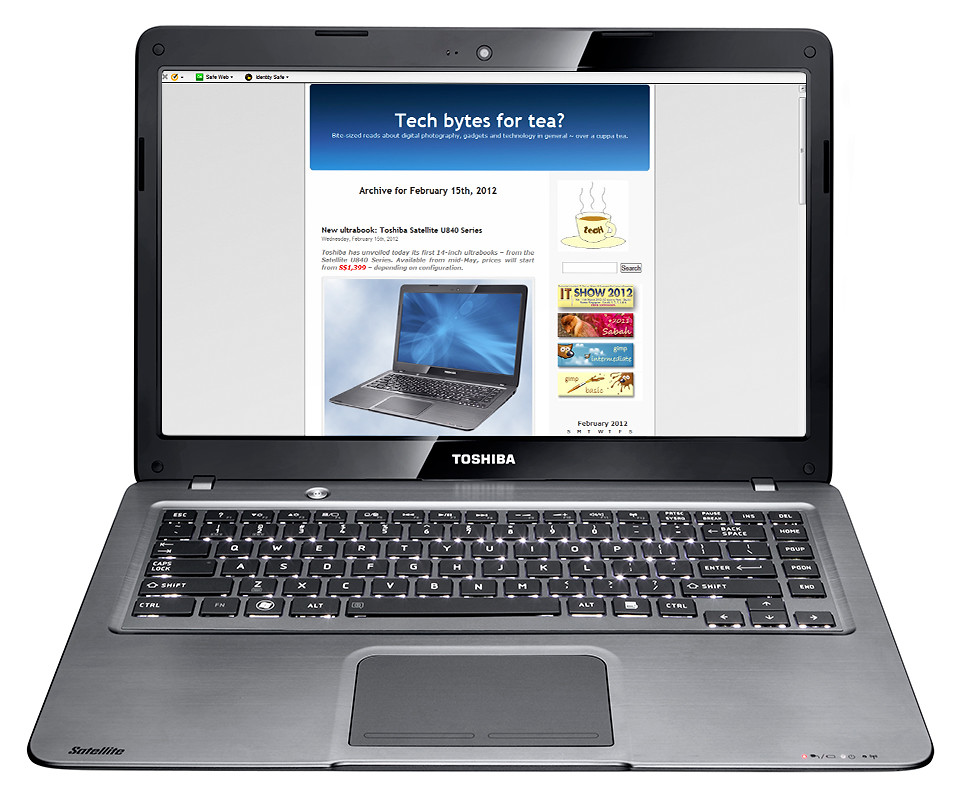
I took the new Toshiba Satellite U840 ultra book for a ride last week. After a week of bringing it along for meetings and presentations, it proved a good balance between portability and performance.

Toshiba Satellite U840 Series ultrabook - portability and performance.

Toshiba Satellite U840 Series ultrabook - portability and performance.

The Satellite U840 Series of ultrabooks is Toshiba’s first line of 14-inch ultrabooks – after the computer maker’s debut into the ultrabook arena with its 13.3-inch Z830 ultrabook last year.

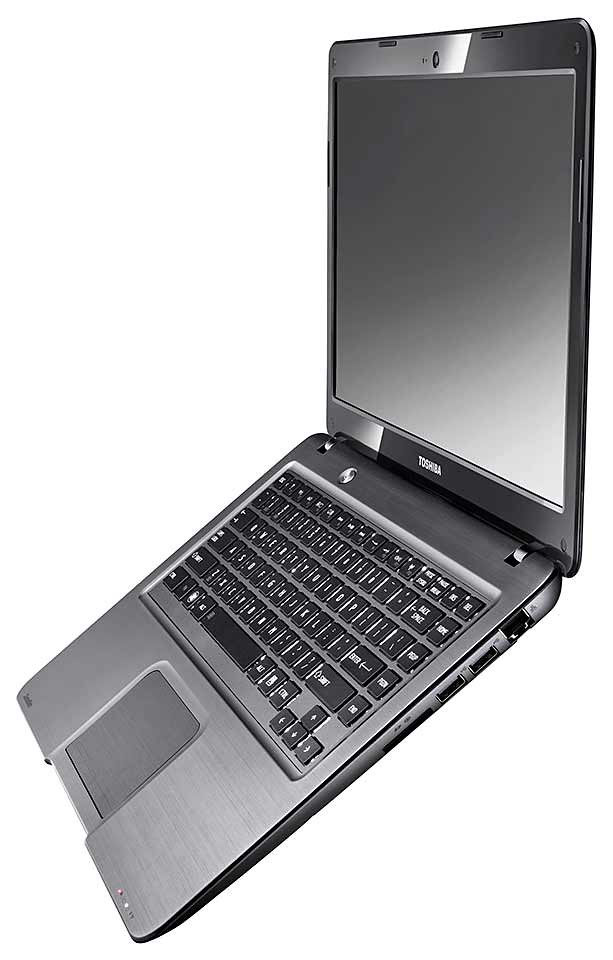
Side view - only 20mm thin.

Side view - only 20mm thin.

Compared with its 1.12kg predecessor, the 1.59kg Satellite U840 is heavier and only slightly bigger, but is considerably more affordable.

The Z830 costs almost twice the U840, which starts at S$1,399.

The Windows 7 Satellite U840 is comparable with other ultrabooks on the market (such as the Samsung Series 5 Ultra and HP Envy 14 Spectre) in terms of appearance and performance.

Most ultrabooks feature similar metallic brushed aluminum casings.

But the U840 weighs lighter because it does not include an optical drive.

The Toshiba Satellite U840 is what an ultrabook is meant to be – a good balance between portability and performance. It has the needed performance to excel in daily business and personal needs; yet is portable enough lug around in a bag without breaking your back (or your bank).

Read on below to find out what I liked and disliked about the Toshiba Satellite U840 ultrabook during the test-drive.

(more…)

Review: Nikon 1 V1 and J1 MIL camera

Monday, February 6th, 2012

I tried out the Nikon 1 V1 (and Nikon 1 J1) mirrorless interchangeable lens (MIL) digital camera over the Chinese New Year.

Here’s what I like and dislike about Nikon’s debut into this relatively new segment of digital cameras.

This is a joint review in partnership with Tech65.org. Check out their video review of the Nikon 1 V1 and J1.

This is a joint review in partnership with Tech65.org. Check out their video review of the Nikon 1 V1 and J1.

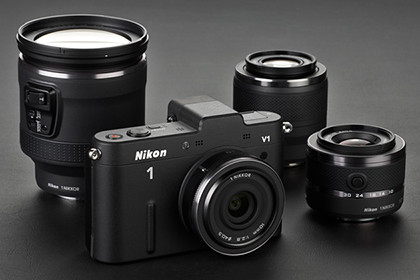
Both the Nikon 1 V1 and J1 comes with a choice of 3 lenses. Their bundled prices are tabulated below.

Nikkor Lens kit Nikon 1 V1 Nikon 1 J1
10mm S$1,269 S$969
VR 10-30mm S$1,199 S$899
10mm + VR 10-30mm S$1,399 S$1,099
VR 10-30mm + VR 30-110mm S$1,449 S$1,149

The Nikon 1 has a crop factor of 2.7, so the 10, 30 and 110 mm focal lengths of the Nikon 1 lenses are equivalent (35mm format) to 27, 81 and 297 mm respectively.

If you’re looking for a compact and stylish camera that focuses fast, shoots good quality images in auto mode, offers the flexibility of changing lenses; and you’re not into rolling up your sleeves to interfere with exposure controls – this camera is for you.

Likes

I like the simplicity and clean design of the camera. It’s as simple to use (actually simpler) as a digital compact, and yet it’s only slightly heftier than a compact, but with faster focusing and better image quality.

The new CX format 1-inch 10.1 megapixel CMOS sensor is larger than those in compact cameras but smaller than other MIL cameras. It has a crop factor of 2.7 and allows lenses to be compact.

The new CX format 1-inch 10.1 megapixel CMOS sensor is larger than those in compact cameras but smaller than other MIL cameras. It has a crop factor of 2.7 and allows lenses to be compact.

With a bigger sensor than most compacts, the image quality was noticeably better. Focusing was also very fast with its hybrid Contrast and Phase detection auto-focus.

So on those days that I just want a point-and-shoot that I can leave on auto and snap away at those precious spontaneous moments, this would be an ideal choice.

Such as when people come and go over the Chinese New Year period to “拜年” and you just want to shoot stills and videos of the kids spewing their well-wishing lines to earn their ang pows.

No need to frighten the kids with this gigantic and obstructive DSLR getting in the way. Besides, the design is retro and nice, very similar to the Olympus PEN, whose design I also like.

And the white design of the Nikon 1 V1 that I used was the conversation topic drawing oohs and aahs from the subjects.

(That is invariably followed by more oohs and aahs when they hear the price of the camera).

On the main mode dial, you can see the four main shooting modes for using the camera. The usual Still shooting mode and Movie recording mode, as well as two interesting new modes: Motion Snapshot and Smart Photo Selector.

Motion Snapshot

The first time I shot with Motion Snapshot mode I really liked the effect. What happens is that when you half-press the shutter release button, the camera begins to record video in its buffer.

(more…)

Review: Wacom Bamboo Fun graphics tablet

Friday, January 20th, 2012

Looking to improve efficiency in your photo-editing workflow? Or want to inject some fun and realism into your digital sketching? Check out the Wacom Bamboo series of graphics tablets.
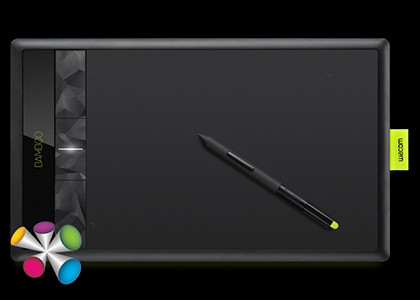
Wacom Bamboo Fun graphics tablet

Wacom Bamboo Fun graphics tablet

I’ve been trying out the Wacom Bamboo Fun graphics tablet for some time, using it with a whole spectrum of software during daily use, from photo-editing to digital sketching and painting, and as a replacement for the trusty old mouse – for navigating and interacting with Windows 7.

I came away pretty impressed with the S$329 (incl 7% GST) graphics tablet. It offers a good balance of price versus performance – and fun. If you’re into lots of digital sketching and painting, do check out the Bamboo Fun.

Bamboo Fun is compatible with both Windows (7, Vista, XP SP3 or later) and Macs (OS X 10.5.8 or later, Intel processor).

The graphics tablet measures 352 x 209 x 9.8mm with a relatively large active area of 217 x 137 mm.

Digital artwork

Something I wrote using the pen with Bamboo Fun in Painter Essentials.

Something I wrote using the pen with Bamboo Fun in Painter Essentials.

When it comes to precise cursor-work, such as during digital drawing, sketching, tracing, colouring and painting – where fine precision is needed – the stylus pen is the undisputed tool-of choice.

The Bamboo Fun comes bundled with Corel Essentials 4 drawing/painting software.

The pen allowed detailed strokes impossible with the mouse.

Moreover, the pen is pressure-sensitive up to 1024 levels so you can use pressure to vary parameters such as the darkness of the drawing stroke, the amount of paint to apply, or the thickness of the stroke etc.

The pen comes with a pressure sensitive eraser as well, just like a real pencil!

It's the dragon year, so here's the Chinese character for dragon, with embellishments.

It's the dragon year, so here's the Chinese character for dragon, with embellishments.

The only hassle I find is having to pick up and put down the pen when I need to use my right hand to type or press a key on the computer keyboard.

With the mouse, you just let go and it stays in place, ready to be moved the next time you need to do something.

With the pen, you need to place down the pen flat on the table and make sure it doesn’t roll off the table if your worktop is not flat.

And when you next need to use it again, you need to pick up the pen, and place the tip to the graphics tablet before you begin. With the mouse, once you touch the mouse, you can start moving the cursor.

This is a niggling hassle characteristic of all stylus pen-based graphics tablets.

I find the performance of the pen much better than those of graphics tablets I’ve used before – in terms of precision, pressure sensitivity and lag between moving the pen and the appearance of the stroke on the computer screen.

Replacement for the mouse

As a replacement for the mouse, it was equally capable and more intuitive, and less strenuous for the wrist.

(more…)

Photo review of the Olympus XZ-1

Wednesday, March 2nd, 2011

The XZ-1 is the flagship compact digital camera from Olympus. It stays compact despite packing in the image quality and manual control of entry level DSLRs, plus a host of other nifty features.

Olympus XZ-1The XZ-1 is a 10-megapixel high-end compact with 4x optical zoom from 28mm to 112mm (35mm equivalent). It records HD movies, has a 610k dots OLED display and features 6 Art Filters that can be applied to movies recorded. The camera comes in black or white and retails at S$748 (incl GST).
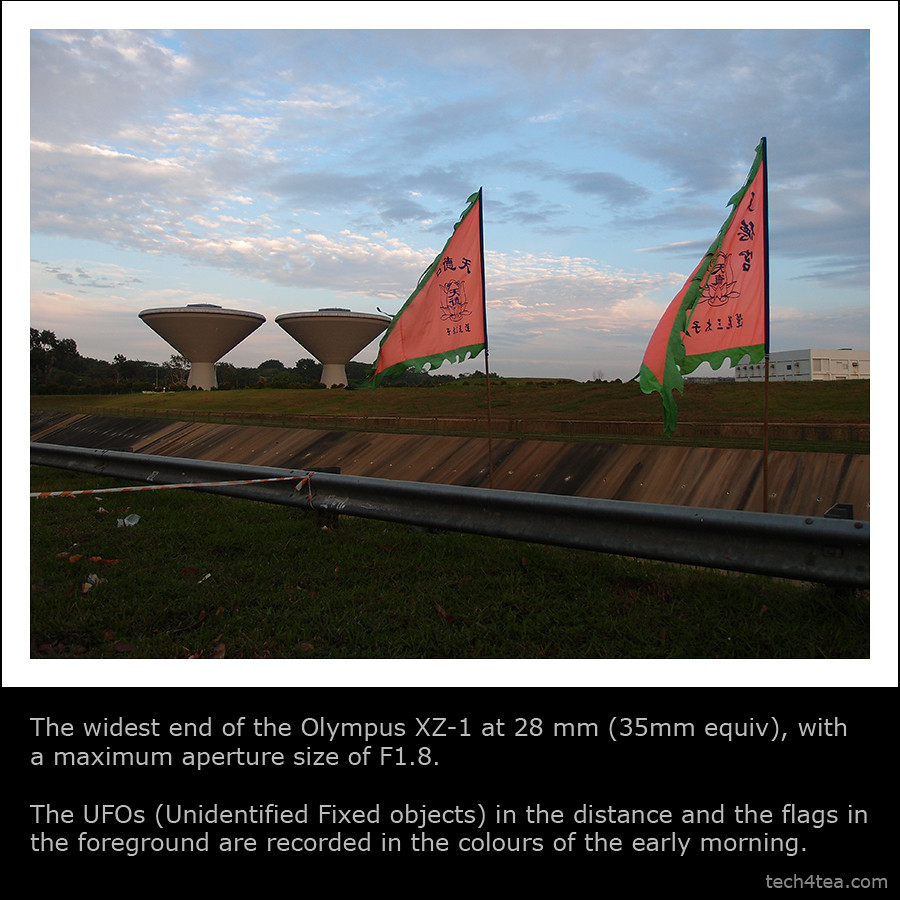
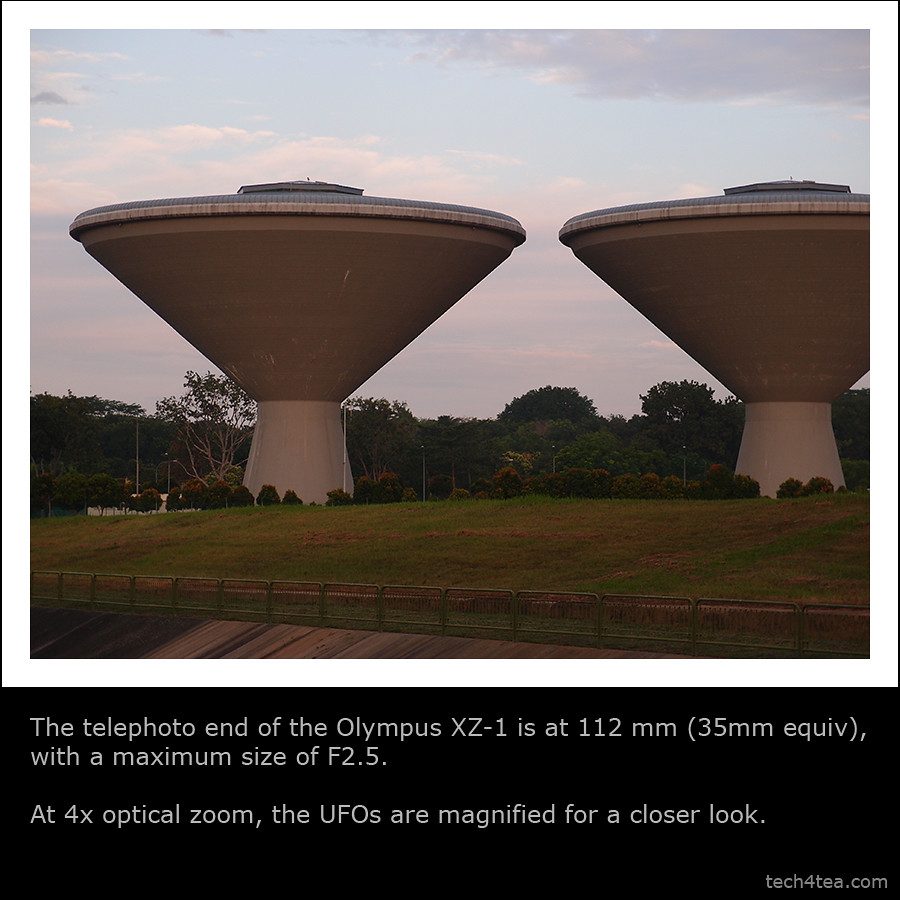
Hopefully these photos will provide a better idea of what the camera can and cannot do.

Listed here are some earlier write-ups on the Olympus XZ-1:
Full review | Detailed specs | Main selling points | Diorama movie

Photo review of the Olympus XZ-1

Wide angle at 28mm

Telephoto end at 112mm (35mm equiv)

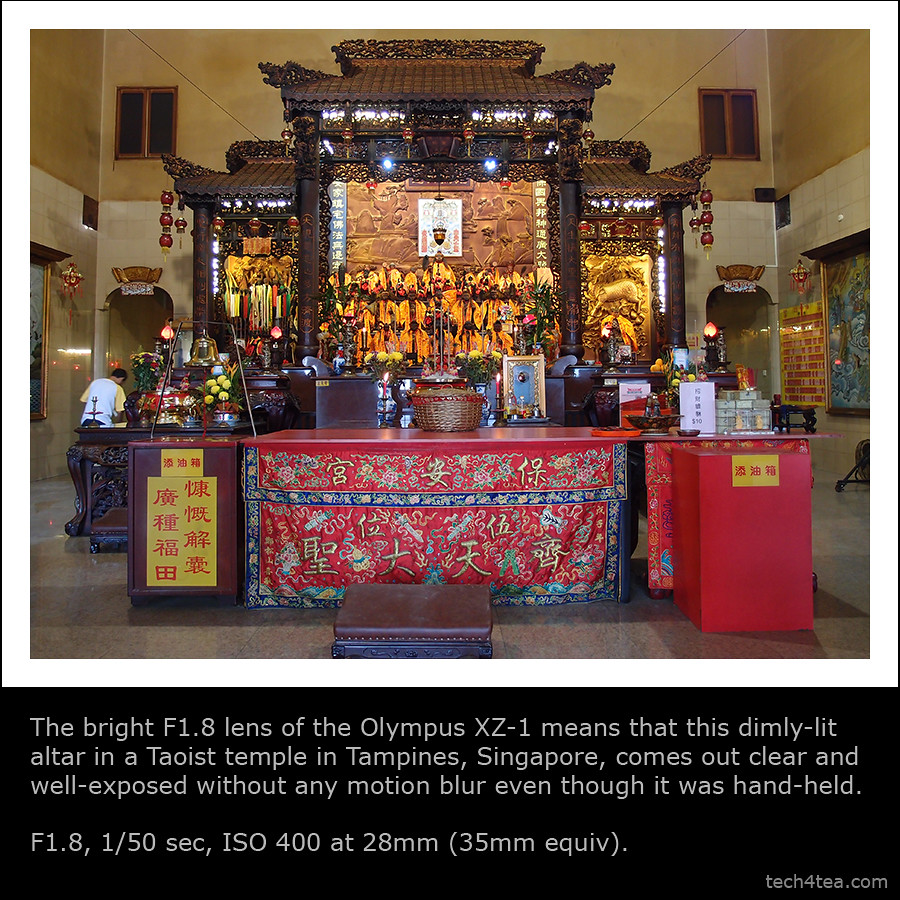
F1.8 for low light

(more…)