The new Huawei Watch GT 3 is the company’s latest smartwatch and offers a staggering 14 days battery life as well as more accurate measurements of vital statistics to monitor health and fitness, and to instrument sports performance for in-depth analysis and more effective training.
Unboxing the Huawei Watch GT 3 health/fitness/sports smartwatch.
It offers improvements which includes features that had debuted with the flagship Huawei Watch 3 and Watch 3 Pro which was released for APAC in July this year.
The new Huawei Watch GT 3
First unveiled last month in October and launched for Singapore less than two weeks ago, the Huawei Watch GT 3 series will hit the shelves on 18 December, with pre-orders beginning today(until 17 December).
#tech4xmas: This will make an ideal Christmas gift for those keen on fitness and good health.
Major improvements over its predecessor in the sporty GT (Gran Turismo or Grand Tourer) line include an upgrade of the operating system from the Lite OS to HarmonyOS 2.1.0, an Apps grid replacing a scrolling menu, additional sensors, more accuracy in measurements and a rotatable crown.
Compared to the muscular flagship Watch 3 Pro, the new Huawei Watch GT 3 feels lighter and is slightly smaller though both watch faces measure 46mm.
The Watch GT 3 does not have the eSIM & Wi-Fi capabilities of the Watch 3 Pro, but has a much longer 14 days battery life.
Tech-U-Can-Use (TUCU): Need to continue using the iPhone while it’s still charging – without interrupting the charging? Guest reviewer Jennifer Lee checks out the 7.5W BoostCharge magnetic wireless charger pad from Belkin for her iPhone 13 Pro Max.
#tech4xmas: This BoostCharge wireless charger pad from Belkinmakes a suitable Christmas present for iPhone 12 and iPhone 13 owners. Photo credit: Jennifer Lee.
The portable wireless charger pad is MagSafecompatible for iPhone 13 and iPhone 12.
It comprises the magnetic disc pad that attaches to the iPhone, and a 2m cable that plugs into the power supply.
Retailing atS$79, the Belkin BoostCharge Magnetic Portable Wireless Charger Pad 7.5W (# WIA005) is available in Best Denki stores, Challenger stores, Challenger.sg, Harvey Norman stores, Harveynorman.com.sg, Lazada, Shopee. Photo credit: Jennifer Lee.
Slim and portable, the wireless charger pad is small enough to tuck in the handbag and perfect on the go.
The pad is 60mm in diameter and 11.5mm thick.
The 2m long cable provides added ease to move around while charging and especially if there are only limited wall sockets in the room.
The magnetic attachment is strong and clips onto the phone right away, no worries about misalignment or loose contacts etc.
I was able to continue using the phone (eg. scrolling, pinching the screen and talking on the phone) without worrying about the charger pad coming loose or misaligned if I accidentally jostle it or the phone vibrates on an incoming call.
Xiaomi 11T, together with the Xiaomi 11T Pro and a refreshed Xiaomi 11 Lite 5G NE, is the latest addition to the Xiaomi 11 family of flagship smartphones. Overall, you get a mid-range smartphone with flagship-level features at a reasonable price.
The Xiaomi 11T comes in 3 colors: Meteorite Gray, Moonlight White, and Celestial Blue.
The Xiaomi 11T & Xiaomi 11T Pro are the company’s first smartphones to do away with the Mi prefix and branding.
Both phones continue the product line’s focus on creators and content creation.
There are two configurations available for the Xiaomi 11T, both with 8GB RAM:
8GB + 256GB (S$649)
8GB + 128GB (S$629)
With only S$20 separating the two configurations, it’s a no-brainer to go for the version with 256GB storage.
Tech-U-Can-Use (TUCU): Guest reviewer Jennifer Lee just received her new iPhone 13 Pro Max so in order to protect it, she got herself the Belkin SCREENFORCE UltraGlass screen protector and applied it herself to the phone. Here’s her experience.
#tech4xmas: This SCREENFORCE UltraGlass screen protectorfrom Belkinmakes an ideal Christmas present for the iPhone 13 Pro Max owner.
I am amazed at how easy the application was.
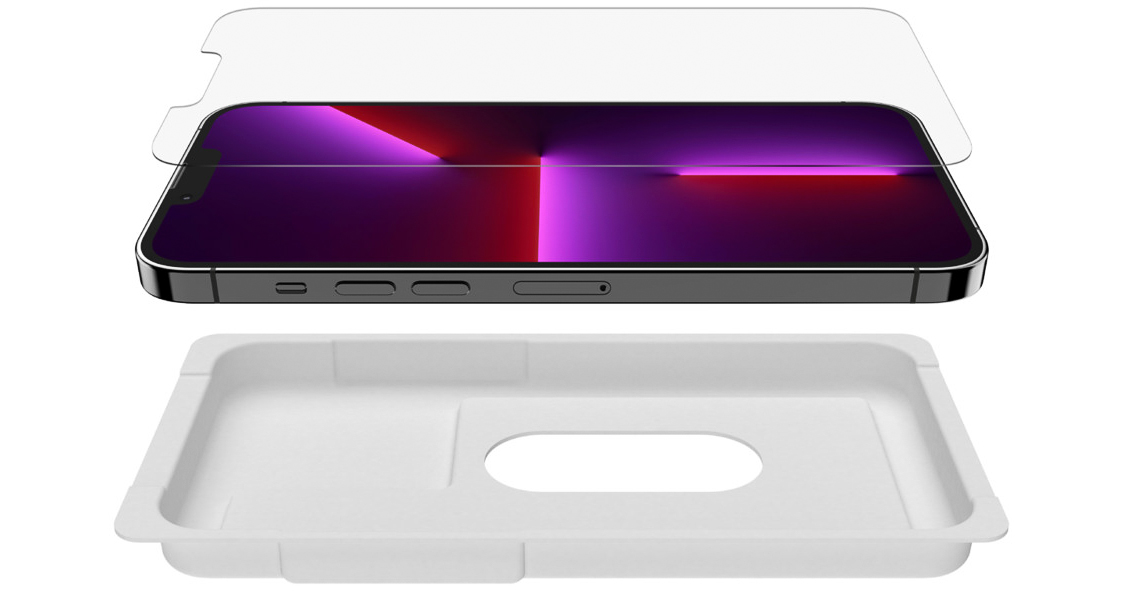
No fuss, just follow the very simple step by step visual guide (included) using the Easy Align Tray.
Belkin makes it easy and fuss-free to self-apply the SCREENFORCE UltraGlass screen protector DIY, as the reviewer tried out.
Unlike most screen protectors, the Belkin Ultraglass application was flawless, precise and bubble-free even at the first attempt.
The Ultraglass feels seamless on the screen, without any curves or bends and you won’t realise there is another layer of screen protector on top.
Tech-U-Can-Use (TUCU): My mom’s in-box power supply for her phone died on her, so I got her a replacement wall charger – as a replacement and upgrade.
The Belkin BoostCharge USB-C PD 3.0 PPS Wall Charger 25W is an intelligent charger for those new phones that doesn’t include chargers in the box, as a second charger at the office, or simply as a spare/backup charger.
The main features of Belkin’s BoostCharge 25W wall charger can be gleaned from its lengthy name.
It’s a wall charger, it can charge at up to 25W max power, it uses USB-C, it is PD 3.0 certified, and it is equipped with PPS technology.
Having had to #WorkFromHome for the past year, I decided to liven up the garden with a Philips Hue Lightstrip (Outdoor). It was a fun little project that was quick and easy to set up.
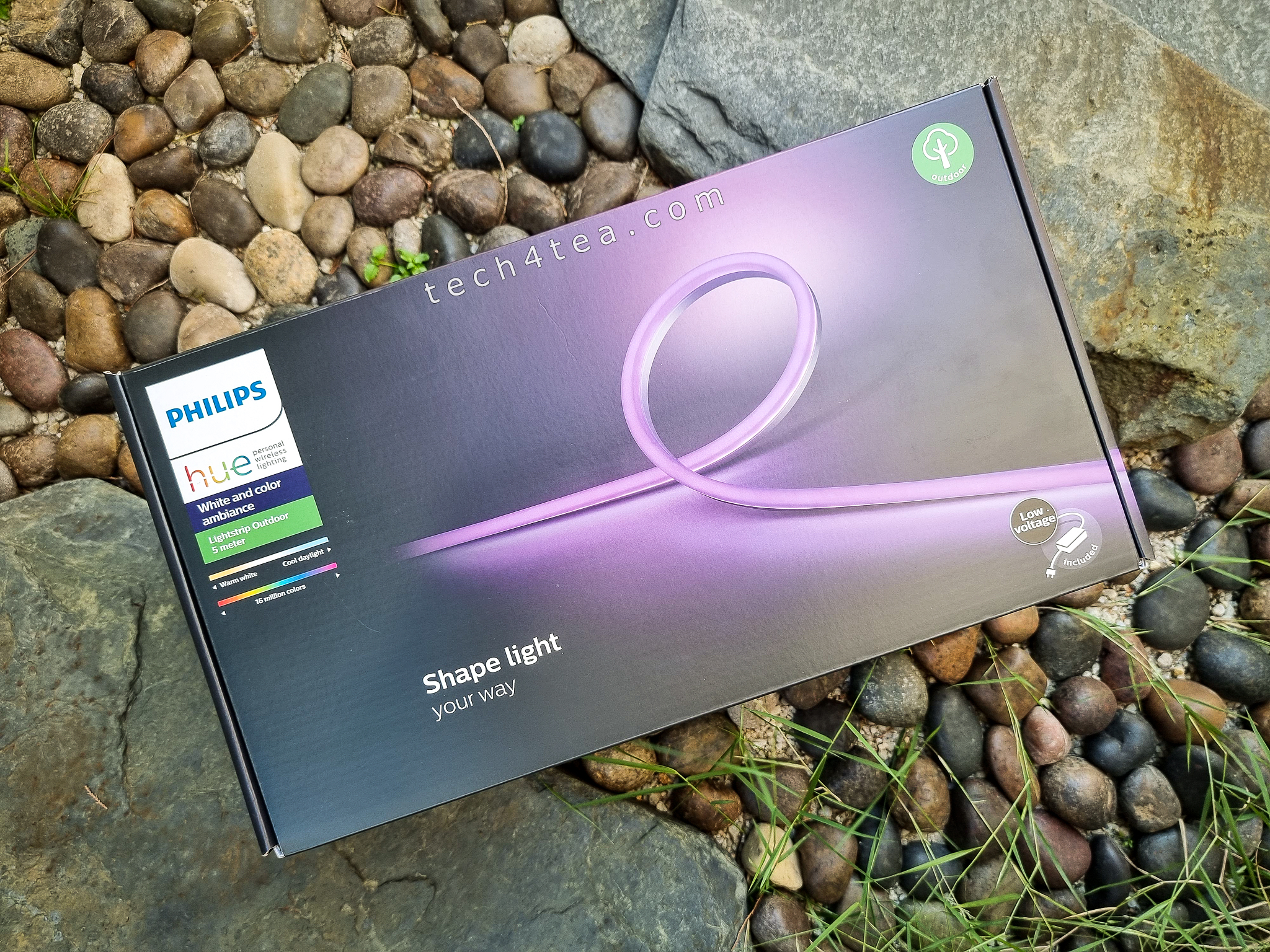
I got myself the 5m version of the Philips Hue Outdoor Lightstrip.
The Philips Hue Outdoor Lightstrip is a flexible, weatherproof LED strip that can be bent and shaped to produce your own lighting designs and mood in your garden or patio.
You can also use it indoors although there is a cheaper version (Lightstrip Plus) for indoor usage that’s not weatherproof..
Philips Hue Lightstrip Outdoors (5m)
The Lightstrip comes with a 2-year warranty.
I like that it is weatherproof given the wet and sunny weather in Singapore.
Power consumption is low (37.5W) even though it can put out 1650 lumens.
The rated lifespan is around 10 years (25,000 hrs).
Dimensions: 487 (L) x 1.1 (W) x 2 (H) cm
With its diffused glow, the lightstrip can be used for direct or indirect lighting, and is able to display 16 million colour and 50 shades of gray all shades of white to create your personalised desired effect.
In the box is the lightstrip itself, the weatherproof power supply for plugging into the mains outdoors, as well as clips and screws to fasten the lightstrip onto the ground or wall based on the design you want to shape it to.
The lightstrip itself is quite flexible so if you’re just laying the lightstrip on the ground, I found that I could shape it without using any clips.
The lightstrip comes in 2m (S$209) and 5m (S$339) versions and is part of the Philips Hue line of intelligent lighting products for the home.
#t4tTUCU: Philips Hue Outdoors Lightstrip from Signify – freshly unboxed. Time to add some fun and snazzy (or calm and relaxing) ambience to the garden.
Note that, in order to maximise the use of the lightstrip, you’ll need to have a Philips Hue Bridge (S$89), which is sold separately.
Tech-U-Can-Use (TUCU): The Philips Hue Bridge (S$89) is the starting point for anyone thinking of building a smart lighting system for their homes. It is the hub that connects and controls smart lights and accessories from the Philips Hue family of smart lighting products.
The Philips Hue Bridge is the HEARTof the Philips Hue home smart lighting.
Since we’re all spending so much time #WorkingFromHome and doing #HomeBasedLearning – thanks to the COVID-19 pandemic, I decided to turn as much of my dwelling into a smart home.
ZigBee technology
Philips Hue is based on ZigBee, a low-power and reliable technology to control your lights.
Zigbee is a worldwide standard for low power, self-healing, mesh networks offering a complete and interoperable IoT solution for home and building automation.
Zigbee networks can support hundreds of nodes, and have enhanced security features.
There are already Google Home wireless speakers around the home, so the next step is to introduce some nice lighting to enhance the ambience for both work and play.
One of the easiest ways to fix up smart lighting in the home is the Philips Hue bulbs and lights from Signify (foremely Philips Lighting).
The Philips Hue Bridge is the hub to which all the Philips Hue smart lights are connected and through which the Philips Hue App controls those lights.
Huawei launched the FreeBuds 4 TWS (True Wireless Stereo) earbuds for APAC less than two weeks ago and I’ve been trying it out since then. Pre-orders for the earbuds are now open from today till 23 July, 2021 before it hits Singapore shelves on the 24 July.
Here’s my Silver Frost version of the new Huawei FreeBuds 4. Also available is Ceramic White.
I like the physical design for the FreeBuds 4, especially the chrome shiny metallic Silver Frost colourway.
The other colour available is the Ceramic White version, which looks similar to Apple AirPods.
In the box are the earbuds, the charging case, a USB-C cable and the regular documentation that includes a quick-start guide, safety information, warranty card and warranty certificate.
Want to improve the quality, speed and coverage of your home Wi-Fi for #WorkFromHome and #HomeBasedLearning? I’ve been using the E9450 WiFi6 EasyMesh Router from Linksys since its launch half a year ago and I’m very happy that it has delivered.
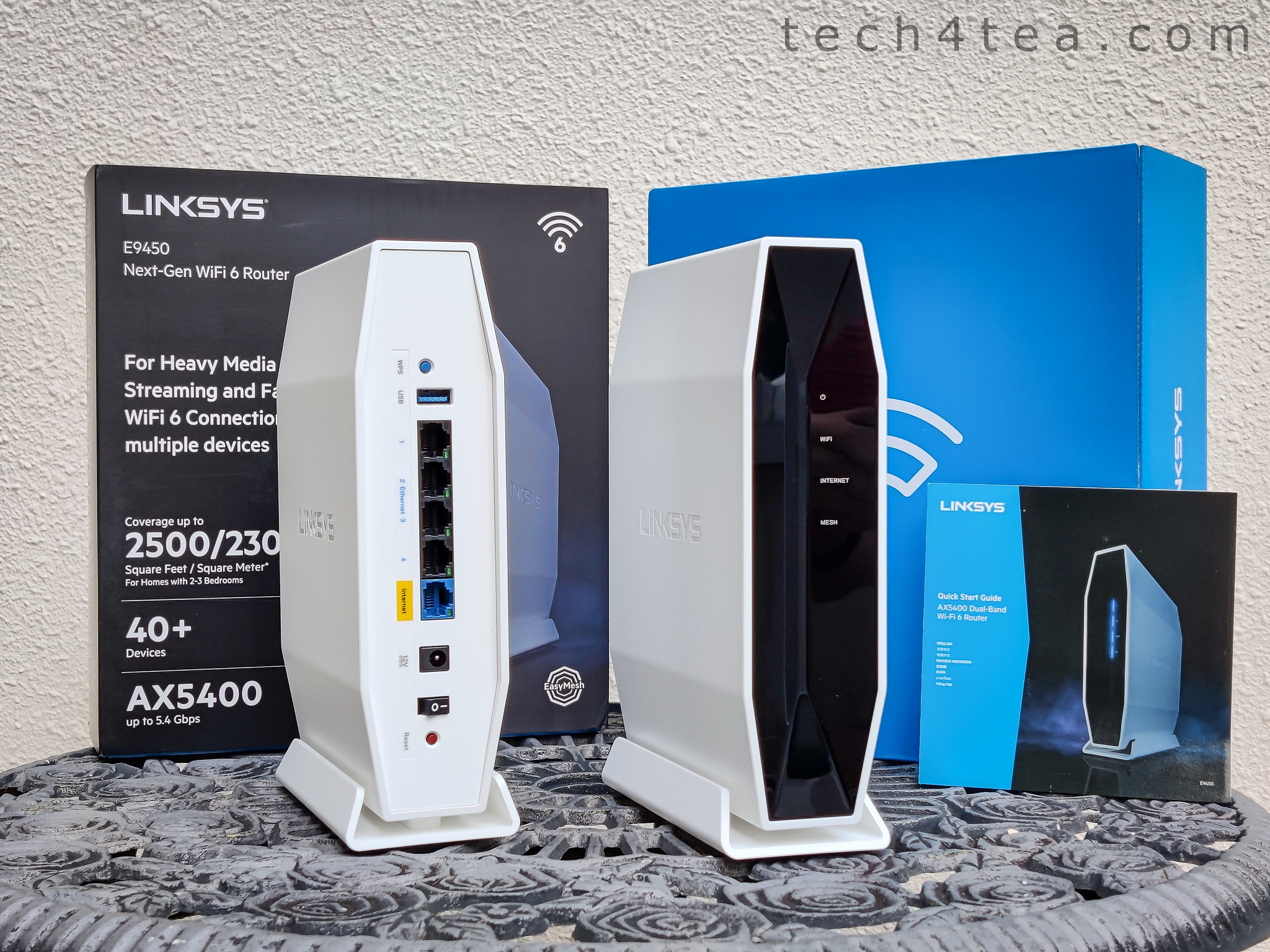
The Linksys E9450 Dual Band WiFi 6 Mesh router to expand Wi-Fi coverage and performance for #WorkFromHome and #HomeBasedLearning, as well as for gaming.
I’ve been using a telco-provided router for years – it has served me well although it could not reach the study, the bedrooms and the garden outside – so Internet access has always been confined to the kitchen, living and dining rooms.
Living in the Digital Age
In this digital age that we are living in, access to the Internet has become a basic necessity of any home – much like water and electricity is indispensable in any facility.
So one of the first things you’ll need to begin #WorkFromHome and #HomeBasedLearning– in this trying time of the COVID-19 pandemic – is a broadband subscription with enough bandwidth to support the data-access needs of the entire household.
Once you’ve subscribed to a broadband subscription from an Internet Service Provider (ISP), you’ll need to set up a robust Local Area Network (LAN) to channel the Internet access to devices around the household – just like you’ll need pipings and electrical wiring to distribute water and electricity to all parts of the home.
The fastest and most reliable LAN is one based on a wired Ethernet network – but most often than not, most apartments have not been wired up and you’ll need a good router to set up a wireless Wi-Fi network instead.
Beyond the reaches of the old router, we had to switch on the mobile data connections on our handphones and hotspot the data to devices (speakers and computers etc) without a mobile data connection.
You can imagine how frustrating and limiting (and expensive) that can be.
And as the number of Internet-lusting devices being used in the household began growing rapidly, connection quality began to deteriorate, with slow speeds and dropped connections occurring more frequently.
Which was why I decided to upgrade the old router with the Linksys E9450 WiFi6 EasyMesh Router.
To expand the coverage of my home Wi-Fi network, I deployed a 2-node (1 parent + 1 child node) mesh network.
This was because a single-node network provided roughly a similar spatial network as my old router, probably because it was a matter of physical topology due to the layout.
The optical network terminal (ONT) for Singtel’s fibre optic network is located at one end of my apartment near the main entrance – instead of the center of the entire apartment – hence the distance between the router (which is connected by wire to the ONT) and the bedrooms tend to render the Wi-Fi signals too weak for connection.
I have a Network Attached Storage (NAS) connected (by wire) to the E9450 so that devices can upload/download files/photos and stream music/videos wirelessly via the Wi-Fi network. Another reason why I need a good Wi-Fi network with reach and performance.
So with a second E9450 router placed at the far end of the living room, the coverage of the Wi-Fi network was successfully extended to every bedroom – because the second router was located at the center of the entire apartment.
With the growing demand for storage space at home, I’ve set up an NAS (Network Attached Storage) with three Seagate IronWolf Pro 14TB NAS HDD (Hard Disk Drive) in a Synology DS918+ DiskStation. Just in time for World Backup Day 2021 today.
The three Seagate IronWolf Pro 14TB HDD freshly unwrapped (lower photo) and just prior to installation into the Synology DS918+ DiskStation NAS.
With the exponentially increasing demand for storage space, businesses and home users constantly find themselves exhausting whatever storage they have – be it to store text documents, databases, photos or huge video files.
The NAS sitting pretty alongside the Linksys E9450 router, all set up with RAID5 in a Synology DS918+ DiskStation with three Seagate IronWolf Pro 14TB HDDs within.
And with the COVID-19 pandemic, employees are working from home and students are doing home-based learning – resulting in large increases in demand for storage needs at home eg. if you’re a creative pro who now have to do your video-editing at home instead of at the office.
The three Seagate IronWolf Pro 14TB HDDs and Synology DS918+ DiskStation NAS just prior to unboxing.
Having gotten by with a desktop expansion HDD connected to my work laptop, I’ve decided to set up an NAS at home – to not only increase storage capacity but also to share that storage with all members of the family.