Archive for the ‘Tablets’ Category
Monday, October 31st, 2011
It’s Halloween today. Here’s a selection of ghouly apps for the occasion.
There are apps for both BlackBerry smartphones and the PlayBook. All the apps can be downloaded from BlackBerry App World. Click on the screenshots to get to the app on BlackBerry App World.
| Apps |
Brief Description |
Count Munchula (Free)
smartphones only

|
The world-famous Screen Muncher just couldn’t resist getting dressed up for Halloween as a blood-sucking vampire named Count Munchula! “Munch” your BlackBerry screen and capture it as an image to post directly to Twitter, share through email, or save for later!
Screen Muncher lets you capture anything you see on your BlackBerry screen just like a desktop “print screen” on a PC. This funny, cute and useful app includes a very special “Count Munchula” sound effect, animation and vibrates every time you Munch a screen! |
Pumpkin Slider (US$0.99)
smartphones only

|
Pumpkin Slider is designed to lock your BlackBerry and prevent any unwanted key press. Even if your BlackBerry is unlocked by accident, Pumpkin Slider still locks your phone and you do not need to worry about the Send key or any unwanted key pressed. Pumpkin Slider automatically locks your BlackBerry when the screen dims.
Pumpkin Slider is fast to setup, easy to use and works with the Lock button on your BlackBerry. |
Jack-O-Lantern (Free)
smartphones only

|
Ever wanted your own Jack-O-Lantern but didn’t know how to carve one? This app is a virtual Jack-O-Lantern for your BlackBerry to help you celebrate the Halloween season. You can change the Jack-O-Lantern’s face by swiping from the left or right on the eyes, nose, or mouth. You can also change the colour by clicking on the screen. Happy Halloween! |
Halloween Photo Editor (US$1.99)
smartphones only

|
Halloween Photo Editor is a powerful image processing app that turns your photos into unique Halloween themed art. Very intuitive and easy to use. even beginners will quickly learn how to create impressive Halloweenish effects! Gear up for your Halloween celebration with this amazing photo app!
The app features 4 awesome Halloween filters, 16 unique Halloween themed photo frames and 11 cute clip art images. |
Ghosty Party (US$1.99)
smartphone/PlayBook

|
Vaporize as many ghosts of the same color as you can to get a high score, with cute halloween theme animations, bonuses, and sound effects. The more ghosts you tap at once, the more scores you will get. The more same color ghosts combo, the more scoresmultiply.
The game features an autosave function on exit or phone call, and the PlayBook version also has global online support to post your scores on Facebook. |
Halloween Haunt (S$1.99)
PlayBook only

|
Zombies, Ghosts, Mummies; oh my! Halloween Haunt is a 5 Reel Slot Machine that features up to 15 credits per line (up to 9 lines) – Changeable credit values ranging from 1¢, 2¢, 5¢, 10¢, and 25¢. Once the ‘High Roller Gauge’ is completely filled, you will gain access to even higher credit values; 50¢, $1, and $5. Slot machine symbols include ‘WILD’ and ‘SPIN & WIN’ symbols, which trigger the FREE SPIN feature. Earn your way to 50 trophies, purchase the 10 items in the gift shop, and work your way up to piles of cash like candy on Halloween! |
Halloween Sounds (US$0.99)
PlayBook only

|
Wanna scare theguy in the next cube out of his wits? Look no further! With Halloween Sounds you can play endless pranks on friends and enemies alike. 15 spooky sounds and Spooky Soundtrack which plays a creepy soundtrack and adds scary sounds on top of it. The perfect soundtrack for handing out treats, or great mood music for a costume party. |
Tags:Apps, BlackBerry, Halloween, Playbook, RIM, smartphone, tablets
Posted in App, BlackBerry, BlackBerry OS, BlackBerry Tablet OS, Bold, Curve, Gadgets, Gaming, Humour, Lifestyle, Operating Systems, Phones, Photography, PlayBook, Prices, RIM, Software, Specifications, Tablets, Torch | No Comments »
Sunday, October 23rd, 2011
The 2011 Girls’ Generation Tour will be held at the Singapore Indoor Stadium on December, 2011. General ticket sales for the public will begin from November 1.
But from October 29 – 31, Samsung customers and OCBC card members will be able to purchase the tickets at a 5% discount.

2011 Girls' Generation Tour on 9 Dec, 8 pm @ Singapore Indoor Stadium.
A total of 5,500 tickets will be on sale for the S$1.8 million, three-hour K-Pop concert. There are two different ticket prices: S$218 for Terrace/Moshpit area and S$168  for seats in the Balcony/Partially-restricted area. The Moshpit area will allow more than 2,000 standing fans to get closer to the girls.
For Samsung customers and OCBC card members, there will be a 3-day priority booking period commencing from 10 am on Saturday, October 29, 2011.
| Date |
9 Dec 2011 (Friday) |
| Time |
8 to 11 pm |
| Venue |
Singapore Indoor Stadium |
| Priority ticket sales |
29 Oct (8 pm) to 31 Oct |
They will be able to purchase tickets via Sistic online, phone and counter bookings. All purchases are limited to 6 tickets per transaction to prevent any reselling of tickets.
The first 250 tickets purchased by Samsung customers will enjoy 5% off ticket prices. They will need to flash their Samsung smartphones or tablets at any SISTIC counter to enjoy the discount.
Tags:concert, discounts, Girls' Generation, promotions, Samsung, smartphone, tablets
Posted in Events, Gadgets, Galaxy, Performance, Phones, Prices, Promotions, Samsung, Tablets | No Comments »
Saturday, October 22nd, 2011
The Leica store at Raffles Hotel is hosting the first photography exhibition in Singapore by Taiwanese rockstar Wu Bai (伍佰). 14 black-and-white photos taken in Taiwan are on display for the 42-day exhibition based on the theme “More Earth”.

Wu Bai launching his first photo exhibition in Singapore from Oct 22 - Dec 2.
Wu Bai (吳俊霖 Wu Jun Ling) is best known for his powerful live shows and rock ballads, Wu Bai composes and writes his own tunes, mostly inspired from his own life experiences. Some of the hits written by the multi award-winning musician include 浪人情歌 (Wanderer’s Love Song) and 挪威的森林 (Norwegian Woods).

Wu Bai says he enjoys hitting the streets of the countries he visits to get the feel of real life.
Another avenue of expression for the talented Mandarin rock artiste is his photography. He has published two photo books in 2007 and 2009.
“More Earth” will be open to the public from today until December 2, 2011. Open daily from 10 am till 8 pm, admission is free.
Wu Bai personally launched the exhibition yesterday and spoke in depth for more than half an hour about his passion for photography, despite a bad throat.
He shared that black-and-white photography is his style of choice, even though he started out with colour photography. He had discovered the sensuous touch of black-and-white photography after he viewed some photos of snow scenes that he had taken, and was taken with the almost black-and-white look of those photos.

Wu Bai shares some of the photos he took in Singapore on his iPad.
The photos for “More Earth” were selected based on his concern with how human development and construction is rapidly encroaching on nature, with greens and natural waterways superseded by concrete and steel structures, many of which were not even really necessary.
| Date |
22 Oct – 2 Dec, 2011 |
| Time |
10 am to 8 pm |
| Venue |
Leica store,
Raffles Hotel |
| Address |
Raffles Hotel Arcade
#01-18 |
The photos for the exhibition were taken using his Leica M6 and M7 with the 28mm f/2 M Summicron lens.
Plans to bring the exhibition to other countries in South East Asia are underway.
Tags:Leica, photography, photos, rock, Wu Bai
Posted in Cameras, Compact camera, Events, Gadgets, iPad, Launch, Leica, Music, Photography, Photos, Tablets | No Comments »
Wednesday, October 19th, 2011
At BlackBerry DevCon Americas 2011, RIM unveiled BlackBerry BBX – the next generation mobile platform that takes the best of the BlackBerry platform for its smartphones and the best of the QNX platform that it uses for its PlayBook tablets.
“With nearly 5 million BlackBerry apps downloaded daily, our customers have made BlackBerry one of the most profitable platforms for developers,” said Mike Lazaridis, President and Co-CEO at RIM.The BBX platform will include BBX-OS, and will support BlackBerry cloud services and development environments for both HTML5 and native developers.
BBX will also support applications developed using any of the tools available today for the BlackBerry PlayBook – including Native SDK, Adobe AIR/Flash and WebWorks/HTML5, as well as the BlackBerry Runtime for Android Apps – on future BBX-based tablets and smartphones.
Research In Motion (RIM) believes the new BBX will connect people, devices, content and services.
Tags:BB10, BlackBerry, Playbook, RIM, smartphone, tablets
Posted in App, BlackBerry, BlackBerry 10, BlackBerry OS, BlackBerry Tablet OS, Events, Gadgets, Operating Systems, Phones, PlayBook, RIM, Seminars, Software, Tablets, Tech news | 1 Comment »
Tuesday, October 18th, 2011
Research In Motion (RIM) is making moves to recompense widespread service disruptions last week. Premium apps will be offered free of charge to BlackBerry customers, while enterprise customers will be offered one month of free Technical Support.
 Last week, many BlackBerry users experienced service interruptions and delays over a period of approximately 3 days in Europe, the Middle East, India and Africa, 1.5 days in Latin America and Canada, and 1 day in the United States.
Global teams worked around the clock to contain the issue and minimize the impact to customers as much as possible. Service levels returned to normal on Thursday, October 13.
To make amends for the disruptions, RIM has offered – for free – more than US$100 worth of premium apps from October 19 to December 31, 2011.
RIM’s enterprise customers will also be offered one month of free Technical Support. Current customers will be offered a complimentary one month extension of their existing Technical Support contract.
Customers who do not currently have a Technical Support contract will be offered a one month trial of RIM’s BlackBerry Technical Support Services – Enhanced Support, free of charge.
Additional details about the program and information about how to register will be available here.
Tags:Apps, BlackBerry, RIM, tablets
Posted in App, BlackBerry, BlackBerry OS, BlackBerry Tablet OS, Enterprise IT, Gadgets, Operating Systems, Phones, PlayBook, RIM, Software, Tablets, Tech news | 1 Comment »
Monday, October 17th, 2011
Research In Motion (RIM) announced today that more than US$100 worth of selected premium apps will be offered free of charge to BlackBerry customers, in view of service disruptions last week.
| Game |
Publisher |
| SIMS 3 |
Electronic Arts |
| Bejeweled |
Electronic Arts |
| N.O.V.A. |
Gameloft |
| Texas Hold’em Poker 2 |
Gameloft |
| Bubble Bash 2 |
Gameloft |
| Photo Editor Ultimate |
Ice Cold Apps |
| iSpeech Translator Pro |
iSpeech.org |
| DriveSafe.ly Pro |
iSpeech.org |
| Drive Safe.ly Enterprise |
iSpeech.org |
| Nobex Radio Premium |
Nobex |
| Shazam Encore |
Shazam |
| Vlingo Plus: Virtual Assistant |
Vlingo |
The apps will be available from October 19 to December 31, 2011.
The complete selection of premium apps will become available for download at BlackBerry App World over a period of four weeks beginning Wednesday, October 19th.
The selections over this period will include the following (with more to come):
Tags:Apps, BlackBerry, free, RIM, smartphone, tablets
Posted in App, BlackBerry, BlackBerry OS, BlackBerry Tablet OS, Gadgets, Phones, PlayBook, Promotions, RIM, Software, Tablets, Tech news | 1 Comment »
Friday, October 14th, 2011
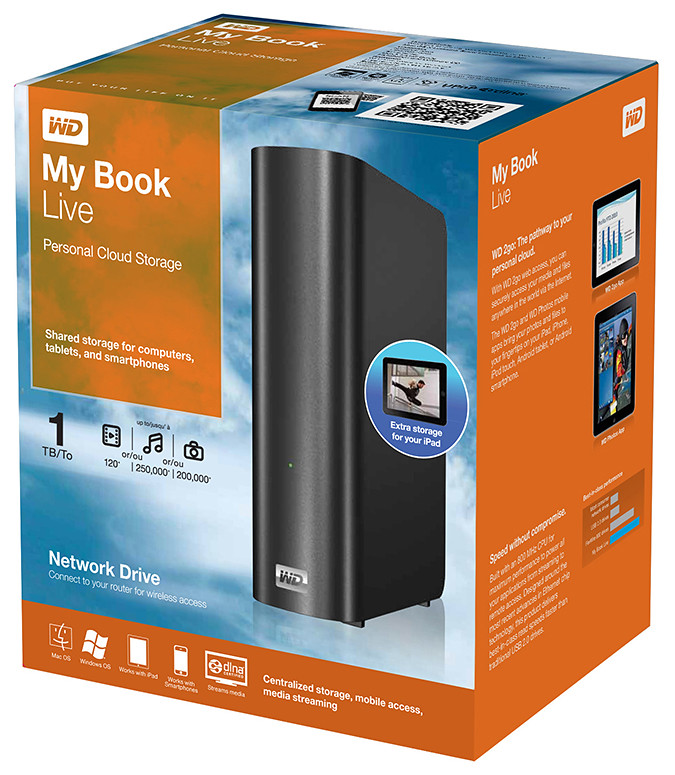
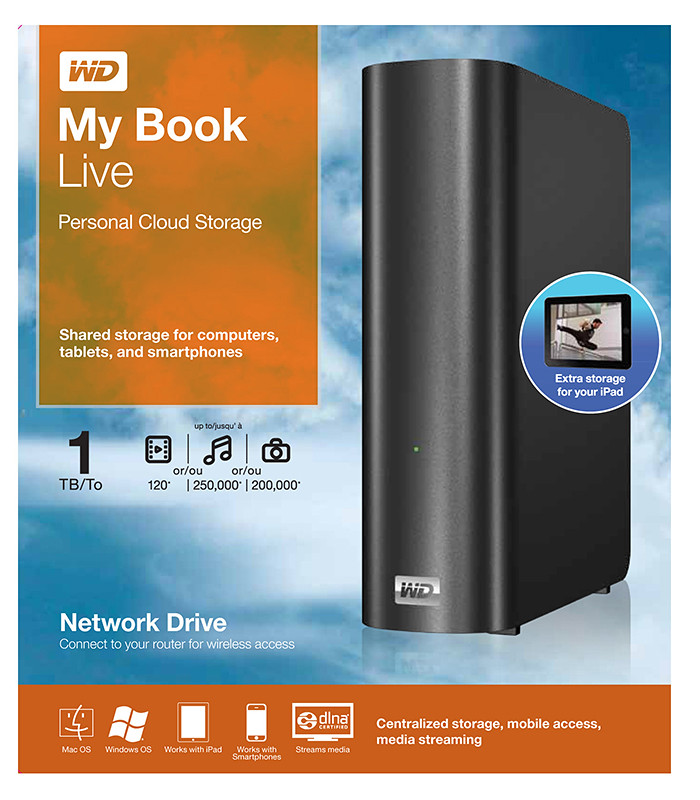
Western Digital offers an easy way to set up a personal private cloud to share documents and media – using the WD My Book Live network drive and mobile apps for Android and iOS smart phones and tablets.
The drives comes in 1TB (S$209), 2TB (S$239), and 3TB (S$299) capacities and are priced roughly US$50 more than non-network external drives with the same capacity.
 I’d posted not long ago about setting up a home shared network hard drive in order to share documents and media – photos, music and video – in a private personal cloud in the comfort of the home.
That was followed with a case study of setting up and using the Seagate GoFlex Home storage system – a similar network attached storage (NAS) drive.
My Book Live is a network attached storage drive from Western Digital
The WD My Book Live network drive from Western Digital is also connected directly to the wireless router to plug into the home wireless network. Both Macs and PCs can store, access and share documents, as well as stream media from the drive.
With all the buzz about consumer public clouds and enterprise private and hybrid (private/public) clouds, the WD My Book Live makes it simple to set up your personal private cloud with the hard-disk and data physically sitting in the security of your home.
Access to this personal cloud can be extended beyond the home to the Internet. Any computer given the access rights can access the shared documents and media on the WD My Book Live through www.WD2go.com.
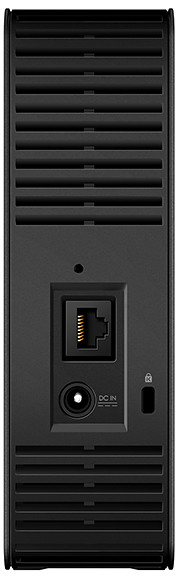
My Book Live comes in capacities of 1TB, 2TB and 3TB
In addition, Android and iOS mobile devices (both smart phones and tablets) can get mobile access to the files stored on the drive via the WD2go apps from Western Digital. The WD Photos and basic WD2go app are free and allows viewing files and streaming media from the WD My Book Live.
For US$2.99, the WD2g Pro app adds the ability to “clip” files – basically download a local copy of files and media to the mobile device; and allow users to share files by emailing either a copy of the files or a link to the WD My Book Live.
Note that once the link is sent out, anybody with the link will have access to that file. There is no expiry date for the sharing, like in Seagate’s GoFlex Home. The only way to stop sharing that file is to either remove that file or rename it – but that affects everybody to whom you’ve sent that link to.
Naturally, both the network drive and the router must be connected and powered up for access. And access from mobile devices is only via the apps over the Internet – instead of direct access over the local home wireless network.
That means that even if you’re at home, the app in your smart phone or tablet will still have to go to the Internet (via wireless or 3G) and come back into the home wireless network to access the files on the WD My Book Live. This is similar to the GoFlex Home.
But Western Digital does not limit the number of users or computers that can share the WD My Book Live. The GoFlex Home limits the number of users/computers that can be set up to connect with it to just 5. GoFlex Home customers need to subscribe to pay to enjoy unlimited connections.
| Capacity |
WD
My Book Live |
Seagate
GoFlex Home |
| 1 TB |
S$209 |
S$179 |
| 2 TB |
S$239 |
S$239 |
| 3 TB |
S$299 |
S$339 |
WD My Book Live features a built-in media server that streams music, photos and movies to any DLNA-certified multimedia device such as a WD TV Live network media player, Blu-ray Disc player, Xbox 360, PlayStation 3, and connected TV.
My Book Live comes in capacities of 1TB, 2TB and 3TB and is compatible with both Windows and Mac OS, as well as DLNA/UPnP enabled devices.
Tags:drive, media player, smartphone, tablets, Western Digital
Posted in Android, App, Cloud, Events, Gadgets, iOS, iPad, iPhone, Launch, Phones, Prices, Specifications, Tablets, TV, Western Digital | 1 Comment »
Thursday, October 13th, 2011
Western Digital launches a slew of media storage, networking and playback products for the connected lifestyle.
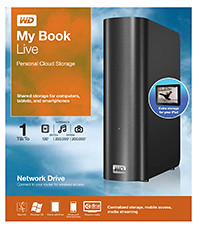
Western Digital My Book Live personal cloud storage
The premise of the Connected Life solution from Western Digital is the simple set-up of a private personal cloud where media can be accessed and shared from any computer at home.
This personal cloud can also be extended into the Internet so that mobile devices such as smart phones and tablet computers can also access data and media in the cloud using apps, while computers can use a browser interface.
The centrepiece of the Connected Life solution from Western Digital is the My Book Live network attached storage. With capacities ranging from 1TB to 3TB, these network capable external hard drives are connected directly to the wireless router at home so that any computer – be it a Mac or a PC – can store and access the media in the drive.

Western Digital WD TV Live streaming media player
The WD TV Live media player that is connected to the wireless network can then stream media from My Book Live and play photos, music and videos on a large TV screen. It can also stream media directly from Internet services such as YouTube.
Outside home, data and media on My Book Live can be accessed on mobile devices using WD apps WD 2go (free), WD 2go Pro (US$2.99), and WD Photos (free).
Tags:Android, cloud, drive, iOS, iPad, iPhone, media player, smartphone, tablets, Western Digital
Posted in Accessories, Android, Cloud, Events, Gadgets, iOS, iPad, iPhone, Launch, Media player, Phones, Prices, Specifications, storage drive, Tablets, Western Digital | 1 Comment »
Wednesday, October 5th, 2011
Adobe announced its slate of six new apps for Apple iPads and Android tablets during the MAX 2011 conference in Los Angeles. Here’s a brief description of what each of the apps does.
Each of the six apps has an introductory price-tag of US$9.99. The Android version is will be available in November 2010 while the iOS version will only be available in 2012.
| Adobe Touch App |
Description of App |
Adobe Photoshop Touch


|
Transform images with core Photoshop features in an app custom-built for tablets. With simple finger gestures, users can combine multiple photos into layered images, make popular edits and apply professional effects. The tablet-exclusive Scribble Selection Tool allows users to easily extract objects in an image by simply scribbling on what to keep and then what to remove.
With Refine Edge technology from Adobe Photoshop, even hard-to-select areas with soft edges, such as hair, are easily captured when making selections. Additionally, the app helps users quickly find images, share creations, and view comments through integration with Facebook and Google Search. Using the syncing capabilities that are a component of Adobe Creative Cloud, files can be opened in Adobe Photoshop. |
Adobe Collage


|
Capture and refine ideas and concepts by combining inspirational images, drawings, text and Creative Suite files into modern, conceptual mood boards.
Features include importing of images, four customizable pen types for drawing, adding text, and applying color themes. A virtually unconstrained canvas grows as needed to accommodate more assets. Files can be shared or transferred for access in Adobe Photoshop. |
Adobe Debut

|
Present designs to clients and stakeholders virtually anywhere. Adobe Debut quickly opens tablet-compatible versions of Creative Suite files for convenient and beautiful viewing on the tablet, including Photoshop layers and Illustrator art boards. Feedback is gathered using a markup pen tool to add notes and drawings on top of the work. |
Adobe Ideas

|
Easy-to-master, vector-based tool for drawing. By using a stylus or finger, strokes appear smooth at any zoom level. Starting with a blank canvas, users can choose color themes, and pull in tablet-compatible image files that can be controlled as separate layers. Finished results are easily accessed in Adobe Illustrator or Photoshop. |
Adobe Kuler

|
Generate color themes easily to inspire design projects. Color can be explored and discovered, with hundreds of thousands of Kuler themes already available via the creative community. Social engagement in the community is enhanced by rating and commenting on themes, which can be exported as color swatches for Adobe Creative Suite projects. |
Adobe Proto


|
Develop interactive wireframes and prototypes for websites and mobile apps on a tablet. Ideas are communicated and shared with teams and clients using a touch-based interface.
Gestures quickly express a design concept, explain website structure or demonstrate interactivity. The wireframe or prototype then can be exported as industry standard HTML, CSS and JavaScript, and shared in popular browsers for immediate review and approval. |
Tags:Adobe, Android, Apple, Apps, iOS, iPad
Posted in Adobe, Android, App, iOS, iPad, Launch, Prices, Software, Specifications, Tablets | 1 Comment »
Tuesday, October 4th, 2011
Six new apps for Apple iPads and Android tablets have been announced by Adobe at its MAX 2011 technology conference.
At US$9.99 each, the six apps address different areas of the creative process: image editing; ideation; sketching; mood boards; website and mobile app prototyping; and presenting finished work.
The six new Adobe Touch Apps are:
- Adobe Photoshop Touch
- Adobe Collage
- Adobe Debut
- Adobe Ideas
- Adobe Kuler
- Adobe Proto
More details of the Touch Apps are tabulated here.
Adobe Touch Apps are essential components of Adobe Creative Cloud, a major new company initiative also announced today. Adobe Creative Cloud will allow subscribers to access desktop and tablet applications, find creative services, and share their work.
Files created via Adobe Touch Apps can be shared, viewed across devices or transferred into Adobe Creative Suite software for further refinement. Adobe Touch Apps are designed to work with both finger and stylus input.
Adobe Touch Apps will be available for Android devices in November 2011. iOS availability will likely be announced only in early 2012, although Adobe Ideas is already available for the iPad.
Access to the file viewing, sharing and transfer functionality of Adobe Creative Cloud is included in the price of each Adobe Touch App. Details regarding pricing of the Adobe Creative Cloud and its expanded capabilities around applications, services and community will be announced in November 2011.
Tags:Adobe, Android, Apple, Apps, iPad, tablets
Posted in Adobe, Android, App, Creative Suite, iOS, iPad, Launch, Software, Tablets | 1 Comment »