The Lumia 800 was launched in Singapore on 7 December 2011 and goes on sale today at a RRP of S$775 (excl GST and no contract).
Nokia Lumia 800 on Microsoft Windows Phone 7. Click on image to see full data sheet.
The “social” Nokia Lumia 800 comes in 3 vivid colors (cyan, magenta and black) and promises great Internet performance, with one-touch social network access, easy grouping of contacts, integrated communication threads and Internet Explorer 9.
Nokia Lumia 800 comes in 3 colours
It features a 3.7 inch AMOLED ClearBlack curved display blending seamlessly into the reduced body design, and a 1.4 GHz processor with hardware acceleration and a graphics processor.
The Nokia Lumia 800 contains an instant-share camera experience based on Carl Zeiss optics, HD video playback, 16GB of internal user memory and 25GB of free SkyDrive storage for storing images and music.
The main technical specifications of the Nokia Lumia 800 are summarized below.
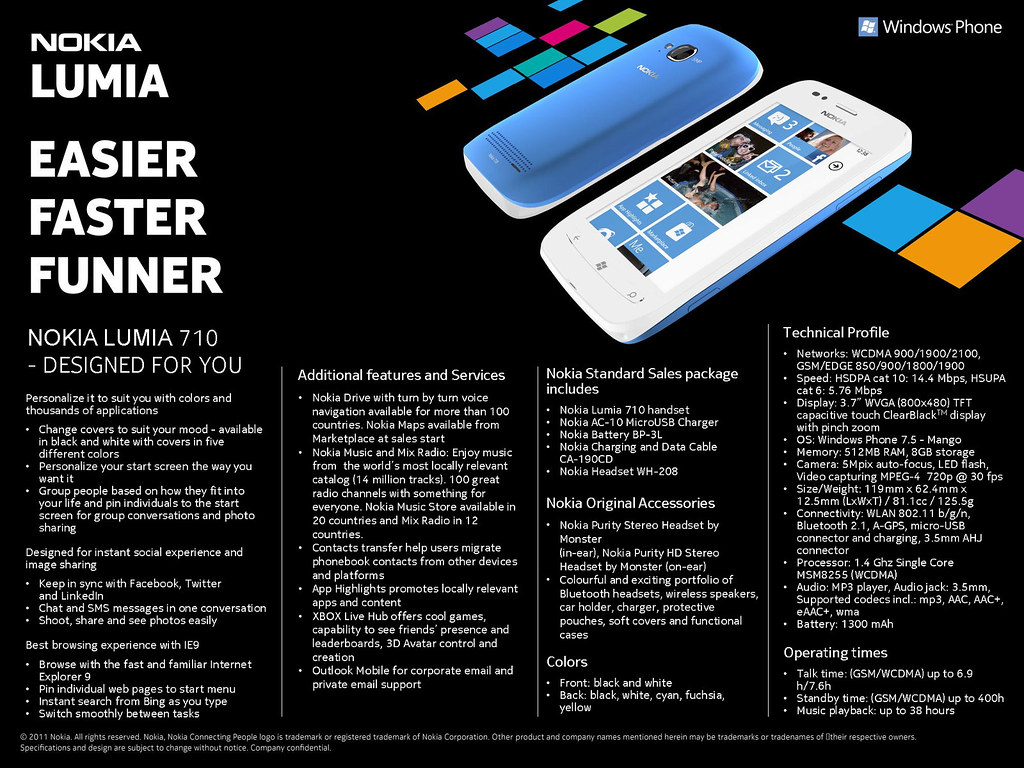
The Lumia 710 was launched in Singapore on 7 December 2011 and will hit the shelves in a few weeks at a RRP of S$505 (excl GST and no contract).
Nokia Lumia 710 on Microsoft Windows Phone 7. Click on image to see full data sheet.
Nokia Lumia 710
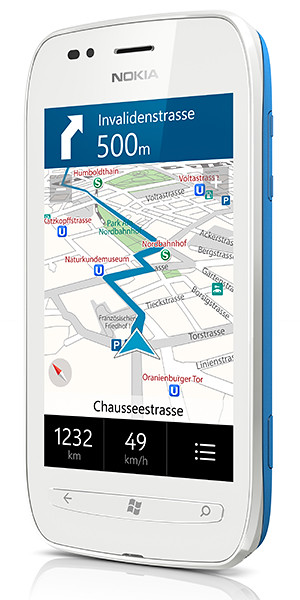
The Nokia Lumia 710 can be personalized with exchangeable back covers and is designed for instant social & image sharing, and promises a great browsing experience with IE9.
It is available in black and white with black, white, cyan, fuchsia and yellow back covers.
With the same 1.4 GHz processor, hardware acceleration and graphics processor as the Nokia Lumia 800, the Nokia Lumia 710 promises to deliver high performance at an affordable price.
The main technical specifications of the Nokia Lumia 710 are summarized below.
For its launch of the Lumia 800 and Lumia 710, Nokia has made it clear that it is not just launching these two handsets.
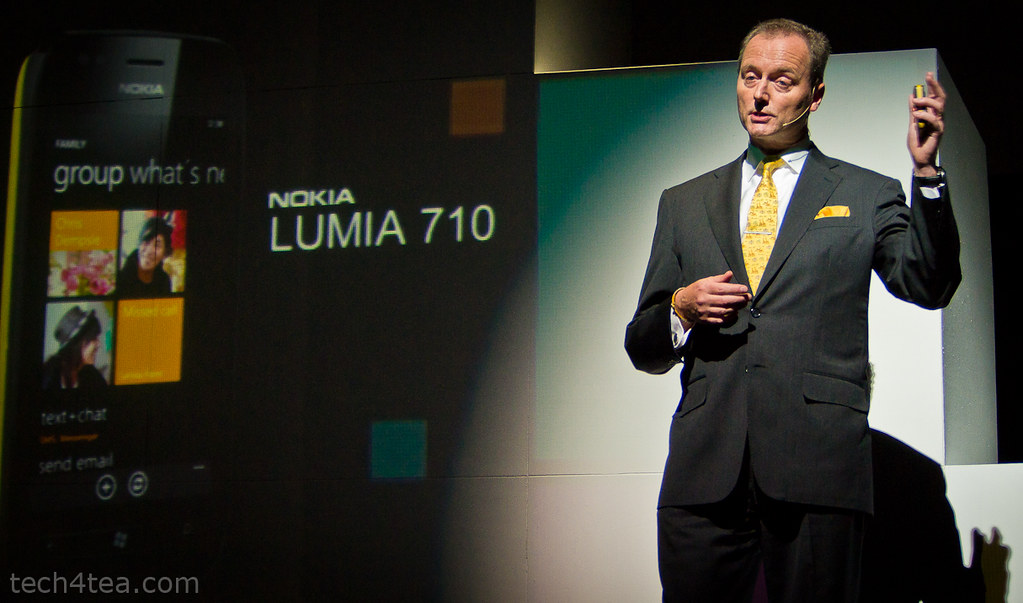
Niklas Savander, Executive Vice President, Markets, Nokia Corporation flew in from Finland to expound the virtues of the Lumia product line in Singapore.
Instead, it is launching a holistic mobile experience for the smartphone user – from the hardware performance to the software user interface, right down to the ecosystem of applications for users and development tools and environment for developers.
Tracey Fellows, Area Vice President, Microsoft Asia Pacific
The launch event was a testimony to this holistic approach.
There were customized sessions to woo different segments of that ecosystem.
The first session of the day was a “fireside chat” where Nokia and Microsoft executives briefed developers how they are developing and building the ecosystem.
Nokia is working with global and local developers to create new, innovative and differentiated apps and content for all Nokia devices.
Emphasis has been placed on supporting local developers transition to develop for the Windows Phone platform.
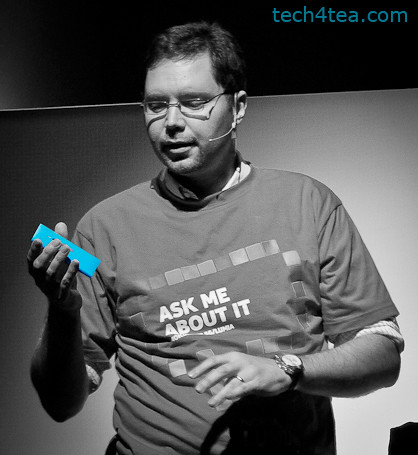
Ask Andrej Sonkin about how excited he is with the Lumia. He is the Head of Smart Devices for Nokia Southeast Asia Pacific.
It is also partnering with local institutions to actively develop applications.
This was followed by the keynote conference when the actual products were launched, and guests and media had a chance to hands-on the handsets and accessories.
Key executives from both Nokia and Microsoft were on hand for interviews to go into details with their plans for the Singapore market and their local focus, as well as the product specifications for the Nokia Lumia range of products.
The launch event was wrapped up with a bum-boat ride to Clark Quay for a party at Read Bridge.
Microsoft marries the desire of the citizenry for a bigger voice and the Government’s post-election impetus to better cultivate social media – by bringing the community together to examine the role that technology plays in oiling the interactions and engagement.
Panel discussion at GovCamp Singapore
Thought leaders, citizens, students, government officials, developers, public servants, web 2.0 advocates, bloggers and community members concerned with technology, open data and open government converged to The Rock Auditorium in Suntec City.
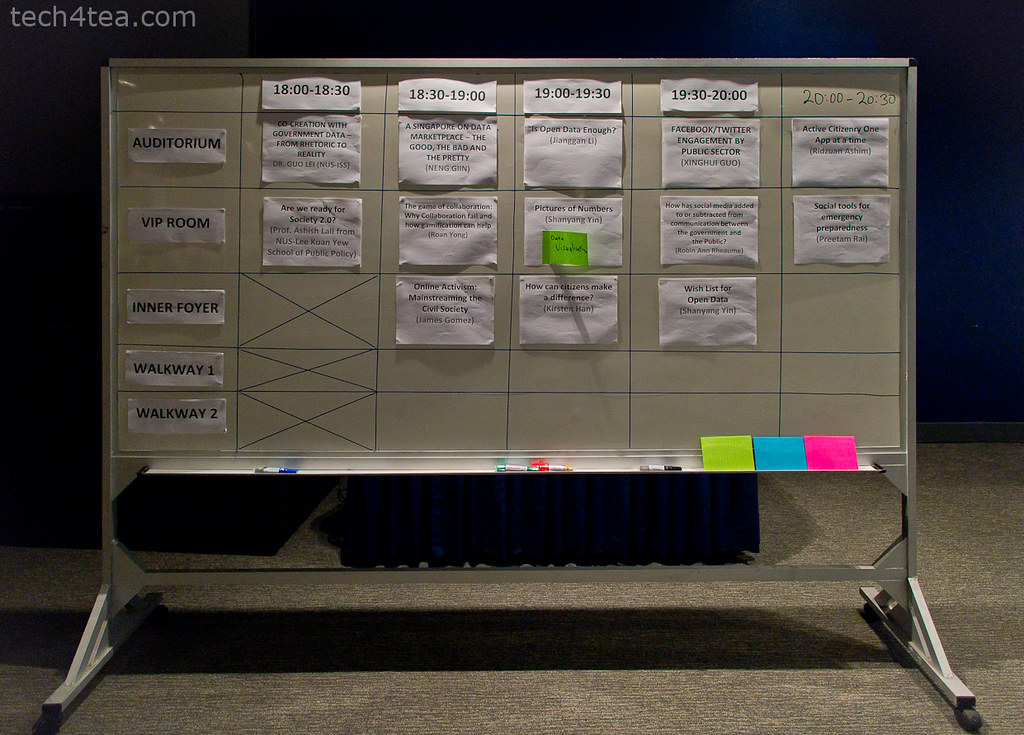
Breakout sessions mooted and voted by participants.
The multi-track conference started at 3pm and will end at 10pm.
Following the opening speech by Jessica Tan, Managing Director, Microsoft Singapore; speech by Guest of Honour, Ms Grace Fu, Senior Minister of State, Ministry of Information, Communications and the Arts; Jane Fountain delivered the keynote speech.
One of the breakout discussions at GovCamp Singapore
This was followed by a panel discussion between Jane Fountain, James Kang, Prof Ashish Lall, and Dr Pallab Saha – moderated by Rodrigo Becerra Mizuno, Managing Director, e-Government, Microsoft.
The detailed agenda for GovCamp and the full designations of the speakers can be found here.
Another of the breakout discussions at GovCamp Singapore
After the break, participants broke into smaller discussion groups to focus on topics that they had earlier proposed and voted upon. The list of topics for the sessions can be found here.
Overall, the impression I got from the event was that it was well-attended, with good levels of interaction and discussion. Hopefully, there’ll be more of such engagement sessions in the future.
Research In Motion (RIM) and Microsoft have announced BlackBerry Business Cloud Services for Microsoft Office 365. An open beta for the service has been launched in more than 30 countries.
“BlackBerry Business Cloud Services is an easy and cost-effective way for businesses and government agencies to extend Microsoft Office 365 to BlackBerry smartphones and manage the deployment in the cloud,” said Alan Panezic, Vice President at Research In Motion.The new RIM-hosted online service is targeted at midsized businesses and enterprises – extending Microsoft Exchange Online to BlackBerry smartphones, and allowing organizations to self-manage their BlackBerry deployments in the cloud.
The service mobilizes Microsoft Office 365 Exchange Online via RIM-hosted BlackBerry Management Service. It features advanced Web-based IT and employee self-service smartphone management and security functions
Key features include:
Access to Microsoft Exchange Online email, calendar and organizer data from a BlackBerry smartphone.
BlackBerry Balance technology, which presents a unified view of work and personal content on a BlackBerry smartphone while keeping the content separate and secure.
A web-based console for IT administrators to provision, manage and secure BlackBerry smartphones from anywhere.
Online access to employee self-service smartphone security functions, allowing users to reset a device password or remotely lock or wipe a device in the event of loss or theft.
Managed service providers, systems integrators, carriers, resellers and other partners can also use the cloud service to manage BlackBerry deployments on behalf of their customers.
BlackBerry Business Cloud Services for Microsoft Office 365
A number of Fortune 500 customers and several government agencies in the US participated in an early access program and are among the many organizations that already plan to use the service.
Microsoft Office 365 customers can sign up for the BlackBerry Business Cloud Services beta here. The cloud-based service is available for no additional charge to Microsoft Office 365 Midsized Businesses and Enterprises plan subscribers and works with BlackBerry smartphones on business or consumer data plans.
It’s been a busy few days of earnings results from IT bigwigs. Here’s a quick sum-up of the state of the IT industry:
Yahoo! did well with profits beating estimates – could it be because expectations were low?
Conversely, Apple didn’t do so good, missing analysts’ predictions for the first time in at least six years – but that’s probably because expectations were so high!
Google’s doing real well with sales and profit beating estimates – from search advertising growth as usual.
Microsoft is patting itself on its back – for not having bought Yahoo! back in 2008. And taking a swipe at Google’s Android – Steve Balmer says you need to be a computer scientist to use an Android smart phone, unlike Windows Phone 7.
RIM’s still trying to find its way forward by taking a step backward – trying to bridge new QNX with “old” BlackBerry OS 7 – hope that works out.
Amazon is being sued for screwing up the career of an actress by revealing her real age against her will in IMDb.
On the corporate IT front, industry bell weather IBM missed analysts’ estimates on slowing revenue growth at its software, hardware and services businesses.
Newstead Technologies has opened a new multi-brand IT concept store in Funan DigitaLife Mall today. “Digital Style” is organised into six thematic zones, based on the needs of the modern IT consumer.
This is in keeping with the times – since consumers today have different purchasing habits and approaches. This is the first of a chain of such stores. Eventually, there will likely be four to five such stores geographically distributed around Singapore, according to Evelyn Chua, Business Development and Marketing Manager of Newstead Technologies.
The 2,647 square feet store is located at #03-32 of the mall and opens from 11 am to 8 pm from Tuesdays to Sundays, and 11 am to 7 pm on Mondays.
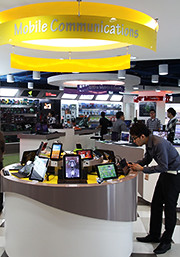
The six themes are Entertainment & Media, Gaming, Home Computing, Mobile Communications, Office & Professional, and Ultra Mobile & Business.
The focus is on allowing shoppers to try out, for themselves, different products in the themes they are interested in.
For instance, in the gaming kiosk, the whole spectrum of gaming related gadgets and peripherals – from consoles, laptops, speakers and controllers – are displayed, for shoppers to mix-and-match and plug-and-play the various components together at one-stop.
Across the various themes, products are featured from all the major brands, including Acer, Asus, BlackBerry, Dell, Fujitsu, HP, HTC, Lenovo, Logitech, Microsoft, Motorola, Panasonic, Samsung, Toshiba and others.
Apple related products are absent, so you’ll have to visit authorised Apple resellers, such as Nubox, which is also under Newstead Technologies.
I noticed that digital cameras and video cameras are not sold at the shop.
Update (24 February, 2012): Newstead Technologies has opened its second and bigger Digital Style store in Jurong Point. The next will be at The Star Vista towards the end of 2012.
Here are some screenshots from the Windows 8 developer preview during the ongoing BUILD conference (13-16 September 2011) in the Anaheim Convention Centre.
Windows 8 will be Microsoft’s attempt to wrest market share in the fast growing tablet market from market leading iPads from Apple and the whole slew of tablets based on Google’s Android.
Click on the images for a larger view. These screenshots have been provided by Microsoft.
The personalized lock screen shows unread emails and other app notifications.
See apps and content at a glance on the start screen.
Pick the files you want to send or share from one place.
Touch browsing seems fast, fluid and intuitive.
Large buttons for typing on the touch keyboard.
The thumb keyboard to avoid having to reach into the centre of the screen.
At the developer-focused BUILD conference, Microsoft has showcased a detailed preview of the next major release of Windows, code-named “Windows 8”, including new tools for developers to write applications for the new operating system.
The ongoing BUILD conference (13-16 September 2011) is being held in the Anaheim Convention Center. Here are some screenshots of the preview. Windows 8 is not expected to be come out of beta until at least the second half of 2012.
Main features
The user interface (UI) is centred around a touch interface, although it works with a mouse and keyboard too. Microsoft calls the UI “Metro” style – displaying important information first, whilst emphasising simplicity and user control. Internet Explorer 10 aims to provide a fast and fluid touch-browsing experience.
On the start screen, apps form the focal point, the Apps “tiles” fill the entire screen. The apps work together and communicate with each other in Windows 8. For example, photos can be selected and shared from different apps via email, Facebook, Flickr or the hard drive.
The ongoing BUILD conference (13-16 September 2011) is being held in the Anaheim Convention Center.
If you use multiple devices, Live roams all the content from the cloud services you use most — photos, email, calendar and contacts — keeping them up-to-date on your devices, be it a desktop, laptop, netbook, tablet or smartphone. With SkyDrive, you can access your files, photos and documents from virtually anywhere with any browser or with Metro style apps in Windows 8.
Windows 8 is an enhanced Windows 7 with lower memory footprint, and runs even on low-end hardware. For PC users, Windows 8 features an enhanced Task Manager and Windows Explorer and new, flexible options for multimonitor setups.
For developers, the Windows Store will allow developers to sell their apps anywhere Windows is sold worldwide, whether they’re creating new games or familiar productivity tools. For games developers, DirectX 11 gaming power underlies Windows 8, allowing the easy creation of full-screen games with smooth, flicker-free action.
Hardware wise, Windows 8 supports ARM-based chipsets, x86 (including x32 and x64) devices, and sensors. It promises instant-on and long battery life for ultrathin PCs and tablets, and is backward compatible with software/devices that run on Windows 7.
The new operating system will run on tablets, desktop and laptop computers via a touch screen, mouse or keyboard. It will also be backward compatible to existing Windows software.
Windows 8 represents Microsoft’s hope of wrestling market share for tablet computers from Apple iPads and Android tablets.
Microsoft will unveil the next iteration of their Windows operating system software today at a developers conference in Anaheim, California. A preview of the design was first released in June this year.
Tough days for PC makers
Windows sales have missed analysts’ estimates for three straight quarters and personal-computer sales have stalled as consumers favor tablets over notebook computers running the software, reported Bloomberg.
Of the 9.3 million iPads sold in the quarter that ended in June, about 20 percent of them went to customers who would have otherwise bought a Windows PC, estimated Colin Gillis, an analyst at BGC Partners LP in New York.
This will be the first time that a Windows operating system is capable of running on chip technology from ARM. Microsoft aims to make Windows 8 capable of running smaller, thinner tablet computers with battery life that can rival that of the market leader – Apple’s iPad.
Out of 60 million media tablets expected to be shipped 2011, 74 percent will be Apple’s iPads, according to an August forecast by IHS. The global market is forecasted to rise to 275.3 million units in 2015, with Apple expected to account for 43.6 percent of the market.
Windows 8 design
The user interface for Windows 8 resembles Microsoft’s Windows Phone 7 smartphone operating system – it uses digital tiles instead of icons to help users navigate between programs. The tiles are on the computer’s home screen can display updated information from inside applications, so that users can see the info at a glance without having to fire up those apps.






 Yahoo! did well with profits beating estimates – could it be because expectations were low?
 Across the various themes, products are featured from all the major brands, including Acer, Asus, BlackBerry, Dell, Fujitsu, HP, HTC, Lenovo, Logitech, Microsoft, Motorola, Panasonic, Samsung, Toshiba and others.