Posts Tagged ‘tablets’
Tuesday, October 18th, 2011
Research In Motion (RIM) is making moves to recompense widespread service disruptions last week. Premium apps will be offered free of charge to BlackBerry customers, while enterprise customers will be offered one month of free Technical Support.
 Last week, many BlackBerry users experienced service interruptions and delays over a period of approximately 3 days in Europe, the Middle East, India and Africa, 1.5 days in Latin America and Canada, and 1 day in the United States.
Global teams worked around the clock to contain the issue and minimize the impact to customers as much as possible. Service levels returned to normal on Thursday, October 13.
To make amends for the disruptions, RIM has offered – for free – more than US$100 worth of premium apps from October 19 to December 31, 2011.
RIM’s enterprise customers will also be offered one month of free Technical Support. Current customers will be offered a complimentary one month extension of their existing Technical Support contract.
Customers who do not currently have a Technical Support contract will be offered a one month trial of RIM’s BlackBerry Technical Support Services – Enhanced Support, free of charge.
Additional details about the program and information about how to register will be available here.
Tags:Apps, BlackBerry, RIM, tablets
Posted in App, BlackBerry, BlackBerry OS, BlackBerry Tablet OS, Enterprise IT, Gadgets, Operating Systems, Phones, PlayBook, RIM, Software, Tablets, Tech news | 1 Comment »
Monday, October 17th, 2011
Research In Motion (RIM) announced today that more than US$100 worth of selected premium apps will be offered free of charge to BlackBerry customers, in view of service disruptions last week.
| Game |
Publisher |
| SIMS 3 |
Electronic Arts |
| Bejeweled |
Electronic Arts |
| N.O.V.A. |
Gameloft |
| Texas Hold’em Poker 2 |
Gameloft |
| Bubble Bash 2 |
Gameloft |
| Photo Editor Ultimate |
Ice Cold Apps |
| iSpeech Translator Pro |
iSpeech.org |
| DriveSafe.ly Pro |
iSpeech.org |
| Drive Safe.ly Enterprise |
iSpeech.org |
| Nobex Radio Premium |
Nobex |
| Shazam Encore |
Shazam |
| Vlingo Plus: Virtual Assistant |
Vlingo |
The apps will be available from October 19 to December 31, 2011.
The complete selection of premium apps will become available for download at BlackBerry App World over a period of four weeks beginning Wednesday, October 19th.
The selections over this period will include the following (with more to come):
Tags:Apps, BlackBerry, free, RIM, smartphone, tablets
Posted in App, BlackBerry, BlackBerry OS, BlackBerry Tablet OS, Gadgets, Phones, PlayBook, Promotions, RIM, Software, Tablets, Tech news | 1 Comment »
Friday, October 14th, 2011
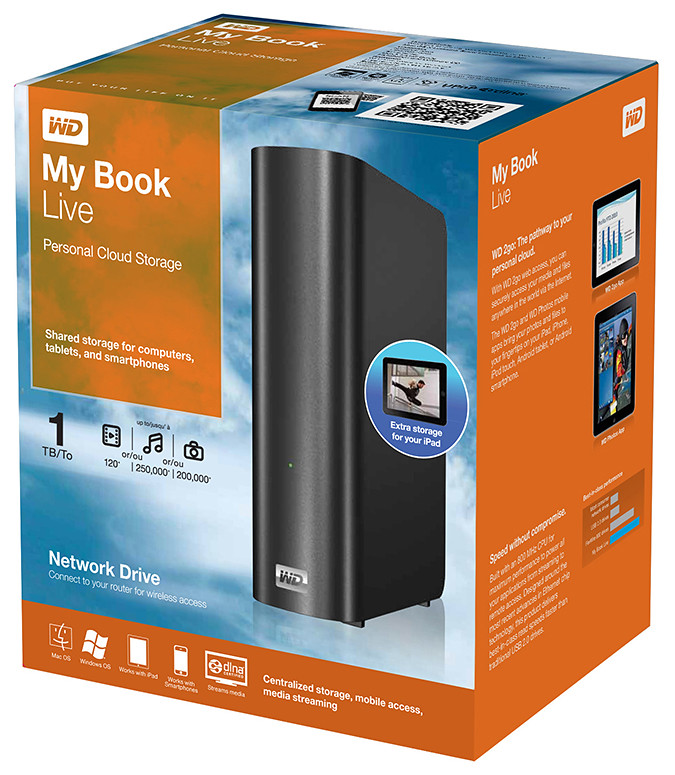
Western Digital offers an easy way to set up a personal private cloud to share documents and media – using the WD My Book Live network drive and mobile apps for Android and iOS smart phones and tablets.
The drives comes in 1TB (S$209), 2TB (S$239), and 3TB (S$299) capacities and are priced roughly US$50 more than non-network external drives with the same capacity.
 I’d posted not long ago about setting up a home shared network hard drive in order to share documents and media – photos, music and video – in a private personal cloud in the comfort of the home.
That was followed with a case study of setting up and using the Seagate GoFlex Home storage system – a similar network attached storage (NAS) drive.
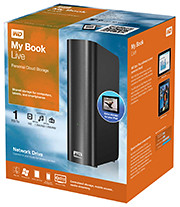
My Book Live is a network attached storage drive from Western Digital
The WD My Book Live network drive from Western Digital is also connected directly to the wireless router to plug into the home wireless network. Both Macs and PCs can store, access and share documents, as well as stream media from the drive.
With all the buzz about consumer public clouds and enterprise private and hybrid (private/public) clouds, the WD My Book Live makes it simple to set up your personal private cloud with the hard-disk and data physically sitting in the security of your home.
Access to this personal cloud can be extended beyond the home to the Internet. Any computer given the access rights can access the shared documents and media on the WD My Book Live through www.WD2go.com.
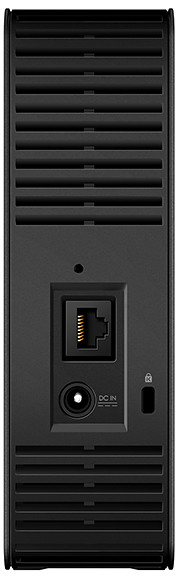
My Book Live comes in capacities of 1TB, 2TB and 3TB
In addition, Android and iOS mobile devices (both smart phones and tablets) can get mobile access to the files stored on the drive via the WD2go apps from Western Digital. The WD Photos and basic WD2go app are free and allows viewing files and streaming media from the WD My Book Live.
For US$2.99, the WD2g Pro app adds the ability to “clip” files – basically download a local copy of files and media to the mobile device; and allow users to share files by emailing either a copy of the files or a link to the WD My Book Live.
Note that once the link is sent out, anybody with the link will have access to that file. There is no expiry date for the sharing, like in Seagate’s GoFlex Home. The only way to stop sharing that file is to either remove that file or rename it – but that affects everybody to whom you’ve sent that link to.
Naturally, both the network drive and the router must be connected and powered up for access. And access from mobile devices is only via the apps over the Internet – instead of direct access over the local home wireless network.
That means that even if you’re at home, the app in your smart phone or tablet will still have to go to the Internet (via wireless or 3G) and come back into the home wireless network to access the files on the WD My Book Live. This is similar to the GoFlex Home.
But Western Digital does not limit the number of users or computers that can share the WD My Book Live. The GoFlex Home limits the number of users/computers that can be set up to connect with it to just 5. GoFlex Home customers need to subscribe to pay to enjoy unlimited connections.
| Capacity |
WD
My Book Live |
Seagate
GoFlex Home |
| 1 TB |
S$209 |
S$179 |
| 2 TB |
S$239 |
S$239 |
| 3 TB |
S$299 |
S$339 |
WD My Book Live features a built-in media server that streams music, photos and movies to any DLNA-certified multimedia device such as a WD TV Live network media player, Blu-ray Disc player, Xbox 360, PlayStation 3, and connected TV.
My Book Live comes in capacities of 1TB, 2TB and 3TB and is compatible with both Windows and Mac OS, as well as DLNA/UPnP enabled devices.
Tags:drive, media player, smartphone, tablets, Western Digital
Posted in Android, App, Cloud, Events, Gadgets, iOS, iPad, iPhone, Launch, Phones, Prices, Specifications, Tablets, TV, Western Digital | 1 Comment »
Thursday, October 13th, 2011
Western Digital launches a slew of media storage, networking and playback products for the connected lifestyle.
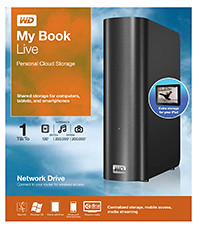
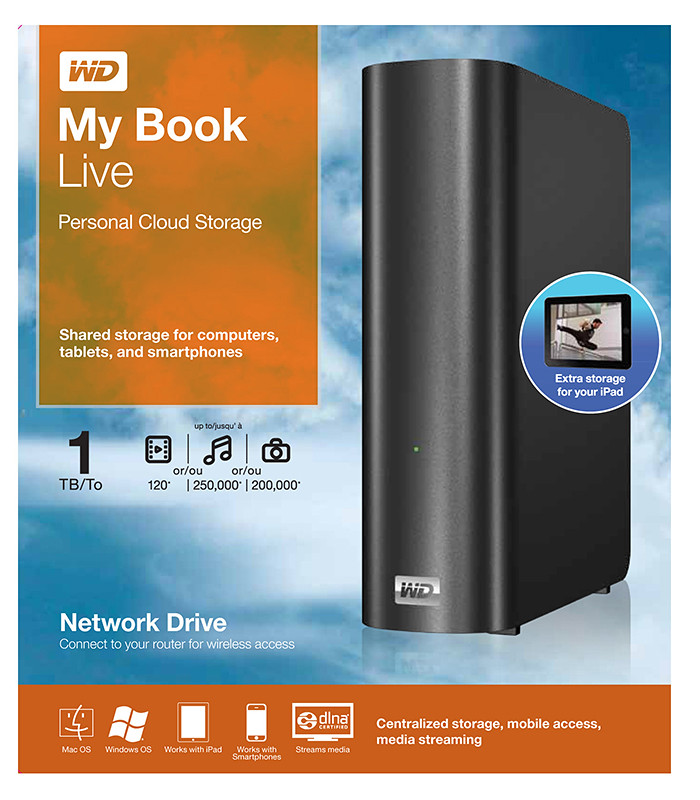
Western Digital My Book Live personal cloud storage
The premise of the Connected Life solution from Western Digital is the simple set-up of a private personal cloud where media can be accessed and shared from any computer at home.
This personal cloud can also be extended into the Internet so that mobile devices such as smart phones and tablet computers can also access data and media in the cloud using apps, while computers can use a browser interface.
The centrepiece of the Connected Life solution from Western Digital is the My Book Live network attached storage. With capacities ranging from 1TB to 3TB, these network capable external hard drives are connected directly to the wireless router at home so that any computer – be it a Mac or a PC – can store and access the media in the drive.
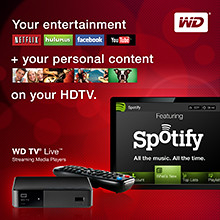
Western Digital WD TV Live streaming media player
The WD TV Live media player that is connected to the wireless network can then stream media from My Book Live and play photos, music and videos on a large TV screen. It can also stream media directly from Internet services such as YouTube.
Outside home, data and media on My Book Live can be accessed on mobile devices using WD apps WD 2go (free), WD 2go Pro (US$2.99), and WD Photos (free).
Tags:Android, cloud, drive, iOS, iPad, iPhone, media player, smartphone, tablets, Western Digital
Posted in Accessories, Android, Cloud, Events, Gadgets, iOS, iPad, iPhone, Launch, Media player, Phones, Prices, Specifications, storage drive, Tablets, Western Digital | 1 Comment »
Tuesday, October 4th, 2011
Six new apps for Apple iPads and Android tablets have been announced by Adobe at its MAX 2011 technology conference.
At US$9.99 each, the six apps address different areas of the creative process: image editing; ideation; sketching; mood boards; website and mobile app prototyping; and presenting finished work.
The six new Adobe Touch Apps are:
- Adobe Photoshop Touch
- Adobe Collage
- Adobe Debut
- Adobe Ideas
- Adobe Kuler
- Adobe Proto
More details of the Touch Apps are tabulated here.
Adobe Touch Apps are essential components of Adobe Creative Cloud, a major new company initiative also announced today. Adobe Creative Cloud will allow subscribers to access desktop and tablet applications, find creative services, and share their work.
Files created via Adobe Touch Apps can be shared, viewed across devices or transferred into Adobe Creative Suite software for further refinement. Adobe Touch Apps are designed to work with both finger and stylus input.
Adobe Touch Apps will be available for Android devices in November 2011. iOS availability will likely be announced only in early 2012, although Adobe Ideas is already available for the iPad.
Access to the file viewing, sharing and transfer functionality of Adobe Creative Cloud is included in the price of each Adobe Touch App. Details regarding pricing of the Adobe Creative Cloud and its expanded capabilities around applications, services and community will be announced in November 2011.
Tags:Adobe, Android, Apple, Apps, iPad, tablets
Posted in Adobe, Android, App, Creative Suite, iOS, iPad, Launch, Software, Tablets | 1 Comment »
Monday, September 26th, 2011
GoFlex Home is a consumer network attached storage (NAS) hard drive for the home. Easy to set up and use, it allows the access, sharing, streaming, and backup of files and media for computers, network TVs, media players and game consoles connected to the home wireless network.
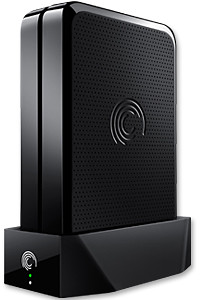
The Seagate GoFlex Home comprises a drive dock and a hard drive.
Secure access can also be opened to computers and iOS/Android tablets and smartphones over the Internet.
Over the weekend, I helped my friend set up an NAS drive for his desktop, netbook, two laptops, iPhone and Android tablet. He had bought the Seagate GoFlex Home 3 TB storage drive during the recent COMEX 2011 but hadn’t had the time to set it up yet.
I helped by using eye-power because he decided to give it a go himself and actually got the thing working in less than 15 minutes. That was the reason why I recommended the drive in the first place, it works with most consumer home Wi-Fi routers with little set-up or configuration needed.
The GoFlex Home comes with two cables and an software installation CD. The following steps were all that was needed to get the personal storage cloud going:
1. Connect the GoFlex Home drive dock to the Wi-Fi router by using the provided Ethernet cable.
2. Pop the GoFlex hard drive into the GoFlex drive dock and plug the power supply into the drive dock and the wall outlet. Switch on the GoFlex Home by pressing the Power button on the drive dock.
3. Pop the CD (or download from Seagate’s website) into the computer (can be a Mac or Windows PC) to install the software needed to access the hard drive. Simply select a language, key in the product information found on the drive, give the drive a name and register it. The name has to be unique globally since it will be used to identify the drive should you access it from the Internet.
4. Install the software on other computers that require access to the shared drive. Up to 5 people/computers on the home network can access the GoFlex Home. By paying to subscribe to the Seagate Share Pro, you get access for an unlimited number of people/computers to the GoFlex Home.
There are three ways to access the drive. One is to use the installed Seagate Dashboard software (on Windows PCs), which allows all features of the drive to be configured and managed. You can add computers and user accounts, backup, access and share files as well.

Use Seagate Dashboard software to configure and manage GoFelx Home
The other way is to use a browser-based Seagate Share either for a computer in the home network or out in the Internet.
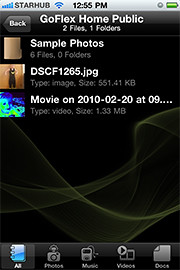
Free iOS/Android app
Both are easy to use with a simple interface, using drag-and-drop or standard dialog boxes we’re familar with.
The third method is via the appropriate free app on a iOS/Android smartphone or tablet, also over the Internet.
The GoFlex Home comes with a USB port which is very useful. You can connect an additional external hard drive to expand the capacity of the original GoFlex hard drive. You can also connect a USB hub for connecting more than one USB device.
In my friend’s case, he connected his printer to the USB port and all his computers on the Wi-Fi network got to share that printer.  No more plugging/unplugging the old printer from one computer to another.
The included backup software allows up to three connected computers to be automatically backed up to the GoFlex Home. Upgrade to Premium Backup ($49.95) to back up an unlimited  number of computers on the GoFlex Home network. You can upgrade at the Application Store that can be accessed through the Seagate Dashboard software.
For each user account set up on the GoFlex Home, three folders are created – a Public, Personal, and Backup folder. The Public folder holds files that can be stored and accessed by everyone on your home network. The Personal and Backup folders can only be accessed by the the user.
What I like about the sharing is the granular control available for the files shared. You can specify who you want to share files with, choose to share just certain files or entire folders, set passwords, and set expiry dates for the shares. Administration is intuitive and easy to pick up. You can send a URL of a shared file via email.
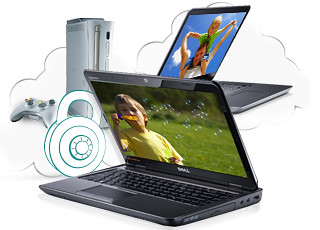
Stream media to other computers and media players on the home wireless network.
Music, photos and video can also be shared and streamed to media players, game consoles or network TVs that support UPnP-AV, DLNA or Windows Media Connect. A wide range of file types are supported.
The GoFlex Home is available in 1TB (S$179), 2TB (S$239) and 3TB (S$339) capacities.
Tags:Android, Apple, Google, iOS, iPad, iPhone, smartphone, tablets
Posted in Accessories, Android, App, Browser, Cloud, Desktops, Gadgets, Howtos, iOS, iPad, iPhone, Notebooks, Phones, Prices, Review, Seagate, Specifications, storage drive, Tablets, TV | 18 Comments »
Wednesday, September 21st, 2011
The Formula 1 comes to Singapore this weekend. Check out the F1 apps for the BlackBerry tablet or smartphones – both free on BlackBerry App World.


Formula1.com 2011 app for BlackBerry smartphones.
For BlackBerry smartphone users (device software 4.2.0 or higher), check out the Formula1.com 2011 app from the organisers of Formula 1 itself. Users can access information such as race results, championship standings, timetables, calendars, circuit data etc.
The app streams real-time data directly from Formula One Management’s Technical Centre at the racetrack displaying the same information supplied to the teams from every session, putting you right at the heart of the action. The app also sends you push notifications and keeps you updated even when the app is closed.

Maxis F1 2011 for BlackBerry PlayBook
For BlackBerry PlayBook users, check out the Maxis F1 2011 for BlackBerry PlayBook app from Infindo Technology. Users can get detailed information for all the races with exclusive live commentary, top stories, results, schedule, standings, drivers/teams/circuit info etc.
Both apps are free and valid for the entire 2011 F1 season.
Tags:BlackBerry, F1, Formula, RIM, smartphone, tablets
Posted in App, BlackBerry, BlackBerry OS, BlackBerry Tablet OS, Bold, Curve, Events, Gadgets, Operating Systems, Phones, PlayBook, RIM, Software, Tablets, Torch | No Comments »
Sunday, September 18th, 2011
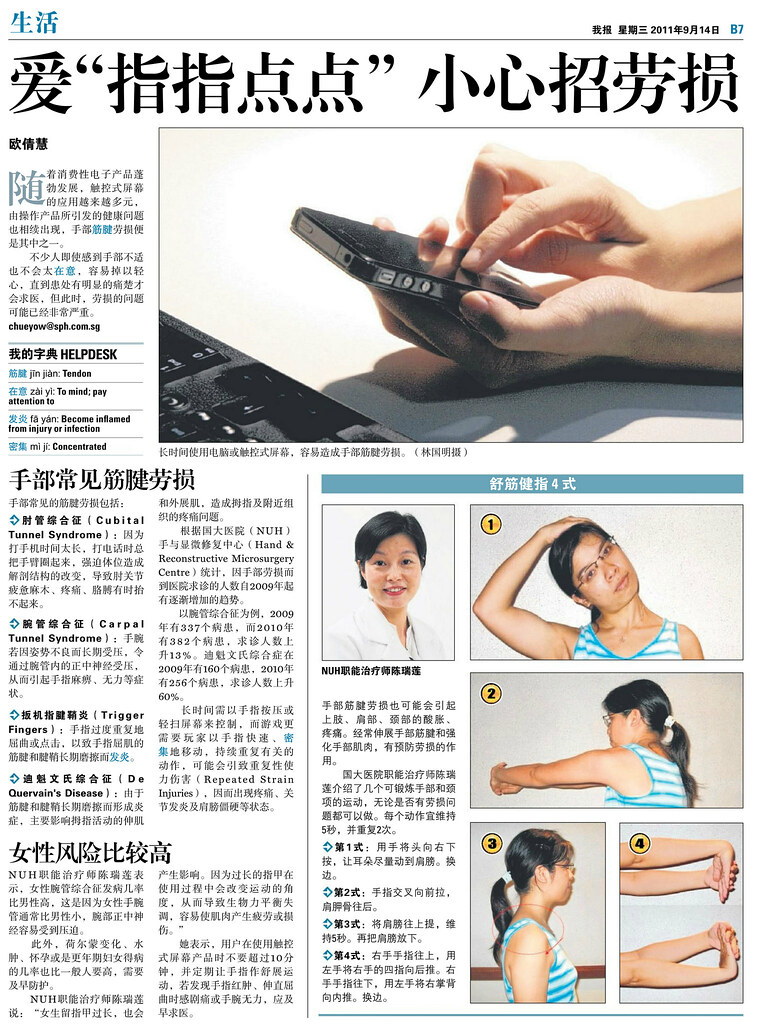
“my paper” listed a number of common hand ailments arising from prolonged usage of touch-screen devices such as tablets and smartphones, as well as a number of preventive exercises.
Some common hand ailments that my paper listed in its 14 Sep story included:

Common RSI and hand ailments and preventive exercises from my paper.
- Cubital Tunnel Syndrome
- Carpal Tunnel Syndrome
- Trigger Fingers
- DeQuervain’s Disease
According to the Hand & Reconstructive Microsurgery Centre at the National University Hospital (NUH), the number of people seeking treatment from the hospital for hand fatigue/injury has been on the rise since 2009.
For Carpal Tunnel Syndrome, the number of cases has increased 13% from 337 in 2009 to 382 in 2010. For DeQuervain’s Disease, the number has increased 60% from 160 in 2009 to 256 in 2010.
my paper also quoted a therapist from NUH as observing that ladies have a greater tendency to suffer from Repetitive Strain Injuries (RSI) compared to men. This was due to the smaller size of their wrists and other gender-related reasons, such as hormonal changes, pregnancy and menopause.
The article also featured four simple preventive exercises. Each could be done in sets of three repetitions, lasting about 5 seconds for each repetition.
Tags:smartphones, tablets
Posted in Gadgets, Medical, Tablets, Technology | No Comments »
Saturday, September 17th, 2011
Four months ago, I mused about how my chiropractor was laughing to the bank with the increasing number of patients he was seeing because of the proliferation of tablet computers and touch-screen devices. That anecdotal episode has now been substantiated by “my paper”.

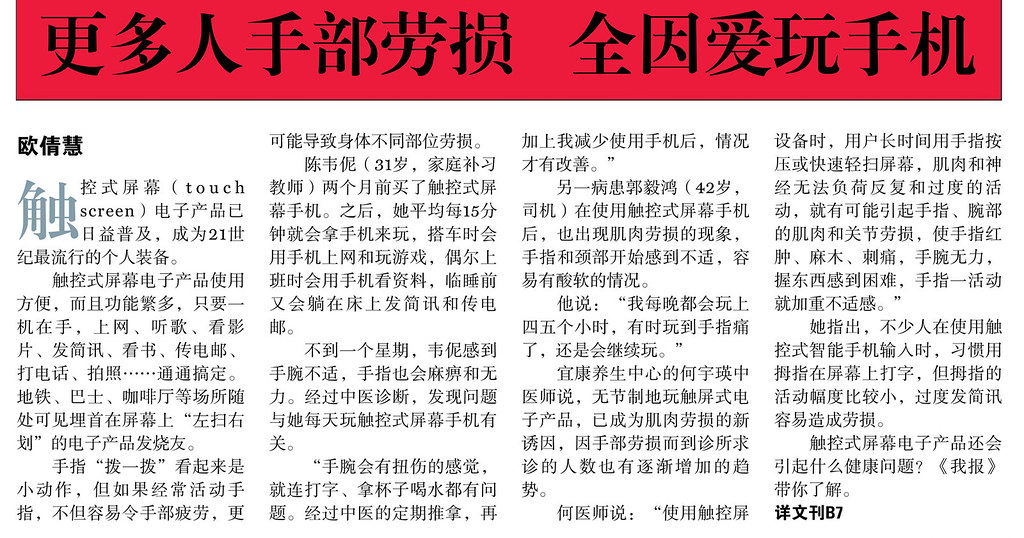
Front page feature in the Chinese section of my paper on 14 September 2011.
In the front page feature in the Chinese section of my paper on Wednesday (14 September 2011), my paper reported that the number of people suffering from hand injuries has risen because of the popularity of handheld devices.
It reports that although individual touch screen gestures seem like slight movements on their own, overly frequent use would result in arm fatigue, as well as malaise in different parts of the body.
The feature related how a new touch-screen smartphone owner suffered – within a week – discomfort in her wrists, and numbness cum loss of strength in the fingers. Her Traditional Chinese Medicine (TCM) doctor diagnosed that her affliction was related to the daily usage of her touch-screen device.
What was her usage profile like? She played with the phone every 15 minutes, played games and surfed the net when she rode on the bus, occasionally used it at work to check for information, and sent SMS and email while lying in bed prior to falling asleep.
Does it sound like your usage profile?
The 31-year-old tutor related how her wrists felt bruised, and how she had problems typing and holding drinking cups. Her conditions only improved after regular “Tui Na” (a form of TCM massage) and cutting down on her usage.
Another new touch-screen device user also experienced signs of muscle fatigue and discomfort to the fingers and neck. This 42-year-old chauffeur spends four to five hours every night playing games on the device, sometimes persisting even when his fingers ached.
Use of touch screen devices leads to more hand fatigue and injuries.
A TCM doctor from Income Healthcare observed that the unrestrained usage of touch-screen devices has become the leading cause of muscle fatigue and injury, and the number of patients seeking treatment from clinics for such symptoms has increased gradually.
Because the muscles and nerves cannot withstand the prolonged and repeated typing and gesturing of the fingers necessitated by the use of touch-screen devices, fatigue and injuries to the fingers, wrists, muscles and joints occur, the TCM doctor told my paper.
Perhaps it’s time to examine our own usage of touch-screen devices that are increasingly encroaching into our digital lifestyle.
Tags:chiropractor, tablets
Posted in Gadgets, Medical, Tablets, Technology | No Comments »
Wednesday, September 14th, 2011
Here are some screenshots from the Windows 8 developer preview during the ongoing BUILD conference (13-16 September 2011) in the Anaheim Convention Centre.
Windows 8 will be Microsoft’s attempt to wrest market share in the fast growing tablet market from market leading iPads from Apple and the whole slew of tablets based on Google’s Android.
Click on the images for a larger view. These screenshots have been provided by Microsoft.

The personalized lock screen shows unread emails and other app notifications.

See apps and content at a glance on the start screen.

Pick the files you want to send or share from one place.

Touch browsing seems fast, fluid and intuitive.

Large buttons for typing on the touch keyboard.

The thumb keyboard to avoid having to reach into the centre of the screen.
Tags:Microsoft, preview, tablets, Windows 8
Posted in App, Events, Internet Explorer, Microsoft, Operating Systems, Software, Tablets, Tech news, Windows 7, Windows 8 | 1 Comment »