Over time, as we get new computers and leave the old still-functional computer as a second or third machine, and we still utilise the different machines, the files we create and work on can get distributed amidst the hard disk drives of the various computers.
A shared network hard drive can bring order back to an increasingly chaotic situation.
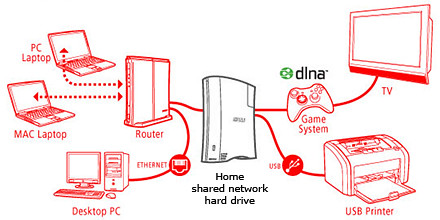
A network attached external hard drive can share files and media (illustration modified from www.buffalotech.com)
The above scenario was what happened to some of my friends and me. Computers and laptops today can last for a long time (if you look after them well) and most often then not, they’re still perfectly functionable when we get a new machine so it seems quite a waste to get rid of the old machine, especially since it can serve as a back up.
And if a member of the family is on the new laptop, others can use the spare computer. So over time, working files, photos, music and video can get distributed over a few computers. At first, it’s easy to remember and keep track of which file is in which computer and do the occasional transfer using an USB thumbdrive.
But over time, as the number of files grow, things can get out of hand – the convenience of being able to work on a few computers turns into a bane.
Now that cloud computing is catching on and we can save files and media on the Internet, this mess can be ameliorated. But those personal and confidential files and humongous video files are still best kept in local storage.
The NAS solution

Schematic of an NAS solution
So over the weekend, I helped my friend rig a similar solution that I use at home – set up a simple external hard drive that can be shared and accessed by a few different computers at home over a local Wi-Fi network.
Those files that are stored on the network attached storage (NAS) drive can then remain accessible no matter which computer you’re working on. It can be used to back up the computers connected.
Some NAS drives allow you to stream media to TVs, media players and game consoles connected to the home network.
In fact, some even enable access to be opened out to the Internet, so that when you’re outstation – in the office, on the road, or overseas – you can still securely access the files stored in the hard drive. This can be done via a browser on a laptop connected to the Internet, or via an app on a smartphone or tablet.
It’s like setting up your personal cloud storage. There are many consumer NAS drives in the market from makers such as Seagate, Western Digital and Buffalo.
They’re all designed to be easily set up by the layman who does not have a PhD in computer science. These NAS drives are connected directly to the router rather than a specific computer acting as a file server.
Any computer connected to the network via the router can access the NAS drive at any time.
Because these NAS drives are more intelligent than the regular dumb external hard drive, they do cost a slight premium over the latter. The NAS drives can manage network access by computers on the network and implement security, access and rights control as well.

Seagate GoFlex Home comes in capacities of 1TB, 2TB and 3TB
Since I’m familiar with the Seagate GoFlex Home, that was what I recommended my friend, who brought home a 3 TB version from the recent COMEX 2011 for S$299.
Tomorrow we’ll see how he managed to tame his growing diaspora of media and files.


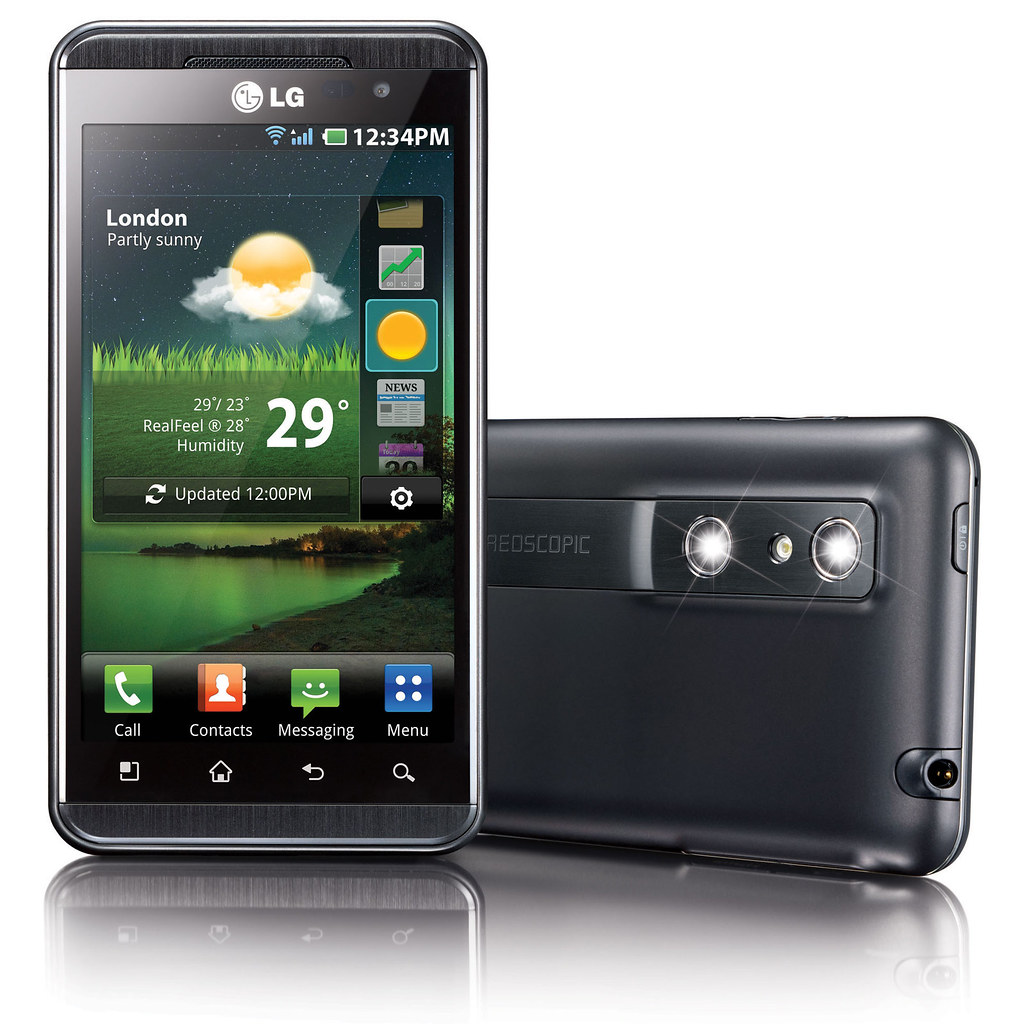
 To create 3D photos and video, the user can use the dual 5 megapixel stereoscopic cameras on board to shoot 3D stills and footage. Alternatively, users can use included software on the smartphone to convert existing 2D photos and videos into 3D. Free software for converting 2D games will be available for download (more details to be announced soon)
 To enjoy 3D media – and this is where LG is all excited about – the user does not need to wear 3D glasses. By using double-layered screen technology, the two images for the left and right eyes are are interlaced with each other and sent separately to both eyes so that the left eye only sees the image meant for the left eye and the right eye only sees the image meant for the right eye.
 LG boasts that the cross-talk between the two images – the extent to which pixels meant for one eye is seen by the other eye – is extremely low. I tried it myself and found the 3D images gave a strong sense of depth and dimensionality – very realistic without any nausea even after more than 10 minutes of use.
 The Optimus 3D comes preloaded with 10 free 3D games including titles such as Nova, Asphalt 6 and Let’s Golf 2.
 Captured 3D content can be shared with 3D TVs via an HDMI 1.4 connection and the phone can also send content to any DLNA Certified device. In addition, users can upload and stream 3D content on YouTube’s dedicated 3D channel (






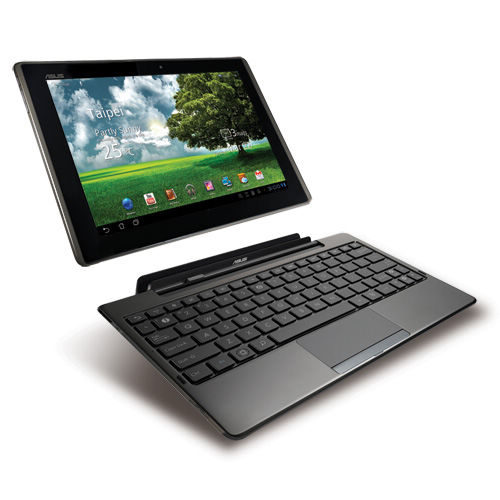
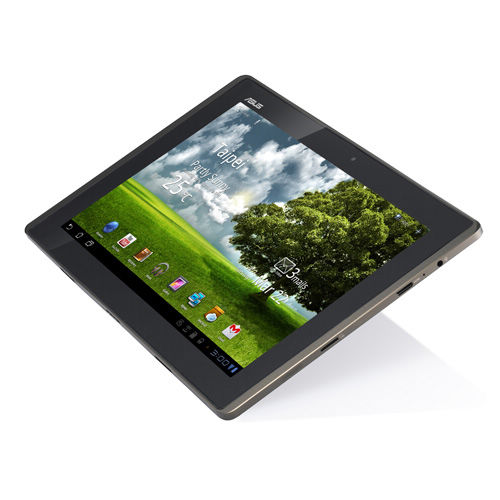 There is a 1.2M pixel front Camera and a 5M pixel rear Camera. The standard range of sensors are included: G-Sensor, Light Sensor, Gyroscope, E-Compass, GPS.
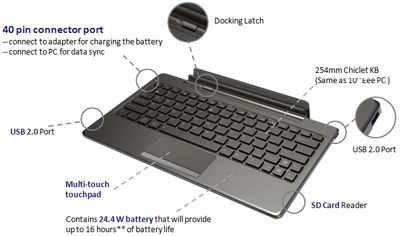
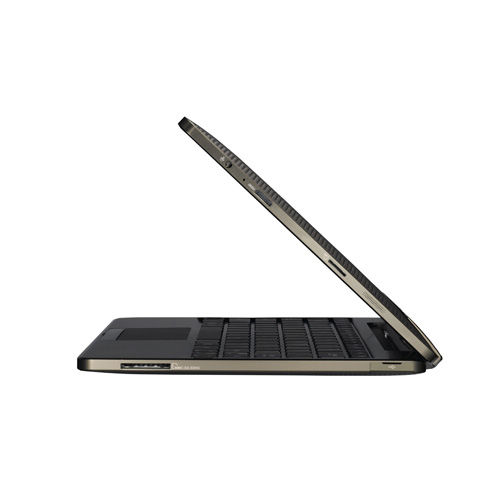 The docking keyboard comes with two USB 2.0 ports, one card reader (MMC/SD/SDHC) and a touch pad. It can be purchased in the UK for an additional £50 and in the US for an additional US$149 over the base price of the tablet alone.


