Posts Tagged ‘Android’
Monday, December 12th, 2011
The stylishly designed Huawei Vision smartphone was launched on 7 December 2011 and is available at S$438 (incl 7% GST).
| Networks |
UMTS 900/2100MHz; GSM 900/1800/1900MHz |
| Speed |
DL 14.4Mbps / UL 5.76Mbps |
| Display |
3.7″ WVGA (800×480) capacitive touch screen |
| Operating System |
Android Gingerbread 2.3 |
| Memory |
512MB RAM, 2GB ROM, up to 32GB micro SD |
| Camera |
5 megapixel and 0.3 megapixelAutofocus with LED flashHD video recording to 720p |
| Size/Weight |
118.5mm x 59.5mm x 9.9mm (LxWxT) / 121g |
| Connectivity |
WLAN 802.11 b/g/n, Bluetooth 2.1 with A2DP, micro-USB connector, 3.5mm audio jack |
| Processor |
1.4 Ghz Qualcomm Snapdragon |
| Audio |
FM radio, 72 polyphonic ringtones |
| Battery |
1400 mAh Lithium-ion |
| Talk time |
(3G) up to 400 min |
| Standby time |
(3G) up to 400h |
| Sensors |
Accelerometer, proximity, ambient light, compass, GPS (& assisted GPS) |
| Additional |
Preloaded games include Angry Birds, Asphalt 6: Adrenaline, Order & Chaos Online, and Guerilla Bob HD |
Tags:Android, Gingerbread, Huawei, smartphone, Vision
Posted in Gadgets, Huawei, Phones, Prices, Specifications | 3 Comments »
Friday, December 9th, 2011
For business folks who need a long battery life, check out the Huawei Honor (S$528 incl GST), which features a 1,900 mAh battery, a 1.4GHz Qualcomm Snapdragon processor and an 8 megapixel HDR-enabled camera.
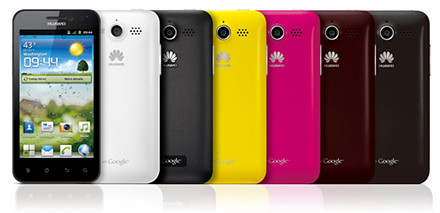
Huawei Honor (S$528 incl GST) will be available in Singapore from 16 December.
The high capacity battery promises to provide the longest battery life among smartphones in the 4-inch screen range – lasting up to three days on a single charge
“Huawei Honor is a high performance smartphone which is simple-to-use, but also packed with advanced technology that allows people to communicate, connect, entertain and share content easily,” said Alan Wong, Chief Marketing Officer, Huawei Device, South Pacific Region.Huawei Honor runs on Android Gingerbread 2.3 operating system and has a 16M true colour Full Wide VGA capacitive touch screen (854×480 pixels).
Its 10.9 mm thin body weighs 135g and includes a gyroscope, G-sensor, and proximity and light sensors.
The smartphone is DLNA-certified to enable interoperability with other DLNA-certified devices such as digital cameras, game consoles and TVs.
This makes it easier to share digital photos, music and videos between different devices.
Here are the main tech specs for the Huawei Honor.

Honor customers will get access to Huawei’s ClooudDrive, which will be available in Singapore by end Q1 2012.
This frees users from the constraints of on-board storage, by storing their media files in the cloud.
The Huawei Honor will be available in Singapore from 16 December 2011.
Tags:Android, cloud, Gingerbread, Honor, Huawei, smartphone
Posted in Android, Cloud, Events, Gadgets, Huawei, Launch, Phones, Prices, Specifications | 3 Comments »
Friday, December 9th, 2011
Huawei has announced the availability the Vision which available in Singapore at S$$438 incl GST.

Huawei Vision (S$438 incl GST) with its "3D" carousel User Interface.
The Vision is Huawei’s most stylish smartphone yet, featuring Huawei’s stunning “3D” user interface. “3D” as in a carousal animation display for its app menu, rather than the visualisation of three dimensional physical objects.
“The Huawei Vision represents a smartphone crafted with the perfect balance of technology and style in mind,” said Alan Wong, Chief Marketing Officer, Huawei Device, South Pacific Region.Huawei Vision features a 3.7-inch capacitive touch screen and has an aluminum alloy uni-body in silver, and crystal sculptured curved lens for its screen.
It measures only 9.9 mm at its thinnest point and weighs 121g.
The smartphone was bestowed the iF Design Award 2012 recently for its design.
Huawei Vision sports Qualcomm’s 1GHz Snapdragon processor and runs with Android Gingerbread 2.3 operating system.

It supports 720p video recording and has a 5 mega pixel auto focus camera with LED flash.
Other features include Bluetooth 2.1 with A2DP, high-speed WiFi 802.11b/g/n for Internet connectivity, and the full range of messaging tools – SMS, MMS, email, push mail and IM.
Here are the main tech specs for the Huawei Vision.
Tags:Android, Gingerbread, Huawei, smartphone, Vision
Posted in Android, Events, Gadgets, Huawei, Launch, Phones, Prices, Specifications | 2 Comments »
Tuesday, November 15th, 2011
Skoob is the first service to offer works by Singapore writers as well as study guides and educational books for local primary and secondary school students.
Launched by Singapore Telecommunications Limited (SingTel) today, skoob offers more than 39,000 local and international bestsellers for smartphones, tablets and PCs.
“The Singapore market has long been overlooked by e-book services from abroad. With the launch of skoob, Singapore readers finally have a service that offers local books and caters specifically to their tastes and needs,” said Goh Seow Eng, SingTel’s Chief of Digital Home.It is the first e-book service to accept payments in Singapore dollars and offers tremendous savings versus the cost of traditional paper books.
For example, fans of John Grisham can enjoy his novel, The Confession, at S$9.00 instead of S$17.07 at a bookshop.
Neil Humphreys’ acclaimed Complete Notes from Singapore is available at S$13.90 instead of S$29.90.
“It also provides local publishers and writers with a powerful digital platform that allows them to reach a wider audience,” Goh added.Skoob also offers a range of classics for free download, such as Arthur Conan Doyle’s The Adventures of Sherlock Holmes and Charles Dickens’ A Tale of Two Cities.
Skoob is available on Apple and Android tablets and smartphones via a free app. It can also be enjoyed on PCs and Macs using standard browsers.
Customers have the flexibility to download books on up to five devices. Payments can be made via Singapore credit cards. SingTel customers can choose to have purchases conveniently charged to their monthly bills.
“We are continuously working with publishers to expand our catalogue. We believe skoob’s range of local study guides and educational books will be well received by school students, and we are looking to include assessment papers soon,” Goh revealed.Mr Goh said that skoob is an important addition to SingTel’s growing suite of multimedia offerings, which includes the AMPed music service, deF!ND digital concierge, ESC games service, De!ite e-magazine service, exCite web video app and mio TV.
Skoob offers titles from six global publishing houses: Random House, Penguin, HarperCollins, Hachette Book Group, Simon and Schuster and Macmillan.
The service carries local titles, study guides and educational books from: Popular, Marshall Cavendish, Cengage Learning, Asiapac, Flame of the Forest, McGraw Hill, Sunbear, Monsoon, Singapore Asia Publishers (SAP) and Janus Education.
Chinese language books will be available soon.
Tags:Android, Apple, BlackBerry, desk, eBook, notebooks, smartphone, tablets
Posted in Android, App, iOS, Launch, Mac OS, SingTel, Software, Windows 7 | No Comments »
Tuesday, November 8th, 2011
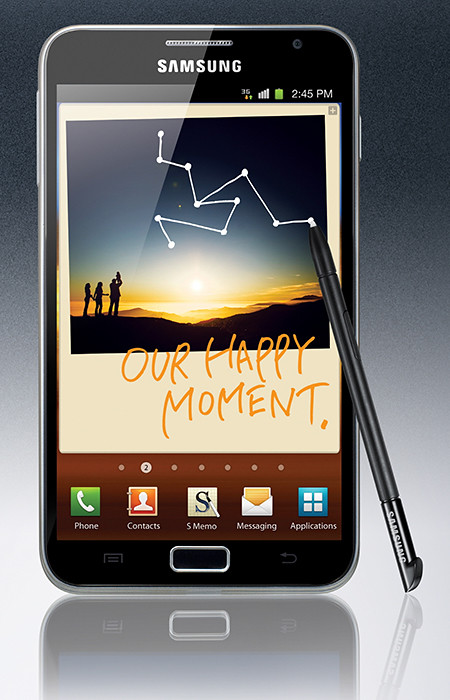
The GALAXY Note (S$998, 16GB) will be available in Singapore in November 2011, and the GALAXY Nexus (S$948) in January 2012.
 Samsung and Google has jointly launched the GALAXY Nexus, the world’s first smartphone running Android 4.0 or Ice Cream Sandwich, the latest release of the Android platform.
GALAXY Nexus features a 4.65” HD Super AMOLED touch screen display with 1280×720 pixels and a 1.2 GHz dual core processor with 1GB RAM.
It also sports a 5-megapixel rear camera and a 1.3-megapixel front camera; and comes with 16GB or 32GB of onboard memory.
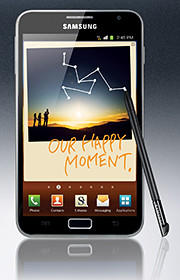 Samsung has also announced the launch of the GALAXY Note, a device that tries to combine the larger screen size of tablets with the portability of smart phones.
The 9.65mm thick GALAXY Note features the world’s first and largest 5.3” HD Super AMOLED touch screen display at WXGA (1280×800, 285ppi) resolution. It works with pen-input technology using a stylus called the S Pen.
Powered by a 1.4 GHz dual-core processor, the gadget runs on Android 2.3 (Gingerbread) and comes with 16GB onboard storage, with a microSD slot that supports up to 32GB.
GALAXY Note comes with an 8-megapixel rear camera and a 2-megapixel front camera.
Tags:Android, Gingerbread, Google, Ice Cream Sandwich, Nexus, Note, Samsung, smartphone, tablets
Posted in Android, Cameras, Gadgets, Galaxy, Google, Launch, Phones, Prices, Samsung, Specifications, Tablets | 3 Comments »
Wednesday, October 19th, 2011
It’s been a busy few days of earnings results from IT bigwigs. Here’s a quick sum-up of the state of the IT industry:
 Yahoo! did well with profits beating estimates – could it be because expectations were low?
Conversely, Apple didn’t do so good, missing analysts’ predictions for the first time in at least six years – but that’s probably because expectations were so high!
Google’s doing real well with sales and profit beating estimates – from search advertising growth as usual.
Microsoft is patting itself on its back – for not having bought Yahoo! back in 2008. And taking a swipe at Google’s Android – Steve Balmer says you need to be a computer scientist to use an Android smart phone, unlike Windows Phone 7.
RIM’s still trying to find its way forward by taking a step backward – trying to bridge new QNX with “old” BlackBerry OS 7 – hope that works out.
Amazon is being sued for screwing up the career of an actress by revealing her real age against her will in IMDb.
On the corporate IT front, industry bell weather IBM missed analysts’ estimates on slowing revenue growth at its software, hardware and services businesses.
Tags:Android, Apple, BlackBerry, Google, IBM, Microsoft, RIM, Windows Phone 7, Yahoo
Posted in Amazon, Android, Apple, Enterprise IT, Figures, Google, IBM, Microsoft, Opinion, RIM, Tech news, Technology, Windows Phone 7, Yahoo | No Comments »
Thursday, October 13th, 2011
Western Digital launches a slew of media storage, networking and playback products for the connected lifestyle.
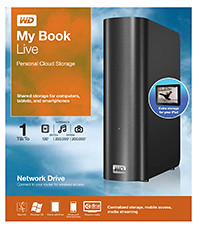
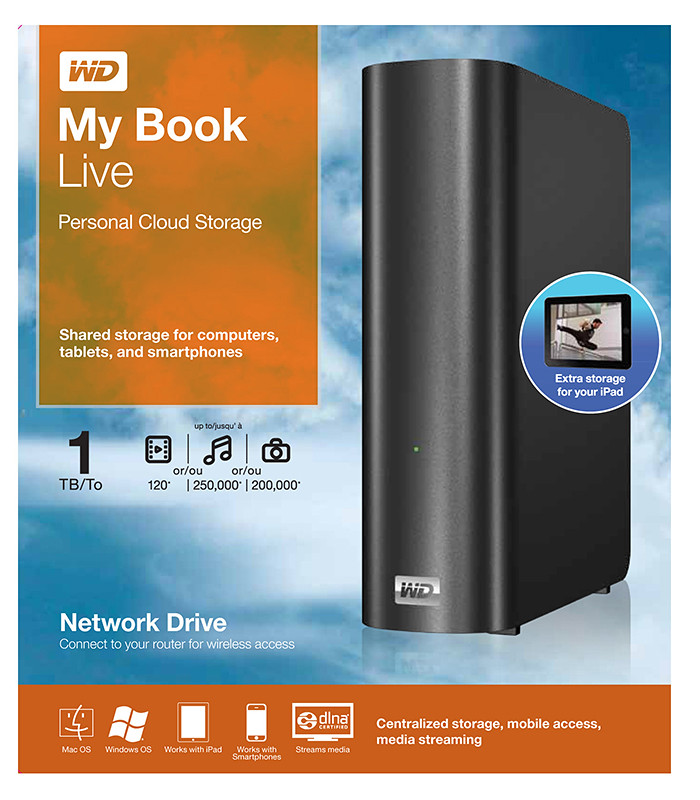
Western Digital My Book Live personal cloud storage
The premise of the Connected Life solution from Western Digital is the simple set-up of a private personal cloud where media can be accessed and shared from any computer at home.
This personal cloud can also be extended into the Internet so that mobile devices such as smart phones and tablet computers can also access data and media in the cloud using apps, while computers can use a browser interface.
The centrepiece of the Connected Life solution from Western Digital is the My Book Live network attached storage. With capacities ranging from 1TB to 3TB, these network capable external hard drives are connected directly to the wireless router at home so that any computer – be it a Mac or a PC – can store and access the media in the drive.

Western Digital WD TV Live streaming media player
The WD TV Live media player that is connected to the wireless network can then stream media from My Book Live and play photos, music and videos on a large TV screen. It can also stream media directly from Internet services such as YouTube.
Outside home, data and media on My Book Live can be accessed on mobile devices using WD apps WD 2go (free), WD 2go Pro (US$2.99), and WD Photos (free).
Tags:Android, cloud, drive, iOS, iPad, iPhone, media player, smartphone, tablets, Western Digital
Posted in Accessories, Android, Cloud, Events, Gadgets, iOS, iPad, iPhone, Launch, Media player, Phones, Prices, Specifications, storage drive, Tablets, Western Digital | 1 Comment »
Wednesday, October 5th, 2011
Adobe announced its slate of six new apps for Apple iPads and Android tablets during the MAX 2011 conference in Los Angeles. Here’s a brief description of what each of the apps does.
Each of the six apps has an introductory price-tag of US$9.99. The Android version is will be available in November 2010 while the iOS version will only be available in 2012.
| Adobe Touch App |
Description of App |
Adobe Photoshop Touch


|
Transform images with core Photoshop features in an app custom-built for tablets. With simple finger gestures, users can combine multiple photos into layered images, make popular edits and apply professional effects. The tablet-exclusive Scribble Selection Tool allows users to easily extract objects in an image by simply scribbling on what to keep and then what to remove.
With Refine Edge technology from Adobe Photoshop, even hard-to-select areas with soft edges, such as hair, are easily captured when making selections. Additionally, the app helps users quickly find images, share creations, and view comments through integration with Facebook and Google Search. Using the syncing capabilities that are a component of Adobe Creative Cloud, files can be opened in Adobe Photoshop. |
Adobe Collage


|
Capture and refine ideas and concepts by combining inspirational images, drawings, text and Creative Suite files into modern, conceptual mood boards.
Features include importing of images, four customizable pen types for drawing, adding text, and applying color themes. A virtually unconstrained canvas grows as needed to accommodate more assets. Files can be shared or transferred for access in Adobe Photoshop. |
Adobe Debut

|
Present designs to clients and stakeholders virtually anywhere. Adobe Debut quickly opens tablet-compatible versions of Creative Suite files for convenient and beautiful viewing on the tablet, including Photoshop layers and Illustrator art boards. Feedback is gathered using a markup pen tool to add notes and drawings on top of the work. |
Adobe Ideas

|
Easy-to-master, vector-based tool for drawing. By using a stylus or finger, strokes appear smooth at any zoom level. Starting with a blank canvas, users can choose color themes, and pull in tablet-compatible image files that can be controlled as separate layers. Finished results are easily accessed in Adobe Illustrator or Photoshop. |
Adobe Kuler

|
Generate color themes easily to inspire design projects. Color can be explored and discovered, with hundreds of thousands of Kuler themes already available via the creative community. Social engagement in the community is enhanced by rating and commenting on themes, which can be exported as color swatches for Adobe Creative Suite projects. |
Adobe Proto


|
Develop interactive wireframes and prototypes for websites and mobile apps on a tablet. Ideas are communicated and shared with teams and clients using a touch-based interface.
Gestures quickly express a design concept, explain website structure or demonstrate interactivity. The wireframe or prototype then can be exported as industry standard HTML, CSS and JavaScript, and shared in popular browsers for immediate review and approval. |
Tags:Adobe, Android, Apple, Apps, iOS, iPad
Posted in Adobe, Android, App, iOS, iPad, Launch, Prices, Software, Specifications, Tablets | 1 Comment »
Tuesday, October 4th, 2011
Six new apps for Apple iPads and Android tablets have been announced by Adobe at its MAX 2011 technology conference.
At US$9.99 each, the six apps address different areas of the creative process: image editing; ideation; sketching; mood boards; website and mobile app prototyping; and presenting finished work.
The six new Adobe Touch Apps are:
- Adobe Photoshop Touch
- Adobe Collage
- Adobe Debut
- Adobe Ideas
- Adobe Kuler
- Adobe Proto
More details of the Touch Apps are tabulated here.
Adobe Touch Apps are essential components of Adobe Creative Cloud, a major new company initiative also announced today. Adobe Creative Cloud will allow subscribers to access desktop and tablet applications, find creative services, and share their work.
Files created via Adobe Touch Apps can be shared, viewed across devices or transferred into Adobe Creative Suite software for further refinement. Adobe Touch Apps are designed to work with both finger and stylus input.
Adobe Touch Apps will be available for Android devices in November 2011. iOS availability will likely be announced only in early 2012, although Adobe Ideas is already available for the iPad.
Access to the file viewing, sharing and transfer functionality of Adobe Creative Cloud is included in the price of each Adobe Touch App. Details regarding pricing of the Adobe Creative Cloud and its expanded capabilities around applications, services and community will be announced in November 2011.
Tags:Adobe, Android, Apple, Apps, iPad, tablets
Posted in Adobe, Android, App, Creative Suite, iOS, iPad, Launch, Software, Tablets | 1 Comment »
Monday, September 26th, 2011
GoFlex Home is a consumer network attached storage (NAS) hard drive for the home. Easy to set up and use, it allows the access, sharing, streaming, and backup of files and media for computers, network TVs, media players and game consoles connected to the home wireless network.
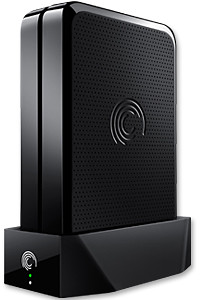
The Seagate GoFlex Home comprises a drive dock and a hard drive.
Secure access can also be opened to computers and iOS/Android tablets and smartphones over the Internet.
Over the weekend, I helped my friend set up an NAS drive for his desktop, netbook, two laptops, iPhone and Android tablet. He had bought the Seagate GoFlex Home 3 TB storage drive during the recent COMEX 2011 but hadn’t had the time to set it up yet.
I helped by using eye-power because he decided to give it a go himself and actually got the thing working in less than 15 minutes. That was the reason why I recommended the drive in the first place, it works with most consumer home Wi-Fi routers with little set-up or configuration needed.
The GoFlex Home comes with two cables and an software installation CD. The following steps were all that was needed to get the personal storage cloud going:
1. Connect the GoFlex Home drive dock to the Wi-Fi router by using the provided Ethernet cable.
2. Pop the GoFlex hard drive into the GoFlex drive dock and plug the power supply into the drive dock and the wall outlet. Switch on the GoFlex Home by pressing the Power button on the drive dock.
3. Pop the CD (or download from Seagate’s website) into the computer (can be a Mac or Windows PC) to install the software needed to access the hard drive. Simply select a language, key in the product information found on the drive, give the drive a name and register it. The name has to be unique globally since it will be used to identify the drive should you access it from the Internet.
4. Install the software on other computers that require access to the shared drive. Up to 5 people/computers on the home network can access the GoFlex Home. By paying to subscribe to the Seagate Share Pro, you get access for an unlimited number of people/computers to the GoFlex Home.
There are three ways to access the drive. One is to use the installed Seagate Dashboard software (on Windows PCs), which allows all features of the drive to be configured and managed. You can add computers and user accounts, backup, access and share files as well.

Use Seagate Dashboard software to configure and manage GoFelx Home
The other way is to use a browser-based Seagate Share either for a computer in the home network or out in the Internet.
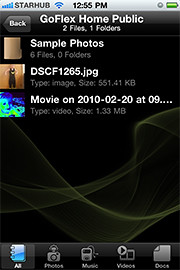
Free iOS/Android app
Both are easy to use with a simple interface, using drag-and-drop or standard dialog boxes we’re familar with.
The third method is via the appropriate free app on a iOS/Android smartphone or tablet, also over the Internet.
The GoFlex Home comes with a USB port which is very useful. You can connect an additional external hard drive to expand the capacity of the original GoFlex hard drive. You can also connect a USB hub for connecting more than one USB device.
In my friend’s case, he connected his printer to the USB port and all his computers on the Wi-Fi network got to share that printer.  No more plugging/unplugging the old printer from one computer to another.
The included backup software allows up to three connected computers to be automatically backed up to the GoFlex Home. Upgrade to Premium Backup ($49.95) to back up an unlimited  number of computers on the GoFlex Home network. You can upgrade at the Application Store that can be accessed through the Seagate Dashboard software.
For each user account set up on the GoFlex Home, three folders are created – a Public, Personal, and Backup folder. The Public folder holds files that can be stored and accessed by everyone on your home network. The Personal and Backup folders can only be accessed by the the user.
What I like about the sharing is the granular control available for the files shared. You can specify who you want to share files with, choose to share just certain files or entire folders, set passwords, and set expiry dates for the shares. Administration is intuitive and easy to pick up. You can send a URL of a shared file via email.
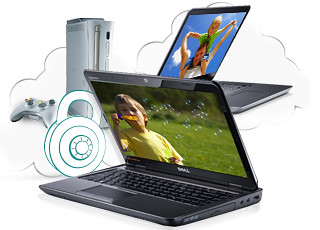
Stream media to other computers and media players on the home wireless network.
Music, photos and video can also be shared and streamed to media players, game consoles or network TVs that support UPnP-AV, DLNA or Windows Media Connect. A wide range of file types are supported.
The GoFlex Home is available in 1TB (S$179), 2TB (S$239) and 3TB (S$339) capacities.
Tags:Android, Apple, Google, iOS, iPad, iPhone, smartphone, tablets
Posted in Accessories, Android, App, Browser, Cloud, Desktops, Gadgets, Howtos, iOS, iPad, iPhone, Notebooks, Phones, Prices, Review, Seagate, Specifications, storage drive, Tablets, TV | 18 Comments »