Archive for the ‘Software’ Category

New app-cum-loyalty programme: Pointpal

Sunday, October 2nd, 2011

Pointpal is a nifty electronic wallet for managing loyalty programmes for consumers who want to enjoy benefits and freebies offered by participating vendors, without the hassle of carrying a multitude of loyalty cards and keeping track of the stamps and tokens associated with the individual cards.

Pointpal electronic loyalty programme on a smartphone app.Do you carry a two-inch thick credit card wallet specially to hold all the different loyalty cards and discount cards that you’ve signed up over time with different F&B outlets or boutiques? Some of these offer one free drink for every three drinks purchased or give a free massage for every eight sessions.

Most of the time, the number of purchases are indicated by stamps on the loyalty card. Accumulate the requisite number of stamps and you surrender the card to the bartender for that free cocktail.

Buy X to get Y free.

Buy X to get Y free.

A new FREE app has been launched for the iPhone that promises to take the hassle out of participating in these loyalty programmes. Apps for Android and BlackBerry smartphones are in the works. Pointpal has already been launched in Australia.

Scan the QR code to join a new loyalty programme

Scan the QR code to join a new loyalty programme

The entire programme is based on the use of QR codes. Participating vendors will display these 2D barcodes on their advertisements and in their compound so that interested customers who have installed the Pointpal app on their iPhones can scan the QR code to sign up for the loyalty programme for that vendor.

This removes the hassle of filling in paper application forms for each loyalty programme you sign up. You only need to enter some basic details once when you first download and install the Pointpal app. After that, simply scan the vendor’s QR code to join.

Easy to use iPhone appAfter every relevant purchase at a participating outlet, you can key in the purchase and let the cashier or bartender verify the purchases by scanning his special QR code. Once you have accumulated enough purchases, show the app to the cashier redeem rewards and freebies. Again, the cashier or bartender will scan his special QR code to acknowledge redemption and then hand over that free drink or merchandise.

Even if the phone is lost, the records of the purchases with the various vendors are available in Pointpal’s cloud storage.

Manage and keep track of your purchases
No more lugging around a fat loyalty card wallet, or looking for that elusive card just to get it stamped or to check number of stamps.

Initial participating vendors include Barcode Cocktail Bar, Nail Vibe, and Wine Universe. More can be found here.

New smartphone: Samsung Omnia W

Wednesday, September 28th, 2011

Samsung’s first Mango-based smartphone features a vivid Super AMOLED display as well as People Hub – which provides enriched content and social communication experience.

The Omnia W will be available in Singapore by the end of the year for S$498 (incl 7% GST), without line contract.

Samsung Omnia W, based on Windows Phone 7.5 Mango.

Samsung Omnia W, based on Windows Phone 7.5 Mango.

Based on the latest release of Microsoft’s Windows Phone, code-named Mango, the phone sports a 3.7” Super AMOLED display, a 1.4 GHz processor and 14.4 Mbps HASPA connectivity.

The design thrust of the Omnia W is to put people at the centre of everything, with emphasis placed on social networking and sharing. Internet Explorer 9 and Bing are integrated into the entire experience.

Windows Phone 7.5

Mango’s unique and intuitive user interface lays out applications in mosaic ‘Live Tiles’ which flow and move in response to users’ touch on the screen. Six specialized Microsoft applications provide an engaging content and communication experience.

Samsung Electronics Co LtdWindows Phone People Hub is integrated with built-in social networking services like Windows Live, Facebook, Twitter and LinkedIn, for users to stay connected with their social community constantly.

Office Hub provides enhanced productivity on-the-go and includes access to Windows Live Sky Drive, which provides 25GB of free storage and allows documents and media files to be easily stored and accessed. Users can also create and edit documents through mobile versions of Microsoft Office Excel, Word and PowerPoint, as well as utilize One Note, a note-taking platform that allows easy sharing and storage of voice memos, images and text-based notes.

Stylish, slim metal finish for the Samsung Omnia W

Stylish, slim metal finish for the Samsung Omnia W

Seamless access to entertainment is enhanced by the integration of a Picture Hub, Music & Video Hub – powered by Microsoft Zune – and Game Hub, which provides the latest in social gaming experiences through Xbox live, for friends to chat with each other while gaming. Windows Phone Marketplace provides access to over 30,000 apps to meet customer needs across entertainment or productivity.

Samsung differentiation

The overall Windows Phone experience is significantly enhanced with the inclusion of Samsung-exclusive productivity apps. This includes Samsung AllShare, which provides seamless content transfer between the smartphone and other DLNA-enabled devices such as HDTV’s, monitors and digital cameras.

The Samsung Omnia W tries to put people and social networking at the centre of its experience.

The Samsung Omnia W tries to put people and social networking at the centre of its experience.

Video Call is an easy-to-use app which allows ultra-fast vivid 3G video conversations with friends and family. Additionally, Mini Diary enables users to capture their experiences in multimedia formats and create their own personalized digital journal while on the go. An upgraded Samsung eBook client is also available from Samsung Zone.

Users can stay up-to-date with the latest news and events with Now 2.0 app, which provides up-to-the minute current affairs, stock market and weather information. RSS Time allows RSS feeds for newspapers, magazines and blogs to be downloaded onto the device and read in an easily digestible format, while eye-catching articles can be instantly shared via email or Facebook.

The device features enhanced social network integration, with Twitter and LinkedIn weaved throughout the Omnia W in addition to Facebook, for photos and videos to be instantly shared across a variety of social networking sites hassle-free.

Detailed specifications of the Omnia W are tabulated below:

(more…)

Setting up and using the Seagate GoFlex Home storage system

Monday, September 26th, 2011

GoFlex Home is a consumer network attached storage (NAS) hard drive for the home. Easy to set up and use, it allows the access, sharing, streaming, and backup of files and media for computers, network TVs, media players and game consoles connected to the home wireless network.

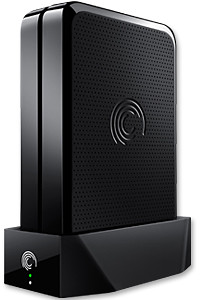
The Seagate GoFlex Home comprises a drive dock and a hard drive.

The Seagate GoFlex Home comprises a drive dock and a hard drive.

Secure access can also be opened to computers and iOS/Android tablets and smartphones over the Internet.

Over the weekend, I helped my friend set up an NAS drive for his desktop, netbook, two laptops, iPhone and Android tablet. He had bought the Seagate GoFlex Home 3 TB storage drive during the recent COMEX 2011 but hadn’t had the time to set it up yet.

I helped by using eye-power because he decided to give it a go himself and actually got the thing working in less than 15 minutes. That was the reason why I recommended the drive in the first place, it works with most consumer home Wi-Fi routers with little set-up or configuration needed.

The GoFlex Home comes with two cables and an software installation CD. The following steps were all that was needed to get the personal storage cloud going:

1. Connect the GoFlex Home drive dock to the Wi-Fi router by using the provided Ethernet cable.

2. Pop the GoFlex hard drive into the GoFlex drive dock and plug the power supply into the drive dock and the wall outlet. Switch on the GoFlex Home by pressing the Power button on the drive dock.

3. Pop the CD (or download from Seagate’s website) into the computer (can be a Mac or Windows PC) to install the software needed to access the hard drive. Simply select a language, key in the product information found on the drive, give the drive a name and register it. The name has to be unique globally since it will be used to identify the drive should you access it from the Internet.

4. Install the software on other computers that require access to the shared drive. Up to 5 people/computers on the home network can access the GoFlex Home. By paying to subscribe to the Seagate Share Pro, you get access for an unlimited number of people/computers to the GoFlex Home.

There are three ways to access the drive. One is to use the installed Seagate Dashboard software (on Windows PCs), which allows all features of the drive to be configured and managed. You can add computers and user accounts, backup, access and share files as well.

Use Seagate Dashboard software to configure and manage GoFelx Home

Use Seagate Dashboard software to configure and manage GoFelx Home

The other way is to use a browser-based Seagate Share either for a computer in the home network or out in the Internet.

Seagate GoFlexAccess App

Free iOS/Android app

Both are easy to use with a simple interface, using drag-and-drop or standard dialog boxes we’re familar with.

The third method is via the appropriate free app on a iOS/Android smartphone or tablet, also over the Internet.

The GoFlex Home comes with a USB port which is very useful. You can connect an additional external hard drive to expand the capacity of the original GoFlex hard drive. You can also connect a USB hub for connecting more than one USB device.

In my friend’s case, he connected his printer to the USB port and all his computers on the Wi-Fi network got to share that printer. USB port on the drive dock for a HDD, printer or USB hubNo more plugging/unplugging the old printer from one computer to another.

The included backup software allows up to three connected computers to be automatically backed up to the GoFlex Home. Upgrade to Premium Backup ($49.95) to back up an unlimited Seagate GoFlex Home home network attached storagenumber of computers on the GoFlex Home network. You can upgrade at the Application Store that can be accessed through the Seagate Dashboard software.
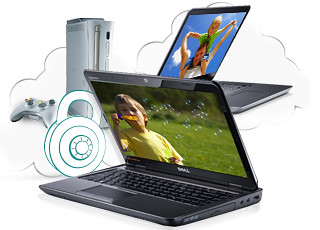
For each user account set up on the GoFlex Home, three folders are created – a Public, Personal, and Backup folder. The Public folder holds files that can be stored and accessed by everyone on your home network. The Personal and Backup folders can only be accessed by the the user.

What I like about the sharing is the granular control available for the files shared. You can specify who you want to share files with, choose to share just certain files or entire folders, set passwords, and set expiry dates for the shares. Administration is intuitive and easy to pick up. You can send a URL of a shared file via email.

Stream media to other computers and media players on the network.

Stream media to other computers and media players on the home wireless network.


Music, photos and video can also be shared and streamed to media players, game consoles or network TVs that support UPnP-AV, DLNA or Windows Media Connect. A wide range of file types are supported.

The GoFlex Home is available in 1TB (S$179), 2TB (S$239) and 3TB (S$339) capacities.

Setting up a home shared network hard drive

Sunday, September 25th, 2011

Over time, as we get new computers and leave the old still-functional computer as a second or third machine, and we still utilise the different machines, the files we create and work on can get distributed amidst the hard disk drives of the various computers.

A shared network hard drive can bring order back to an increasingly chaotic situation.

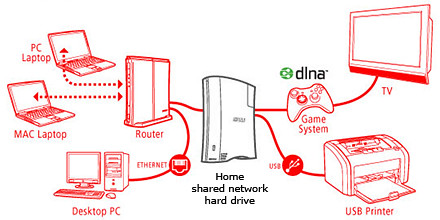
A network attached external hard drive can share files and media amongst computers and media players in the home

A network attached external hard drive can share files and media (illustration modified from www.buffalotech.com)

The above scenario was what happened to some of my friends and me. Computers and laptops today can last for a long time (if you look after them well) and most often then not, they’re still perfectly functionable when we get a new machine so it seems quite a waste to get rid of the old machine, especially since it can serve as a back up.

And if a member of the family is on the new laptop, others can use the spare computer. So over time, working files, photos, music and video can get distributed over a few computers. At first, it’s easy to remember and keep track of which file is in which computer and do the occasional transfer using an USB thumbdrive.

But over time, as the number of files grow, things can get out of hand – the convenience of being able to work on a few computers turns into a bane.

Now that cloud computing is catching on and we can save files and media on the Internet, this mess can be ameliorated. But those personal and confidential files and humongous video files are still best kept in local storage.

The NAS solution

Schematic of an NAS solution

Schematic of an NAS solution

So over the weekend, I helped my friend rig a similar solution that I use at home – set up a simple external hard drive that can be shared and accessed by a few different computers at home over a local Wi-Fi network.

Those files that are stored on the network attached storage (NAS) drive can then remain accessible no matter which computer you’re working on. It can be used to back up the computers connected.

Some NAS drives allow you to stream media to TVs, media players and game consoles connected to the home network.

In fact, some even enable access to be opened out to the Internet, so that when you’re outstation – in the office, on the road, or overseas – you can still securely access the files stored in the hard drive. This can be done via a browser on a laptop connected to the Internet, or via an app on a smartphone or tablet.

It’s like setting up your personal cloud storage. There are many consumer NAS drives in the market from makers such as Seagate, Western Digital and Buffalo.

They’re all designed to be easily set up by the layman who does not have a PhD in computer science. These NAS drives are connected directly to the router rather than a specific computer acting as a file server.

Any computer connected to the network via the router can access the NAS drive at any time.

Because these NAS drives are more intelligent than the regular dumb external hard drive, they do cost a slight premium over the latter. The NAS drives can manage network access by computers on the network and implement security, access and rights control as well.

Seagate GoFlex Home comes in capacities of 1TB, 2TB and 3TB

Seagate GoFlex Home comes in capacities of 1TB, 2TB and 3TB

Since I’m familiar with the Seagate GoFlex Home, that was what I recommended my friend, who brought home a 3 TB version from the recent COMEX 2011 for S$299.

Tomorrow we’ll see how he managed to tame his growing diaspora of media and files.

Formula One apps for the BlackBerry PlayBook and smartphones

Wednesday, September 21st, 2011

The Formula 1 comes to Singapore this weekend. Check out the F1 apps for the BlackBerry tablet or smartphones – both free on BlackBerry App World.

Formula One in Singapore from 23 to 25 September 2011.

Formula1.com 2011 app for BlackBerry smartphones.

Formula1.com 2011 app for BlackBerry smartphones.

For BlackBerry smartphone users (device software 4.2.0 or higher), check out the Formula1.com 2011 app from the organisers of Formula 1 itself. Users can access information such as race results, championship standings, timetables, calendars, circuit data etc.

The app streams real-time data directly from Formula One Management’s Technical Centre at the racetrack displaying the same information supplied to the teams from every session, putting you right at the heart of the action. The app also sends you push notifications and keeps you updated even when the app is closed.

Maxis F1 2011 for BlackBerry PlayBook

Maxis F1 2011 for BlackBerry PlayBook

For BlackBerry PlayBook users, check out the Maxis F1 2011 for BlackBerry PlayBook app from Infindo Technology. Users can get detailed information for all the races with exclusive live commentary, top stories, results, schedule, standings, drivers/teams/circuit info etc.

Both apps are free and valid for the entire 2011 F1 season.

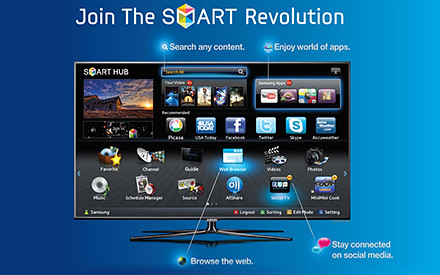
Develop educational apps for the Samsung Smart TV

Tuesday, September 20th, 2011

Samsung and MDA has announced a joint call-for-proposal for the development of educational TV apps for the Samsung Smart TV platform and ecosystem.

Develop rich and interactive educational TV apps for the Samsung Smart TV platform.

Develop rich and interactive educational TV apps for the Samsung Smart TV platform.

This comes on the heels of Sony’s renewal of a 5-year MOU with Nanyang Polytechnic to encourage local development of games for the Sony PlayStation.

Samsung Electronics Co LtdDevelopers interested in Samsung’s initiative are invited to attend the Call-for-Proposal briefing at 6pm, 26 September, at Genexis Theatre, Fusionopolis. Starting from 26th September, the call-for-proposal will extend over a period of four weeks and will end on 31st October 2011. Detailed information will be available on the website of the Interactive Digital Media Programme Office (IDMPO) from 26th September.

Shortlisted developers:

  • Will gain 24/7 access to Samsung’s Developer’s Forum (SDF)
  • Will have access to MDA’s testing centre – iJAM@Blk71, located at Block 71, Ayer Rajah Crescent
  • May apply for funding schemes from the IDMPO

Focusing on rich and interactive educational apps for the Singapore audience, this initiative is targeted to promote interest in science, technology, engineering and mathematics, and for self-learning at home at up to tertiary level.

Call-for-Proposal briefing is at 6pm, 26 September, at Genexis Theatre, Fusionopolis.The initiative is also designed to catalyse the development of interactive digital content for TVs in Singapore, and support new interactive digital media (IDM) R&D projects as well as the commercialization efforts of IDM applications and services.

(more…)

TomTom launches four in-car navigation systems

Friday, September 16th, 2011

TomTom has announced the launch of in-car navigation systems with Renault, Fiat and Mazda at the IAA Frankfurt Motor Show (15-25 September 2011).

Apart from the usual navigation features, the Renault system also monitors battery level of the electric car and ensures that the car has enough juice to make it to a charging station.

The new Renault Fluence Z.E. electric car.

The new Renault Fluence Z.E. electric car.

Ever wondered who makes those in-car navigation systems that come with the cars on their dashboards? TomTom has launched four such in-car navigation systems based on their LIVE platform for the Renault  Fluence Z.E., Fiat Panda, Mazda3 facelift and the Mazda CX-5.

TomTom LIVE in-car navigation system for Mazda CX-5 and Mazda3 facelift.

TomTom LIVE in-car navigation system for Mazda CX-5 and Mazda3 facelift.


All four systems feature the regular slew of navigation features in typical in-car navigation systems. These include HD Traffic which combines real time traffic with dynamic routing, speed camera information on both fixed and mobile cameras enroute, live weather updates and local search, and updateability of both map data and system software.

TomTom’s navigation solution for the new compact crossover SUV Mazda CX-5 and the Mazda3 facelift is already available as an option for the recently launched compact van Mazda5. The Blue&Me TomTom LIVE is being featured on a Fiat A-segment car for the first time.

The range of the electric car is displayed against the location of charging stations.

The range of the electric car is displayed against the location of charging stations.


In addition to the usual navigation features, the Carminat TomTom Z.E. LIVE for Renault’s electric car receives information from the car’s battery on its current state of charge, and uses it to determine the remaining range of the vehicle. This information is displayed on the navigation screen, showing the current route against the available range and the routes to the charge stations.

No more worries about battery running out.This will help alleviate the “range anxiety” experienced by drivers of electric cars, helping them effectively manage charging into their daily itineraries. At the end of 2011, there will be more than 5000 charging stations in Europe.
All these systems will come standard fitted on the cars in selected European countries.

Two new BlackBerry 7 Torches arriving in Singapore

Thursday, September 15th, 2011

The new BlackBerry Torch 9810 and 9860 will hit the shelves in Singapore next week on 22 September 2011. Pre-orders for both BlackBerry 7 OS based smartphones can be placed with SingTel from today.

Pre-order the BlackBerry Torch 9810 or 9860 online from today.

Pre-order the BlackBerry Torch 9810 or 9860 online from today.

The two new Torches were first introduced by Research In Motion (RIM) in early-August and unveiled in Singapore in mid-August together with the Bold 9900.

BlackBerry Torch 9860 smartphone from RIM

BlackBerry Torch 9860

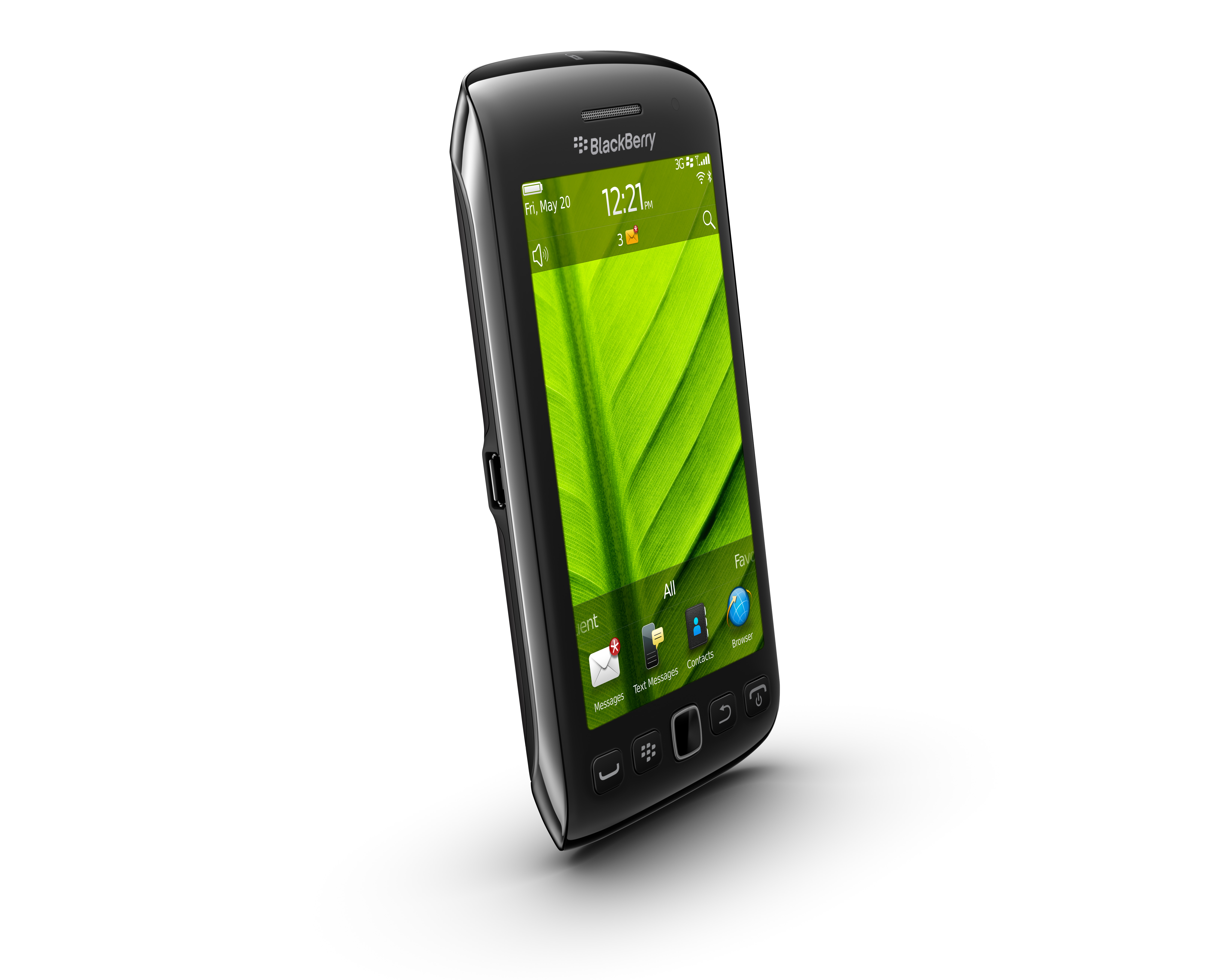
The BlackBerry Torch 9860 smartphone offers fast and fluid performance in a stylish new all-touch design.

With a new 3.7” display – the largest ever on a BlackBerry smartphone – the new all-touch BlackBerry Torch 9860 smartphone is optimized for high-quality multimedia, web browsing and gaming; whilst offering the real-time communication and collaboration lauded by BlackBerry fans.

BlackBerry Torch 9810 smartphone form RIM

BlackBerry Torch 9810

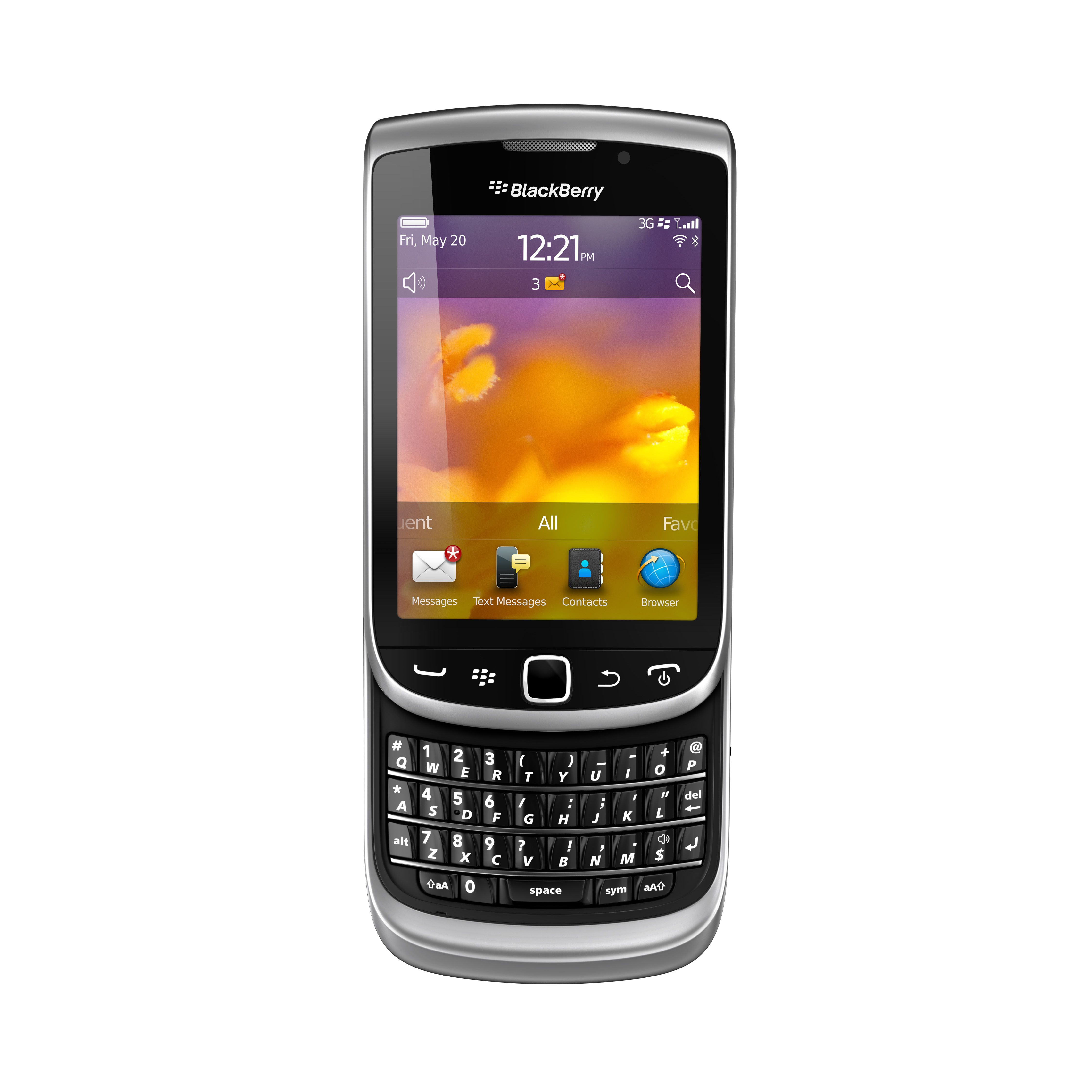
The BlackBerry Torch 9810 is an evolution of the BlackBerry Torch 9800. The new model is faster and more fluid with high performance hardware features while the new BlackBerry 7 OS delivers an enhanced multimedia experience.

Featuring a large 3.2”, high-resolution touch display and a distinctive BlackBerry keyboard that easily slides out to allow fast typing, the BlackBerry Torch 9810 offers the best of both worlds.

Windows 8 screenshots

Wednesday, September 14th, 2011

Here are some screenshots from the Windows 8 developer preview during the ongoing BUILD conference (13-16 September 2011) in the Anaheim Convention Centre.

Windows 8 will be Microsoft’s attempt to wrest market share in the fast growing tablet market from market leading iPads from Apple and the whole slew of tablets based on Google’s Android.

Click on the images for a larger view. These screenshots have been provided by Microsoft.

The personalized lock screen shows unread emails and other app notifications.

See apps and content at a glance on the start screen.

Pick the files you want to send or share from one place.

Touch browsing seems fast, fluid and intuitive.

Large buttons for typing on the touch keyboard.

The thumb keyboard to avoid having to reach into the centre of the screen.

Windows 8 developer preview

Wednesday, September 14th, 2011

At the developer-focused BUILD conference, Microsoft has showcased a detailed preview of the next major release of Windows, code-named “Windows 8”, including new tools for developers to write applications for the new operating system.

The ongoing BUILD conference (13-16 September 2011) is being held in the Anaheim Convention Center. Here are some screenshots of the preview. Windows 8 is not expected to be come out of beta until at least the second half of 2012.

Main features

The user interface (UI)  is centred around a touch interface, although it works with a mouse and keyboard too. Microsoft calls the UI “Metro” style – displaying important information first, whilst emphasising simplicity and user control. Internet Explorer 10 aims to provide a fast and fluid touch-browsing experience.

On the start screen, apps form the focal point, the Apps “tiles” fill the entire screen. The apps work together and communicate with each other in Windows 8. For example, photos can be selected and shared from different apps via email, Facebook, Flickr or the hard drive.

The ongoing BUILD conference (13-16 September 2011) is being held in the Anaheim Convention Center.

The ongoing BUILD conference (13-16 September 2011) is being held in the Anaheim Convention Center.

If you use multiple devices, Live roams all the content from the cloud services you use most — photos, email, calendar and contacts — keeping them up-to-date on your devices, be it a desktop, laptop, netbook, tablet or smartphone. With SkyDrive, you can access your files, photos and documents from virtually anywhere with any browser or with Metro style apps in Windows 8.

Windows 8 is an enhanced Windows 7 with lower memory footprint, and runs even on low-end hardware. For PC users, Windows 8 features an enhanced Task Manager and Windows Explorer and new, flexible options for multimonitor setups.

For developers, the Windows Store will allow developers to sell their apps anywhere Windows is sold worldwide, whether they’re creating new games or familiar productivity tools. For games developers, DirectX 11 gaming power underlies Windows 8, allowing the easy creation of full-screen games with smooth, flicker-free action.

Hardware wise, Windows 8 supports ARM-based chipsets, x86 (including x32 and x64) devices, and sensors. It promises instant-on and long battery life for ultrathin PCs and tablets, and is backward compatible with software/devices that run on Windows 7.