Archive for the ‘Software’ Category
Wednesday, October 19th, 2011
At BlackBerry DevCon Americas 2011, RIM unveiled BlackBerry BBX – the next generation mobile platform that takes the best of the BlackBerry platform for its smartphones and the best of the QNX platform that it uses for its PlayBook tablets.
“With nearly 5 million BlackBerry apps downloaded daily, our customers have made BlackBerry one of the most profitable platforms for developers,” said Mike Lazaridis, President and Co-CEO at RIM.The BBX platform will include BBX-OS, and will support BlackBerry cloud services and development environments for both HTML5 and native developers.
BBX will also support applications developed using any of the tools available today for the BlackBerry PlayBook – including Native SDK, Adobe AIR/Flash and WebWorks/HTML5, as well as the BlackBerry Runtime for Android Apps – on future BBX-based tablets and smartphones.
Research In Motion (RIM) believes the new BBX will connect people, devices, content and services.
Tags:BB10, BlackBerry, Playbook, RIM, smartphone, tablets
Posted in App, BlackBerry, BlackBerry 10, BlackBerry OS, BlackBerry Tablet OS, Events, Gadgets, Operating Systems, Phones, PlayBook, RIM, Seminars, Software, Tablets, Tech news | 1 Comment »
Tuesday, October 18th, 2011
Research In Motion (RIM) is making moves to recompense widespread service disruptions last week. Premium apps will be offered free of charge to BlackBerry customers, while enterprise customers will be offered one month of free Technical Support.
 Last week, many BlackBerry users experienced service interruptions and delays over a period of approximately 3 days in Europe, the Middle East, India and Africa, 1.5 days in Latin America and Canada, and 1 day in the United States.
Global teams worked around the clock to contain the issue and minimize the impact to customers as much as possible. Service levels returned to normal on Thursday, October 13.
To make amends for the disruptions, RIM has offered – for free – more than US$100 worth of premium apps from October 19 to December 31, 2011.
RIM’s enterprise customers will also be offered one month of free Technical Support. Current customers will be offered a complimentary one month extension of their existing Technical Support contract.
Customers who do not currently have a Technical Support contract will be offered a one month trial of RIM’s BlackBerry Technical Support Services – Enhanced Support, free of charge.
Additional details about the program and information about how to register will be available here.
Tags:Apps, BlackBerry, RIM, tablets
Posted in App, BlackBerry, BlackBerry OS, BlackBerry Tablet OS, Enterprise IT, Gadgets, Operating Systems, Phones, PlayBook, RIM, Software, Tablets, Tech news | 1 Comment »
Monday, October 17th, 2011
Research In Motion (RIM) announced today that more than US$100 worth of selected premium apps will be offered free of charge to BlackBerry customers, in view of service disruptions last week.
| Game |
Publisher |
| SIMS 3 |
Electronic Arts |
| Bejeweled |
Electronic Arts |
| N.O.V.A. |
Gameloft |
| Texas Hold’em Poker 2 |
Gameloft |
| Bubble Bash 2 |
Gameloft |
| Photo Editor Ultimate |
Ice Cold Apps |
| iSpeech Translator Pro |
iSpeech.org |
| DriveSafe.ly Pro |
iSpeech.org |
| Drive Safe.ly Enterprise |
iSpeech.org |
| Nobex Radio Premium |
Nobex |
| Shazam Encore |
Shazam |
| Vlingo Plus: Virtual Assistant |
Vlingo |
The apps will be available from October 19 to December 31, 2011.
The complete selection of premium apps will become available for download at BlackBerry App World over a period of four weeks beginning Wednesday, October 19th.
The selections over this period will include the following (with more to come):
Tags:Apps, BlackBerry, free, RIM, smartphone, tablets
Posted in App, BlackBerry, BlackBerry OS, BlackBerry Tablet OS, Gadgets, Phones, PlayBook, Promotions, RIM, Software, Tablets, Tech news | 1 Comment »
Sunday, October 16th, 2011
Western Digital has launched two new portable hard drives designed for use with Mac computers and Apple Time Machine, with capacities of 500GB, 750GB and 1 TB.

Western Digital My Passport for Mac
The Mac-inspired designs of the compact portable hard drives feature matches the external designs of Mac computers.
Powered through the USB 2.0 or Firewire connection, these portable drives allow convenient quick connect external storage without the hassle of lugging additional power adaptors and cables.
My Passport for Mac features a USB 2.0 interface and is an easy way to increase the minimal local storage on MacBook and MacBook Air notebooks.

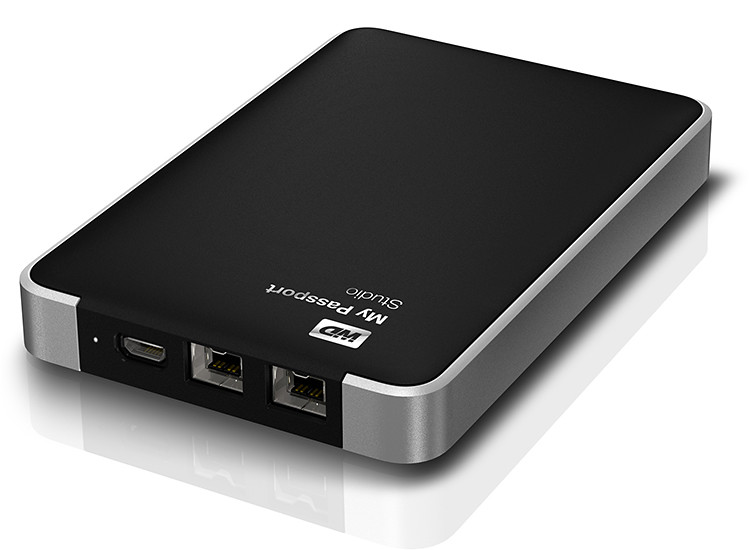
Western Digital My Passport Studio
My Passport Studio sports an all-metal design, with two FireWire 800 ports and a USB 2.0 interface. The FireWire ports provide fast upload and transfer speeds and can be used to daisy chain up to five additional drives or peripherals such as HD camcorders.
“The speed of the fifth device at the end of the daisy chain is only slower by less than 10% of the first device on the chain,” according to Sheraine Chua, Regional Sales Manager of Branded Products at Western Digital.
| Capacity |
My Passport Studio |
My Passport for MAC |
| 500 GB |
S$169 |
S$119 |
| 750 GB |
S$189 |
S$129 |
| 1 TB |
S$219 |
S$159 |
My Passport Studio also features encryption and password protection software.
Tags:drive, Mac, MacBook Pro
Posted in Accessories, Events, Gadgets, Launch, Mac OS, Notebooks, Prices, Specifications, storage drive, Western Digital | 1 Comment »
Friday, October 14th, 2011
Western Digital offers an easy way to set up a personal private cloud to share documents and media – using the WD My Book Live network drive and mobile apps for Android and iOS smart phones and tablets.
The drives comes in 1TB (S$209), 2TB (S$239), and 3TB (S$299) capacities and are priced roughly US$50 more than non-network external drives with the same capacity.
 I’d posted not long ago about setting up a home shared network hard drive in order to share documents and media – photos, music and video – in a private personal cloud in the comfort of the home.
That was followed with a case study of setting up and using the Seagate GoFlex Home storage system – a similar network attached storage (NAS) drive.
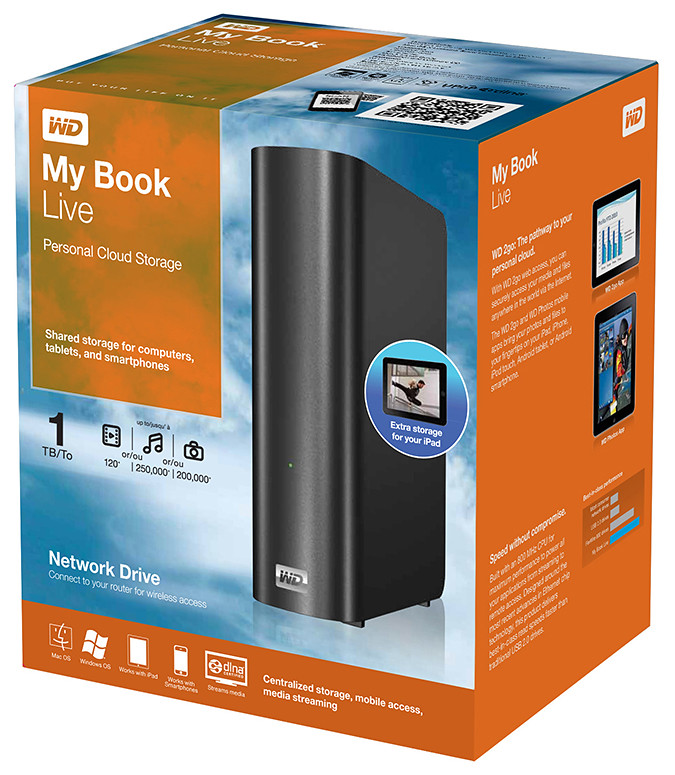
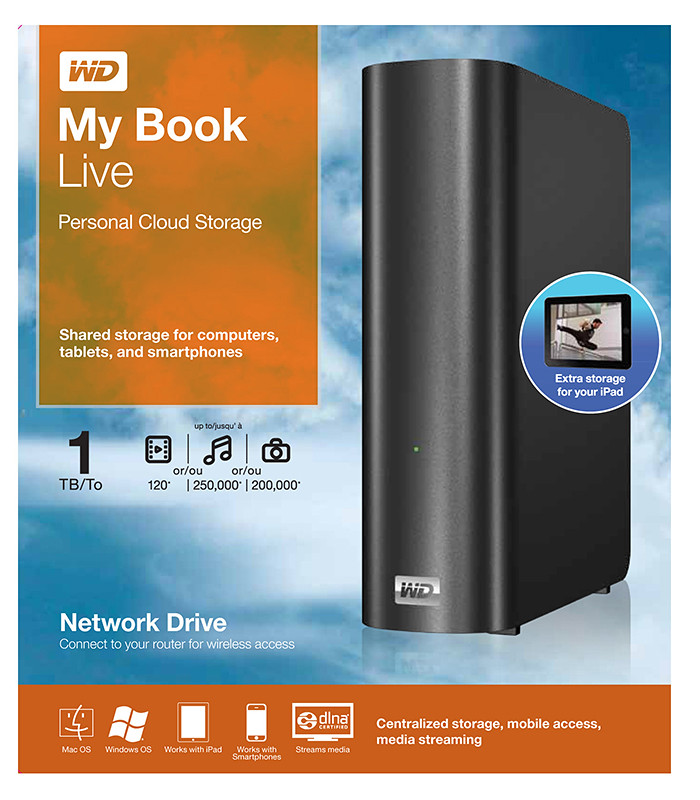
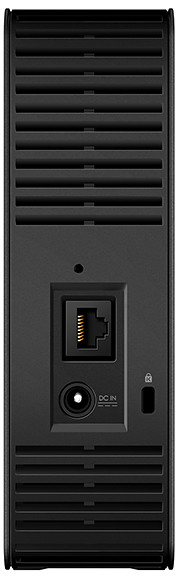
My Book Live is a network attached storage drive from Western Digital
The WD My Book Live network drive from Western Digital is also connected directly to the wireless router to plug into the home wireless network. Both Macs and PCs can store, access and share documents, as well as stream media from the drive.
With all the buzz about consumer public clouds and enterprise private and hybrid (private/public) clouds, the WD My Book Live makes it simple to set up your personal private cloud with the hard-disk and data physically sitting in the security of your home.
Access to this personal cloud can be extended beyond the home to the Internet. Any computer given the access rights can access the shared documents and media on the WD My Book Live through www.WD2go.com.
My Book Live comes in capacities of 1TB, 2TB and 3TB
In addition, Android and iOS mobile devices (both smart phones and tablets) can get mobile access to the files stored on the drive via the WD2go apps from Western Digital. The WD Photos and basic WD2go app are free and allows viewing files and streaming media from the WD My Book Live.
For US$2.99, the WD2g Pro app adds the ability to “clip” files – basically download a local copy of files and media to the mobile device; and allow users to share files by emailing either a copy of the files or a link to the WD My Book Live.
Note that once the link is sent out, anybody with the link will have access to that file. There is no expiry date for the sharing, like in Seagate’s GoFlex Home. The only way to stop sharing that file is to either remove that file or rename it – but that affects everybody to whom you’ve sent that link to.
Naturally, both the network drive and the router must be connected and powered up for access. And access from mobile devices is only via the apps over the Internet – instead of direct access over the local home wireless network.
That means that even if you’re at home, the app in your smart phone or tablet will still have to go to the Internet (via wireless or 3G) and come back into the home wireless network to access the files on the WD My Book Live. This is similar to the GoFlex Home.
But Western Digital does not limit the number of users or computers that can share the WD My Book Live. The GoFlex Home limits the number of users/computers that can be set up to connect with it to just 5. GoFlex Home customers need to subscribe to pay to enjoy unlimited connections.
| Capacity |
WD
My Book Live |
Seagate
GoFlex Home |
| 1 TB |
S$209 |
S$179 |
| 2 TB |
S$239 |
S$239 |
| 3 TB |
S$299 |
S$339 |
WD My Book Live features a built-in media server that streams music, photos and movies to any DLNA-certified multimedia device such as a WD TV Live network media player, Blu-ray Disc player, Xbox 360, PlayStation 3, and connected TV.
My Book Live comes in capacities of 1TB, 2TB and 3TB and is compatible with both Windows and Mac OS, as well as DLNA/UPnP enabled devices.
Tags:drive, media player, smartphone, tablets, Western Digital
Posted in Android, App, Cloud, Events, Gadgets, iOS, iPad, iPhone, Launch, Phones, Prices, Specifications, Tablets, TV, Western Digital | 1 Comment »
Thursday, October 13th, 2011
Western Digital launches a slew of media storage, networking and playback products for the connected lifestyle.
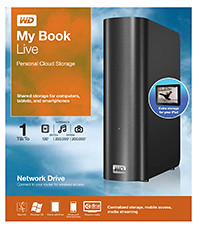
Western Digital My Book Live personal cloud storage
The premise of the Connected Life solution from Western Digital is the simple set-up of a private personal cloud where media can be accessed and shared from any computer at home.
This personal cloud can also be extended into the Internet so that mobile devices such as smart phones and tablet computers can also access data and media in the cloud using apps, while computers can use a browser interface.
The centrepiece of the Connected Life solution from Western Digital is the My Book Live network attached storage. With capacities ranging from 1TB to 3TB, these network capable external hard drives are connected directly to the wireless router at home so that any computer – be it a Mac or a PC – can store and access the media in the drive.

Western Digital WD TV Live streaming media player
The WD TV Live media player that is connected to the wireless network can then stream media from My Book Live and play photos, music and videos on a large TV screen. It can also stream media directly from Internet services such as YouTube.
Outside home, data and media on My Book Live can be accessed on mobile devices using WD apps WD 2go (free), WD 2go Pro (US$2.99), and WD Photos (free).
Tags:Android, cloud, drive, iOS, iPad, iPhone, media player, smartphone, tablets, Western Digital
Posted in Accessories, Android, Cloud, Events, Gadgets, iOS, iPad, iPhone, Launch, Media player, Phones, Prices, Specifications, storage drive, Tablets, Western Digital | 1 Comment »
Wednesday, October 5th, 2011
Tim Cook delivered his first major product launch since taking over from Steve Jobs as the CEO. The main anticipation for an iPhone 5 did not come through. Instead an iPhone 4S with changed out innards was offered. By the way, Steve Jobs was absent from the event

"Let's talk iPhone" launches iPhone 4S instead of iPhone 5
The headline for the launch was the iPhone 4S. Identical to the iPhone 4 in terms of external design and appearances, the innards have been completed changed out with much better components. These include a more powerful A5 dual-core CPU promising 2x the previous computing speed and 7x graphics performance, new 8 megapixel camera, full HD video, and iOS 5.
Other highlights inlcude Siri, the voice-activated intelligent assistant and iCloud, a set of cloud services that works and syncs with all the Apple devices a user owns.
New apps and iPod Touch and nano devices were also presented.
Here’s a quick executive summary of the various products launched, their prices (in the US and in Singapore), as well as when they would be available.
| Product / Availability |
Prices |
iPhone 4S
(black & white)
Oct 14:
US, Australia, Canada, France, Germany, Japan & UK
Oct 28:
22 countries including Singapore
Dec 2011:
Rest of the world |
US prices (w 2 yrs contract):
16GB: US$199
32GB: US$299
64GB: US$399
Singapore prices (incl GST):
iPhone 4S: TBA
iPhone 4: S$788
iPhone 3GS: S$548 |
Siri voice-activated intelligent assistant
Comes as Beta on iPhone 4S |
Free |
iOS 5
Available on Oct 12 |
Free software update via iTunes 10.5 |
Cards App
Available on Oct 12 |
US: US$2.99
Elsewhere: US$4.99 |
iCloud
Available on Oct 12 |
5GB: free
10GB: US$20/yr
20GB: US$40/yr
50GB: US$100/yr |
iPod nano
(black & white)
Available today |
US prices:
8GB: US$129
16GB: US$149
Singapore prices (incl GST):
8GB: S$180
16GB: S$208 |
iPad Touch
(black & white)
Available on Oct 12 |
US prices:
8GB: US$199
32GB: US$299
64GB: US$399
Singapore prices (incl GST):
8GB: S$288
32GB: S$428
64GB: S$588 |
Tags:Apple, iOS, iPhone, smartphone
Posted in App, Apple, Cloud, Events, Gadgets, iOS, iPhone, Launch, Phones, Prices, Specifications | No Comments »
Wednesday, October 5th, 2011
Adobe announced its slate of six new apps for Apple iPads and Android tablets during the MAX 2011 conference in Los Angeles. Here’s a brief description of what each of the apps does.
Each of the six apps has an introductory price-tag of US$9.99. The Android version is will be available in November 2010 while the iOS version will only be available in 2012.
| Adobe Touch App |
Description of App |
Adobe Photoshop Touch


|
Transform images with core Photoshop features in an app custom-built for tablets. With simple finger gestures, users can combine multiple photos into layered images, make popular edits and apply professional effects. The tablet-exclusive Scribble Selection Tool allows users to easily extract objects in an image by simply scribbling on what to keep and then what to remove.
With Refine Edge technology from Adobe Photoshop, even hard-to-select areas with soft edges, such as hair, are easily captured when making selections. Additionally, the app helps users quickly find images, share creations, and view comments through integration with Facebook and Google Search. Using the syncing capabilities that are a component of Adobe Creative Cloud, files can be opened in Adobe Photoshop. |
Adobe Collage


|
Capture and refine ideas and concepts by combining inspirational images, drawings, text and Creative Suite files into modern, conceptual mood boards.
Features include importing of images, four customizable pen types for drawing, adding text, and applying color themes. A virtually unconstrained canvas grows as needed to accommodate more assets. Files can be shared or transferred for access in Adobe Photoshop. |
Adobe Debut

|
Present designs to clients and stakeholders virtually anywhere. Adobe Debut quickly opens tablet-compatible versions of Creative Suite files for convenient and beautiful viewing on the tablet, including Photoshop layers and Illustrator art boards. Feedback is gathered using a markup pen tool to add notes and drawings on top of the work. |
Adobe Ideas

|
Easy-to-master, vector-based tool for drawing. By using a stylus or finger, strokes appear smooth at any zoom level. Starting with a blank canvas, users can choose color themes, and pull in tablet-compatible image files that can be controlled as separate layers. Finished results are easily accessed in Adobe Illustrator or Photoshop. |
Adobe Kuler

|
Generate color themes easily to inspire design projects. Color can be explored and discovered, with hundreds of thousands of Kuler themes already available via the creative community. Social engagement in the community is enhanced by rating and commenting on themes, which can be exported as color swatches for Adobe Creative Suite projects. |
Adobe Proto


|
Develop interactive wireframes and prototypes for websites and mobile apps on a tablet. Ideas are communicated and shared with teams and clients using a touch-based interface.
Gestures quickly express a design concept, explain website structure or demonstrate interactivity. The wireframe or prototype then can be exported as industry standard HTML, CSS and JavaScript, and shared in popular browsers for immediate review and approval. |
Tags:Adobe, Android, Apple, Apps, iOS, iPad
Posted in Adobe, Android, App, iOS, iPad, Launch, Prices, Software, Specifications, Tablets | 1 Comment »
Tuesday, October 4th, 2011
Six new apps for Apple iPads and Android tablets have been announced by Adobe at its MAX 2011 technology conference.
At US$9.99 each, the six apps address different areas of the creative process: image editing; ideation; sketching; mood boards; website and mobile app prototyping; and presenting finished work.
The six new Adobe Touch Apps are:
- Adobe Photoshop Touch
- Adobe Collage
- Adobe Debut
- Adobe Ideas
- Adobe Kuler
- Adobe Proto
More details of the Touch Apps are tabulated here.
Adobe Touch Apps are essential components of Adobe Creative Cloud, a major new company initiative also announced today. Adobe Creative Cloud will allow subscribers to access desktop and tablet applications, find creative services, and share their work.
Files created via Adobe Touch Apps can be shared, viewed across devices or transferred into Adobe Creative Suite software for further refinement. Adobe Touch Apps are designed to work with both finger and stylus input.
Adobe Touch Apps will be available for Android devices in November 2011. iOS availability will likely be announced only in early 2012, although Adobe Ideas is already available for the iPad.
Access to the file viewing, sharing and transfer functionality of Adobe Creative Cloud is included in the price of each Adobe Touch App. Details regarding pricing of the Adobe Creative Cloud and its expanded capabilities around applications, services and community will be announced in November 2011.
Tags:Adobe, Android, Apple, Apps, iPad, tablets
Posted in Adobe, Android, App, Creative Suite, iOS, iPad, Launch, Software, Tablets | 1 Comment »
Monday, October 3rd, 2011
The Single Edition allows freelance designers and small design firms to publish interactive content created with Adobe InDesign CS5.5 software on the Apple iPad for US$395 per application.

Adobe Publishing Suite, Single Edition at US$395 per iPad application.
Single Edition allows designers to publish a single-issue application for sale or distribution through the Apple App Store, without writing any code, focusing on creative design.
The Professional Edition of the Adobe Digital Publishing Suite was released in May for publishing houses, business publishers, and education institutions that require an off-the-shelf tablet publishing solution.
Single Edition allows users to publish single-issue content such as a brochure, highly-visual book, annual report or personal design portfolio as an application for the iPad.
The Digital Publishing Suite family which now includes Single Edition is used to publish content beyond traditional magazines and newspapers. These include sales tools, brand and customer engagement materials, merchandising deliverables, employee communications and corporate collateral published to tablets.
Pricing and Availability
Single Edition for iPad is expected to be available for purchase online at the end of November 2011. From InDesign CS5.5, users can publish through Single Edition to the iPad for US$395 per application. Single Edition will support additional tablet platforms later in 2012.
Tags:Adobe, Apple, Apps, iPad
Posted in Adobe, App, InDesign, iOS, iPad, Launch, Software, Tablets | 1 Comment »