Archive for the ‘Software’ Category
Friday, April 20th, 2012
The latest version of the RIM’s smartphone operating system – BlackBerry 7.1 – is available for BlackBerry Bold 9900 smartphones in Singapore.
The new OS 7.1 upgrade will enable users to share content by using “BlackBerry Tag” once NFC is enabled on their smartphones.
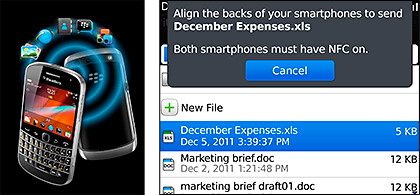
BlackBerry OS7.1 includes BlackBerry Tag if the smartphone is NFC-enabled
Users can upgrade their software for free online, or by using the BlackBerry Desktop Manager software.
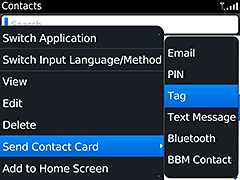
Use BlackBerry Tag to share Contact information between NFC-enabled BlackBerry smartphones.
The BlackBerry 7.1 OS incorporates a new feature called BlackBerry Tag which makes sharing of information and content easier – simply tap two NFC-enabled BlackBerry Bold 9900 smartphones against each other.
Users can instantly invite a friend to BBM (BlackBerry Messenger), exchange contact information, documents, URLs, photos and other multimedia content.
Users can also pair their BlackBerry smartphone with an NFC enabled Bluetooth device.
With BlackBerry 7.1, users can now turn their BlackBerry smartphone into a mobile hotspot that can be shared by up to 5 Wi-Fi -enabled devices, including laptops and tablets.
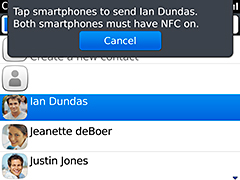
Simply tap both NFC-enabled BlackBerry smartphones to share information.
In addition, a new Battery Saving Mode feature has been added which allows customers to extend the battery life of their BlackBerry Bold 9900 when it is most needed.
The new feature provides customers the option to have their smartphone settings automatically adjusted when the battery power reaches a level pre-defined by the users.
Some of the settings the Battery Saving Mode will automatically adjust include the brightness level, backlight timeout, and also the mobile hotspot auto shutdown timer.
Tags:9900, BlackBerry, Bold, OS, Research In Motion, RIM, Singapore
Posted in App, Availability, BlackBerry, BlackBerry OS, Bold, Gadgets, Operating Systems, Phones, RIM, Software | 2 Comments »
Thursday, April 19th, 2012
Nikon has launched, worldwide, the 24.2-megapixel D3200. The new entry-level DSLR will be available in the US in late April (approx. US$700 with 18-55mm kit lens).
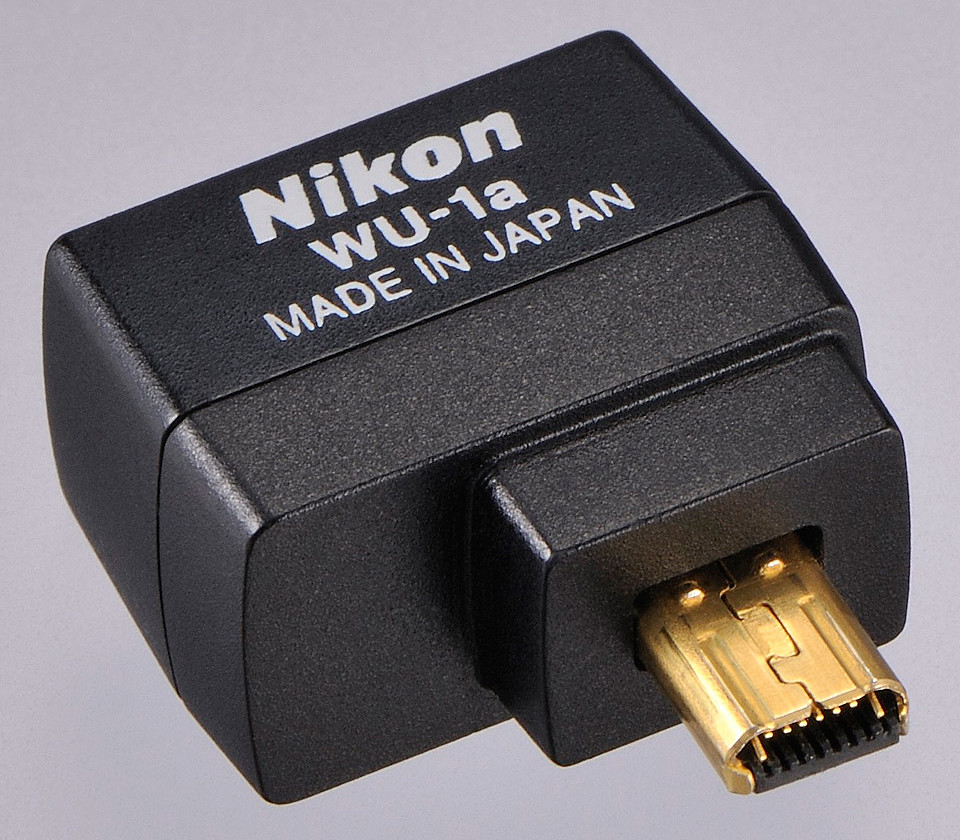
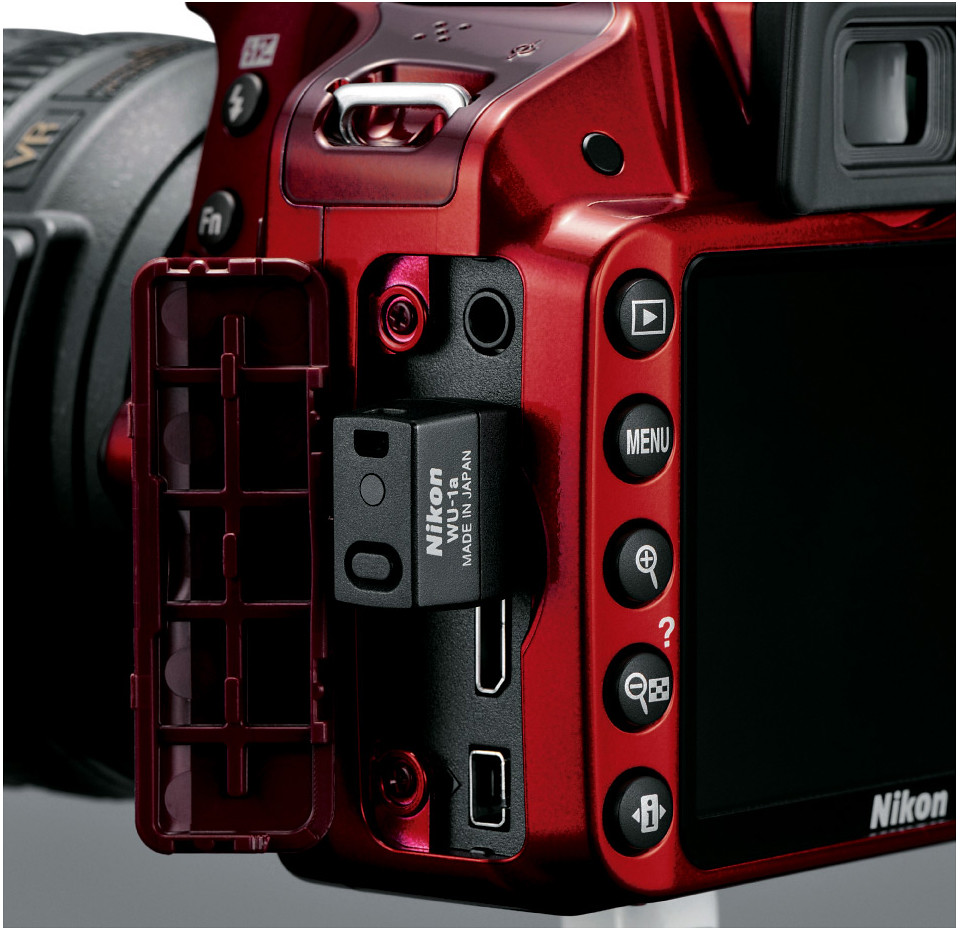
Nikon has also launched a Wireless Mobile Adapter WU-1a (approx. US$60, available in May in the US) for the D3200.

The new Nikon D3200 is available in red or black.
The D3200 records Full HD (1080p) video with full time autofocus (AF) and sports a high-speed continuous shooting mode at 4 frames-per second (fps).

WU-1a Wireless Mobile Adapter
The new optional WU-1a Wireless Mobile Adapter can wirelessly send images to mobile devices such as smartphones and tablets, to enable preview of an image (but not videos) before shooting and remote control of the camera, from up to 15 m away.
The 24.2-megapixel DX-format CMOS sensor works together with Nikon’s EXPEED 3 image processing engine gives an ISO range of 100 – 6400, expandable to ISO 12,800.
As an entry-level DSLR, the D3200 is designed with user-friendly features for the beginner.

WU-1a plugged into D3200.
Accessible on the Mode Dial, the Guide Mode provides step-by-step photo instructions for set-up, shooting, viewing and deleting images and movies.
There are also six Scene Modes – Portrait, Landscape, Child, Sports, Close-Up and Night Portrait.
For video, the camera offers manual or automatic exposure control, and a stereo microphone input to attach an optional external microphone.
The application for Android smartphones (2.3) and tablets (3.x) will be available in May 2012, with the iOS app for iPhone and iPad expected in Fall 2012.

The Guide Mode walks the beginner using the entry-level D3200.
The main differences between the Nikon D3200 and the D3100 are tabulated below.
| Nikon |
D3200 |
D3100 |
| Resolution |
24.2 MP |
14.2 MP |
| Video Full HD (1080p) |
30 fps |
24 fps |
| LCD |
920 k |
230 k |
| Max ISO (regular) |
ISO 6,400 |
ISO 3,200 |
| Continuous shoot |
4 fps |
3 fps |
| Release date |
19 Apr 2012 |
19 Aug 2010 |
The brochure can be downloaded here.
Tags:Android, camera, D3200, DSLR, entry, iOS, launch, lens, Nikon, photography, wireless
Posted in Accessories, Android, App, Cameras, DSLR, Events, Gadgets, iOS, Launch, Nikon, Photography, Prices, Specifications | 5 Comments »
Wednesday, April 18th, 2012
3D World is to improve access to high quality 3D content for LG customers and boost efforts to increase 3D content collaboration.

Content from 3D World will be available to LG’s CINEMA 3D Smart TV users in nearly 70 countries.
The newly launched 3D World is a premium content service that will be available to LG’s CINEMA 3D Smart TV users in nearly 70 countries.
“3D World is a critical part of LG’s long-term strategy which includes controlling more of the 3D ecosystem that CINEMA 3D owners experience,” said Havis Kwon, President and CEO of LG Home Entertainment Company.With DNA from LG’s original 3D Zone Smart TV app launched last year, 3D World gives LG customers access to an expansive selection of high quality 3D content via a “card” on the Home Dashboard
3D World allows customers the ability to search through high quality 3D content across a wide range of content categories, such as entertainment, sports, documentary, kids, and lifestyle.
“With the global roll-out of 3D World, LG is demonstrating its commitment to providing diverse, high quality 3D content,” added Kwon.In addition to the content, LG plans to pursue further collaborations with global 3D content providers in order to bring the most sought after 3D content to LG customers.
3D World will be offered in app-format for CINEMA 3D Smart TVs that were produced in 2011, while 2012 models will use the streamlined card system on the Home Dashboard.
Tags:3D, 3D World, LG, TV
Posted in 3D, App, Gadgets, Launch, LG, Software, TV | No Comments »
Wednesday, April 18th, 2012
SUBWAY has become part of Pointpal’s loyalty and rewards community. SUBWAY customers can use their mobile phones (Apple iOS or Google Android based) in place of stamp card for collecting rewards points.

Get a free SUBWAY meal with every 8 stamps collected through Pointpal.
With the addition of SUBWAY, Pointpal claims to be the largest mobile loyalty programme in Singapore.

Pointpal replaces traditional paper and ink stamp collecting booklets/cards.
SUBWAY customers will get a free SUBWAY meal (6-inch sub regular meal) with every 8 stamps collected from SUBWAY.
Customers also enjoy an immediate 2 free stamps when they sign up for this offer from April 15 to May 15.
Customers who want to join the Pointpal community to enjoy the SUBWAY rewards programme need to first download the Pointpal app from either Apple iTunes (AppStore) or Android Market (Google Play).
They then register (which only needs to be done once), and can choose which pre-installed loyalty cards and programmes they wish to participate in, and begin collecting points.
Tags:loyalty, Pointpal, rewards, Singapore, Subway
Posted in Android, Announce, App, Gadgets, iOS, Phones, Shopping | No Comments »
Tuesday, April 17th, 2012
Adobe Creative Cloud and Creative Suite 6 will be launched on April 23 at 10:00 am Pacific Time.

Watch the Webcast of the launch of Adobe CS6 and Adobe Creative Cloud.
Shantanu Narayen, Adobe CEO, and David Wadhwani, SVP, Digital Media Business, Adobe, will host a launch event and press conference to announce how the company is reinventing creative software with the first release of Adobe Creative Cloud and the new Creative Suite 6.

Adobe CS6 will be launched in Singapore on April 23.
This will be the first full public demonstration of Adobe Creative Cloud in action.
The company will also preview future updates, available later this year, to its Creative Cloud offering.
In addition, the company will unveil new primary research on the impact of creativity on our culture and economy, and reveal new initiatives that encourage creativity in education.
In Singapore, the Adobe CS6 launch will be on the afternoon of April 23.
Tags:Adobe, Adobe Creative Cloud, Adobe Creative Suite, CS6, launch, Singapore
Posted in Adobe, Creative Suite, Launch, Photography, Software | 1 Comment »
Monday, April 16th, 2012
If you can’t beat them, join them! After years of fighting the tide of consumerisation of corporate IT, IT staff can now cross over to the “Dark Side” and – bring THEIR own device to work.
Pricing for SolarWinds Mobile Admin software starts at US$695 per license and includes the first year of maintenance. Download the free 30-day evaluation trial online to try it out.
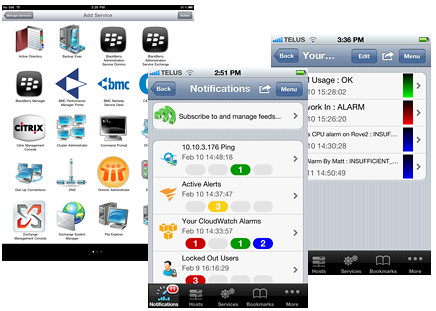
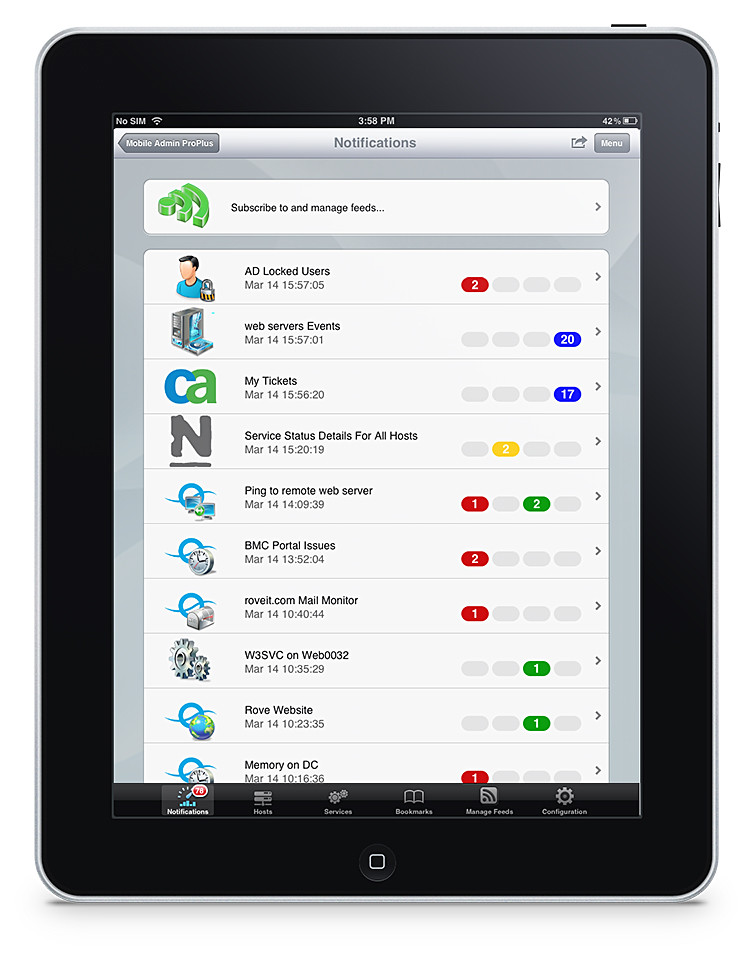
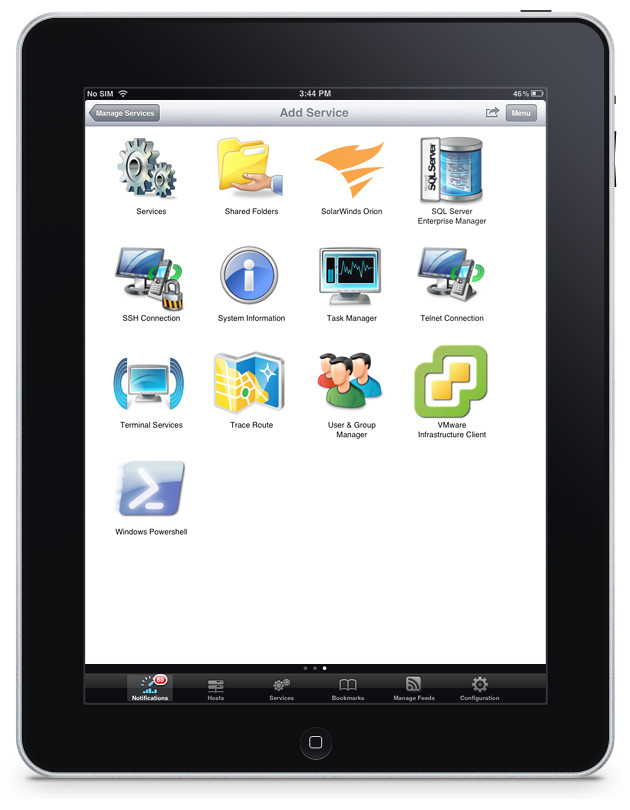
SolarWinds Mobile Admin Version 7
With the consumerisation of IT, employees and (more significantly) CXOs are banging down the doors of the IT departments to be allowed to bring their choice of personal devices to work and to access the Enterprise IT systems with these gadgets.
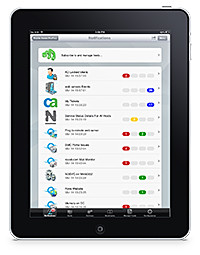
IT staff can now "Bring Your Own Device" too!
A strict No-No in the past, mane enterprises and organisations have given in to the pressure and allowed BYOD (Bring Your Own Devices) into their IT policies.
Now, the IT personnel too can jump on the bandwagon too.
SolarWinds, a provider of IT management software, has acquired Rove and released version 7 of the latter’s Mobile Admin software.
SolarWinds Mobile Admin software is designed specifically for mobile devices, with native applications for the most common mobile operating systems, and an extensive list of remote fix capabilities.
Now IT staff can also work with any device, from anywhere, anytime of the day (or night).
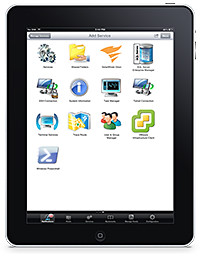
Mobile Admin works on iOS, Android and BlackBerry mobile devices.
From the queues of a grocery store, or at the cafe with friends, an IT staff can manage a server on the other side of the world – resetting passwords and rebooting servers.
Mobile Admin is used by thousands of customers to monitor and manage their corporate IT infrastructure from their iPhone, iPad, Android smartphones and tablets, BlackBerry smartphones and PlayBook (OS2), and Kindle Fire.
In addition to dozens of third party systems and services, the latest version of Mobile Admin now adds support for Amazon EC2, Microsoft Active Sync, and SolarWinds network and server management products.
Some of the main features of SolarWinds Mobile Admin 7.0 are listed below.
(more…)
Tags:BYOD, enterprise IT, Mobile Admin, SolarWinds
Posted in Announce, Enterprise IT, Prices, Security, Software, Specifications | No Comments »
Monday, April 16th, 2012
Trend Micro has released the results of its study on the four main mobile operating systems in a report titled “Enterprise Readiness of Consumer Mobile Platforms”.
The security firm found the BlackBerry 7 OS the most secure mobile operating system, followed by iOS 5, Windows Phone 7.5, and Android 2.3.
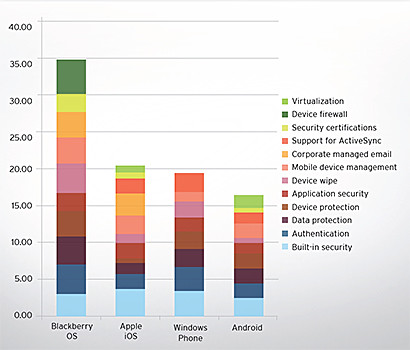
Summary chart from “Enterprise Readiness of Consumer Mobile Platforms” White Paper by Trend Micro.
Android 2.3 was used in the study because it was the dominant installed/supplied version of Google’s mobile OS at the time of the research.
Below is an excerpt from the White Paper summarising the findings about the four mobile platforms.
(more…)
Tags:Android, Apple, BlackBerry, devices, enterprise, Google, iOS, Microsoft, mobile, OS, platform, report, Research In Motion, RIM, security, smartphones, study, Trend Micro, White Paper, Windows Phone
Posted in Android, Apple, BlackBerry, BlackBerry OS, Enterprise IT, Figures, Gadgets, Google, iOS, iPhone, Microsoft, Phones, RIM, Security, Software, Study, Windows Phone 7 | No Comments »
Thursday, April 12th, 2012
RIM has announced a series of updates to its popular BlackBerry apps that will make it easier for users to to keep their BBM community in the know.

BlackBerry apps for Facebook and Twitter, BlackBerry Travel and BlackBerry App World will be integrated with BBM.
BlackBerry apps for Facebook and Twitter, BlackBerry Travel and BlackBerry App World will be integrated with BBM, thus making it easier for users to share updates with their BBM groups or friends.
Twitter for BlackBerry smartphones version 3.0 is available now.
Facebook for BlackBerry smartphones version 3.0, BlackBerry Travel version 2.5, BlackBerry App World version 3.1.2 and BBM version 6.2 will be available for download over the next ten days on BlackBerry App World.
* Some apps may not be available in some countries.
By adding BBM (BlackBerry Messenger) connectivity to these apps, Research In Motion (RIM) aims to make it even easier for users to stay in touch with their contacts, share experiences and content, and discover new things from their BBM community.
Facebook for BlackBerry smartphones (version 3.0) and Twitter for BlackBerry smartphones (version 3.0) will allow users to automatically share their Facebook status or latest Tweet with their BBM friends right from within the app.
“Since we provided developers the means to build BBM connectivity into their apps, we have seen more than 800 hundred new BBM-connected apps come to market, which has been followed by a huge uptake by users – about one of every five apps being downloaded on BlackBerry App World is a BBM-connected app,” said Alec Saunders, VP of Developer Relations at RIM. It is now easier than ever to update those who matter most about your travel plans.
The new BlackBerry Travel app (version 2.5) is now BBM-connected, allowing users to share their travel plans and flight changes directly with select BBM contacts or with their entire BBM community.
With BBM (version 6.2) and BlackBerry App World (version 3.1.2), users can easily update their BBM profile to let their friends know about new apps they’ve just downloaded on BlackBerry App World.
With this updated version of BlackBerry App World, users can also instantly share info about their favorite app or a list of their installed apps with friends using BlackBerry Tag**.
“Today we’re excited to announce that RIM has also integrated BBM connectivity into a number of our own popular apps.” – Alec SaundersThe enhanced BBM will also offer a polished, enhanced and more personal experience.
It includes a new selection of animated avatars, a simpler way of updating one’s personal message in their profile, and now allows users to quickly send voice notes.
** BlackBerry Tag requires an NFC-enabled BlackBerry smartphone running BlackBerry 7.1 OS or higher.
Tags:App World, Apps, BBM, BlackBerry, BlackBerry Connect, Facebook, Research In Motion, RIM, smartphones, travel, Twitter
Posted in Announce, App, BlackBerry, BlackBerry OS, Facebook, Gadgets, Phones, RIM, Software, Twitter | 1 Comment »
Thursday, April 12th, 2012
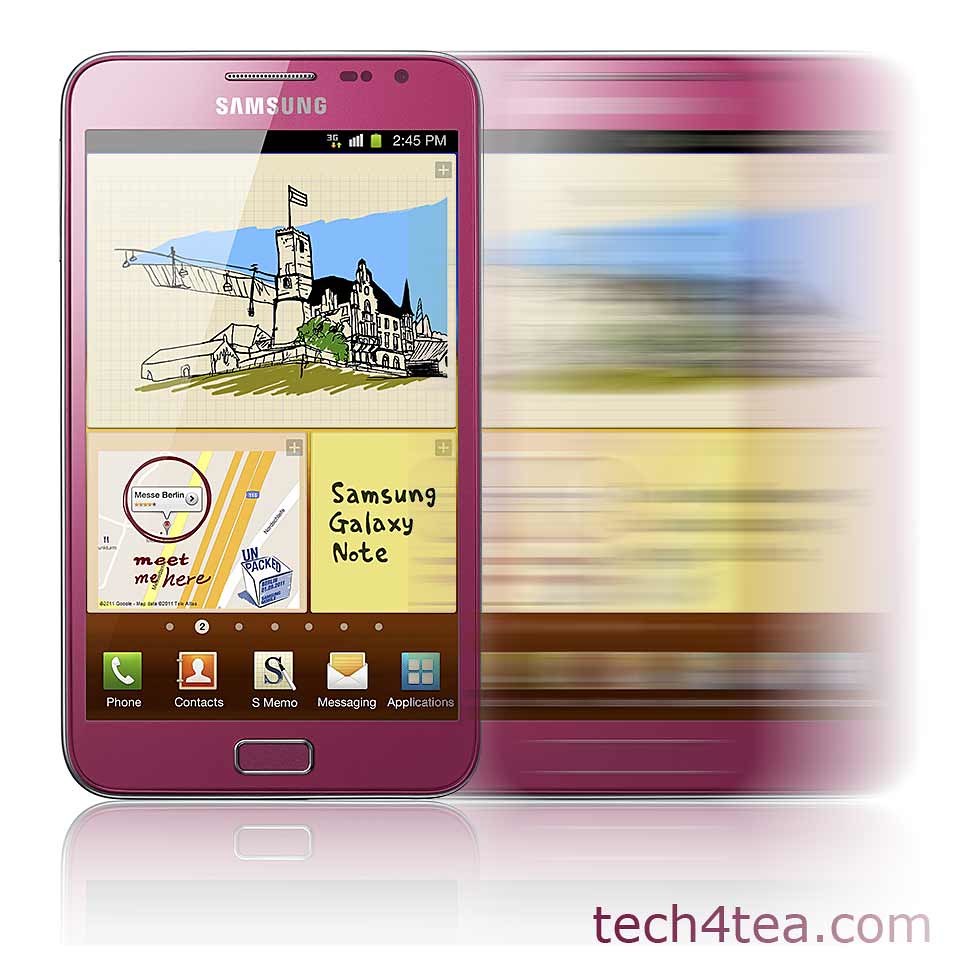
Samsung has just revealed that the pink version of the GALAXY Note will be available in Singapore this Saturday – that’s the day after tomorrow.
Price without contract will be S$948 (incl. GST) without contract.

The PINK Samsung Galaxy Note hits Singapore shelves this Saturday (14 April).
The GALAXY Note was first announced back in November last year, together with the GALAXY Nexus.
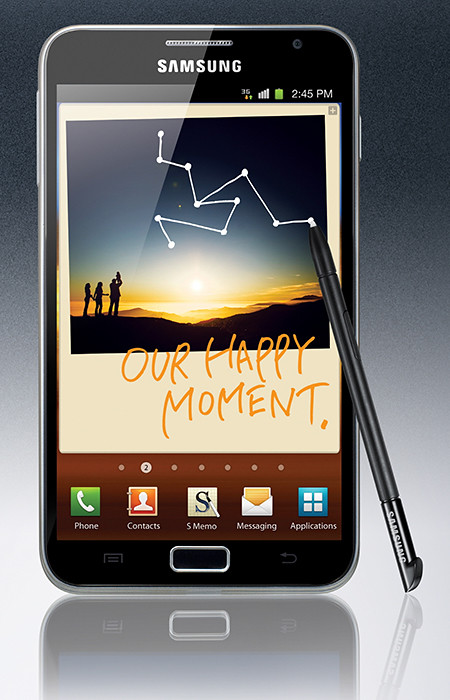
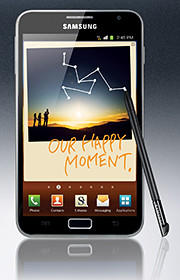 The GALAXY Note tries to create a new niche form factor by combining the larger screen size of tablets with the portability of smart phones.
The 9.65mm thick GALAXY Note features the world’s first and largest 5.3” HD Super AMOLED touch screen display at WXGA (1280×800, 285ppi) resolution. It works with pen-input technology using a stylus called the S Pen.
Powered by a 1.4 GHz dual-core processor, the gadget runs on Android 2.3 (Gingerbread) and comes with 16GB onboard storage, with a microSD slot that supports up to 32GB.
GALAXY Note comes with an 8-megapixel rear camera and a 2-megapixel front camera.
The main technical specifications of the Samsung GALAXY Note is tabulated below.
(more…)
Tags:Galaxy, Note, pink, Samsung, smartphone, tablet
Posted in Android, Availability, Gadgets, Galaxy, Phones, Prices, Samsung, Specifications, Tablets | No Comments »
Wednesday, April 11th, 2012
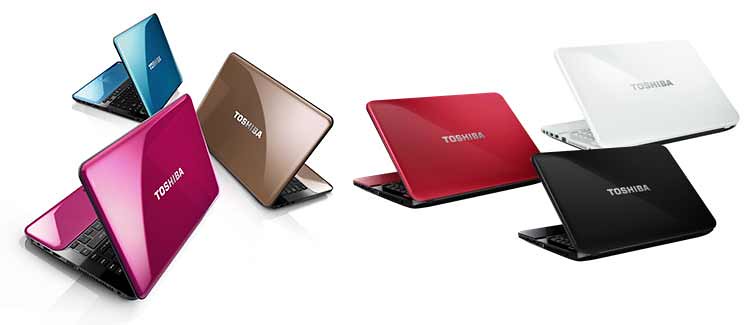
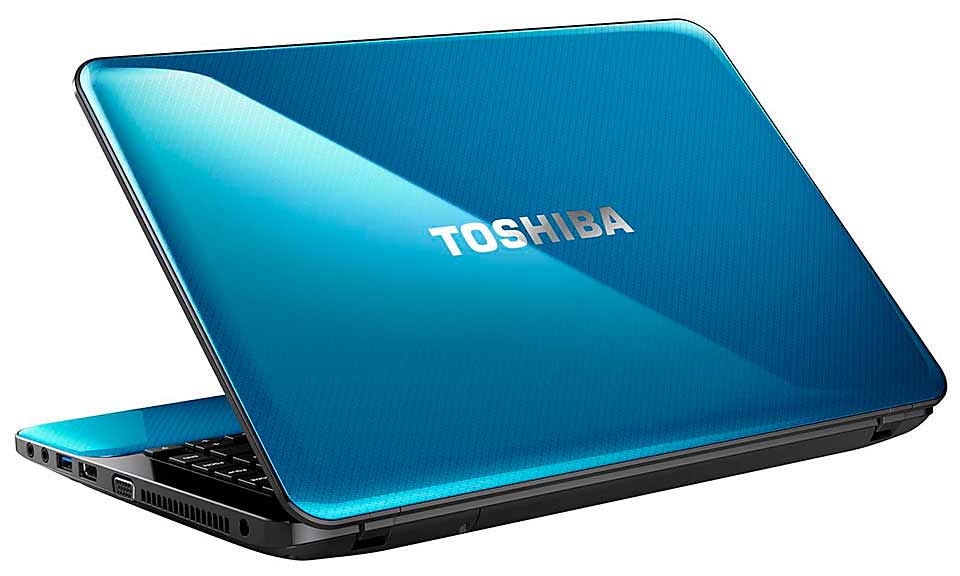
Toshiba has unveiled its latest line of Satellite notebook computers. The M800, L800 and C800 series of notebooks come in a wide range of configurations, screen sizes and colours.
They will be available soon (this quarter) throughout South and South East Asia.

Toshiba's new line of Satellite notebooks - M800, L800 and C800 Series.
All the models come standard with at least one USB 3.0 port and Bluetooth 4.0.
Toshiba’s eco Utility, PC Health Monitor, promotes laptop longevity with utilities designed to protect vital components and conserve power.
Toshiba Hi-speed Start Technology offers smarter and quicker bootup and resume that saves precious time.
| Toshiba Satellite |
M800 Series |
L800 Series |
C800 Series |
| Price |
S$1,199 |
S$1,099 |
S$869 |
| Colours available |
Gold Blaze
Pink Blush
Blue Horizon |
Midnight Black
Luscious Red
Icy White |
Black Graphite
Red Graphite |
And Toshiba’s Resolution+ video upconversion technology breathes new life into standard-def video by seamlessly adjusting color, brightness and contrast to give video a more high-def look and feel.
If you’re wondering about the ultrabook class, Toshiba had just launched the Satellite U840 Series early in February. Here’s the review of the ultrabook.
A brief description and key specifications for each series is tabulated below.
Toshiba Satellite M800 Series
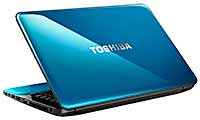 Toshiba Satellite M845 notebook The M800 series promises solid performance, functionality and style.
Its thin and light body weighs only 1.99kg and has a spacious track pad and raised tile keyboard.
Additional multimedia and connectivity features include ATI Radeon HD 7670 graphics card with 2GB dedicated video memory, stereo speakers with SRS Premium Sound HD, HD Webcams, HDMI, two USB 3.0 ports, as well as Toshiba Video Player that supports 2D to 3D conversions. |
- 2nd generation Intel Core i3 and i5 Processors
- RAM: up to 8GB DDR3
- 2.5” HDD (5,400 rpm) up to 750 GB
- 14.0” HD Clear SuperView display with LED backlighting, 1,366 x 768 pixels
- Intel HD Graphics 3000, or ATI ATI Radeon HD 7670 graphics card (2GB dedicated VRAM)
- Ultra-slim DVD SuperMulti Double Layer Drive (DVD±RW/RAM)
- WLAN, Bluetooth 4.0, 10/100/1000Mbps Ethernet LAN
- 2x USB 3.0 with USB Sleep-and-Charge, 1x USB 2.0, Multi Card Reader, HDMI
- A4 tile keyboard, TouchPad with multi-touch
- HD webcam with Toshiba Face Recognition
- Stereo speakers with SRS Premium Sound HD Technology
- Toshiba Hi-Speed Start Technology
- Toshiba Video Player supporting 2D to 3D conversions and output via a 3D TV
- Toshiba Resolution+ , Toshiba Eco Utility, Toshiba PC Health Monitor
- Microsoft Windows 7 Home Basic(English) or Premium (English/简中/繁中)
- Weight starting from 1.99kg
|
Toshiba Satellite L800 Series
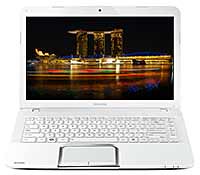 Toshiba Satellite L840 notebook Value-for-money laptop targeted at families, students and small business owners.
There are three model classes: the highly-mobile Satellite L830 (13.5-inch diagonal widescreen display), the lightweight Satellite L840 (14-inch display), and the versatile Satellite L850 (15.6-inch display) desktop replacement.
The Satellite L800 series also comes with ATI Radeon HD 7670 graphics card with a choice of 1GB or 2GB dedicated video memory, stereo speakers with SRS Premium Sound HD, HD Webcams, a HDMI Port and 2 USB 3.0 ports. |
- Choice of Intel 2nd generation Core i3, i5, or AMD processors
- Choice of 13.3”, 14.0” or 15.6” HD Clear SuperView display with LED backlighting, 1,366 x 768 pixels
- RAM: up to 8GB DDR3
- 2.5“ HDD (5,400 rpm) up to 750 GB
- Intel HD Graphics 3000, ATI Radeon HD 7670 graphics card (choice of 1GB or 2GB dedicated VRAM), or ATI Radeon HD 7550 graphics card (choice of 1GB) for 13.3” model.
- DVD-Super Multi drive (Double Layer) rewritable drive
- WLAN, Bluetooth 4.0, 10/100/1000Mbps Ethernet LAN
- 2x USB 3.0 with USB Sleep-and-Charge, 1x USB 2.0, Multi Card Reader, HDMI
- A4 tile keyboard, TouchPad with multi-touch
- HD webcam with Toshiba Face Recognition
- Stereo speakers with SRS Premium Sound HD Technology and Toshiba Audio Enhancement
- Toshiba Hi-Speed Start Technology
- Toshiba Video Player supporting 2D to 3D conversions and output via a 3D TV
- Toshiba Resolution+, Toshiba Eco Utility, Toshiba PC Health Monitor
- Microsoft Windows 7 Home Basic (English) or Premium (English/简中/繁中)
- Weight: Starting from 1.89kg (13.3” model), 2.12kg (14.0” model), 2.41 kg (15.6” model)
|
Toshiba Satellite C800 Series
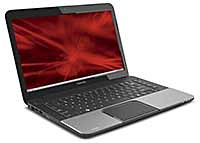 Toshiba Satellite C840 notebook Entry-level affordable notebook computer for price conscious consumers, students and first-time buyers looking for basic productivity at home or in the office.
Available with a 14.0-inch and 15.6 inch diagonal widescreen display, the Satellite C800 Series offers configurations featuring either Intel or AMD processors.
The notebooks include 1x USB 3.0 ports, a Card Reader and an HDMI port. The system also includes a Webcam with Face Recognition technology, a DVD drive for watching movies and a full-sized keyboard. |
- Choice of Intel 2nd generation Core i3, Pentium Dual and Celeron or AMD processors
- Choice of 14.0” or 15.6” HD Clear SuperView display with LED backlighting, 1,366 x 768 pixels
- RAM: up to 8GB DDR3
- 2.5” HDD (5,400 rpm) up to 640GB
- Intel HD Graphics 3000, or ATI Radeon HD 7610M graphics card (1GB dedicated VRAM)
- DVD-Super Multi drive (Double Layer) rewritable drive
- WLAN, Bluetooth 4.0, 10/100Mbps Ethernet LAN
- 1x USB 3.0, 2x USB 2.0, Multi Card Reader, HDMI
- A4 tile keyboard , TouchPad with multi-touch
- Webcam with Toshiba Face Recognition
- Stereo speakers with Toshiba Audio Enhancement
- Toshiba Hi-Speed Start Technology
- Toshiba Resolution+, Toshiba Eco Utility, Toshiba PC Health Monitor
- Microsoft Windows 7 Home Basic or Premium
- Weight: 2.12kg (14” model), 2.41 kg (15” model)
|
Tags:C800, L800, laptops, M800, notebooks, Satellite, Toshiba
Posted in Announce, Gadgets, Notebooks, Operating Systems, Software, Toshiba, Windows 7 | No Comments »