Archive for June 21st, 2012

Preview of Windows Phone 8

Thursday, June 21st, 2012

Windows Phone 8 will get a Start screen facelift; share technology core with Windows 8; support for NFC, in-app purchases and eWallet; more developer tools; and better security for enterprise use.

But existing Windows Phone 7.5 users will only get the revamped Start screen through an upgrade to Windows Phone 7.8.

Microsoft gave a preview of what Windows Phone 8 will be at the Windows Phone Summit in San Francisco.

Windows Phone 8 will probably arrive end of the year although it’s anybody’s guess when Windows Phone 7.8 will be available.The immediate cosmetic change to the user-interface is the Start screen.

In addition to the current square tiles and rectangular (twice the width of the square tiles) tiles, there is now a third size for tiles.

This is what I call the “mini-square” tile. Each of these is a square tile a quarter the size of the original square tile.
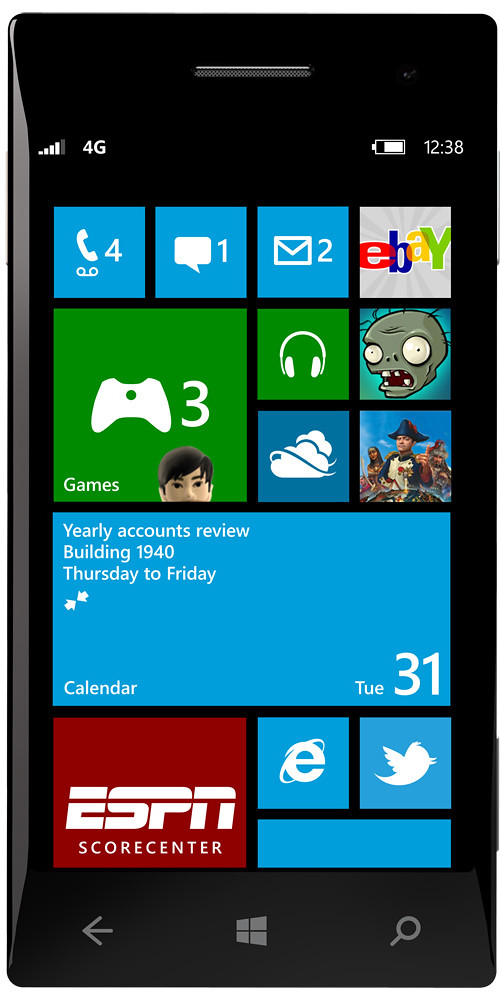
Microsoft gave a preview of what Windows Phone 8 will be at the Windows Phone Summit in San Francisco.Whereas Windows Phone 7.5 does not allow users to specify which tile to use for an app – Windows Phone 8 will let users specify which tile size to use for each app.

Bigger tile for more frequently used apps (or to display more live information), and smaller tiles for less used apps.

The smaller tiles also allows more tiles/apps to be displayed on each screen to minimise scrolling.
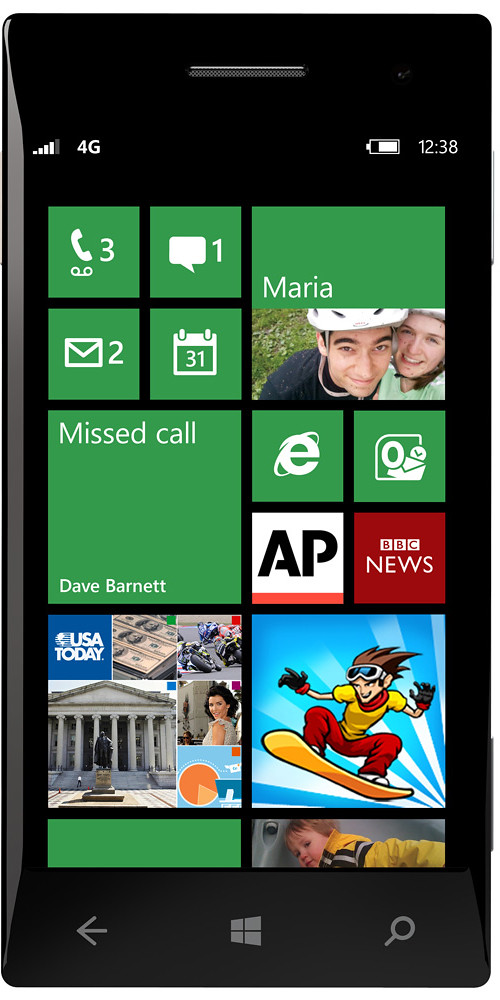
The future of Windows Phone: Windows Phone 8Existing Windows Phone 7.5 users will get this revamped Start screen through an upgrade to Windows Phone 7.8 (no date given), but that’s pretty much all they’ll get – they will NOT be able to upgrade to Windows Phone 8 when it becomes available end of the year.

Yes, some who have just bought spanking new Windows 7.5 phones are complaining that they’re now landed with “obsolete” handsets.

Microsoft says that Windows Phone 8 is a generation shift in technology so it will not run on existing hardware.

Read more details about Windows Phone 8 on the official Windows Phone Blog.
Video conferencing from Vidyo

Thursday, June 21st, 2012

During CommunicAsia2012, I took a look at the telepresence solutions provided by Vidyo.

They offer at affordable prices full telepresence solutions with 9 screens to soft-client applications that allow individuals to join a video conference session via their personal smartphone, tablet, notebook or desktop computer.

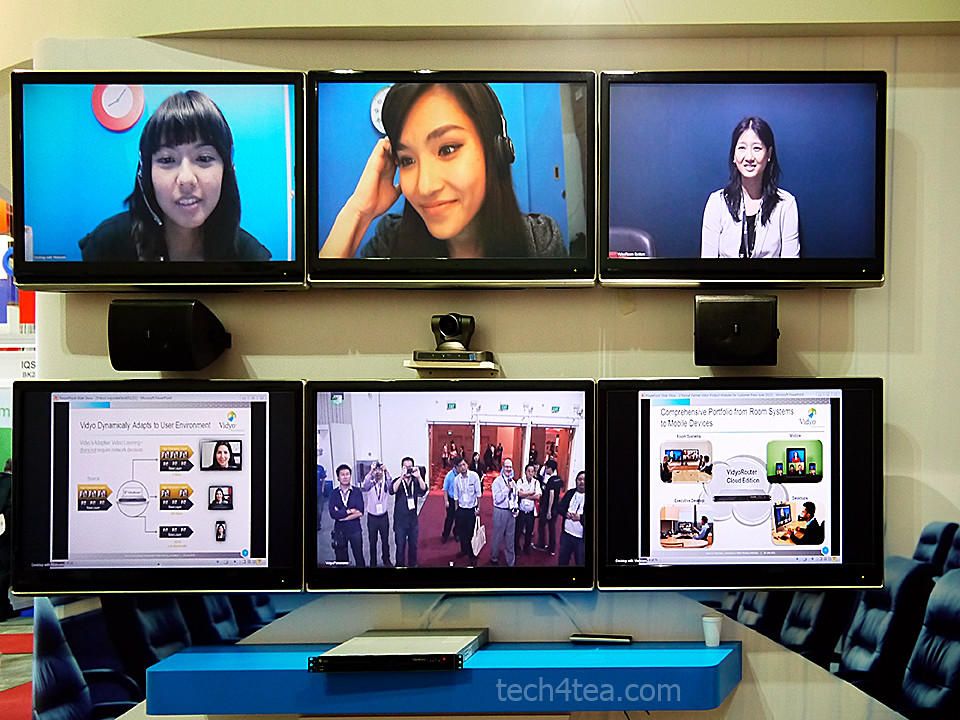
VidyoPanorama set up with six screens, two of which are used to share data/slides. The thin console at the bottom is the VidyoRouter.

VidyoPanorama set up with six screens, two of which are used to share data/slides. The thin console at the bottom is the VidyoRouter.

Vidyo is a US-based company that offers personal and mobile telepresence solutions for individuals and telepresence solutions for enterprises.

Marty Hollander, Senior Vice President, Market Development at Vidyo. Here he's showing VidyoMobile on an iPad endpoint.

Marty Hollander, Senior Vice President, Market Development at Vidyo. Here he's showing VidyoMobile on an iPad endpoint.

Many systems on the market today require an initial cost of $150k for a 3-screen dedicated room with an ongoing monthly fee of $10k per month.

Using these systems, a 3-hour video conferencing call from three sites could cost $3,600,

Vidyo claims its solutions would cost only a fraction – in most cases only a tenth.

It does this by controlling access and delivery with innovative components that turn ordinary IP networks into sophisticated yet affordable video communication systems.

The infrastructure that enables this comprise the VidyoRouter, VidyoPortal, VidyoGateway and VidyoReplay.

The conferencing endpoints, on the other hand, consists of VidyoMobile, VidyoDesktop, Vidyo Executive Desktop, VidyoRoom and VidyoPanorama.

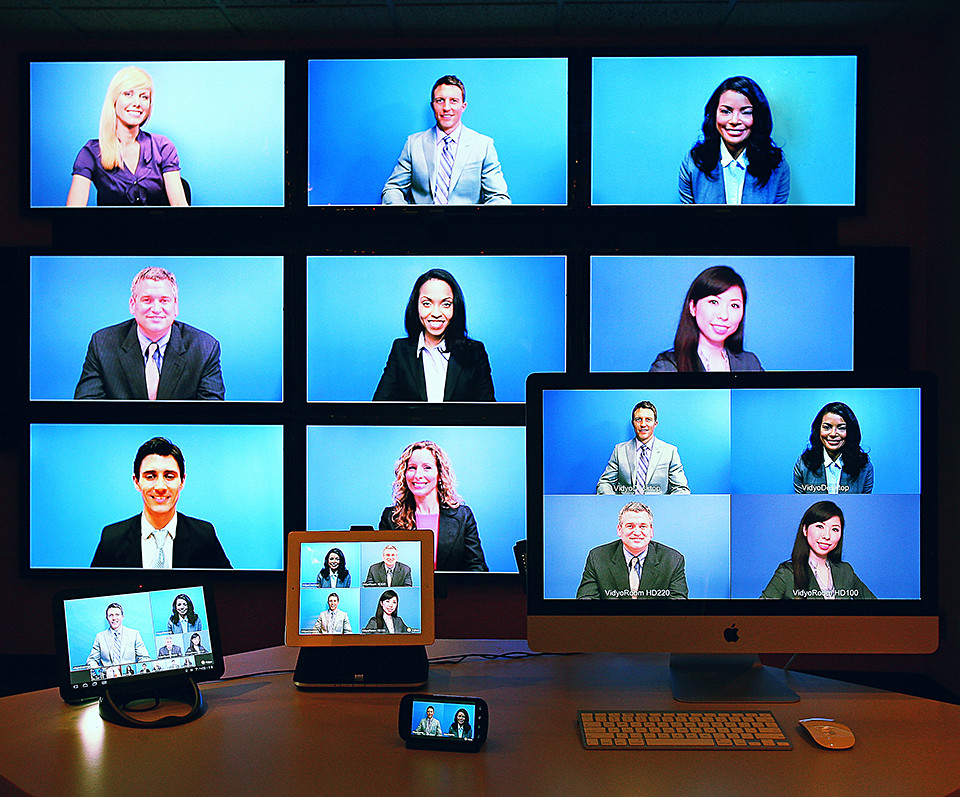
A maximum 9-screen VidyoPanorama room setup, together with VidyoMobile clients (Android and iOS smartphones and tablets), and VidyoDesktop on a 1440p Mac monitor.

A maximum 9-screen VidyoPanorama room setup, together with VidyoMobile clients (Android and iOS smartphones and tablets), and VidyoDesktop on a 1440p Mac monitor.

You can find details of each of the above components in the brochure that I’ve attached at the end of this post.

Vidyo had the VidyoPanorama (with 6 monitors) system and VidyoMobile/VidyoDesktop clients set up to show how it works and the performance and latency (or lack of) involved.

They had temps manning some of the endpoints so that visitors like myself could video-conference with them.

The performance was pretty good. Resolution was good and there wasn’t any noticeable latency.

I like the patented Adaptive Video Layering technology underpinning the solutions.

Essentially, the VidyoRouters dynamically optimises the video stream for each endpoint based on its capabilities and its local network conditions and bandwidth.

H.264 Scalable Video Coding (SVC)-based compression technology and Vidyo’s Adaptive Video Layering removes the need for transcoding by the Multipoint Control Unit (MCU) in traditional systems, offering high error resilience and low latency rates over the Internet, LTE and 4G networks.

This allows VidyoPanorama to connect over low-cost broadband networks with participants from any location.

The optional VidyoGateway extends the solution to existing H.323 and SIP endpoints; and clients using other videoconferencing systems – such as those from Cisco or Polycom.

(more…)