Posts Tagged ‘Lenovo’
Sunday, January 6th, 2013
I brought the ThinkPad X1 Carbon along when I went on vacation in Japan in December. Why? Because it was light and slim and promised a long battery life. It did not disappoint. RRP: starts from S$2,349.
Update (7 March, 2013):
The ThinkPad X1 Carbon is on offer during IT Show 2013. For S$3,149, you get a 3rd Gen Intel Core i7-3667U 3G processor with Windows 7 Professional 64 with Windows 8 Pro Recovery DVD.
This configuration comes with 8GB DDR3 SDRAM + 256GB SSD, with Wi-Fi + 3G connectivity.
What’s more, bundled items include a Lenovo Mini-Display Port to VGA monitor cable and a USB 2.0 Ethernet Adapter!

The Lenovo ThinkPad X1 Carbon is the ideal fit for the mobile warrior.
Launched back in August as part of the ThinkPad’s 20th anniversary celebrations, the X1 Carbon was the world’s lightest Ultrabook at the time, and still is one of the thinnest and lightest around today (331x226x18.85 mm).

Slim & svelte is the Lenovo ThinkPad X1 Carbon Ultrabook.
The X1 Carbon weighs less than three pounds, or 1.36kg – that’s less than a 1.5l soft drink bottle – thanks to its carbon fibre construction.
The Ultrabook withstood the physical rigours that we put it through lugging it from place to place.
The X1 Carbon boasted up to 8.2 hours of battery life and one of the best charge times in the industry, with rapid recharge up to 80% battery life in 35 minutes.
During vacation, I usually bring along a notebook for the family to surf the Web, check emails and social network updates, and for me to blog and do photo selection and editing for the holiday photos.
What I need is a powerful notebook that is light and powerful with long battery life. The ThinkPad X1 Carbon fitted the bill perfectly.
Indeed, the battery never once run out on me before I could hit a hotel to recharge, and the recharge was indeed rapid – wall power outlets can be much sought after when you have loads of other electrical devices to recharge at the end of a day.
The unit that I had did not come with 3G, so I had to connect using Wi-Fi most of the time. I didn’t need 3G anyway since I wasn’t data-roaming overseas.
I like the backlit keyboard so I can type in dim light without straining my eyes to locate the infrequently-used keys.

A special hinging mechanism allows the Lenovo ThinkPad X1 Carbon Ultrabook to be laid completely flat on the table.
The multi-gesture glass surface touchpad also made it easy to get by without having to connect a mouse.

Lenovo ThinkPad X1 Carbon Ultrabook
Video conferencing with family and friends at home was a breeze, with the HD face-tracking camera, dual array microphones and Dolby-tuned audio.
In its effort to stay slim and light, I/O ports are limited.
There’re no VGA or HDMI ports, so I can’t plug into my external monitor at home without buying an optional cable for the mini display port.
There’s also no Ethernet ports. You might think nobody needs that since most hotels come with Wi-Fi. Well some of the hotels we stayed in only had wired Internet connections in the room and no Wi-Fi.
My say:
The Lenovo ThinkPad X1 Carbon is a slim and powerful Ultrabook with long battery life and fast recharge – suitable for the mobile warrior – be it for business or on vacation. And it looks svelte and sexy to boot!
So I had to pop down to Best Denki in Kumamoto to buy a Logitec Elecom mobile wireless access point to broadcast the broadband access to the X1 Carbon, smartphones and tablet.
Tags:Carbon, Lenovo, notebooks, reviews, ThinkPad, ultrabooks, Windows 7, X1
Posted in Gadgets, Lenovo, Notebooks, Prices, Review, Specifications, Ultrabooks, Windows 7 | 1 Comment »
Saturday, December 1st, 2012
So we decided that there was a 2-week window to grab a quick break. But that’s like one-week away. Is it possible to plan the usual DIY self-drive holiday at such short notice?

Aerial view of Fukuoka, our gateway to Kyushu.
The answer is yes, with the advent of the Internet. Here’s a recap of what I did for my own holiday.
Cutting it close
I booked the air tickets the day we decided to go for the break, the car rental the next day, 3 hotels on the third day, and the remaining 3 on the fourth day.
The remaining days were spent planning the itinerary for each stop.
It’s as close to the date of departure as I’ve ever tried going on a self-planned, self-drive vacation.
First the obvious, decide how long you’ve got and where you want to go. In my case, we’ve long wanted to visit Kyushu in Japan, and the window of opportunity available was roughly two weeks.
If you’re thinking of visiting Japan, I recommend this site called japan-guide.com. It has comprehensive descriptions of popular tourist spots all over Japan, as well as travel tips for Japan.
Even more useful is its forum where vacation planners get their queries answered in detail with advice from a community of fellow travelers, as well as useful links to resources – such as timetables, rates etc – outside of the website.
Next book the air tickets. The availability and price of last-minute tickets usually determine whether your vacation destination will become a reality.
Cameras of choice
For this vacation, I’m entrusting our memories to the Nikon D800, with the AF-S NIKKOR 24-70mm f/2.8G ED and the AF-S NIKKOR 70-200mm f/2.8G ED VR II lenses.
That’s almost 4 kg of camera gear but for the sake of image quality, I believe the 36.3-megapixel full-frame camera and two FX lenses from Nikon are worth every ounce of their weight.
Besides, we have the rental car to carry the gear between sights.
For a second camera, my wife will be carrying our trusty Olympus E450 with the ZUIKO DIGITAL ED 14-42mm F3.5-5.6 kit lens.
I use Zuji.com to get a feel of the airlines plying Singapore and the possible stops and the price range, then if there’s time, check competing sites or the airline’s website for better rates.
For Kyushu, it was pretty straightforward, only Singapore Airlines fly directly there from Singapore – to Fukuoka. It’s straightforward until you hit the SIA website. For a premier airline, it sure has a terrible website for bookings and reservations – plenty of long waits.
Next is the car rental. I use ToCoo car rental. It helps you check the rates for multiple car rental companies with cars available in the cities where you intend to pick up and drop off the car. But you’ve got to compare rates manually yourself.
Computing on the go
For computing, I’m bringing along the Lenovo ThinkPad X1 Carbon Ultrabook, a BlackBerry PlayBook, and the Seagate 1TB Backup Plus.
The X1 Carbon is sleek in design, wonderfully thin and light, yet powerful enough for surfing Web and running Photoshop and Dreamweaver CS6 for photo-editing and blogging back in the hotel room.
The 7-inch PlayBook keeps the children entertained with game apps, and serves as an e-book reader. Its biggest bugbear is that it’s the Wi-Fi version and does not have 3G, but I don’t use 3G data in Japan anyway.
To store and back up the 40MB RAW photo files generated by the D800, I brought along the 1TB Seagate Backup Plus Portable Drive. The 2.5-inch plug-and-play drive constantly backs up the hard disk and makes posting photos online a breeze.
Usually, I pick up the car at the airport, drive off to the first destination and return the car at the airport I’m flying off from. If the pick-up and drop-off locations are different, check if a surcharge is levied and how much it is.
Fuss-free music
For music in the hotel room, we’re bringing along the Jabra Solemate portable speaker. Instead of lugging stacks of CDs around, simply download your favourite tracks onto an SD card and plug it into the Solemate.
What I like most is we can play our song collections and playlists wirelessly from our smartphones, tablet and Ultrabook via Bluetooth. It’s portable, easy to use and the sound quality is superb.
Finally, book the hotels. I know some Japanese so I used to browse Japanese booking websites and hotel websites directly, calling them on the phone for enquiries and reservations.
This time round, I discovered that my favourite accomodation-booking website for Europe holidays – booking.com – now has quite extensive list of hotels in Japan. Enough to find hotels that fit your budget in most places in Japan.
I like booking.com because of its clear information and easy booking. So even if you don’t know ANY japanese, you can still find and book accommodation easily.
Smartphones
We don’t use smartphones an awful lot, but for the record, we’re bringing along the Android Sony Xperia ion and an aging iPhone 3GS.
I’ve left the Nokia Lumia 900 at home because Nokia maps does not have the navigation map for Japan, and I’m renting an English GPS with the car anyway.
Another website that I tried last year – hotels.com – seems to be only beginning to move into Japan, with poor selection and high prices. I’m hoping there coverage and pricing will improve over time.
Once you’ve gotten the flight, car and hotel bookings out of the way, what remains is the physical packing for the big day.
Tags:Backup Plus, Carbon, D800, holiday, ION, Jabra, Japan, Japan 2012, Kyushu, Lenovo, Nikon, Olympus, Seagate, Solemate, Sony, travel, ultrabook, vacation, X1, Xperia
Posted in Apple, Audio, Cameras, DSLR, Events, Gadgets, Holiday, Japan 2012, Lenovo, Lens, Lumia, NIKKOR, Nikon, Nokia, Notebooks, Olympus, Phones, Photography, PlayBook, RIM, Seagate, Sony Mobile, speakers, storage drive, Tablets, Travel, Ultrabooks, Xperia, Zuiko | 1 Comment »
Saturday, November 24th, 2012
Lenovo will be at SITEX 2012 at Hall 5 Booth 5C40 (Courts), and Hall 6 Booths 6C30 (Harvey Norman) and 6D30 & 6F18 (Newstead) in the Singapore EXPO.

Click to view or download Lenovo promotions for SITEX 2012. (Caution: Large 7MB PDF file with 6 pages)
Check out Lenovo’s promotional offers for tablets, notebooks, ultrabooks, convertibles, AIOs, desktops, and accessories.

Windows 8 Lenovo Ideapad Yoga Ultrabook-tablet convertible
These include the IdeaPad G480 laptop and the recently launched Windows 8 Lenovo IdeaPad Yoga 13 Ultrabook-tablet convertible, and ThinkPad Twist S230u convertible.
My favourite is the Yoga.
Accessories include wireless mouse, speakers, headphones/headsets, USB hubs, and accessories for ThinkPads and IdeaPads.
Tags:AIOs, computers, convertibles, desktops, EXPO, IT exhibition, Lenovo, notebooks, promotions, Singapore, SITEX, SITEX 2012, SITEX 2012 computers, SITEX 2012 smartphones and tablets, tablets, ultrabooks
Posted in Accessories, All-in-One, Brochures, Desktops, Exhibition, Gadgets, headphones, Hybrid, Lenovo, Mouse, Notebooks, Prices, Promotions, Specifications, Tablets, Ultrabooks, Windows 8 | No Comments »
Tuesday, October 30th, 2012
Lenovo has announced four new convertible tablet/notebook hybrids designed for Windows 8 and Windows RT: the IdeaPad Yoga 13 Ultrabook (S$1,899, mid-Nov), Yoga 11 (S$1,199, early-Dec), ThinkPad Twist S230u (S$1,699, available today), and Tablet 2 (S$899, mid-Dec).
Both IdeaPads can be pre-ordered now.

The Lenovo IdeaPad Yoga 13 (left) and ThinkPad Twist S230u (right) in “Tent” mode, with the Twist and its swivel screen in the centre.
The theme of the launch event at the National Library Building in Singapore was “Flip, Flex, Bend, Twist”, which describes the various ways in which you can manipulate the new convertible tablets.
Bend it like … Beckham Yoga.
I played with the devices on display and found them responsive to the touch of the fingers.
I like the hinge design of the Yoga which allows the screen to be flipped 360 degrees onto itself to convert the Ultrabook into a flat tablet (and as a free-standing display enroute).
The 16.9mm thin Yoga 13 also felt light at only 1.54kg.
When the screen is flipped more than 180 degrees, the keyboard and trackpad is disabled to prevent accidental activation of these while holding the Yoga.
Below is a summary of the four new devices. All are Wi-Fi capable but only the Tablet 2 has an option for 3G.
| Lenovo IdeaPad Yoga 13 – S$1,899 |
| This convertible Ultrabook can be flipped 360 degree to become a flat tablet.
 Boasting more than eight hours of battery life, its Motion Control technology enables users to use gestures to flip through photos, or use fingers on the ten-point multi-touch screen. Boasting more than eight hours of battery life, its Motion Control technology enables users to use gestures to flip through photos, or use fingers on the ten-point multi-touch screen.
Specs: Windows 8, Intel Core i7 CPU, 13.3″ HD+ (1600×900) IPS display, 4GB RAM, 128GB SSD, 1.54kg, 16.9mm thick.
Lenovo is partnering with SingTel to offer an special edition of the IdeaPad Yoga 13 (priced at $1,799 with Intel Core i5 CPU ) with every sign up of SingTel 150Mbps Fibre BroadBand at $98 per month or 15Mbps Home BroadBand at $79.90 per month.
Available in mid-November. Can pre-order now. |
| Lenovo IdeaPad Yoga 11 – S$1,199 |
| The Yoga 11 claims to be the world’s slimmest multi-mode PC, measuring just 15.6 mm thin.
 Its slim design, 11.6-in screen and long 13 hour battery life make it a great convertible for mobility. Its slim design, 11.6-in screen and long 13 hour battery life make it a great convertible for mobility.
Specs: Windows RT, NVIDIA Tegra 3 CPU, 11.6″ HD (1366×768) IPS display, 2GB RAM, 64GB eMMC storage, 1.27kg, 15.6mm thick.
Available in early December. Can pre-order now. |
| ThinkPad Twist S230u – S$1,699 |
| Another Ultrabook convertible with a twist.
 This 12.5-inch powerhouse features up to Intel Core i7 CPU and is suitable for both business and personal use. This 12.5-inch powerhouse features up to Intel Core i7 CPU and is suitable for both business and personal use.
Specs: Windows 8 Pro, Intel Core i5 or i7 CPU, 12.5″ HD IPS display, up to 8GB RAM, 500GB HDD, 1.58kg, 20mm thick, 7 hours battery life.
The ThinkPad Twist S230u is available now. |
| ThinkPad Tablet 2 – S$899 |
 This tablet is designed for Windows 8 and powered by an Intel Atom processor. This tablet is designed for Windows 8 and powered by an Intel Atom processor.
The ThinkPad Tablet 2 supports 5-finger multi-finger touch, pen input or connection to the ThinkPad Tablet 2 keyboard and dock for a PC-like computing experience.
Both the Pen/Digitizer and keyboard are optional.
 The ThinkPad Tablet 2 includes a host of IT manageability, security and corporate-level service and support to help IT managers easily deploy in their business environments. The ThinkPad Tablet 2 includes a host of IT manageability, security and corporate-level service and support to help IT managers easily deploy in their business environments.
Specs: Windows 8 or Windows 8 Pro, Intel Atom CPU, 10.1″ HD (1366×768) IPS display, up to 2GB RAM, 64GB SSD, up to 600g, 9.8mm thick.
Available in mid-December. |
Tags:convertibles, hybrids, launch, Lenovo, notebooks, Singapore, tablets, Twist, Windows, Windows 8, Yoga
Posted in Events, Gadgets, Hybrid, Launch, Lenovo, Microsoft, Notebooks, Operating Systems, Prices, Specifications, Tablets, Ultrabooks, Windows 8 | 1 Comment »
Sunday, October 28th, 2012
Here’s a selection of interesting tech events happening this week (28 October – 3 November 2012). It is not an exhaustive list and represents only a sampling of events that gives a taste of the tech pulse in Singapore.

What are some of the more interesting tech events happening in Singapore this week?
Lenovo is showing off its exciting lineup of convertible notebook/tablet hybrids for Windows 8 this week. I played with some of the models during the Windows 8 launch in Singapore last week, and they are amazing. Watch this space for the hands-on.
Event listing on tech4tea.com
You can see this selection of events in the right sidebar on every page.
Event organisers can submit your events for listing to johntan@tech4tea.com – but there are no promises that your event will be featured.
This week sees Microsoft move its focus from the launch of Windows 8 to the formal launch of Windows Phone 8, which shares a common core with its bigger sibling.
Will the Metro-based new smartphone operating system increase its market share from a meagre 3.5% (for the second quarter according to IDC).
Apple’s iOS and Google’s Android dominate with 17% and 68% respectively. Windows Phone 8 smartphones announced thus far include Nokia Lumia 920 and Lumia 820, HTC 8S and 8X, and Samsung ATIV S. We might actually see the HTC models showcased in Singapore this Friday!
Midweek, Brother is launching a new printer while A*STAR Data Storage Institute will show off the world’s thinnest 2.5-inch 5mm hybrid drive for consumer and business devices.

For those interested in the latest trends in Cloud, Mobile, Social and Big Data, be sure to register for Oracle Day 2012 at Marina Bay Sands. Get the hottest updates on critical business drivers, meet Oracle experts and experience their latest technologies at the Demo booths.
And for photography buffs, the Singapore leg of Canon’s annual PhotoMarathon Asia 2012 takes place at the Marina Bay Sands this Saturday. To be guaranteed a participation slot do register online prior to the event.
Below is the events listing for the week.
(more…)
Tags:Apple, Brother, Canon, convertibles, HTC, laptops, Lenovo, Lumia, Marina Bay Sands, Microsoft, Microsoft Windows 8, Nokia, notebooks, printers, Samsung, Singapore, SingTel, tablets, Windows, Windows 8, Windows Phone, Windows Phone 8
Posted in Apple, Brother, Canon, Event forecast, Events, Gadgets, Google, HTC, Inkjet, Lumia, Microsoft, Nokia, Notebooks, Operating Systems, Phones, Photography, Printers, Samsung, SingTel, Software, Tablets, Tech news, Windows 8, Windows Phone 8 | No Comments »
Thursday, October 25th, 2012
Microsoft launched Windows 8 worldwide today and held launches in 15 cities around the world. From tomorrow – Friday, 26 October – the new operating system will be available to consumers and businesses in 140 countries and 37 languages.

Windows 8 has been launched today and will be available from tomorrow onwards.
Windows 8 will be available in two versions at retail, Windows 8 and Windows 8 Pro.
“With the launch of Windows 8, Microsoft is unveiling a reimagined Windows to the world,” said Tracey Fellows, President of Microsoft Asia Pacific.
For business customers, Windows 8 Enterprise offers mobile productivity features such as Windows To Go, DirectAccess, and BranchCache; as well as enhanced end-to-end security with features including BitLocker and AppLocker.
Launching at the same time is a new member of the Windows family designed for ARM-based tablets – Windows RT – which will only be available pre-installed on new devices and comes preinstalled with Microsoft Office.

The Start screen is the launch pad for Windows 8.
All the different versions feature a new fast and fluid Start screen that gives users one-click access to the apps and content they care most about, the new Internet Explorer 10 that is tuned for touch, and built-in cloud capabilities with SkyDrive.
How to get Windows 8 and the prices
In addition to getting the new operating systems pre-installed on new devices, consumers can also upgrade their existing PCs.
Through the end of January, consumers currently running PCs with Windows XP, Windows Vista or Windows 7, are qualified to download Windows 8 Pro for an estimated retail price of US$39.99 from here (for a limited time).
Eligible Windows 7 PCs purchased between 2 June, 2012, and 31 January, 2013 can download Windows 8 Pro for an estimated retail price of US$14.99 with the Windows Upgrade Offer, available at www.windowsupgradeoffer.com.
In Singapore, new Windows 8 licenses can be bought at all leading IT retail stores for S$89.99 with free PIXMA printer while stocks last.
Windows 8 comes pre-installed with apps that include Mail, People, Calendar, Photos, Weather, Xbox Music and SkyDrive.
“Windows 8 delivers a no-compromise computing experience to individuals, families and businesses, where they no longer need to choose between the fun and convenience of a tablet and the power and productivity of a PC,” said Helene Auriol, Managing Director, Microsoft Singapore.
Additional apps can be downloaded from the cloud-connected Windows Store.
The online store can be accessed via the Windows Store App on the Windows 8 Start Screen and is a central place for users to manage their downloaded apps across multiple Windows 8 devices.
Microsoft has officially opened its Windows Store for Singapore as part of Windows 8 launch today.
Singapore and Asia Pacific launch
For Singapore and the Asia Pacific, the launch was held at the roof terrace at the Esplanade – Theatres on the Bay, with a showcase of new Windows 8 PCs, notebooks and tablets from the main computer makers.
More than 600 Windows enthusiasts, partners and enterprise customers attended this Windows 8 Singapore launch event.
At launch, Windows 8 users can immediately download apps from the Windows Store.
 Local apps available include iProperty, SingTel, StarHub, The Straits Times, Channel NewsAsia, SG Cab from Singapore; and The New Zealand Herald (New Zealand), Fruit Ninja (Australia), SM Cinema (Philippines), My Baby Piano (Korea), Bangkok Bank (Thailand), and iProperty (Malaysia) from the Asia Pacific.
Windows 8 devices
There are more than 1,000 Windows 8 certified PCs and tablets.
In Singapore, there are more than 50 Windows 8 devices from a wide range of manufacturers including Asus, Acer, Dell, Fujitsu, HP, Lenovo, LG, Samsung, Sony and Toshiba.
These will be available at more than 120 IT retail stores across Singapore, including Challenger, Courts, Harvey Norman and Newstead.
Tags:Acer, DELL, Esplanade, Fujitsu, HP, launch, Lenovo, LG, Microsoft, Samsung, Singapore, Sony, Toshiba, upgrades Asus, Windows, Windows 8, Windows RT, Windows Store
Posted in Acer, All-in-One, App, ARM, Asus, Dell, Desktops, Events, Fujitsu, Gadgets, HP, Internet Explorer, Launch, Lenovo, LG, Notebooks, Office, Operating Systems, Prices, Samsung, Software, Sony, Specifications, Tablets, Tech news, Toshiba, Ultrabooks, Windows 8 | 3 Comments »
Thursday, August 30th, 2012
Lenovo will be at COMEX 2012 at Suntec Singapore at Hall 401, Booth 8358.

Click to view or download Lenovo promotions during COMEX 2012.
Check out Lenovo’s complete range of computers, ranging from desktops, all-in-ones, notebooks, ultrabooks to ThinkPad accessories.
View or download Lenovo’s COMEX 2012 promotions flyers here.
Tags:All-in-one, COMEX, COMEX 2012, COMEX 2012 accessories, COMEX 2012 computers, desktops, IT exhibition, laptops, Lenovo, notebooks, promotions, Singapore, Suntec, ultrabooks, Windows 7
Posted in Accessories, All-in-One, Brochures, Desktops, Events, Exhibition, Gadgets, Lenovo, Notebooks, Prices, Promotions, Specifications, Ultrabooks, Windows 7 | 1 Comment »
Saturday, March 31st, 2012
How do you maximise your battery life? Should you constantly charge your battery? Should you keep your battery installed even when your laptop is plugged in? When should you replace your battery?
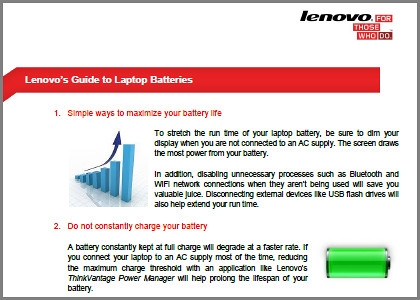
Check out Lenovo's Guide to Laptop Batteries.
Here are the answers to these and other frequently asked questions, courtesy of “Lenovo’s Guide to Laptop Batteries”.
1. Maximise your battery life
- Dim the display when not connected to an AC supply
- Disable Bluetooth and Wi-Fi when not in use
- Disconnect unnecessary external devices such as USB flash drives
2. Keep your battery installed even when your laptop is plugged into a power source.
3. Do not constantly charge your battery. Reduce the maximum charge threshold if you connect your laptop to an AC supply most of the time.
4. When storing your extra battery, ensure there is at least 50% charge level, and store in a cool environment.
5. Keep your battery cool when in use to slow degradation.
6. Modern Li-ion batteries do not need to be fully charged and discharged because they do not suffer from memory effects.
7. A little obvious here – replace the battery when it can no longer hold a full charge, or when its actual run time falls significantly below its original run time.
Read or download “Lenovo’s Guide to Laptop Batteries” below:
(more…)
Tags:battery, guide, laptop, Lenovo, notebook
Posted in Accessories, Howtos, Lenovo, Notebooks | 1 Comment »
Saturday, March 10th, 2012
Lenovo will be at the IT Show 2012 in Suntec Singapore at Level 4, Hall 401, Booth 8358.

Click to view or download Lenovo's IT Show 2012 flyer for tablet computers.
Check out the promotional discounts and freebies for Lenovo’s tablets, notebooks and desktop computers.
You can view or download Lenovo’s IT Show 2012 flyers below.
(more…)
Tags:desktops, discount, IT Show, IT Show 2012, laptops, Lenovo, notebooks, promotion, Singapore, Suntec, tablets
Posted in Brochures, Desktops, Events, Exhibition, Gadgets, Lenovo, Notebooks, Prices, Promotions, Specifications, Tablets | 1 Comment »
Thursday, July 21st, 2011
Two new tablets based on Android 3.1 will hit the shelves in the U.S. Lenovo, China’s largest maker of personal computers, will be launching the IdeaPad Tablet K1 (from $499) and the Thinkpad Tablet (from $479).

 Lenovo IdeaPad Tablet K1 (from $499), orders from July 20, 2011; and the Lenovo ThinkPad Tablet (from $479), available from August 2.
Lenovo began sales of its LePad tablet in China in March. Its two new tablet devices will be competing in a tightly fought market dominated by Apple’s iPad.

Lenovo's IdeaPad Tablet P1, based on Windows 7, is coming this fall.
Hewlett-Packard, Dell and Lenovo, the world’s three biggest makers of PCs, are introducing new tablets as the popularity of Apple’s iPad eats into demand for desktop and notebook computers.
Gartner reports that global PC shipments rose 2.3 percent in the three months ended June – much less than the 6.7 percent increase predicted by the research house.
Although the two tablets uses the Android operating system from Google, Lenovo plans to launch a new tablet- the IdeaPad Tablet K1 – in the fourth quarter based on the Windows 7 operating system from Microsoft.
Tags:Apple, DELL, HP, Lenovo, tablets
Posted in Apple, Dell, Gadgets, HP, iPad, Launch, Lenovo, Tablets, Tech news | No Comments »





