Archive for the ‘Review’ Category

Samsung Series 5 Chromebook

Wednesday, May 11th, 2011

Google has unveiled today its first Chrome-based notebooks from Acer and Samsung at the Google I/O conference in San Francisco. They will be available for order online from June 15.

The Samsung Chromebook will cost $429 for the Wi-Fi only version and $499 for the 3G version, while Acer’s Wi-Fi only Chromebook will cost $349.

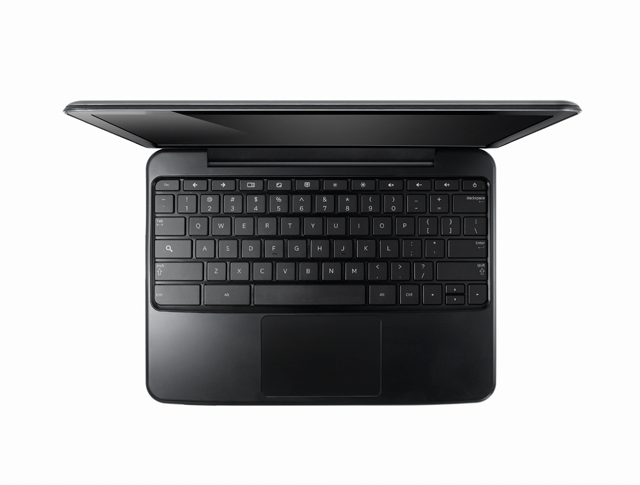
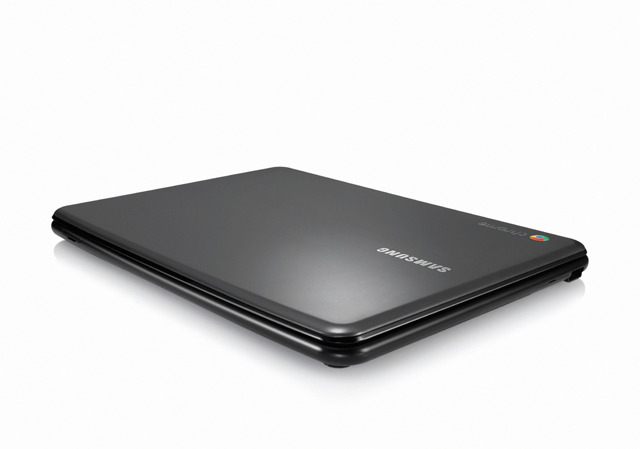
Samsung Series 5 Chromebook, based on Google's Chrome OS

Samsung Series 5 Chromebook

The Samsung Series 5 Chromebook is a netbook running Google’s Chrome OS. It has a 12.1 inch display, 1.66 GHz dual-core Intel Atom N570 processor, 16 GB SSD drive and 2 GB RAM, with 8.5 hours battery life.

Looking similar to the CR-48 prototype, the Series 5 is available either in white or “Titan Silver”.

Chromebooks will be available online June 15 in the U.S., U.K., France, Germany, Netherlands, Italy and Spain. More countries will follow in the coming months. In the U.S., Chromebooks will be available from Amazon and Best Buy and internationally from leading retailers.

Here are the main specifications:

  • A 12.1-inch (1280×800) SuperBright display at 300 nits, with a 16:10 aspect
  • 1.66 GHz dual-core Intel Atom N570 processor
  • Samsung Series 5 Chromebook, based on Google's Chrome OS2GB RAM
  • 16GB SSD drive
  • 8.5 hours battery life
  • Stereo speakers
  • Two USB 2.0 ports
  • SD/SDHC/MMC/SDXC card slot
  • Samsung Series 5 Chromebook, based on Google's Chrome OSMini-VGA port
  • 11.6 x 8.6 x 0.79 inches
  • 3.26 lbs / 1.48 kg
  • A full-size keyboard
  • Multitouch touch pad
  • Built-in dual-band Wi-Fi and World-mode 3G (optional)
  • HD Webcam with noise cancelling microphone
  • Instant-on from standby, and an 8-second boot time


Apple Announces New iMac line of desktop computers

Tuesday, May 3rd, 2011
Starting at S$1,648, the iMac has been updated with next generation quad-core processors, powerful graphics, Thunderbolt I/O Technology and a new FaceTime HD camera.
New iMacs from AppleApple claims that, compared to the previous generation, the new iMac is 70 percent faster and new graphics deliver up to three times the performance of the previous generation.
Apple’s desktop line of computers features quad-core Intel Core i5 processors with an option for customers to choose Core i7 processors up to 3.4 GHz. These next generation processors feature an integrated memory controller for a responsive experience and a powerful new media engine for high-performance video encoding and decoding. The new AMD Radeon HD graphics processors give the new iMac an extremely powerful graphics capability.

Thunderbolt

21.5 or 27 inch brilliant IPS LED-backlit high resolution display

iMac is the first desktop computer on the market to include groundbreaking Thunderbolt I/O technology. Apple had launched its updated MacBook Pro line of notebooks on February 25 earlier this year with the new Thunderbolt I/O technology. It was the  first computer on the market to implement the new technology Apple had developed in collaboration with Intel.

The 21.5-inch iMac has a single Thunderbolt port while the 27-inch model features two ports for even greater expansion. Featuring two bi-directional channels with transfer speeds up to an amazing 10Gbps each, Thunderbolt delivers PCI Express directly to external high performance peripherals such as RAID arrays, and can support FireWire and USB consumer devices, and Gigabit Ethernet networks via adapters.

Thunderbolt also supports DisplayPort for high resolution displays and works with existing adapters for HDMI, DVI and VGA displays. Freely available for implementation on systems, cables and devices, Thunderbolt technology is expected to be widely adopted as a new standard for high performance I/O.

FaceTime

21.5 or 27 inch brilliant IPS LED-backlit high resolution display

The iMac includes a built-in FaceTime HD camera and Apple’s innovative FaceTime software for crisp, widescreen video calling the whole family can enjoy. The new camera supports high definition video calls between all FaceTime HD-enabled Macs and standard resolution calls with iPad 2, iPhone 4, the current generation iPod touch and other Intel-based Macs.

Software

The iMac comes with Mac OS X Snow Leopard and iLife – Apple’s innovative suite of applications for creating and sharing photos, movies and music.

Snow Leopard includes the Mac App Store for finding new apps for the iMac.

iLife ’11 features iPhoto with full screen views for browsing, editing and sharing photos; iMovie with powerful easy-to-use tools to transform home videos into fun theatrical trailers; and GarageBand with new ways to improve your playing and create great sounding songs.

Aluminium enclosure, gorgeous display and all-in-one design.The iMac continues to feature its signature aluminium and glass design, brilliant IPS LED-backlit high resolution display, SD card slot and comes with Apple’s innovative Magic Mouse or Magic Trackpad.

On the Green front, the iMac meets stringent Energy Star 5.2 requirements and achieves EPEAT Gold rating. iMac features LED-backlit displays that are mercury-free and made with arsenic-free glass. iMac uses PVC-free components and cables, contains no brominated flame retardants, uses highly recyclable materials and features material-efficient system and packaging designs.

Pricing & Availability

The new iMac is available through the online Apple Store and Apple Authorised Resellers.

21.5-inch iMac
S$1,648 2.5 GHz quad-core Intel Core i5

AMD Radeon HD 6750M

500GB hard drive

S$2,048 2.7 GHz quad-core Intel Core i5

AMD Radeon HD 6770M

1TB hard drive

27-inch iMac
S$2,348 2.7 GHz quad-core Intel Core i5

AMD Radeon HD 6770M

1TB hard drive

S$2,748 3.1 GHz quad-core Intel Core i5

AMD Radeon HD 6970M

1TB hard drive

Configure-to-order options include faster Intel Core i7 processors up to 3.4 GHz, additional hard drive capacity up to 2TB, a 256GB solid state drive, additional DDR3 memory and AppleCare Protection Plan. Additional technical specifications and configure-to-order options and accessories are available online.

Asus Eee Pad Transformer TF101 arrives in Singapore

Friday, April 29th, 2011
The latest 10.1 inch Android 3.0 tablet from Asus arrived in Singapore today at the launch event at Zirca in Clarke Quay. The 16GB Wi-Fi only version (Eee Pad + Docking keyboard) is priced at S$898.

But as part of its launch promotion, you can get a S$99 discount at S$799. If you choose to purchase only the pad and not the docking station, you can get the 16GB Wi-Fi only version at the launch promotion price of S$699.
The Asus Eee Pad Transformer TF101 arrived in Singapore on April 29, 2011

The Asus Eee Pad Transformer TF101 arrived in Singapore on April 29, 2011

What are the biggest grouses of tablet users today? No Flash, short battery life, no keyboard, no USB ports and card readers. Asus tries to address all these shortcomings in the Asus Eee Pad Transformer TF101.

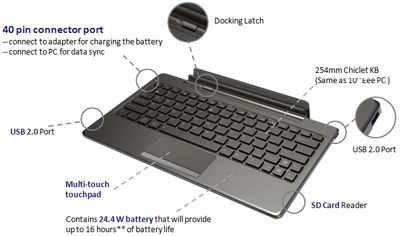
The optional docking station provides a full QWERTY keyboard for work involving intensive typing. It costs S$199 if you purchase it separately, but purchased together with the pad, you need only top up S$100 for it. The docking station makes available an additional 24.4 Wh battery that extends the pad’s 9.5 hours battery life to 16 hours instead.

A card reader (MMC/SD/SDHC) and two USB 2.0 ports are also available on the keyboard. The keyboard also props up the docked pad as a stand.

And finally, Adobe Flash 10.2 is supported, so you can visit all those glitzy sites running Flash animations and video.

The docking station is a full QWERTY keyboard that doubles up as a stand and contains an extra battery to extend the 9.5 hours battery life of the pad to 16 hours. It also contains USB ports and a card reader.

The docking station is a full QWERTY keyboard that doubles up as a stand and contains an extra battery to extend the 9.5 hours battery life of the pad to 16 hours. It also contains USB ports and a card reader.

I played with the Eee Pad on display and found the IPS (In-plane switching) LED backlight screen brilliant and sharp at with 1280×800 pixels packed into the 10.1 inch panel, offering a wide viewing angle of 178 degrees – I could still view the screen display from the side.

The touch screen senses up to 10 fingers for multi-touch - seen here with the Piano app from Android Market.

The touch screen senses up to 10 fingers for multi-touch - seen here with the Piano app from Android Market.

The pad feels slightly heavier than the iPad 2 but comfortable to hold. The book reader app included with the pad was standard fare – offering animated page turning, highlighting and bookmarking etc.

Photos and videos taken with the camera was clear even though the ambient lighting was dark.

Prices and configurations

The 16GB Wi-Fi only tablet is the only configuration available at the moment. Together with the docking station (keyboard), it sells for S$898 at the major retailers in Singapore – Challenger, Best Denki, Harvey Norman etc.

During this launch period, the promotional price for the 16GB Wi-Fi only Transformer sells for S$799 (Eee Pad + Docking station) and S$699 (Eee Pad only). Currently, the docking stations are out of stock and will only be available from the week of May 9 onwards.

The 32GB Wi-Fi only version will also only be available later in May.

“The 3G version is being tested now and will likely be launched in the second or third week of June,” Bernard Wen, Business Operation Manager of Asus Technology told me. “In the meantime, we’ve tested the Pad with USB dongles from SingTel, Starhub and M1 and found that they are all compatible,” he added.

iPad 2 debuts in Asia and arrives in Singapore

Wednesday, April 27th, 2011
The iPad 2 debuts in Asia tomorrow in Japan and will arrive in 11 other countries including Singapore on Friday. China will only see the iPad 2 on May 6 one week later.

The iPad 2 with its Smart Cover arrives in Singapore on Friday - April 29, 2011The iPad 2 was first launched in the US on March 2 and released in 25 more largely European countries on March 25. Tomorrow, it will debut in Japan – the first Asian country to launch it. On Friday, it will arrive in Singapore together with 10 other largely Asian countries. China will only see the iPad 2 with only Wi-Fi on May 6.

Compared to the original iPad, the iPad 2 is 33 percent thinner and up to 15 percent lighter, while sporting the same 9.7-inch LED-backlit LCD screen. iPad 2 features Apple’s new dual-core A5 processor for faster performance and stunning graphics and now includes two cameras, a front-facing VGA camera for FaceTime and Photo Booth, and a rear-facing camera that captures 720p HD video, bringing the FaceTime feature to iPad users for the first time. The iPad 2 promises the same 10 hours of battery life as its predecessor.

Prices and configurations in Singapore

The Smart Cover doubles up as a stand.1. Wi-Fi only versions:

  • 16GB: S$668
  • 32GB: S$798
  • 64GB: S$928

2. Wi-Fi/3G devices:

  • 16GB: S$848
  • 32GB: S$978
  • 64GB: S$1108

iMovie and GarageBand for iPad apps are available for US$4.99 each from the App Store on iPad or www.itunes.com/appstore. The Smart Cover is available in a range of colors in vibrant polyurethane for S$54 or rich leather for S$98.

The iPad 2 will be available in Singapore at select Apple Authorised Resellers, and online through the online Apple Store beginning at 1am local time.

The iPad 2 debuts in Asia in Japan tomorrow - April 28, 2011The 10 other countries getting the iPad 2 together with Singapore on Friday are: Hong Kong, India, Israel, Korea, Macau, Malaysia, Philippines, South Africa, Turkey and UAE.

For those interested, the earlier 25 countries who got their iPad 2 on March 25 are: Australia, Austria, Belgium, Canada, Czech Republic, Denmark, Finland, France, Germany, Greece, Hungary, Iceland, Ireland, Italy, Luxembourg, Mexico, Netherlands, New Zealand, Norway, Poland, Portugal, Spain, Sweden, Switzerland and the UK.

Olympus XZ-1 wins TIPA 2011 award for Best Expert Compact Camera

Monday, April 25th, 2011
The flagship compact digital camera from Olympus has won the Best Expert Compact Camera award at the annual XXI TIPA 2011 awards.

Technical Image Press Association - XXI TIPA Awards 2011The 29 member magazines of the Technical Image Press Association (TIPA) awarded the award for the “Best Expert Compact Camera” category to the Olympus XZ-1.

Olympus XZ-1 - Best Expert Compact CameraInto its twenty-first year, the annual awards recognised the best photo and imaging products in 2011 in 40 categories. TIPA has member magazines from nine European countries plus Australia, Canada, China, USA and South Africa.
In its citation, it lauded the XZ-1 for its fast lens, as well its larger sensor area for each pixel – which translates to greater sensitivity, lower noise and better image quality.
“The Olympus XZ-1 has one of the fastest zoom lenses in its class, the iZuiko f1.8-2.5 6.0-24mm (28-112mm equivalent angle of view in 35mm cameras). Rather than succumb to the continuing Megapixel race, the light-reception area of each pixel of the 1/1.63-inch, 10 Megapixel CCD has been doubled. The XZ-1’s AF illuminator, Dual Image Stabilisation, Low-Light mode that automatically adjusts the ISO sensitivity up to ISO 3200 and the compact size all add up to an exciting “candid” camera that also offers advanced manual controls.” – Citation for XXI TIPA Awards for “Best Expert Compact Camera”

In Singapore, the Olympus XZ-1 is available at a suggested retail price of S$748 (incl GST & bundled with a 8GB SD Card).

Listed here are some earlier write-ups on the Olympus XZ-1:
Photo review | Full reviewSpecsSelling pointsDiorama movie

Innards of the BlackBerry PlayBook

Wednesday, April 20th, 2011
Have you ever wondered what the insides of a tablet computer looks like? Teardown specialists iFixit has opened up the latest RIM BlackBerry PlayBook – launched only yesterday in the US.

Innards of the BlackBerry PlayBook

Innards of the BlackBerry PlayBook

The PlayBook was easier to tear down compared to an iPad, and has a smaller battery which is not straightforward to replace. The motherboard has to be removed in order to get to the battery, which is glued to the mid-plane assembly.

BlackBerry PlayBook from RIMMany of the chips are from Texas Industries. The main chips include:  1GHz TI OMAP 4430 dual core processor, SanDisk 1GB NAND Flash, Elpida B8064B2PB-8D-F 1GB DRAM, Bosch Sensortec BMA150 Digital 3-axis accelerometer, and an Invensense MPU-3050 3-axis gyroscope.

For those into chips, other components include: Texas Instruments TWL6030 Power Management, STMicroelectronics XTV0987 5 MP mobile imaging processor, Wolfson WM8994E audio codec, Texas Instruments WL1283 WLAN/Bluetooth/FM, TriQuint Semiconductor TQP6M9002 802.11a/b/g/n + BT front-end module.

Motherboard of the BlackBerry PlayBook

Motherboard of the BlackBerry PlayBook

Not detailed enough? There’s also the Texas Instruments LMV339 Quad General Purpose Low-Voltage Comparators, Texas Instruments SN74AVCH4T245 4-Bit Dual-Supply Bus Transceiver with Configurable Voltage Translation and 3-State Outputs, and a Texas Instruments PS63020 High Efficiency Single Inductor Buck-Boost Converter with 4A Switch 

For the gory details, visit iFixit’s report.

BlackBerry PlayBook Launch

Tuesday, April 19th, 2011

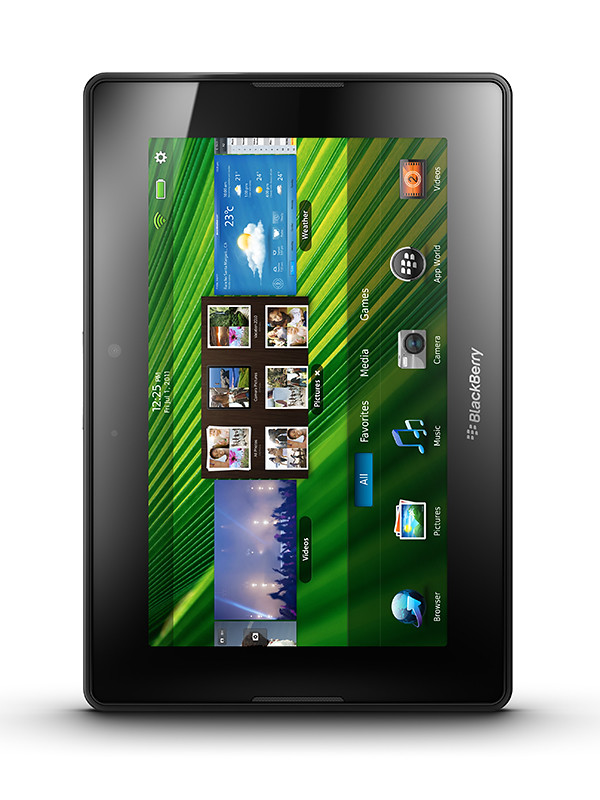
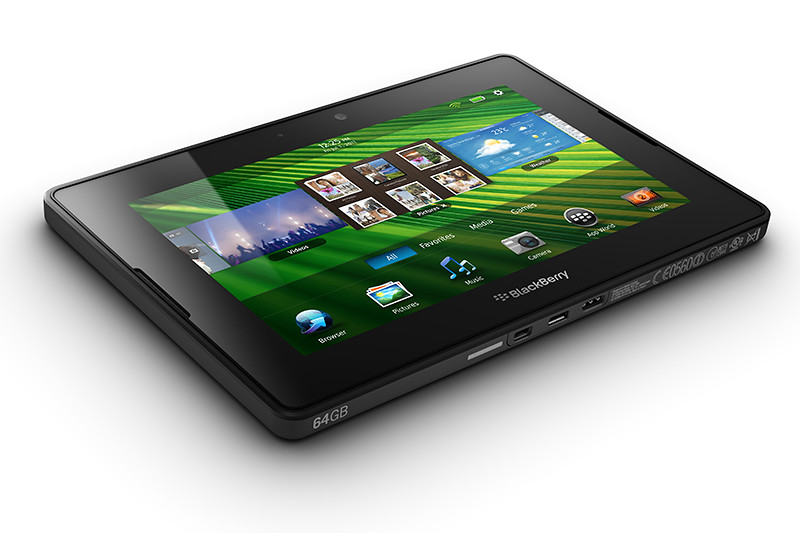
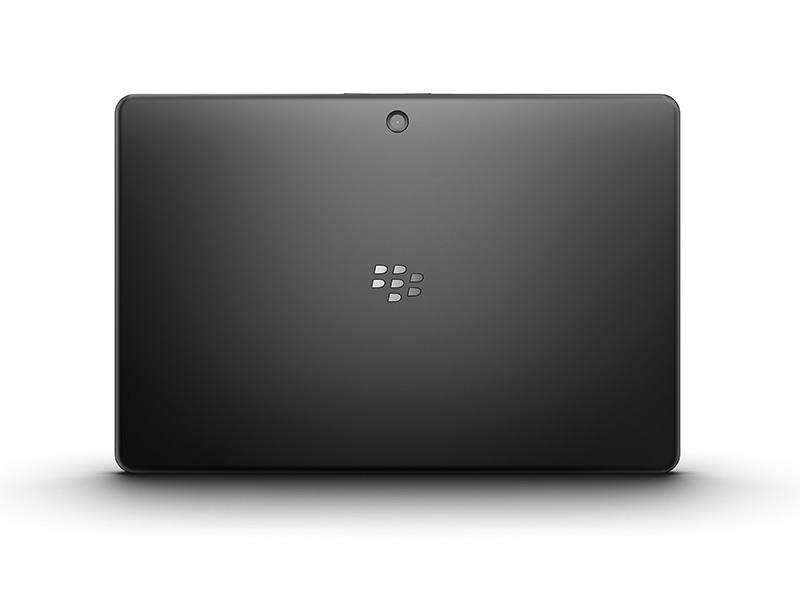
The 7-inch tablet from Research In Motion (RIM) hits the shelves in the US today. Here’s a quick roundup of the likes and dislikes from those who have tried out the shipping version of the BlackBerry PlayBook.

RIM PlayBookThere’s a lot to like about the PlayBook, but there’re also plenty of frustrations out there from those who’ve had the privilege of playing with the PlayBook. The general feel seems to be that the PlayBook has the potential to be something great – just that it’s not quite complete at the moment.

Already behind the iPad 2 and other Android tablets in terms of launch date, my feel is that RIM wants to get the hardware out as soon as possible before the specs get old – even though the software isn’t quite as ready yet.

RIM PlayBookDare I compare that with an evolutionary release of the iPad 2 with bigger steps only to be expected for the upcoming iPad 3?

With such stiff competition in the tablet market, it is no wonder these slate-makers are rolling off their products as soon as possible. In all honesty, I do believe RIM will sort out the grouses that reviewers have complained about, but the question is whether consumers are willing to fork out the dough to buy what’s beginning to be perceived as an unfinished product, that is only going to be made complete after a few more months – if ever.

RIM PlayBookPerhaps, RIM should have launched it at a discounted price – you know, an early bird discount – to entice consumers and grab market share. Given that the hardware is fabulous, the discount may have worked to convince consumers to buy first and wait out for the software to catch up.

At any rate, below is a quick round-up of the likes and dislikes from people who has played with the PlayBook so far. Prices for the 16, 32 and 64-gigabyte models in the US are $500, $600, and $700 respectively.

Likes Dislikes Mitigation
Fabulous display, and user interface Tiny recessed power button difficult to find and press Nothin’ much can be done about this – but do I care?
Sleek:
10mm / 0.4 inch thick 

Light:
0.9 lbs / 425 g

No native email, messenger, contacts and calendar Need to be Bluetooth tethered via a BlackBerry smartphone to access these. 

Native support could be added later on

Lightning fast processor No 3G connection 3G version in summer 

4G version end 2011

Impressive multi-tasking Small repository of Apps (~3,000) Compatibility with selected Android apps to be introduced later, plus build-up of PlayBook specific apps.
Supports Flash and HTML5 No video chat Video chat app to be released later.

BlackBerry Torch 9800 Review

Monday, April 18th, 2011
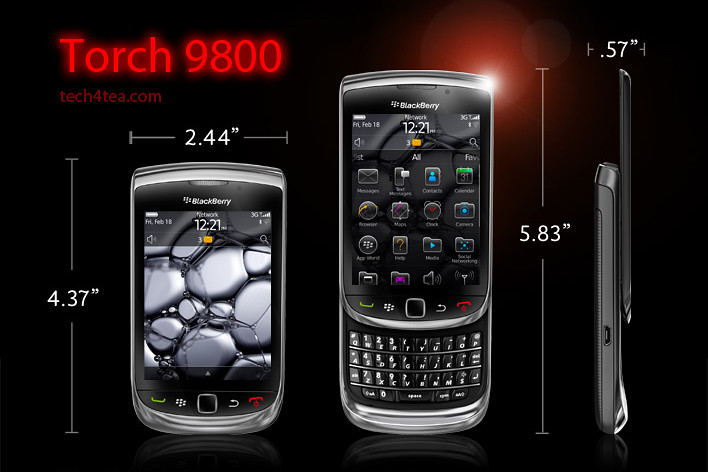
RIM touts the Torch as the best BlackBerry ever. I’ve been using one over the last two weeks. Indeed, it’s the best BlackBerry smartphone I’ve played with so far and I certainly prefer it over my wife’s BlackBerry Bold.

The BlackBerry Torch was the first smartphone from Research In Motion (RIM) that shipped with the new BlackBerry OS 6. It has a completely new keyboard implementation – instead of having the physical keyboard and the screen share the face of the device, the Torch allowed the 3.2 inch screen to hog the entire front.
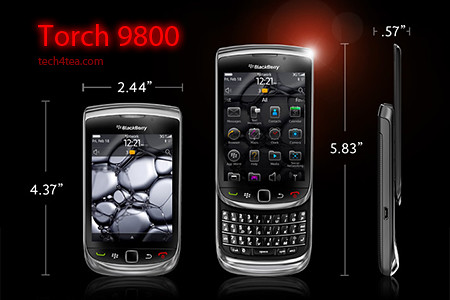
 

BlackBerry Torch 9800 with 6.0 Operating System.

BlackBerry Torch 9800 with 6.0 Operating System.

An on-screen keyboard – which I found rather responsive – can be easily called up in case you need to type something. Need the traditional QWERTY keyboard to do some intensive typing? Slide it out from below the screen and you’re good to go.

It’s a trade-off, whether you have the hard keyboard readily available all the time or hide-in below the screen to make for a bigger screen.

For my usage profile, at least, I liked the balance – I do a fair bit of messaging and typing but I don’t mind having to slide out the keyboard when I need it – since I get a bigger screen real estate – 480×360 pixels on a 3.2 inch capacitive touch screen.

I did find the Bold keyboard slightly easier to type than on the Torch, but both are far more tactile and better than typing on a touch screen.

I suppose those who really have a lot of typing to do would rather have the keyboard available at all times – it depends on your usage profile. The Torch tries to give you both the large screen of the Storm and the popular hard keyboard in a compact body.

The hardware

The form factor is almost identical to many other BlackBerry devices like the Bold. The usual five buttons line the bottom of the screen: BlackBerry call, menu, back, and end buttons and optical trackpad.

The Marvell CPU runs at 624MHz (though the company claims this is a newer generation chip), with 512 MB RAM and 4 GB of storage. You can add up to 32 GB though the microSD slot. The device also comes with 802.11b/g/n WiFi, Bluetooth 2.1 and an AGPS chip.

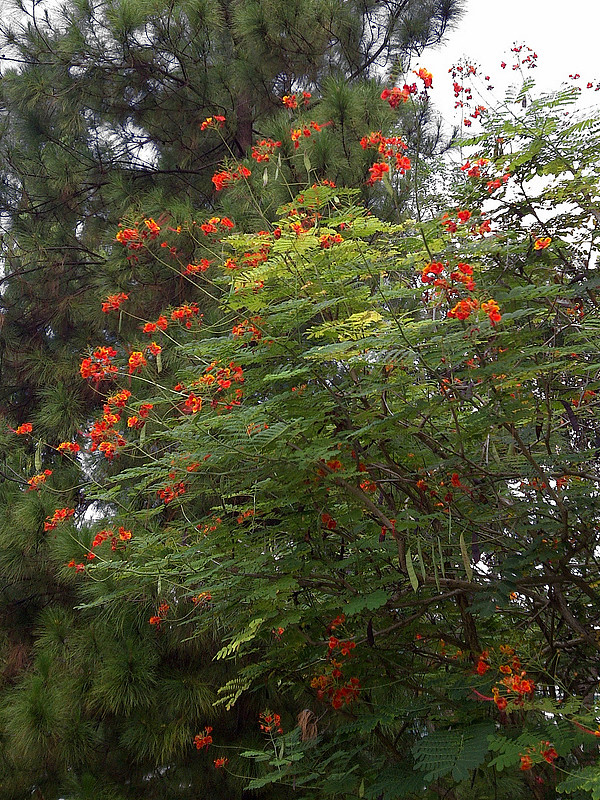
Photos were rather impressive for a phone camera

Photos were rather impressive for a phone camera

The Torch has a 5 megapixel camera, with an LED flash. Photo quality was rather remarkable for a smartphone camera.  I like the preset scene modes – Party mode for lowlight indoor shooting and Sports mode both yielded impressive results. Video wise, you can shoot clips at 640×480 resolution.

New OS and interface

With the new OS 6, web browsing on the Torch is now quite a pleasant experience using the new Webkit-based browser. Unfortunately, neither Flash nor HTML5 video are supported.

I really love the persistent notification alert bar at the top of the home screen: the small row of icons allows you to see social networking, email, SMS, call, and calendar alerts all in one place. The bar drops down a separate window to show the list of notifications, each of which can be clicked on to bring you to the app.

11 scene modes are available for taking photos under different situations

11 scene modes are available for taking photos under different situations

Another new feature I like is the universal search. Ever wanted to look for something you know is on your phone but can’t recall exactly where it is located and how to get at it? Simply begin typing the relevant search term into the search box and the Torch throws the icon for it right at you – almost instantaneously. It really beats having to wade through the menus and interface looking for contacts, messages, calendar, music or pictures.

has included a powerful universal search alongside a social networking tool which allows you to aggregate RSS feeds and services like Twitter or Facebook into a single view. There are a lot of changes, so we’re going to go step-by-step through what we consider the biggest changes for the BlackBerry platform.

Battery life

As with other BlackBerry devices I’ve tested before, battery seems to last forever. Alright, that’s exaggerating. There were days when I ran Youtube videos and videos from the media folder for extended periods of time and the battery held out. Under normal usage, I only had to recharge the battery every few days.

BlackBerry Torch 2

There’s been numerous leaks about what the upcoming BlackBerry smartphones lined up for 2011. One of them is the Torch 2. Expected to be announced during the BlackBerry World in May and released in the US in July, it looks physically like the Torch, but features a 1.2 GHz processor and a 640×480 resolution on a similarly-sized 3.2 inch screen.

Going by previous BlackBerry release schedules, we’ll probably only see the Torch 2 in Singapore towards the end of the year.

In the meantime, if you’re looking at replacing your current BlackBerry phone, do give the Torch a spin and see if it impresses you enough for you to pick one up as replacement.

BlackBerry Torch 2 sneak peek

Sunday, April 17th, 2011
The BlackBerry Torch 2 is rumoured to be announced during the BlackBerry World in May and then go on sale in the US in July later this year. With the release of the PlayBook tablet next Tuesday in the US, RIM has a few more models in line to keep its fanbase riveted for the rest of the year.

Photo of BlackBerry Torch 2There has been plenty of leaks from RIM (Research In Motion) about upcoming BlackBerry models for 2011. These include the BlackBerry Touch (Monaco/Monza), Bold Touch, Storm 3, Bold (Dakota), Curve (Apollo), and the Torch 2.

Having gotten hold of a Torch 2, BGR reports that the new device looks almost identical to its predecessor but features a significantly more powerful 1.2 GHz processor. Coupled with the BlackBerry OS 6.1 and a 3.2 inch 640×480 VGA display, it will be an exciting gadget to own.

Processor power has been doubled from the current 624 MHz, and the 3.2 inch screen runs at a higher pixel resolution than the 480×360 pixels on the current BlackBerry Torch.

Going by previous BlackBerry release schedules, we’ll probably only see the Torch 2 in Singapore towards the end of the year.

The main specifications of the Torch 2 are listed below:

  • CPU – 1.2 GHz processor
  • Display – 3.2″ VGA (480 x 640) capacitive touchscreen display
  • Radio – Quad-band GSM/GPRS/EDGE ; Tri-band HSPA 14.4Mbps
  • Memory – 8GB storage + 512MB RAM + up to 32GB MicroSD
  • Connectivity – WiFi, Bluetooth, NFC
  • Camera – 5 megapixels
  • Battery – 1300MAh battery
  • Thickness – 14.6mm thick
  • Sensors – magnetometer, digital compass

BlackBerry PlayBook preview in Singapore

Friday, April 15th, 2011
The BlackBerry PlayBook Bus will tour Singapore tonight, showing off a preview of RIM’s 7-inch tablet computer, that is due to be launched in the US on 19 April next Tuesday.
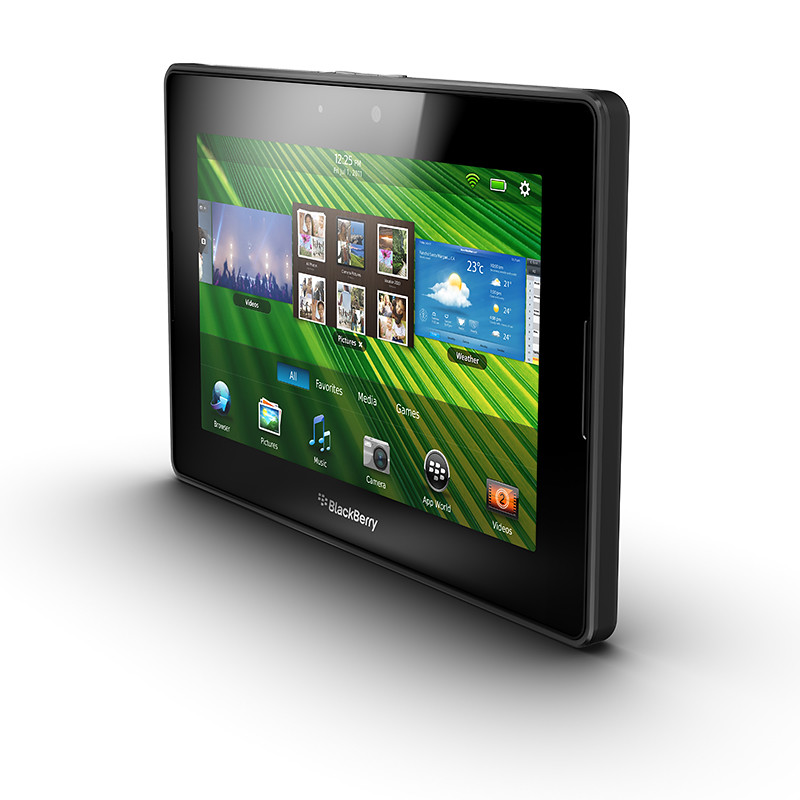
Preview of the BlackBerry PlayBook in Singapore

Preview of the tablet on the BlackBerry PlayBook Bus in Singapore

Keep a lookout for the limo bus driving around town tonight. Sources tell me it will launch from the Tanjong Pagar area. The first time that the BlackBerry PlayBook debuted in Singapore was back in March. But the two devices I played with were still beta release versions.

Tonight, the preview will provide some hands-on for the real McCoy. Perhaps RIM (Research In Motion) will also provide some hints as to when the aspiring challenger to the iPad will be launched in Singapore and at what pricing.

For now, here’re some of the main specs of the BlackBerry PlayBook:

Looks
7″ LCD display, 1024 x 600 WSVGA Multi-touch capacitive screen

Physical feel
0.9 lbs (425g) and 5.1″ x 7.6″ x 0.4″ (130mm x 194mm x 10mm)

Performance
1 GHz dual-core processor
1 GB RAM
Symmetric multi-processing
Full Adobe Flash 10.1 enabled
Built-in support for HTML 5

Configuration
Internal storage of 16, 32 or 64 GB
GPS, Orientation Sensor (Accelerometer), 6-Axis Motion Sensor (Gyroscope), Digital Compass (Magnetometer)
Stereo speakers and stereo microphones
Wi-Fi (802.11 a/b/g/n) connectivity, Wirelessly connect to your BlackBerry smartphone for real time access to: Email, calendar, address book, task list and BBM

Cameras
3 MP high-definition forward-facing camera
5 MP high-definition rear-facing camera
Codec support for superior media playback, creation and video calling
1080p HD video; H.264, MPEG4, WMV HDMI video output
Micro USB and Micro HDMI ports
Video calling with dual video cameras

BlackBerry Tablet OS
Powered by QNX technology, supports POSIX OS, SMP, Open GL, BlackBerry 6, WebKit, Adobe Flash, Java and Adobe Mobile AIR