Archive for the ‘Accessories’ Category
Tuesday, November 1st, 2011
More than 300GB of potentially sensitive data was discovered on five second hand storage devices that were advertised as having been wiped of previously stored information.
“Our findings underline that data erasure is critical before any hardware devices are disposed of – personal computers, servers, hard disk drives, USBs and even MP3 players,” said CK Lee, country manager, Kroll Ontrack Singapore.Kroll Ontrack – a leading provider of data recovery and information management products and services, is warning companies to be extra vigilant when disposing of computer equipment in light of recent tests carried out in its labs
It recently conducted a little experiment in Singapore. Specialists from the company purchased five storage devices from a popular international online auction site to see if there was any sensitive data that could be recovered from the supposedly “wiped” devices.
The specialists found more than 300GB of data including personal and corporate proprietary information including Microsoft Office documents, applications, databases, e-mails and photos.
“Simply pressing the ‘delete’ button or using other basic overwriting techniques only removes the pathways to the data and not the data itself and it is essential to remember this when preparing equipment for sale or disposal,” Lee added.The five devices were from different parts of Singapore and included two hard disk drives from a server in RAID configuration, a server, a desktop HDD (Hard Disk Drive) and a laptop HDD.
Recoverable data poses risk of security breaches if it falls into the wrong hands. It is crucial for individuals and businesses to ensure that data is destroyed before disposal. Without the correct data erasure procedures, proprietary information becomes vulnerable.
Kroll Ontrack provides several options for data erasure such as Ontrack Eraser Software and Ontrack Eraser Degausser. Both solutions set out to destroy data in a fast, secure and user-friendly way.
Tags:HDD, security, storage
Posted in Accessories, Desktops, Enterprise IT, Gadgets, Notebooks, Security, Software, storage drive, Tech news, Utility | No Comments »
Friday, October 28th, 2011
The new X548de and X548dte business-oriented colour laser multifunction products (MFP) are available from authorised Lexmark business partners for S$2,449 and S$3,059 (excl 7% GST) respectively.

Lexmark X548de MFP
The X548 family of colour laser MFPs promise high performance, wide-ranging capabilities, time-saving productivity solutions and advanced security features with cheaper price tags and smaller physical footprints than competitors.
The two new MFPs streamline paper-intensive business processes and targets the rapidly growing mid-size workgroup segment.
The X548de base model comes with a 7-inch colour touch screen, and is pre-loaded with applications that can easily be customised with tailored workflows based on unique business needs.
The X548dte adds a hard disk to enable extra features, as well as a 650-sheet Duo Drawer for additional media handling capabilities.
Tags:laser, Lexmark, MFP, printers
Posted in Enterprise IT, Gadgets, Lexmark, Printers | No Comments »
Sunday, October 16th, 2011
Western Digital has launched two new portable hard drives designed for use with Mac computers and Apple Time Machine, with capacities of 500GB, 750GB and 1 TB.

Western Digital My Passport for Mac
The Mac-inspired designs of the compact portable hard drives feature matches the external designs of Mac computers.
Powered through the USB 2.0 or Firewire connection, these portable drives allow convenient quick connect external storage without the hassle of lugging additional power adaptors and cables.
My Passport for Mac features a USB 2.0 interface and is an easy way to increase the minimal local storage on MacBook and MacBook Air notebooks.

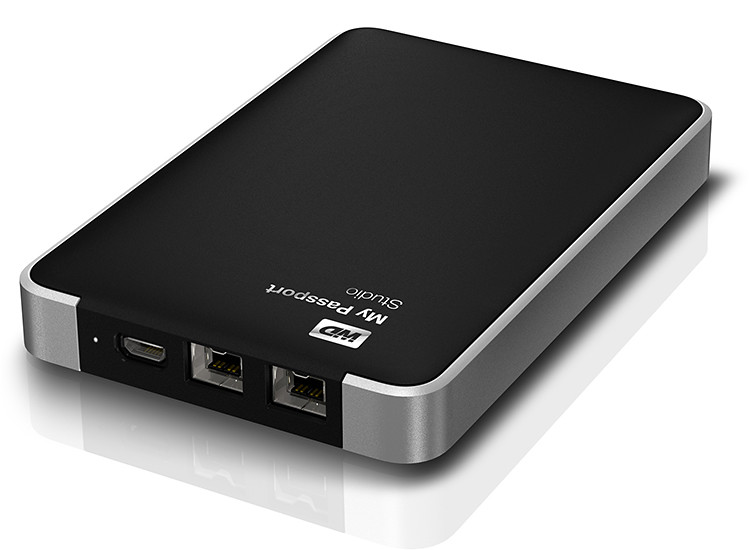
Western Digital My Passport Studio
My Passport Studio sports an all-metal design, with two FireWire 800 ports and a USB 2.0 interface. The FireWire ports provide fast upload and transfer speeds and can be used to daisy chain up to five additional drives or peripherals such as HD camcorders.
“The speed of the fifth device at the end of the daisy chain is only slower by less than 10% of the first device on the chain,” according to Sheraine Chua, Regional Sales Manager of Branded Products at Western Digital.
| Capacity |
My Passport Studio |
My Passport for MAC |
| 500 GB |
S$169 |
S$119 |
| 750 GB |
S$189 |
S$129 |
| 1 TB |
S$219 |
S$159 |
My Passport Studio also features encryption and password protection software.
Tags:drive, Mac, MacBook Pro
Posted in Accessories, Events, Gadgets, Launch, Mac OS, Notebooks, Prices, Specifications, storage drive, Western Digital | 1 Comment »
Saturday, October 15th, 2011
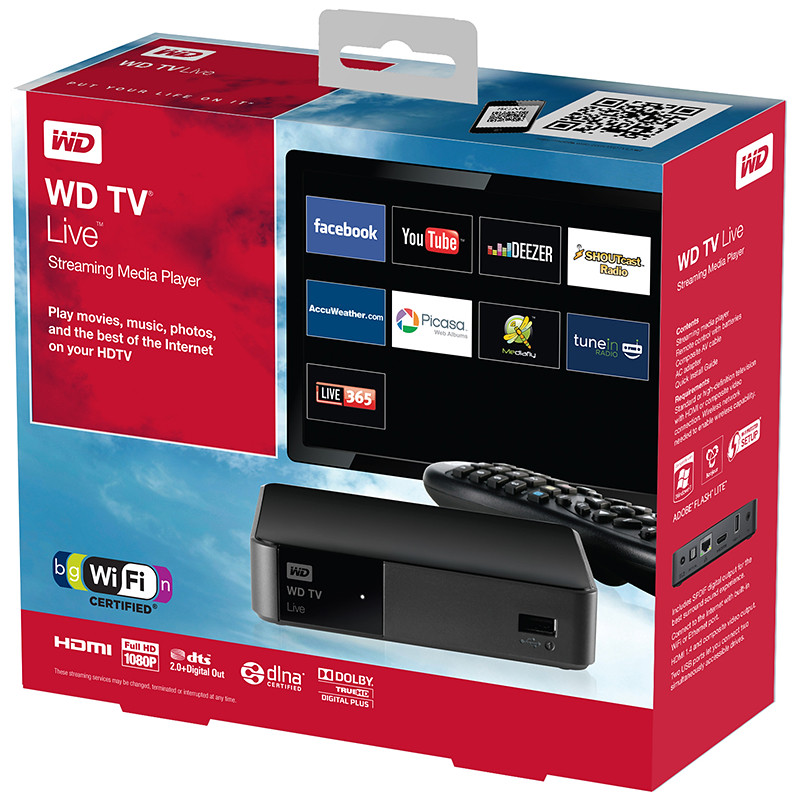
The S$189 WD TV Live is an easy to use Wi-Fi enabled media player that can stream media either from a network attached storage drive in the local network, or directly from the Internet – via an Ethernet connection or the high performance 802.11n wireless connectivity.
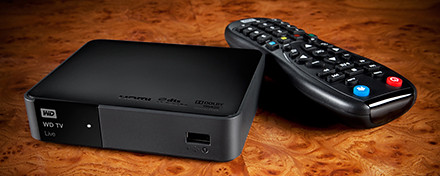
Western Digital WD TV Live wireless streaming media player
If you don’t already own an Apple TV or Google TV, check out WD TV Live from Western Digital.
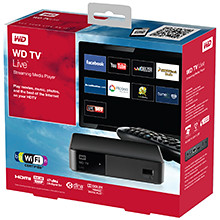 The Wi-Fi enabled media player comes with its own apps to stream media from Internet video, radio and social networking sites such as YouTube, Dailymotion, Facebook, Picassa Web Albums, and TuneIn Radio directly to your TV in Full-HD 1080p resolution. Dailymotion video service is now included to offer video
WD TV Live also includes Fun Spot Games, a casual gaming service that offers arcade, strategy, and card games, puzzles, and quizzes. Some of these games include Sudoku, Black Jack and Poker.
WD TV Live allows users to enjoy personal media such as photos, video and music on their home entertainment systems.
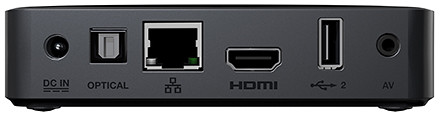
Access Internet media content using WD TV Live in Full-HD 1080p resolution.
It supports a wide range of file formats for streaming content from any connected USB drive, digital camcorder or camera, network drive such as the My Book Live personal cloud storage, and any networked PC or Mac computer in the home.
Tags:media player, Western Digital, wireless
Posted in Accessories, Cloud, Events, Gadgets, Launch, Media player, Music, Photos, Prices, Specifications, TV, Video, Western Digital | 2 Comments »
Thursday, October 13th, 2011
Western Digital launches a slew of media storage, networking and playback products for the connected lifestyle.
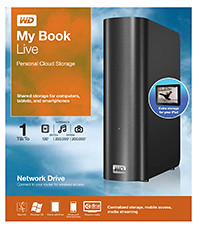
Western Digital My Book Live personal cloud storage
The premise of the Connected Life solution from Western Digital is the simple set-up of a private personal cloud where media can be accessed and shared from any computer at home.
This personal cloud can also be extended into the Internet so that mobile devices such as smart phones and tablet computers can also access data and media in the cloud using apps, while computers can use a browser interface.
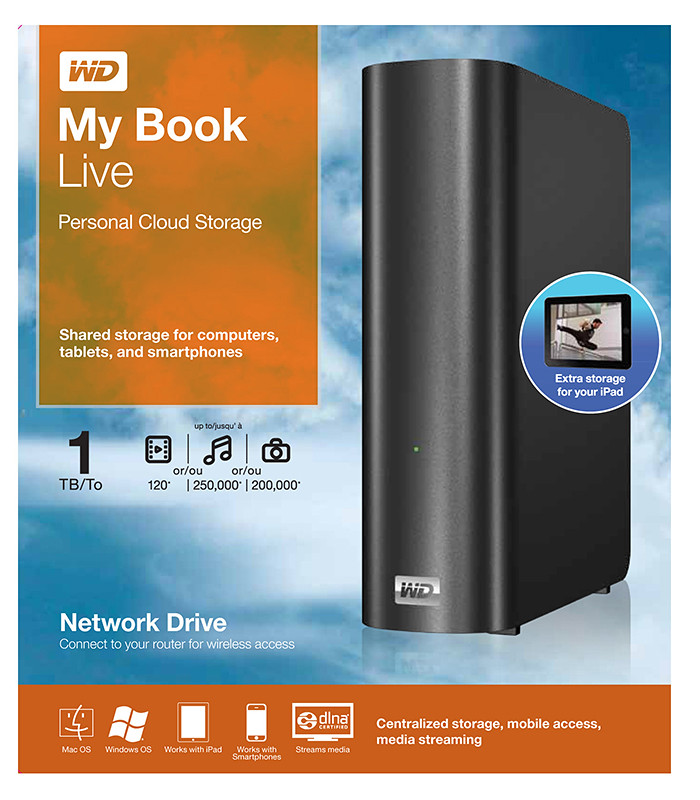
The centrepiece of the Connected Life solution from Western Digital is the My Book Live network attached storage. With capacities ranging from 1TB to 3TB, these network capable external hard drives are connected directly to the wireless router at home so that any computer – be it a Mac or a PC – can store and access the media in the drive.

Western Digital WD TV Live streaming media player
The WD TV Live media player that is connected to the wireless network can then stream media from My Book Live and play photos, music and videos on a large TV screen. It can also stream media directly from Internet services such as YouTube.
Outside home, data and media on My Book Live can be accessed on mobile devices using WD apps WD 2go (free), WD 2go Pro (US$2.99), and WD Photos (free).
Tags:Android, cloud, drive, iOS, iPad, iPhone, media player, smartphone, tablets, Western Digital
Posted in Accessories, Android, Cloud, Events, Gadgets, iOS, iPad, iPhone, Launch, Media player, Phones, Prices, Specifications, storage drive, Tablets, Western Digital | 1 Comment »
Thursday, September 29th, 2011
Tags:microSD, SanDisk, SD, SDHC, SDXC, SSD, USB
Posted in Accessories, Cameras, Desktops, Events, Gadgets, Launch, Notebooks, Phones, Prices, SanDisk, Specifications, storage drive, Tablets | 2 Comments »
Wednesday, September 28th, 2011
Wacom’s newest flagship Cintiq 24HD tablet-cum-display was launched on 13 September 2011. The only piece available in Southeast Asia was brought in for yesterday’s launch event for the Bamboo graphics tablet.
Priced at S$4269 (incl 7% GST), it will be available in mid-October.

Wacom Cintiq 24 HD in an "hangover" position.
The Cintiq line of graphics tablet is Wacom’s highest end range for creative professionals. Used with a pen stylus, artists work directly on the surface of an LCD screen for an intuitive and direct feel. The tablet-cum-display is plugged into a computer with the necessary graphics software.

The tablet cum display flush with the table top.
The Cintiq 24HD is the newest flagship product for Wacom, featuring a 24-inch HD widescreen display (1920 x 1200 pixels).
The display has a much improved colour gamut compared to its 21-inch and 12-inch siblings, promising 92% of the Adobe RGB colour space – an improvement almost 50%. Users of the Cintiq 21UX and 12 WX frequently set up a separate colour monitor to check for colour accuracy Wiith the 24HD, this is not necessary anymore because of the improved colour accuracy.

Elevated position, with space for keyboard.
I did find the display not as pin-sharp as expected but my guess is that this particular display unit has been toted around more often than it’s been designed for – it’s not meant to be a portable device after all. Yet, physically, the screen was built to withstand the hard with the pen tip – the person giving the brief punched it many times with his knuckles to illustrate this point.
The touch-and-feel of drawing on the tablet was fantastic, as can be expected from a high-end product targeted at the professional market. I did not detect any lag between physical pen movement and the line on the screen below the pen-tip. It painted exactly where I wanted it to, and the 2048 pressure levels made a indelible difference when painting strokes of varying pressure.

Customisable buttons and control ring on both sides.
The frame around the screen is deliberately designed to be thick to serve as arm rests. Customisable control rings and buttons can be found on both sides of the frame. They can be set to control brush sizes etc.
The cantilever holder behind the screen is a new design. The tablet can be put in a number of positions: vertical or horizontal, or slanted with one edge resting ON the table, JUST ABOVE a keyboard, or HANGING OVER the table’s edge – whatever position the artist is comfortable with.
For stability, the tablet and the base counterweight weighs some 40 kg. But changing between the positions was simple and fast, and did not require a lot of strength.
Tags:Cintiq, graphics tablets, HD, Wacom
Posted in Accessories, Gadgets, Graphics tablets, Prices, Review, Specifications, Wacom | 3 Comments »
Tuesday, September 27th, 2011
Three re-styled and improved models of the entry-level tablets – Pen, Pen & Touch, and Fun has been launched globally today and is available at S$135, S$185, and S$335 (all incl 7% GST).
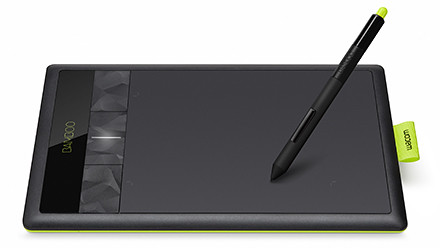
Wacom Bamboo graphics tablet
The 29-year-old Japanese company is the market leader in graphics tablets, enjoying more than 80% of the market share.
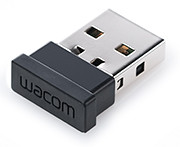
Wireless dongle for Wacom Bamboo
The Bamboo series is the entry level line of tablets for the company, while the Intuos is the mid-tier line, with the Cintiq line the high-end tablet cum LCD display for the heavy-lifting.
This is the third generation of the Bamboo series. The aesthetic design has been restyled to feature a lime green highlight around the edge and a reduced bevel around the tablet’s working area.
All support 1024 pressure levels in the stylus pen tip and a resolution of 2540 pixels. Both the basic Pen and core Touch & Pen models are small sized tablets while the most pricey Fun is medium sized.
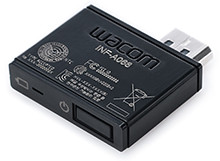
The wireless module inserted in the tablet
The Touch & Pen and the Fun models both feature four customisable ExpressKeys, supports the use of both pen and finger-touch, supports wireless usage through an optional wireless accessory kit for an extra S$65. The kit may not be available in some countries though.
The Pen model does not have any ExpressKeys nor the wireless ability.
Bundled software for the three models are also slightly different. Both Mac and Windows PCs are supported. The main specifications are tabulated below:
(more…)
Tags:Bamboo, graphics tablets, PEN, touch, Wacom
Posted in Accessories, Events, Gadgets, Launch, Prices, Specifications | 4 Comments »
Monday, September 26th, 2011
GoFlex Home is a consumer network attached storage (NAS) hard drive for the home. Easy to set up and use, it allows the access, sharing, streaming, and backup of files and media for computers, network TVs, media players and game consoles connected to the home wireless network.
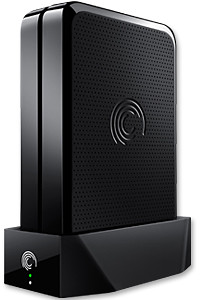
The Seagate GoFlex Home comprises a drive dock and a hard drive.
Secure access can also be opened to computers and iOS/Android tablets and smartphones over the Internet.
Over the weekend, I helped my friend set up an NAS drive for his desktop, netbook, two laptops, iPhone and Android tablet. He had bought the Seagate GoFlex Home 3 TB storage drive during the recent COMEX 2011 but hadn’t had the time to set it up yet.
I helped by using eye-power because he decided to give it a go himself and actually got the thing working in less than 15 minutes. That was the reason why I recommended the drive in the first place, it works with most consumer home Wi-Fi routers with little set-up or configuration needed.
The GoFlex Home comes with two cables and an software installation CD. The following steps were all that was needed to get the personal storage cloud going:
1. Connect the GoFlex Home drive dock to the Wi-Fi router by using the provided Ethernet cable.
2. Pop the GoFlex hard drive into the GoFlex drive dock and plug the power supply into the drive dock and the wall outlet. Switch on the GoFlex Home by pressing the Power button on the drive dock.
3. Pop the CD (or download from Seagate’s website) into the computer (can be a Mac or Windows PC) to install the software needed to access the hard drive. Simply select a language, key in the product information found on the drive, give the drive a name and register it. The name has to be unique globally since it will be used to identify the drive should you access it from the Internet.
4. Install the software on other computers that require access to the shared drive. Up to 5 people/computers on the home network can access the GoFlex Home. By paying to subscribe to the Seagate Share Pro, you get access for an unlimited number of people/computers to the GoFlex Home.
There are three ways to access the drive. One is to use the installed Seagate Dashboard software (on Windows PCs), which allows all features of the drive to be configured and managed. You can add computers and user accounts, backup, access and share files as well.

Use Seagate Dashboard software to configure and manage GoFelx Home
The other way is to use a browser-based Seagate Share either for a computer in the home network or out in the Internet.
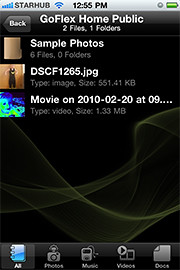
Free iOS/Android app
Both are easy to use with a simple interface, using drag-and-drop or standard dialog boxes we’re familar with.
The third method is via the appropriate free app on a iOS/Android smartphone or tablet, also over the Internet.
The GoFlex Home comes with a USB port which is very useful. You can connect an additional external hard drive to expand the capacity of the original GoFlex hard drive. You can also connect a USB hub for connecting more than one USB device.
In my friend’s case, he connected his printer to the USB port and all his computers on the Wi-Fi network got to share that printer.  No more plugging/unplugging the old printer from one computer to another.
The included backup software allows up to three connected computers to be automatically backed up to the GoFlex Home. Upgrade to Premium Backup ($49.95) to back up an unlimited  number of computers on the GoFlex Home network. You can upgrade at the Application Store that can be accessed through the Seagate Dashboard software.
For each user account set up on the GoFlex Home, three folders are created – a Public, Personal, and Backup folder. The Public folder holds files that can be stored and accessed by everyone on your home network. The Personal and Backup folders can only be accessed by the the user.
What I like about the sharing is the granular control available for the files shared. You can specify who you want to share files with, choose to share just certain files or entire folders, set passwords, and set expiry dates for the shares. Administration is intuitive and easy to pick up. You can send a URL of a shared file via email.
Stream media to other computers and media players on the home wireless network.
Music, photos and video can also be shared and streamed to media players, game consoles or network TVs that support UPnP-AV, DLNA or Windows Media Connect. A wide range of file types are supported.
The GoFlex Home is available in 1TB (S$179), 2TB (S$239) and 3TB (S$339) capacities.
Tags:Android, Apple, Google, iOS, iPad, iPhone, smartphone, tablets
Posted in Accessories, Android, App, Browser, Cloud, Desktops, Gadgets, Howtos, iOS, iPad, iPhone, Notebooks, Phones, Prices, Review, Seagate, Specifications, storage drive, Tablets, TV | 18 Comments »
Friday, September 16th, 2011
Newstead Technologies has opened a new multi-brand IT concept store in Funan DigitaLife Mall today. “Digital Style” is organised into six thematic zones, based on the needs of the modern IT consumer.
This is in keeping with the times – since consumers today have different purchasing habits and approaches.
This is the first of a chain of such stores. Eventually, there will likely be four to five such stores geographically distributed around Singapore, according to Evelyn Chua, Business Development and Marketing Manager of Newstead Technologies.
The 2,647 square feet store is located at #03-32 of the mall and opens from 11 am to 8 pm from Tuesdays to Sundays, and 11 am to 7 pm on Mondays.
The six themes are Entertainment & Media, Gaming, Home Computing, Mobile Communications, Office & Professional, and Ultra Mobile & Business.
The focus is on allowing shoppers to try out, for themselves, different products in the themes they are interested in.
For instance, in the gaming kiosk, the whole spectrum of gaming related gadgets and peripherals – from consoles, laptops, speakers and controllers – are displayed, for shoppers to mix-and-match and plug-and-play the various components together at one-stop.
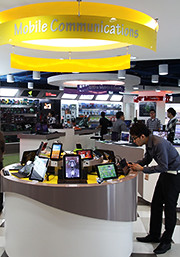 Across the various themes, products are featured from all the major brands, including Acer, Asus, BlackBerry, Dell, Fujitsu, HP, HTC, Lenovo, Logitech, Microsoft, Motorola, Panasonic, Samsung, Toshiba and others.
Apple related products are absent, so you’ll have to visit authorised Apple resellers, such as Nubox, which is also under Newstead Technologies.
I noticed that digital cameras and video cameras are not sold at the shop.
Update (24 February, 2012): Newstead Technologies has opened its second and bigger Digital Style store in Jurong Point. The next will be at The Star Vista towards the end of 2012.
Tags:Funan, Newstead
Posted in Accessories, Acer, Asus, BlackBerry, Dell, Desktops, Events, Fujitsu, Gadgets, Gaming, HP, HTC, Launch, Lenovo, Microsoft, Motorola, Notebooks, Panasonic, Phones, Samsung, Tablets, Toshiba | 2 Comments »