Archive for the ‘Accessories’ Category
Tuesday, May 8th, 2012
81% of businesses in the Asia Pacific and Japan might NOT be able to recover lost data and systems in the event of a disaster. New independent research sponsored by EMC points to outdated backup and recovery infrastructure.

The survey also found that 71% of all organizations had lost data or suffered systems downtime in the last 12 months.
Vanson Bourne interviewed 2,500 IT decision-makers in private and public sector organizations in Australia, China, India, Japan, Korea, Indonesia, Malaysia, The Philippines, Singapore and Thailand.
Each organization ranged between 250 and 3000-plus employees and represented a variety of industries including manufacturing, retail, financial services and telecoms, among others.
These findings highlight the need for backup transformation from antiquated technologies that are not suited for today’s data growth or availability expectations.
A move to next-generation backup and recovery solutions ensure continued business operations in the event of a natural disaster, malicious activity or more routine and common disruptions to IT systems.
In fact, the research showed that the causes of systems downtime are often the commonplace disruptions to IT, such as hardware failure or data corruption, rather than natural disasters or other major incidents.
Other key findings are summarised below:
- Hardware failure (60%), data corruption (49%) and loss of power (44%) were cited as the primary causes of data loss and downtime.
- 42% of organizations cite loss of employee productivity as the most likely consequence of data loss and downtime.
- 44% of organizations who store a backup copy offsite for disaster recovery still use tape for recovery, and 37% still use CD ROM (although 62% now use disk-based storage).
- 83% of these organizations want to replace tape all together, highlighting the need for next generation backup and recovery.
Commissioned by EMC and conducted by independent research company Vanson Bourne, ‘The Disaster Recovery Survey 2012: Asia Pacific and Japan’ looks at the state of backup and disaster recovery in the region to understand how well companies are prepared for data loss and systems downtime.
For the full report, visit EMC’s website here.
Tags:Asia Pacific, Australia, China, data, Disaster Recovery, EMC, India, Indonesia, Japan, Korea, loss, Malaysia, research, Singapore, study, survey, Thailand, The Philippines
Posted in Announce, Enterprise IT, Figures, storage drive, Study, Tech news | 1 Comment »
Thursday, May 3rd, 2012
The Logitech Mouse M105 is expected to be available in end May (S$16), in black, red or white.
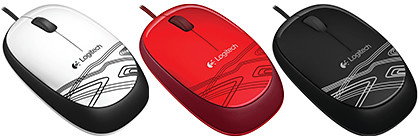
Logitech M105, available in May (S$16).
The plug-and-play USB optical mouse is targeted towards young users, aged 16 – 25, who are fun-loving and budget conscious.
It has a precision of 1000 dpi tracking and comes with 3 years warranty.
Tags:Logitech, M105, Mouse, optical, USB
Posted in Accessories, Gadgets, Launch, Logitech, Mouse | No Comments »
Friday, April 27th, 2012
Nubox opened its 11th store in Singapore at JCube (#02-12) today.

Nubox opened its 11th store in Singapore at JCube today.
JCube is located at 2 Jurong East Central 1.
Nubox rewards Facebook fans with Pixie Lott albums and passes to a private showcase and meet and greet session on May 18, 2012.
The private showcase for the 21-year-old British chart-topper will be jointly presented by Nubox at 7.30pm, Zirca, Clarke Quay.
A series of quizzes and contests is being held from now until May 7. To try your luck visit the Facebook page of Nubox.

Nubox is an Apple Premium Reseller and Apple Authorised Reseller company in Singapore.
It is an arm of Newstead Technologies and offers the entire range of Apple products from Macs, to iPods, iPhones and iPads to a wide range of accessories to complete the mobile media and computing experience.
Nubox was started by a small group of “Nuboxers” who are passionate about Macs and all things Apple.
The first Nubox opened in Sim Lim Square in 2008.
Today, Nubox has 11 stores in Sim Lim Square, Funan Digital Life Mall, Junction 8 Shopping Centre, Jurong Point Shopping Centre, Causeway Point, Raffles City Shopping Centre, Tampines Mall, nex Mall, MarinaBay Link Mall, 112Katong and JCube.
Tags:Apple, JCube, Newstead, Nubox, opening, Singapore, store
Posted in Accessories, Apple, Audio, Events, Gadgets, iPad, iPhone, Launch, Phones, Tablets | No Comments »
Thursday, April 26th, 2012
The 7mm 2.5-inch mobile hard drives delivers lower power consumption and are available in 500GB (S$139.99) and 320GB (S$109.99) capacities.

The new Scopio Blue 7mm mobile hard drive can be used in both ultrabooks and mainstream notebooks.
The slim, energy-efficient 7mm hard drives for ultrabooks are the latest additions to Western Digital’s Scorpio Blue line of mobile hard drives.
The single-platter small form factor of the new hard drives are compatible with industry-standard 9.5 mm slots for mainstream notebooks as well as slimmer notebook and ultrabook devices that require a thinner 7mm drive height.
Below is the fact sheet for the Scorpio Blue family of mobile hard drives.
(more…)
Tags:7mm, disk, drive, hard, mobile, notebooks, Scorpio Blue, ultrabooks, Western Digital
Posted in Accessories, Availability, Brochures, Gadgets, Notebooks, Prices, Specifications, storage drive, Ultrabooks, Western Digital | No Comments »
Thursday, April 19th, 2012
Nikon has launched, worldwide, the 24.2-megapixel D3200. The new entry-level DSLR will be available in the US in late April (approx. US$700 with 18-55mm kit lens).
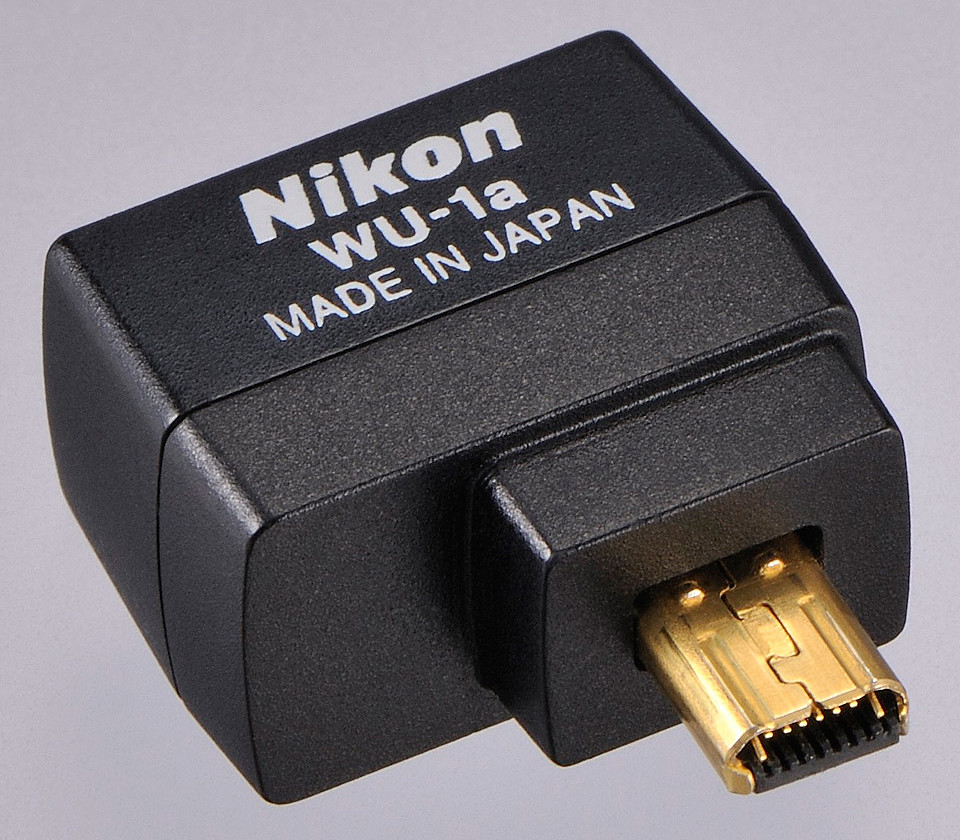
Nikon has also launched a Wireless Mobile Adapter WU-1a (approx. US$60, available in May in the US) for the D3200.

The new Nikon D3200 is available in red or black.
The D3200 records Full HD (1080p) video with full time autofocus (AF) and sports a high-speed continuous shooting mode at 4 frames-per second (fps).

WU-1a Wireless Mobile Adapter
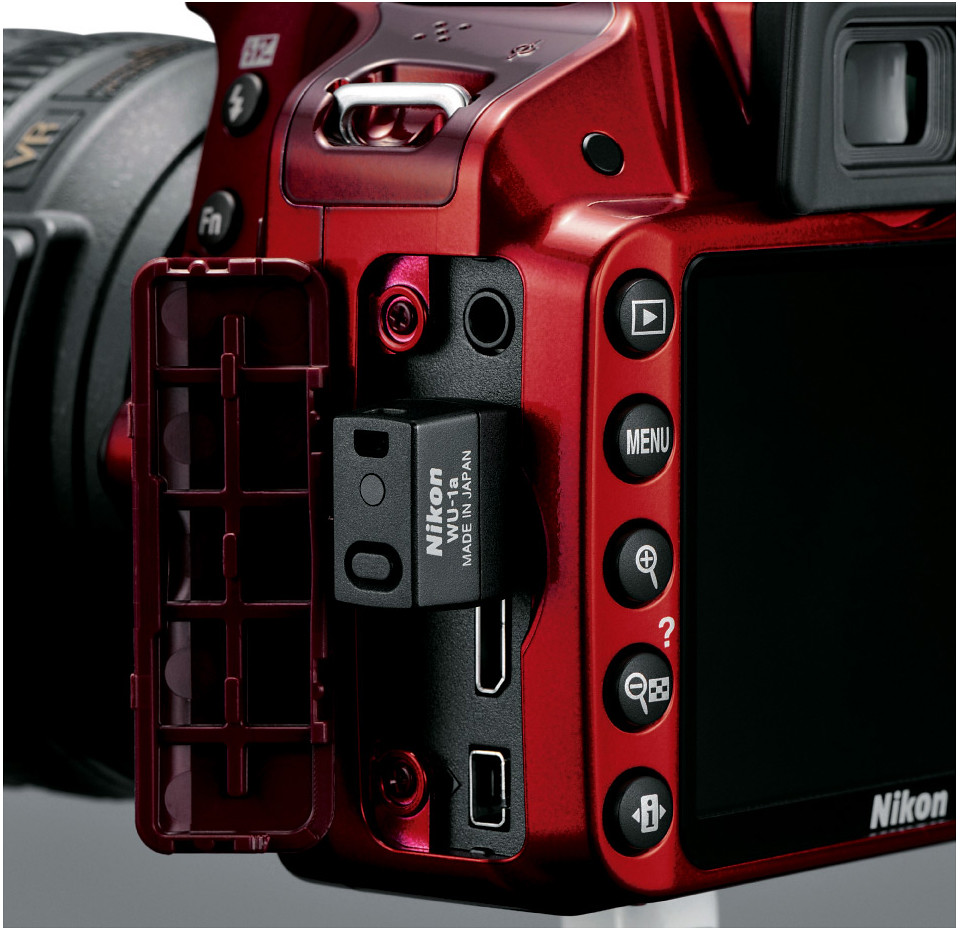
The new optional WU-1a Wireless Mobile Adapter can wirelessly send images to mobile devices such as smartphones and tablets, to enable preview of an image (but not videos) before shooting and remote control of the camera, from up to 15 m away.
The 24.2-megapixel DX-format CMOS sensor works together with Nikon’s EXPEED 3 image processing engine gives an ISO range of 100 – 6400, expandable to ISO 12,800.
As an entry-level DSLR, the D3200 is designed with user-friendly features for the beginner.

WU-1a plugged into D3200.
Accessible on the Mode Dial, the Guide Mode provides step-by-step photo instructions for set-up, shooting, viewing and deleting images and movies.
There are also six Scene Modes – Portrait, Landscape, Child, Sports, Close-Up and Night Portrait.
For video, the camera offers manual or automatic exposure control, and a stereo microphone input to attach an optional external microphone.
The application for Android smartphones (2.3) and tablets (3.x) will be available in May 2012, with the iOS app for iPhone and iPad expected in Fall 2012.

The Guide Mode walks the beginner using the entry-level D3200.
The main differences between the Nikon D3200 and the D3100 are tabulated below.
| Nikon |
D3200 |
D3100 |
| Resolution |
24.2 MP |
14.2 MP |
| Video Full HD (1080p) |
30 fps |
24 fps |
| LCD |
920 k |
230 k |
| Max ISO (regular) |
ISO 6,400 |
ISO 3,200 |
| Continuous shoot |
4 fps |
3 fps |
| Release date |
19 Apr 2012 |
19 Aug 2010 |
The brochure can be downloaded here.
Tags:Android, camera, D3200, DSLR, entry, iOS, launch, lens, Nikon, photography, wireless
Posted in Accessories, Android, App, Cameras, DSLR, Events, Gadgets, iOS, Launch, Nikon, Photography, Prices, Specifications | 5 Comments »
Sunday, April 15th, 2012
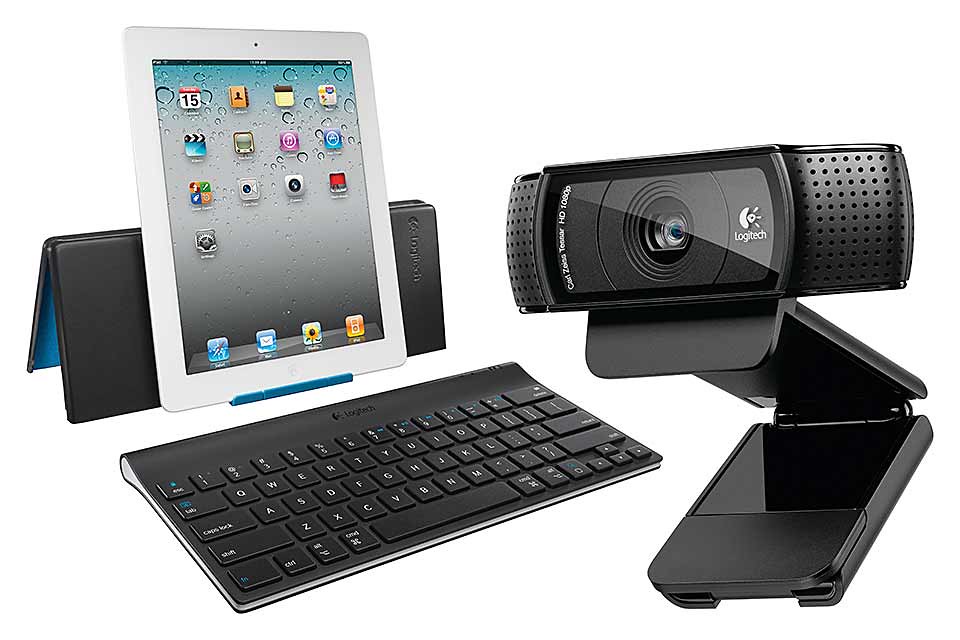
Whether you have a mobile mum, a geeky mum, a travelling mum, or a stay-at-home mum, Logitech has something you can get for her.
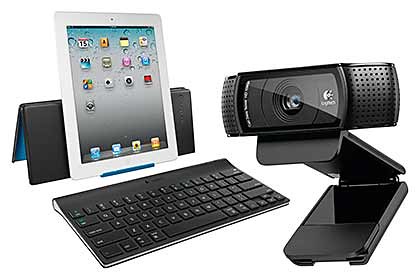
Mother's Day gadget gift ideas from Logitech
Mother’s Day is on 13 May this year. If you’re looking to buy a gift for a mom – which can also be the mother of your children – check out Logitech’s collection of gadgets and accessories.
(more…)
Tags:accessories, gadgets, gifts, iPad, keyboards, Logitech, Mother's Day, Mouse, peripherals, products
Posted in Accessories, Gadgets, Holiday, Keyboards, Logitech, Mouse, Prices, Specifications | 1 Comment »
Wednesday, April 11th, 2012
Western Digital has introduced My Passport Studio – its first 2TB portable drive dedicated for Mac users. It is available now at S$369.
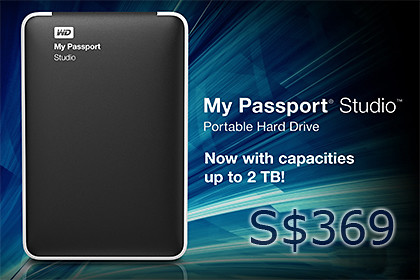
Western Digital My Passport Studio 2TB portable hard drive, S$369 for Macs.
The new My Passport Studio portable drive maintains its elegant and protective all-metal casing to complement the MacBook Pro or MacBook Air.
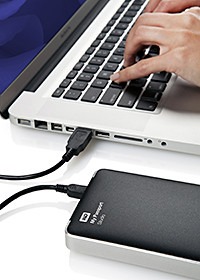
All-metal casing to match MacBooks.
It is compatible with Apple Time Machine for quick and easy automatic backup of Mac hard drives, allowing Mac users to use one drive for the protection and transport of virtually all their digital content, everywhere they go.
In addition to the USB 2.0 interface, My Passport Studio has two high performance FireWire 800 ports.
The dual FireWire ports provide blazing fast upload and transfer speeds while also allowing users to daisy chain additional drives or other peripherals such as HD camcorders.
My Passport Studio also features hardware-based encryption and password protection software, and an all-metal design constructed for scratch resistance and a sturdy feel in your hand.
WD had just launched its My Passport 2TB portable hard drive last week.
Tags:2TB, Apple, hard drive, Mac, portable, storage, Western Digital
Posted in Accessories, Availability, Gadgets, Mac OS, storage drive, Western Digital | 4 Comments »
Thursday, April 5th, 2012
Western Digital has announced the first 2TB portable drive in its My Passport line. It is available now at S$319. Review here. (Update: WD has also launched the My Passport Studio 2TB for Mac users for S$369.)

Western Digital My Passport 2TB portable hard drive, S$319.
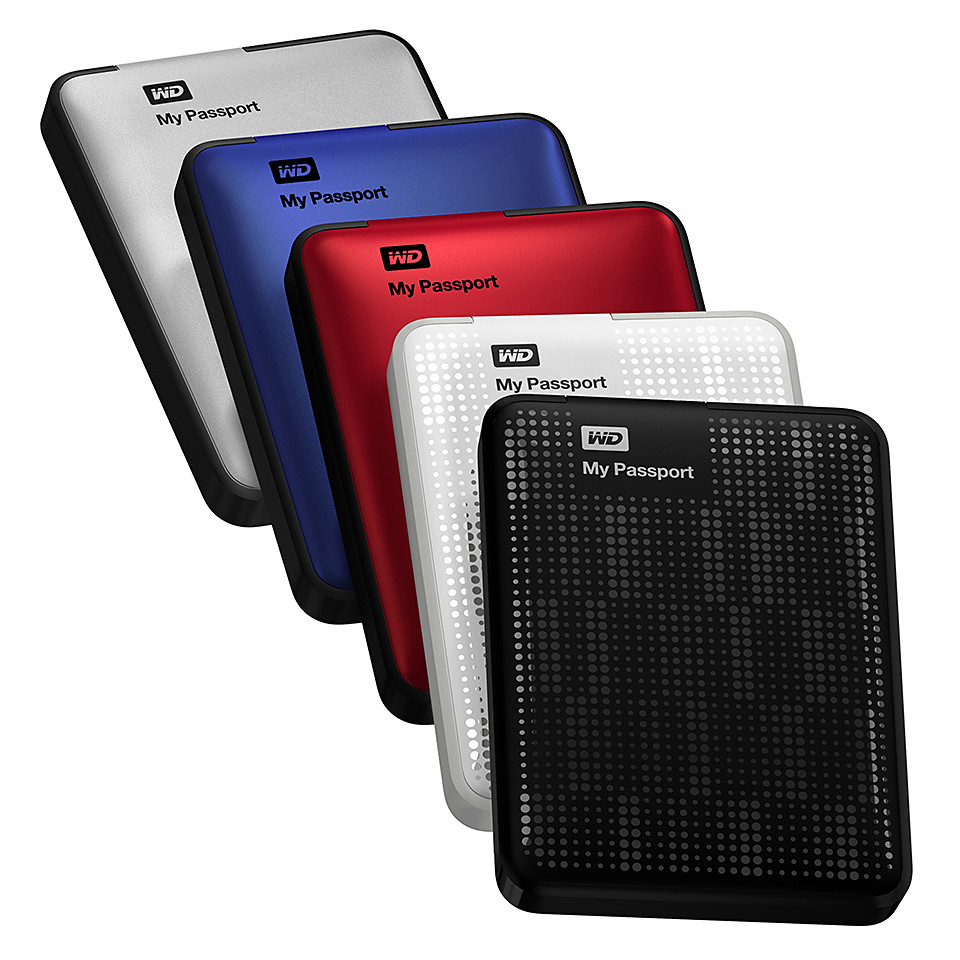
With a new enclosure design, the 2TB My Passport portable drive has an outer shell that is resistant to scratches and fingerprints.

My Passport portable drives come in many colours.
My Passport portable drives feature fast USB 3.0 connectivity; USB 2.0 compatibility; continuous, automatic backup software; and password protection with hardware encryption.
The included software offers the flexibility to customize the drive to a user’s storage preferences: installing all features, only the components needed, or using the drive without the software.
Below is the fact sheet for the hard drive.
(more…)
Tags:2TB, My Passport, portable drive, WD, Western Digital
Posted in Announce, Gadgets, Prices, Specifications, storage drive, Western Digital | 2 Comments »
Tuesday, April 3rd, 2012
The M600 features a touch surface that lets you swipe and scroll on it with your fingertips to navigate intuitively while surfing the Web. It is now available in Singapore at S$89.

Logitech Touch Mouse M600 - available now for S$89.
With the Logitech Touch Mouse M600 you can scroll and swipe wherever the fingertips rest on the mouse.
 Logitech Flow Scroll software makes scrolling fluid, much like scrolling on the touchscreen of a smartphone.
Slide a finger along the touch surface to experience immediate, continuous and free-flowing Web page scrolling.
The mouse’s unique shape is designed to facilitate the tasks we do most – pointing, clicking and scrolling.
It can be used by both right- and left-handers, with click areas that can easily be reassigned with Logitech SetPoint software.
 In addition, the Logitech Touch Mouse M600 includes the tiny Logitech Unifying receiver, which can connect up to six compatible mice and keyboards through one USB port.
Add a keyboard, switch between mice, mix and match to fit your lifestyle, without having to change receivers or sacrifice another USB port.
The Logitech Touch Mouse M600 was named an International CES Innovations 2012 Design and Engineering Awards Honoree in the Computer Peripherals product category.
The M600 is connected via a USB port and is compatible with Windows 7.
The mouse measures 111.3 x 64.3 x 29.2 mm and weighs 107.7g (with battery).
It comes with 3-year limited hardware warranty.
Tags:Logitech, M600, Mouse, Singapore, touch
Posted in Availability, Gadgets, Launch, Logitech, Mouse, Prices, Specifications, Windows 7 | No Comments »
Saturday, March 31st, 2012
How do you maximise your battery life? Should you constantly charge your battery? Should you keep your battery installed even when your laptop is plugged in? When should you replace your battery?
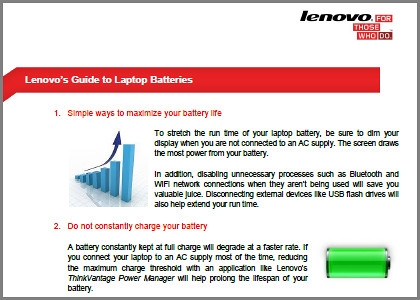
Check out Lenovo's Guide to Laptop Batteries.
Here are the answers to these and other frequently asked questions, courtesy of “Lenovo’s Guide to Laptop Batteries”.
1. Maximise your battery life
- Dim the display when not connected to an AC supply
- Disable Bluetooth and Wi-Fi when not in use
- Disconnect unnecessary external devices such as USB flash drives
2. Keep your battery installed even when your laptop is plugged into a power source.
3. Do not constantly charge your battery. Reduce the maximum charge threshold if you connect your laptop to an AC supply most of the time.
4. When storing your extra battery, ensure there is at least 50% charge level, and store in a cool environment.
5. Keep your battery cool when in use to slow degradation.
6. Modern Li-ion batteries do not need to be fully charged and discharged because they do not suffer from memory effects.
7. A little obvious here – replace the battery when it can no longer hold a full charge, or when its actual run time falls significantly below its original run time.
Read or download “Lenovo’s Guide to Laptop Batteries” below:
(more…)
Tags:battery, guide, laptop, Lenovo, notebook
Posted in Accessories, Howtos, Lenovo, Notebooks | 1 Comment »