Posts Tagged ‘Surface’

Microsoft Surface Pro Windows 8 tablet debuts in Singapore

Monday, June 3rd, 2013

The Surface Pro is now available – with 64GB ($1,198) or 128GB ($1,328) – at Challenger, Harvey Norman and Newstead stores in Singapore, as well as the PC Show 2013. Launch promotions within.

Microsoft Surface Pro tablet joins the Surface RT in Singapore.

Microsoft Surface Pro tablet joins the Surface RT in Singapore.

Surface Pro offers both the capabilities of a PC and the portability of a tablet.

With Surface Pro, users can do whatever can be done on a PC, such as running desktop applications, and enjoy the protection of safety and security software.

Microsoft Surface Pro tablet with in-built kick-stand.

Microsoft Surface Pro tablet with in-built kick-stand.

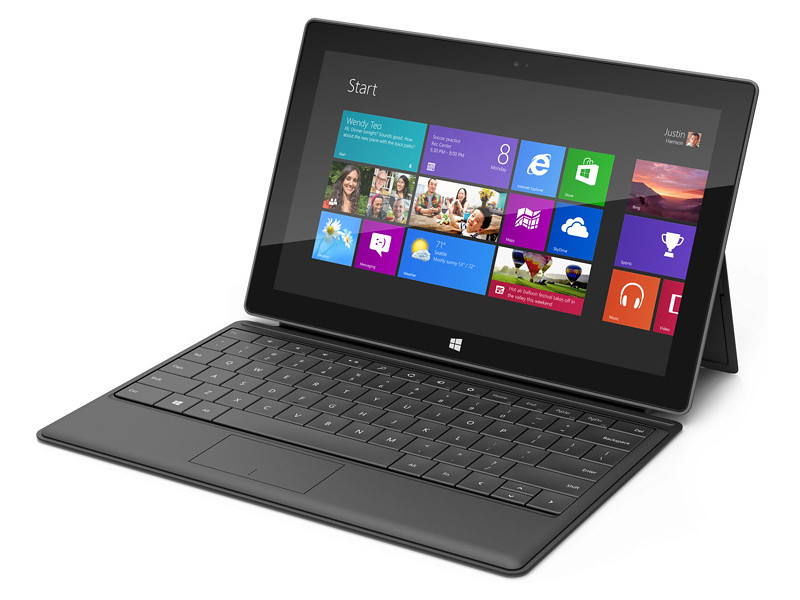
Like the Surface RT tablet, Surface Pro also comes with the integrated Kickstand and Touch and Type Cover keyboards.

A pen provides note-taking capabilities and precise navigation.

The Surface Pro is business-ready with a suite of enterprise-ready connectivity, security and manageability features:

(more…)

Microsoft launches Surface RT in Singapore with Challenger

Friday, April 5th, 2013

Singapore is the first South East Asia market to launch the Microsoft Surface RT tablet computer. Both the 32GB (S$668) and 64GB (S$798) versions are now available in Singapore at 20 Challenger stores. Price list within.

Microsoft Surface RT tablet has just been launched in Singapore.

Microsoft Surface RT tablet has just been launched in Singapore.

Microsoft describes the Surface RT as “a tablet with some laptop capabilities”.

One big selling point is that the tablet ships with Microsoft Office Home & Student 2013 RT – which includes Word, Excel, PowerPoint and OneNote.

Hands-on

Physically, the Surface RT feels light at 680g and is only 9.4mm thin (275 x 172 mm in size).

Integrated kick-stand to prop the tablet up in landscape mode.

Integrated kick-stand to prop the tablet up in landscape mode.

There is an integrated kickstand that folds out behind the tablet – allowing it to stand in landscape orientation.

Unfortunately, the stand doesn’t work in portrait orientation so you’ll have to hold it with your hands instead.

The keyboard doubles up as a cover to protect the 16:9 widescreen high-definition display (10.6-inch ClearType HD touchscreen display with 1366 x 768 pixels).

It was easy to attach and separate the keyboard/cover from the tablet.

Simply pull the magnetic connectors apart or put the edges close to each other for the connectors to snap in place.

There is a full-sized USB port and microSDXC card slot for additional storage.

The Surface RT runs on a Quad-core NVIDIA Tegra 3 CPU with 2GB RAM.

The Touch Cover is really thin at 3mm.

The Touch Cover is really thin at 3mm.

It runs Windows RT and works exclusively with apps available in the Windows Store.

What this means is that don’t expect any software written for the full Windows OS (Windows 8, Windows 7, Vista, XP etc) to run on the tablet.

Challenger is the sole launch retailer for the Surface RT in Singapore.

Prices are listed below.

(more…)

Microsoft showcases a New World of Work

Monday, July 2nd, 2012

I call it N Wow! Microsoft Singapore demonstrated how it has transited from a traditional fixed-room-and-desk office layout, to a Starbucks-style working environment where employees can work at ANY available desk in its six floors of office space at One Marina Boulevard in Singapore.

No more assigned desks. Click to enlarge to see more of the new way of work.

No more assigned desks. Click to enlarge to see more of the new way of work.

What happens to the personal paraphernalia that adorn the typical office cubicle or room?

Well each employee, including Managing Director Jessica Tan, gets a locker to store their personal effects.

Plenty of collaboration spaces.

Plenty of collaboration spaces.

Each desk comes with power-sockets, a wireless mouse and keyboard, and a Samsung monitor that comes with a privacy screen.

Nothing else – not even a phone.

A single cable from the monitor plugs into the employee’s laptop.

In addition to connecting the display to the monitor, the same cable also provides Internet connection to the laptop, as well as control over the wireless mouse and keyboard.

Every floor has a "landing area" at the entrance - a convenient rendezvous point.

Every floor has a “landing area” at the entrance – a convenient rendezvous point.

Why isn’t there a phone?

Employees rely on Microsoft’s Lync telephony and collaboration solution which allows them to communicate using the Internet.

It is now as easy to work from home as it is to work in the office.

Yet more employees prefer to come physically to the office than to work from home – because of the more open and spontaneous collaborative environment the revamp has facilitated.

For a start, there’re no walls and cubicles between employees.

Workers can choose a private booth to dock-in if they really need to work on or discuss about something really confidential.

But by-and-large, most work in the open, at one of the docking desks.

Overview of rooms and workstations. Reminiscent of Metro UI?

Overview of rooms and workstations. Reminiscent of Metro UI?

Microsoft Singapore invited the regional media to walk around their operational offices to see this concept live.

I suppose this is Microsoft’s way of demonstrating how their technology can help enterprises and businesses adapt to the latest trends of work, where people tend to collaborate more in the course of work.

Instead of a concept demo, Microsoft is showing how they walk the talk – in fact, they’ve been working this concept in Amsterdam for the past five years..

And it was an impressive walkabout – to see what many organisations have only talked or dreamed about.

Samsung SUR40Pixelsense. Seen at Microsoft Technology Centre at One Marina Boulevard in Singapore.

New tablets: Microsoft unveils two Surface tablets

Tuesday, June 19th, 2012

Microsoft has unveiled two 10.6-inch Windows tablets and accessories.

One model will run on Windows RT and will be released with the general availability of Windows 8. The other tablet will be available about 90 days after and feature Windows 8 Pro.

Update 2 (1 March, 2013):

Microsoft has announced that beginning late March the rollout of Surface will continue over the next few months.

Surface RT with Windows RT will reach Japan, Mexico, New Zealand, Russia, Singapore and Taiwan.

Surface Pro with Windows 8 Pro will hit Australia, China, France, Germany, Hong Kong, New Zealand and the United Kingdom.

Update 1 (18 July, 2012):

Microsoft’s Steven Sinofsky has just announced at its annual sales meeting that customers will be able to get Windows 8 on 26 October, 2012. This will be available both as an upgrade or on a new PC.

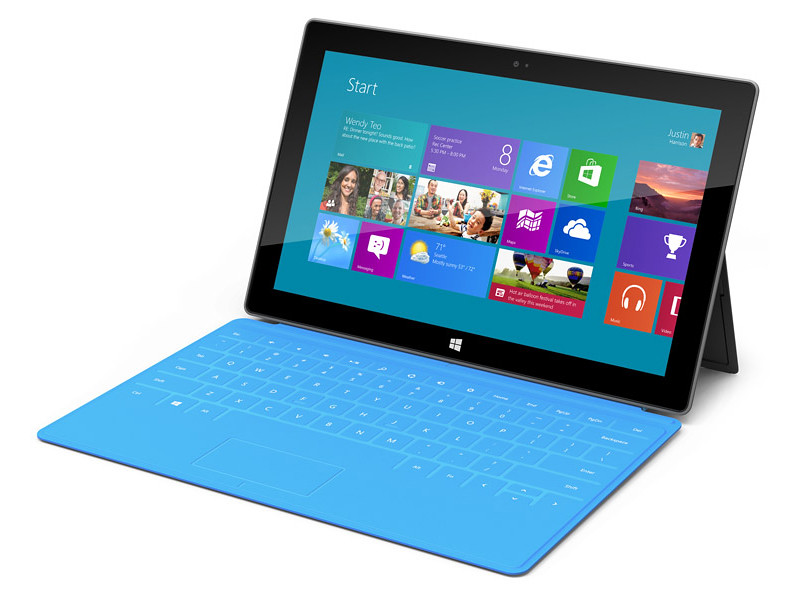
Microsoft finally joins the fray by unveiling its 10.6-inch Surface tablets.

Microsoft finally joins the fray by unveiling its 10.6-inch Surface tablets.

The Windows RT Surface tablet will run on an ARM processor, while the Windows 8 Pro version will have a third-generation Intel Core processor.
The Touch Cover and Type Cover double up as keyboards.

The Touch Cover and Type Cover double up as keyboards.

Each Surface tablet will have a full-sized USB port, a microSD slot, and a 16:9 aspect ratio; with edges angled at 22 degrees.

The casing of Surface is created using VaporMg (pronounced Vapor-Mag), where metal and deposit particles are molded to create a finish akin to luxury watches.

Starting with magnesium, parts can be molded as thin as .65 mm, thinner than the typical credit card, to create a product that is thin, light and rigid/strong.
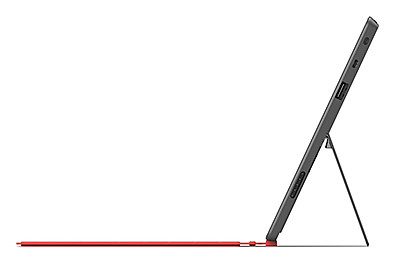
The VaporMg materials and processes has enabled the thin and sleek design of the Surface tablets.

The VaporMg materials and processes has enabled the thin and sleek design of the Surface tablets.

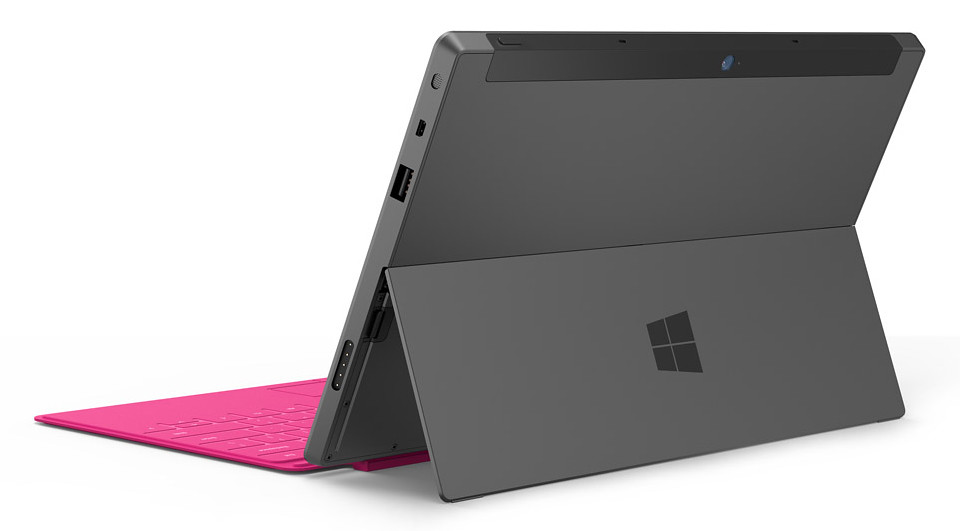
This also enables an extremely thin built-in kickstand to prop the tablet up when watching movies or video conferencing with the HD front- or rear-facing video cameras.

The integrated, built-in kickstand removes the need for a separate accessory.

The integrated, built-in kickstand removes the need for a separate accessory.

I like the idea and design of this integrated kickstand.

To transform the tablet into a “notebook”, a 3 mm Touch Cover uses pressure-sensitive technology to sense keystrokes as gestures, allowing users to touch type significantly faster than on an on-screen keyboard.

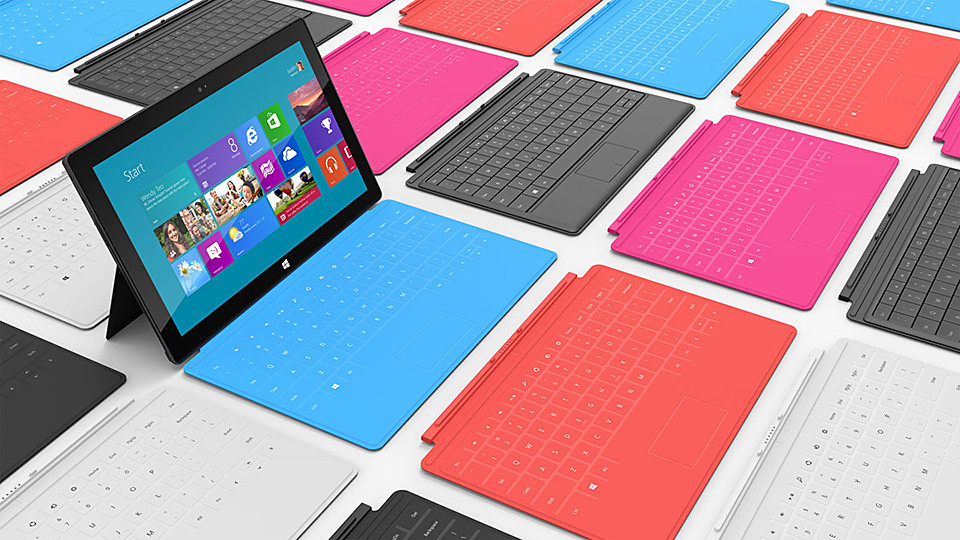
The Touch Cover will be available in a selection of vibrant colors. It clicks into the Surface tablet via a built-in magnetic connector, forming a natural spine like you find on a book, and doubles up as a protective cover.
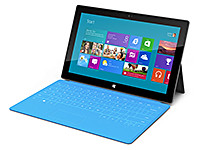
The Touch Cover and Type Cover comes in many vibrant colours.

The Touch Cover and Type Cover comes in many vibrant colours.

Alternatively, users can click in a 5 mm-thin Type Cover that adds moving keys for a more traditional typing feel.

Retail pricing will be announced closer to availability but is expected to be competitive with a comparable ARM tablet or Intel Ultrabook-class PC.

OEMs will have cost and feature parity on Windows 8 and Windows RT.

Oh and if you’re interested in a 40-inch tablet, check out the Samsung SUR40 for Microsoft Surface. (I haven’t heard anyone else calling THAT a tablet yet).

The main technical specifications of the two Surface tablets are tabulated below.

(more…)

Anybody wants a 40-inch tablet computer?

Thursday, April 19th, 2012

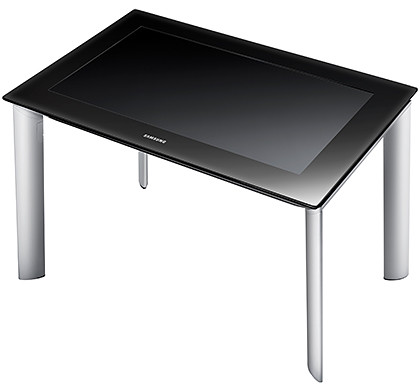
Microsoft and Samsung has unveiled the latest in surface computing in SouthEast Asia – the Samsung SUR40 for Microsoft Surface.

Prices for Singapore are estimated to be S$15k with LCD display only, and another S$750 to include the stand.

Samsung SUR40 for Microsoft

Samsung SUR40 for Microsoft

New PixelSense Technology enables the Samsung SUR40 to “see” and respond to touch and objects, creating new possibilities for interactive displays in various settings.

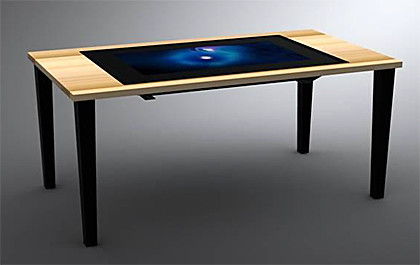
Embedding the SUR40 in a table

Embedding the Samsung SUR40 in a table

With Microsoft’s PixelSense technology, LCD panels can see and respond to touch and objects without using cameras.

SUR40 will allow people to share, collaborate and explore together using a large, thin (4-inch profile) display that recognises fingers, hands and other objects placed on the screen.

The interactive 40-inch Full HD 1080p (1920×1080) LCD panel can be used horizontally as a table, mounted vertically on a wall or embedded in other fixtures and furniture.

The collaboration between Microsoft Surface 2.0 software and Samsung’s display technology is now available through the Samsung channel and reseller partners in Singapore, Malaysia, Indonesia and Thailand.

SUR40 embedded in a table

Samsung SUR40 embedded in a table

Pricing and availability of the SUR40 may vary across countries and/or regions based on country-specific duties, taxes and fees.

Key specifications of the SUR40 is listed below.

(more…)