Archive for the ‘iOS’ Category

13 girls make it to Singapore Finals of Elite Model Look Singapore 2011

Monday, October 31st, 2011

45 aspiring models sashayed down the catwalk at last night’s semi-finals of the Elite Model Look Singapore 2011 at Ion Orchard. 13 of them were selected for next Thursday’s Singapore Finals.

13 contestants made it to the Singapore Finals next Thursday.

13 contestants made it to the Singapore Finals next Thursday.

Elite Model Look Singapore 2011 Semi-Finals at Ion OrchardThe 13 finalists will vie for the sole ticket to the Elite Model Look Global Finals in Shanghai in December and compete with some 80 other aspirants from around the world.

The top three winners of the Global Finals will share out $350,000 worth of contracts with Elite Paris and other prizes.

The 32 contestants who did not make it to the Singapore Finals next Thursday will also be offered modelling contracts with Elite Model Management Singapore.

Elite Model Look Singapore 2011 Semi-Finals at Ion Orchard.Originally, there were to be only 12 contestants for the Singapore Finals. Judges, however, decided to let a thirteenth contestant through.

An iPhone application will be launched to allow members of the public to view and vote for their favourite contestants.

The Singapore Finals will be held on next Thursday, November 3, at the Red Dot Traffic Museum.

Aspiring models who made it to next Thursday's Singapore Finals.

Aspiring models who made it to next Thursday's Singapore Finals.

Check out the competition’s Facebook page for more photos.

Elite Model Look Singapore 2011 semi-finals at Ion Orchard

Sunday, October 30th, 2011

Some 50 semi-finalists will compete tonight for 12 places at the Finals in Singapore. The winner of the Singapore Finals will then fly to the Elite Global Final in Shanghai and then to Paris, sharing $350,000 worth of contracts and other prizes.

Elite Model Look Singapore 2011

Semi-finals tonight at Ion Orchard Level 1 Alfresco from 7-10 pm

The semi-finalists were culled from almost a thousand applicants aspiring to follow in the footsteps of top supermodels like Linda Evangelista and Cindy Crawford – big names which Elite has discovered and represented.

The casting for the competition were held earlier this month from 8th to 23rd October at Vivocity and Ion Orchard. Contestants had to be aged 15 to 21 and at least 170 cm or 5’7 tall.

An iphone application will be launched to allow members of the public to view and vote for their favourite contestants.

Elite Model Look Singapore 2011The Elite Model Look competition is a world renowned and prestigious international modelling contest. It is the primary vehicle for finding new models for Elite Model Management, which is headquartered in Paris.

Since 1983, the competition has been conducted in over 50 countries around the world and has now reached Singapore. 350,000 girls around the world enter the competition every year, but only a few make it onto the world’s catwalks and magazine photoshoots.

Elite found many of the world’s supermodels through Elite Model Look, including Gisele Bundchen, Karen Mulder, Claudia Schiffer, Naomi Campbell and more recently, Fei Fei Sun, Constance Jablonski, Ming Xi and Sigrid Agren.

Elite Model Look, in exclusive partnership with Elite Model Management Singapore, gives a chance to girls in Singapore, who dream of becoming models, to realise their ambitions by competing to work with the top model agency network in the world.

TomTom App optimised for iPad

Sunday, October 30th, 2011

TomTom App for iPhone 1.9 is now available and optimised for iPad, offering higher resolution and improved user interface for the iPad at no extra cost. The app for South East Asia is available now at US$69.99 but existing app customers download for free.

TomTom App for iPhone/iPad Version 1.9

TomTom App for iPhone/iPad Version 1.9

First announced and show-cased during IFA 2011 in Berlin last month, Existing TomTom App customers can download the new version to their iPads for free.

The user interface has been enhanced to fit the larger screen of the iPad while the resolution has been increased for a sharper display. The new release is also compatible with Apple’s new iOS5.

TomTom, Europe's largest maker of portable navigation devicesThe TomTom App for iPhone/iPad 1.9 comes with a new map release, which includes updated roads, more accurate information about fixed speed camera locations and points of interest.

The new release makes use of the extra iPad screen space by showing both driving view and advanced lane guidance at the same time. Drivers can also switch to driving view with one touch from anywhere within the app, and can access guidance options in a tap.

Personal cloud from Western Digital

Friday, October 14th, 2011

Western Digital offers an easy way to set up a personal private cloud to share documents and media – using the WD My Book Live network drive and mobile apps for Android and iOS smart phones and tablets.

The drives comes in 1TB (S$209), 2TB (S$239), and 3TB (S$299) capacities and are priced roughly US$50 more than non-network external drives with the same capacity.

Western Digital CorporationI’d posted not long ago about setting up a home shared network hard drive in order to share documents and media – photos, music and video – in a private personal cloud in the comfort of the home.

That was followed with a case study of setting up and using the Seagate GoFlex Home storage system – a similar network attached storage (NAS) drive.
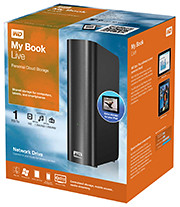
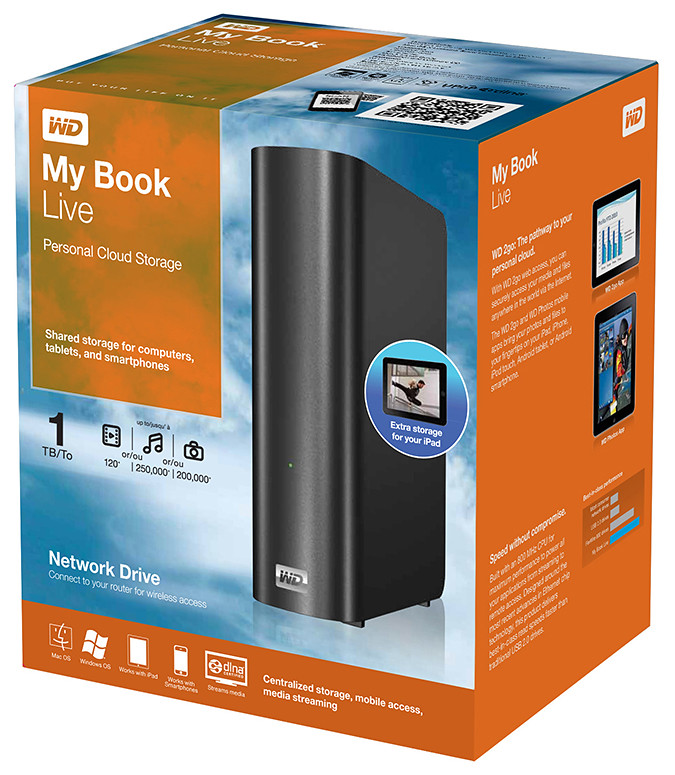
My Book Live is a network attached storage drive from Western Digital

My Book Live is a network attached storage drive from Western Digital

The WD My Book Live network drive from Western Digital is also connected directly to the wireless router to plug into the home wireless network. Both Macs and PCs can store, access and share documents, as well as stream media from the drive.

With all the buzz about consumer public clouds and enterprise private and hybrid (private/public) clouds, the WD My Book Live makes it simple to set up your personal private cloud with the hard-disk and data physically sitting in the security of your home.

Access to this personal cloud can be extended beyond the home to the Internet. Any computer given the access rights can access the shared documents and media on the WD My Book Live through www.WD2go.com.
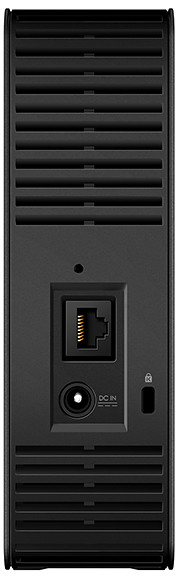
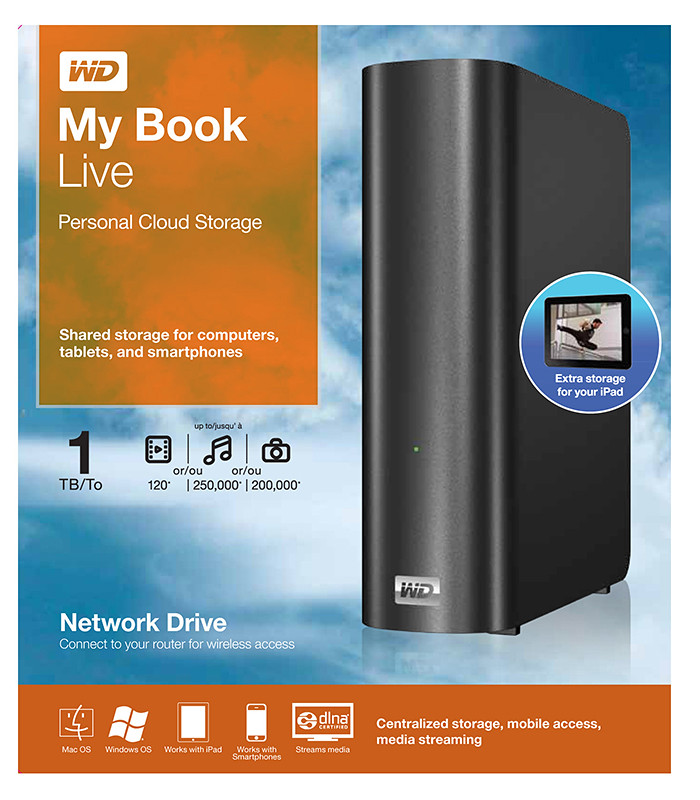
My Book Live comes in capacities of 1TB, 2TB and 3TB

My Book Live comes in capacities of 1TB, 2TB and 3TB

In addition, Android and iOS mobile devices (both smart phones and tablets) can get mobile access to the files stored on the drive via the WD2go apps from Western Digital. The WD Photos and basic WD2go app are free and allows viewing files and streaming media from the WD My Book Live.

For US$2.99, the WD2g Pro app adds the ability to “clip” files – basically download a local copy of files and media to the mobile device; and allow users to share files by emailing either a copy of the files or a link to the WD My Book Live.

Note that once the link is sent out, anybody with the link will have access to that file. There is no expiry date for the sharing, like in Seagate’s GoFlex Home. The only way to stop sharing that file is to either remove that file or rename it – but that affects everybody to whom you’ve sent that link to.

Naturally, both the network drive and the router must be connected and powered up for access. And access from mobile devices is only via the apps over the Internet – instead of direct access over the local home wireless network.

That means that even if you’re at home, the app in your smart phone or tablet will still have to go to the Internet (via wireless or 3G) and come back into the home wireless network to access the files on the WD My Book Live. This is similar to the GoFlex Home.

But Western Digital does not limit the number of users or computers that can share the WD My Book Live. The GoFlex Home limits the number of users/computers that can be set up to connect with it to just 5. GoFlex Home customers need to subscribe to pay to enjoy unlimited connections.

Capacity WD
My Book Live
Seagate
GoFlex Home
1 TB S$209 S$179
2 TB S$239 S$239
3 TB S$299 S$339

WD My Book Live features a built-in media server that streams music, photos and movies to any DLNA-certified multimedia device such as a WD TV Live network media player, Blu-ray Disc player, Xbox 360, PlayStation 3, and connected TV.

My Book Live comes in capacities of 1TB, 2TB and 3TB and is compatible with both Windows and Mac OS, as well as DLNA/UPnP enabled devices.


Western Digital envisages a connected lifestyle

Thursday, October 13th, 2011

Western Digital launches a slew of media storage, networking and playback products for the connected lifestyle.

Western Digital My Book Live personal cloud storage

Western Digital My Book Live personal cloud storage

The premise of the Connected Life solution from Western Digital is the simple set-up of a private personal cloud where media can be accessed and shared from any computer at home.

This personal cloud can also be extended into the Internet so that mobile devices such as smart phones and tablet computers can also access data and media in the cloud using apps, while computers can use a browser interface.

The centrepiece of the Connected Life solution from Western Digital is the My Book Live network attached storage. With capacities ranging from 1TB to 3TB, these network capable external hard drives are connected directly to the wireless router at home so that any computer – be it a Mac or a PC – can store and access the media in the drive.

Western Digital WD TV Live streaming media player

Western Digital WD TV Live streaming media player

The WD TV Live media player that is connected to the wireless network can then stream media from My Book Live and play photos, music and videos on a large TV screen. It can also stream media directly from Internet services such as YouTube.

Outside home, data and media on My Book Live can be accessed on mobile devices using WD apps WD 2go (free), WD 2go Pro (US$2.99), and WD Photos (free).

Let’s talk iPhone: Executive Summary

Wednesday, October 5th, 2011

Tim Cook delivered his first major product launch since taking over from Steve Jobs as the CEO. The main anticipation for an iPhone 5 did not come through. Instead an iPhone 4S with changed out innards was offered. By the way, Steve Jobs was absent from the event

Let's talk iPhone launches iPhone 4S instead of iPhone 5

"Let's talk iPhone" launches iPhone 4S instead of iPhone 5

The headline for the launch was the iPhone 4S. Identical to the iPhone 4 in terms of external design and appearances, the innards have been completed changed out with much better components. These include a more powerful A5 dual-core CPU promising 2x the previous computing speed and 7x graphics performance, new 8 megapixel camera, full HD video, and iOS 5.

Other highlights inlcude Siri, the voice-activated intelligent assistant and iCloud, a set of cloud services that works and syncs with all the Apple devices a user owns.

New apps and iPod Touch and nano devices were also presented.

Here’s a quick executive summary of the various products launched, their prices (in the US and in Singapore), as well as when they would be available.

Product / Availability Prices

iPhone 4S

(black & white)

Oct 14:
US, Australia, Canada, France, Germany, Japan & UK
Oct 28:
22 countries including Singapore
Dec 2011:
Rest of the world

US prices (w 2 yrs contract):
16GB: US$199
32GB: US$299
64GB: US$399 

Singapore prices (incl GST):
iPhone 4S: TBA
iPhone 4: S$788
iPhone 3GS: S$548

Siri voice-activated intelligent assistant

Comes as Beta on iPhone 4S

Free

iOS 5

Available on Oct 12

Free software update via iTunes 10.5

Cards App

Available on Oct 12

US: US$2.99
Elsewhere: US$4.99

iCloud

Available on Oct 12

5GB: free
10GB: US$20/yr
20GB: US$40/yr
50GB: US$100/yr

iPod nano

(black & white)

Available today

US prices:
8GB: US$129
16GB: US$149  

Singapore prices (incl GST):
8GB: S$180
16GB: S$208

iPad Touch

(black & white)

Available on Oct 12

US prices:
8GB: US$199
32GB: US$299
64GB: US$399  

Singapore prices (incl GST):
8GB: S$288
32GB: S$428
64GB: S$588

Adobe Touch Apps

Wednesday, October 5th, 2011

Adobe announced its slate of six new apps for Apple iPads and Android tablets during the MAX 2011 conference in Los Angeles. Here’s a brief description of what each of the apps does.

Each of the six apps has an introductory price-tag of US$9.99. The Android version is will be available in November 2010 while the iOS version will only be available in 2012.

Adobe Touch App Description of App

Adobe Photoshop Touch
 

Adobe Photoshop Touch

Adobe Photoshop Touch

Adobe Photoshop Touch

Transform images with core Photoshop features in an app custom-built for tablets. With simple finger gestures, users can combine multiple photos into layered images, make popular edits and apply professional effects. The tablet-exclusive Scribble Selection Tool allows users to easily extract objects in an image by simply scribbling on what to keep and then what to remove.

With Refine Edge technology from Adobe Photoshop, even hard-to-select areas with soft edges, such as hair, are easily captured when making selections. Additionally, the app helps users quickly find images, share creations, and view comments through integration with Facebook and Google Search. Using the syncing capabilities that are a component of Adobe Creative Cloud, files can be opened in Adobe Photoshop.


Adobe Collage
 

Adobe Collage

Adobe Collage

Capture and refine ideas and concepts by combining inspirational images, drawings, text and Creative Suite files into modern, conceptual mood boards.

Features include importing of images, four customizable pen types for drawing, adding text, and applying color themes. A virtually unconstrained canvas grows as needed to accommodate more assets. Files can be shared or transferred for access in Adobe Photoshop.


Adobe Debut
 

Adobe Debut

Present designs to clients and stakeholders virtually anywhere. Adobe Debut quickly opens tablet-compatible versions of Creative Suite files for convenient and beautiful viewing on the tablet, including Photoshop layers and Illustrator art boards. Feedback is gathered using a markup pen tool to add notes and drawings on top of the work.

Adobe Ideas
 

Adobe Debut

Easy-to-master, vector-based tool for drawing. By using a stylus or finger, strokes appear smooth at any zoom level. Starting with a blank canvas, users can choose color themes, and pull in tablet-compatible image files that can be controlled as separate layers. Finished results are easily accessed in Adobe Illustrator or Photoshop.

Adobe Kuler
 

Adobe Kuler

Generate color themes easily to inspire design projects. Color can be explored and discovered, with hundreds of thousands of Kuler themes already available via the creative community. Social engagement in the community is enhanced by rating and commenting on themes, which can be exported as color swatches for Adobe Creative Suite projects.

Adobe Proto
 

Adobe Proto

Adobe Proto

Develop interactive wireframes and prototypes for websites and mobile apps on a tablet. Ideas are communicated and shared with teams and clients using a touch-based interface.

Gestures quickly express a design concept, explain website structure or demonstrate interactivity. The wireframe or prototype then can be exported as industry standard HTML, CSS and JavaScript, and shared in popular browsers for immediate review and approval.

New creative design tablet apps: Adobe Touch Apps

Tuesday, October 4th, 2011

Six new apps for Apple iPads and Android tablets have been announced by Adobe at its MAX 2011 technology conference.

At US$9.99 each, the six apps address different areas of the creative process: image editing; ideation; sketching; mood boards; website and mobile app prototyping; and presenting finished work.

Adobe Touch Apps are essential components of Adobe Creative Cloud, a major new company initiative also announced today. Adobe Creative Cloud will allow subscribers to access desktop and tablet applications, find creative services, and share their work.

Files created via Adobe Touch Apps can be shared, viewed across devices or transferred into Adobe Creative Suite software for further refinement. Adobe Touch Apps are designed to work with both finger and stylus input.

Adobe Touch Apps will be available for Android devices in November 2011. iOS availability will likely be announced only in early 2012, although Adobe Ideas is already available for the iPad.

Access to the file viewing, sharing and transfer functionality of Adobe Creative Cloud is included in the price of each Adobe Touch App. Details regarding pricing of the Adobe Creative Cloud and its expanded capabilities around applications, services and community will be announced in November 2011.

Single Edition of Adobe Digital Publishing Suite for tablets

Monday, October 3rd, 2011

The Single Edition allows freelance designers and small design firms to publish interactive content created with Adobe InDesign CS5.5 software on the Apple iPad for US$395 per application.

Adobe Publishing Suite, Single Edition at US$395 per iPad application.

Adobe Publishing Suite, Single Edition at US$395 per iPad application.

Single Edition allows designers to publish a single-issue application for sale or distribution through the Apple App Store, without writing any code, focusing on creative design.

The Professional Edition of the Adobe Digital Publishing Suite was released in May for publishing houses, business publishers, and education institutions that require an off-the-shelf tablet publishing solution.

Single Edition allows users to publish single-issue content such as a brochure, highly-visual book, annual report or personal design portfolio as an application for the iPad.

The Digital Publishing Suite family which now includes Single Edition is used to publish content beyond traditional magazines and newspapers. These include sales tools, brand and customer engagement materials, merchandising deliverables, employee communications and corporate collateral published to tablets.

Pricing and Availability

Single Edition for iPad is expected to be available for purchase online at the end of November 2011. From InDesign CS5.5, users can publish through Single Edition to the iPad for US$395 per application. Single Edition will support additional tablet platforms later in 2012.

Setting up and using the Seagate GoFlex Home storage system

Monday, September 26th, 2011

GoFlex Home is a consumer network attached storage (NAS) hard drive for the home. Easy to set up and use, it allows the access, sharing, streaming, and backup of files and media for computers, network TVs, media players and game consoles connected to the home wireless network.

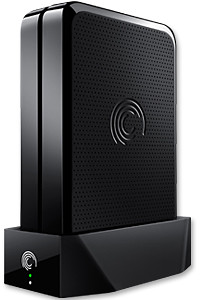
The Seagate GoFlex Home comprises a drive dock and a hard drive.

The Seagate GoFlex Home comprises a drive dock and a hard drive.

Secure access can also be opened to computers and iOS/Android tablets and smartphones over the Internet.

Over the weekend, I helped my friend set up an NAS drive for his desktop, netbook, two laptops, iPhone and Android tablet. He had bought the Seagate GoFlex Home 3 TB storage drive during the recent COMEX 2011 but hadn’t had the time to set it up yet.

I helped by using eye-power because he decided to give it a go himself and actually got the thing working in less than 15 minutes. That was the reason why I recommended the drive in the first place, it works with most consumer home Wi-Fi routers with little set-up or configuration needed.

The GoFlex Home comes with two cables and an software installation CD. The following steps were all that was needed to get the personal storage cloud going:

1. Connect the GoFlex Home drive dock to the Wi-Fi router by using the provided Ethernet cable.

2. Pop the GoFlex hard drive into the GoFlex drive dock and plug the power supply into the drive dock and the wall outlet. Switch on the GoFlex Home by pressing the Power button on the drive dock.

3. Pop the CD (or download from Seagate’s website) into the computer (can be a Mac or Windows PC) to install the software needed to access the hard drive. Simply select a language, key in the product information found on the drive, give the drive a name and register it. The name has to be unique globally since it will be used to identify the drive should you access it from the Internet.

4. Install the software on other computers that require access to the shared drive. Up to 5 people/computers on the home network can access the GoFlex Home. By paying to subscribe to the Seagate Share Pro, you get access for an unlimited number of people/computers to the GoFlex Home.

There are three ways to access the drive. One is to use the installed Seagate Dashboard software (on Windows PCs), which allows all features of the drive to be configured and managed. You can add computers and user accounts, backup, access and share files as well.

Use Seagate Dashboard software to configure and manage GoFelx Home

Use Seagate Dashboard software to configure and manage GoFelx Home

The other way is to use a browser-based Seagate Share either for a computer in the home network or out in the Internet.

Seagate GoFlexAccess App

Free iOS/Android app

Both are easy to use with a simple interface, using drag-and-drop or standard dialog boxes we’re familar with.

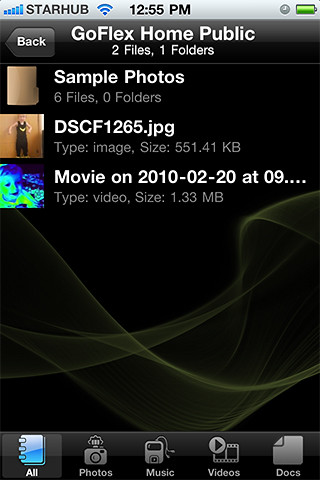
The third method is via the appropriate free app on a iOS/Android smartphone or tablet, also over the Internet.

The GoFlex Home comes with a USB port which is very useful. You can connect an additional external hard drive to expand the capacity of the original GoFlex hard drive. You can also connect a USB hub for connecting more than one USB device.

In my friend’s case, he connected his printer to the USB port and all his computers on the Wi-Fi network got to share that printer. USB port on the drive dock for a HDD, printer or USB hubNo more plugging/unplugging the old printer from one computer to another.

The included backup software allows up to three connected computers to be automatically backed up to the GoFlex Home. Upgrade to Premium Backup ($49.95) to back up an unlimited Seagate GoFlex Home home network attached storagenumber of computers on the GoFlex Home network. You can upgrade at the Application Store that can be accessed through the Seagate Dashboard software.
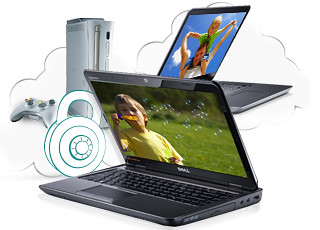


For each user account set up on the GoFlex Home, three folders are created – a Public, Personal, and Backup folder. The Public folder holds files that can be stored and accessed by everyone on your home network. The Personal and Backup folders can only be accessed by the the user.

What I like about the sharing is the granular control available for the files shared. You can specify who you want to share files with, choose to share just certain files or entire folders, set passwords, and set expiry dates for the shares. Administration is intuitive and easy to pick up. You can send a URL of a shared file via email.

Stream media to other computers and media players on the network.

Stream media to other computers and media players on the home wireless network.


Music, photos and video can also be shared and streamed to media players, game consoles or network TVs that support UPnP-AV, DLNA or Windows Media Connect. A wide range of file types are supported.

The GoFlex Home is available in 1TB (S$179), 2TB (S$239) and 3TB (S$339) capacities.