Archive for the ‘Prices’ Category
Saturday, October 15th, 2011
The S$189 WD TV Live is an easy to use Wi-Fi enabled media player that can stream media either from a network attached storage drive in the local network, or directly from the Internet – via an Ethernet connection or the high performance 802.11n wireless connectivity.
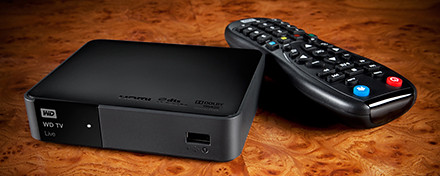
Western Digital WD TV Live wireless streaming media player
If you don’t already own an Apple TV or Google TV, check out WD TV Live from Western Digital.
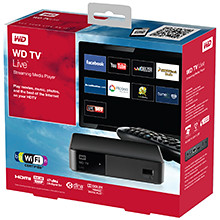 The Wi-Fi enabled media player comes with its own apps to stream media from Internet video, radio and social networking sites such as YouTube, Dailymotion, Facebook, Picassa Web Albums, and TuneIn Radio directly to your TV in Full-HD 1080p resolution. Dailymotion video service is now included to offer video
WD TV Live also includes Fun Spot Games, a casual gaming service that offers arcade, strategy, and card games, puzzles, and quizzes. Some of these games include Sudoku, Black Jack and Poker.
WD TV Live allows users to enjoy personal media such as photos, video and music on their home entertainment systems.
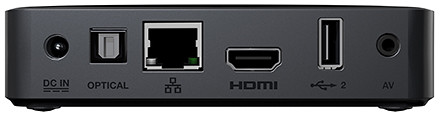
Access Internet media content using WD TV Live in Full-HD 1080p resolution.
It supports a wide range of file formats for streaming content from any connected USB drive, digital camcorder or camera, network drive such as the My Book Live personal cloud storage, and any networked PC or Mac computer in the home.
Tags:media player, Western Digital, wireless
Posted in Accessories, Cloud, Events, Gadgets, Launch, Media player, Music, Photos, Prices, Specifications, TV, Video, Western Digital | 2 Comments »
Friday, October 14th, 2011
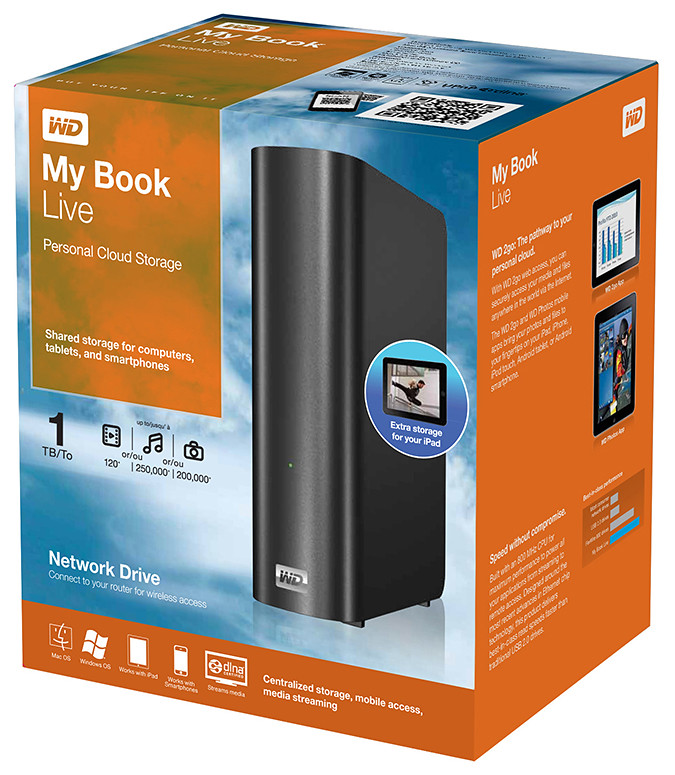
Western Digital offers an easy way to set up a personal private cloud to share documents and media – using the WD My Book Live network drive and mobile apps for Android and iOS smart phones and tablets.
The drives comes in 1TB (S$209), 2TB (S$239), and 3TB (S$299) capacities and are priced roughly US$50 more than non-network external drives with the same capacity.
 I’d posted not long ago about setting up a home shared network hard drive in order to share documents and media – photos, music and video – in a private personal cloud in the comfort of the home.
That was followed with a case study of setting up and using the Seagate GoFlex Home storage system – a similar network attached storage (NAS) drive.
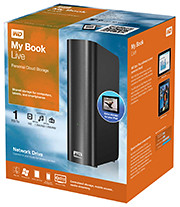
My Book Live is a network attached storage drive from Western Digital
The WD My Book Live network drive from Western Digital is also connected directly to the wireless router to plug into the home wireless network. Both Macs and PCs can store, access and share documents, as well as stream media from the drive.
With all the buzz about consumer public clouds and enterprise private and hybrid (private/public) clouds, the WD My Book Live makes it simple to set up your personal private cloud with the hard-disk and data physically sitting in the security of your home.
Access to this personal cloud can be extended beyond the home to the Internet. Any computer given the access rights can access the shared documents and media on the WD My Book Live through www.WD2go.com.
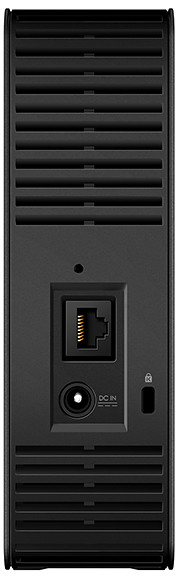
My Book Live comes in capacities of 1TB, 2TB and 3TB
In addition, Android and iOS mobile devices (both smart phones and tablets) can get mobile access to the files stored on the drive via the WD2go apps from Western Digital. The WD Photos and basic WD2go app are free and allows viewing files and streaming media from the WD My Book Live.
For US$2.99, the WD2g Pro app adds the ability to “clip” files – basically download a local copy of files and media to the mobile device; and allow users to share files by emailing either a copy of the files or a link to the WD My Book Live.
Note that once the link is sent out, anybody with the link will have access to that file. There is no expiry date for the sharing, like in Seagate’s GoFlex Home. The only way to stop sharing that file is to either remove that file or rename it – but that affects everybody to whom you’ve sent that link to.
Naturally, both the network drive and the router must be connected and powered up for access. And access from mobile devices is only via the apps over the Internet – instead of direct access over the local home wireless network.
That means that even if you’re at home, the app in your smart phone or tablet will still have to go to the Internet (via wireless or 3G) and come back into the home wireless network to access the files on the WD My Book Live. This is similar to the GoFlex Home.
But Western Digital does not limit the number of users or computers that can share the WD My Book Live. The GoFlex Home limits the number of users/computers that can be set up to connect with it to just 5. GoFlex Home customers need to subscribe to pay to enjoy unlimited connections.
| Capacity |
WD
My Book Live |
Seagate
GoFlex Home |
| 1 TB |
S$209 |
S$179 |
| 2 TB |
S$239 |
S$239 |
| 3 TB |
S$299 |
S$339 |
WD My Book Live features a built-in media server that streams music, photos and movies to any DLNA-certified multimedia device such as a WD TV Live network media player, Blu-ray Disc player, Xbox 360, PlayStation 3, and connected TV.
My Book Live comes in capacities of 1TB, 2TB and 3TB and is compatible with both Windows and Mac OS, as well as DLNA/UPnP enabled devices.
Tags:drive, media player, smartphone, tablets, Western Digital
Posted in Android, App, Cloud, Events, Gadgets, iOS, iPad, iPhone, Launch, Phones, Prices, Specifications, Tablets, TV, Western Digital | 1 Comment »
Thursday, October 13th, 2011
Western Digital launches a slew of media storage, networking and playback products for the connected lifestyle.
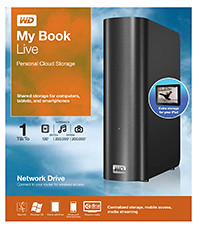
Western Digital My Book Live personal cloud storage
The premise of the Connected Life solution from Western Digital is the simple set-up of a private personal cloud where media can be accessed and shared from any computer at home.
This personal cloud can also be extended into the Internet so that mobile devices such as smart phones and tablet computers can also access data and media in the cloud using apps, while computers can use a browser interface.
The centrepiece of the Connected Life solution from Western Digital is the My Book Live network attached storage. With capacities ranging from 1TB to 3TB, these network capable external hard drives are connected directly to the wireless router at home so that any computer – be it a Mac or a PC – can store and access the media in the drive.
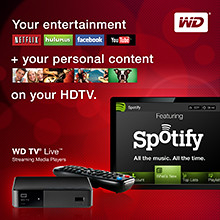
Western Digital WD TV Live streaming media player
The WD TV Live media player that is connected to the wireless network can then stream media from My Book Live and play photos, music and videos on a large TV screen. It can also stream media directly from Internet services such as YouTube.
Outside home, data and media on My Book Live can be accessed on mobile devices using WD apps WD 2go (free), WD 2go Pro (US$2.99), and WD Photos (free).
Tags:Android, cloud, drive, iOS, iPad, iPhone, media player, smartphone, tablets, Western Digital
Posted in Accessories, Android, Cloud, Events, Gadgets, iOS, iPad, iPhone, Launch, Media player, Phones, Prices, Specifications, storage drive, Tablets, Western Digital | 1 Comment »
Wednesday, October 5th, 2011
Tim Cook delivered his first major product launch since taking over from Steve Jobs as the CEO. The main anticipation for an iPhone 5 did not come through. Instead an iPhone 4S with changed out innards was offered. By the way, Steve Jobs was absent from the event

"Let's talk iPhone" launches iPhone 4S instead of iPhone 5
The headline for the launch was the iPhone 4S. Identical to the iPhone 4 in terms of external design and appearances, the innards have been completed changed out with much better components. These include a more powerful A5 dual-core CPU promising 2x the previous computing speed and 7x graphics performance, new 8 megapixel camera, full HD video, and iOS 5.
Other highlights inlcude Siri, the voice-activated intelligent assistant and iCloud, a set of cloud services that works and syncs with all the Apple devices a user owns.
New apps and iPod Touch and nano devices were also presented.
Here’s a quick executive summary of the various products launched, their prices (in the US and in Singapore), as well as when they would be available.
| Product / Availability |
Prices |
iPhone 4S
(black & white)
Oct 14:
US, Australia, Canada, France, Germany, Japan & UK
Oct 28:
22 countries including Singapore
Dec 2011:
Rest of the world |
US prices (w 2 yrs contract):
16GB: US$199
32GB: US$299
64GB: US$399
Singapore prices (incl GST):
iPhone 4S: TBA
iPhone 4: S$788
iPhone 3GS: S$548 |
Siri voice-activated intelligent assistant
Comes as Beta on iPhone 4S |
Free |
iOS 5
Available on Oct 12 |
Free software update via iTunes 10.5 |
Cards App
Available on Oct 12 |
US: US$2.99
Elsewhere: US$4.99 |
iCloud
Available on Oct 12 |
5GB: free
10GB: US$20/yr
20GB: US$40/yr
50GB: US$100/yr |
iPod nano
(black & white)
Available today |
US prices:
8GB: US$129
16GB: US$149
Singapore prices (incl GST):
8GB: S$180
16GB: S$208 |
iPad Touch
(black & white)
Available on Oct 12 |
US prices:
8GB: US$199
32GB: US$299
64GB: US$399
Singapore prices (incl GST):
8GB: S$288
32GB: S$428
64GB: S$588 |
Tags:Apple, iOS, iPhone, smartphone
Posted in App, Apple, Cloud, Events, Gadgets, iOS, iPhone, Launch, Phones, Prices, Specifications | No Comments »
Wednesday, October 5th, 2011
Adobe announced its slate of six new apps for Apple iPads and Android tablets during the MAX 2011 conference in Los Angeles. Here’s a brief description of what each of the apps does.
Each of the six apps has an introductory price-tag of US$9.99. The Android version is will be available in November 2010 while the iOS version will only be available in 2012.
| Adobe Touch App |
Description of App |
Adobe Photoshop Touch


|
Transform images with core Photoshop features in an app custom-built for tablets. With simple finger gestures, users can combine multiple photos into layered images, make popular edits and apply professional effects. The tablet-exclusive Scribble Selection Tool allows users to easily extract objects in an image by simply scribbling on what to keep and then what to remove.
With Refine Edge technology from Adobe Photoshop, even hard-to-select areas with soft edges, such as hair, are easily captured when making selections. Additionally, the app helps users quickly find images, share creations, and view comments through integration with Facebook and Google Search. Using the syncing capabilities that are a component of Adobe Creative Cloud, files can be opened in Adobe Photoshop. |
Adobe Collage


|
Capture and refine ideas and concepts by combining inspirational images, drawings, text and Creative Suite files into modern, conceptual mood boards.
Features include importing of images, four customizable pen types for drawing, adding text, and applying color themes. A virtually unconstrained canvas grows as needed to accommodate more assets. Files can be shared or transferred for access in Adobe Photoshop. |
Adobe Debut

|
Present designs to clients and stakeholders virtually anywhere. Adobe Debut quickly opens tablet-compatible versions of Creative Suite files for convenient and beautiful viewing on the tablet, including Photoshop layers and Illustrator art boards. Feedback is gathered using a markup pen tool to add notes and drawings on top of the work. |
Adobe Ideas

|
Easy-to-master, vector-based tool for drawing. By using a stylus or finger, strokes appear smooth at any zoom level. Starting with a blank canvas, users can choose color themes, and pull in tablet-compatible image files that can be controlled as separate layers. Finished results are easily accessed in Adobe Illustrator or Photoshop. |
Adobe Kuler

|
Generate color themes easily to inspire design projects. Color can be explored and discovered, with hundreds of thousands of Kuler themes already available via the creative community. Social engagement in the community is enhanced by rating and commenting on themes, which can be exported as color swatches for Adobe Creative Suite projects. |
Adobe Proto


|
Develop interactive wireframes and prototypes for websites and mobile apps on a tablet. Ideas are communicated and shared with teams and clients using a touch-based interface.
Gestures quickly express a design concept, explain website structure or demonstrate interactivity. The wireframe or prototype then can be exported as industry standard HTML, CSS and JavaScript, and shared in popular browsers for immediate review and approval. |
Tags:Adobe, Android, Apple, Apps, iOS, iPad
Posted in Adobe, Android, App, iOS, iPad, Launch, Prices, Software, Specifications, Tablets | 1 Comment »
Thursday, September 29th, 2011
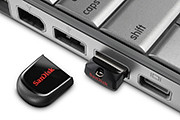
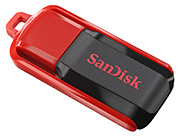
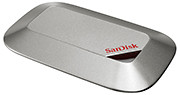
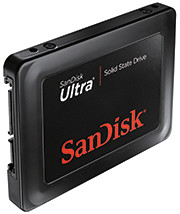
Tags:microSD, SanDisk, SD, SDHC, SDXC, SSD, USB
Posted in Accessories, Cameras, Desktops, Events, Gadgets, Launch, Notebooks, Phones, Prices, SanDisk, Specifications, storage drive, Tablets | 2 Comments »
Wednesday, September 28th, 2011
Samsung’s first Mango-based smartphone features a vivid Super AMOLED display as well as People Hub – which provides enriched content and social communication experience.
The Omnia W will be available in Singapore by the end of the year for S$498 (incl 7% GST), without line contract.

Samsung Omnia W, based on Windows Phone 7.5 Mango.
Based on the latest release of Microsoft’s Windows Phone, code-named Mango, the phone sports a 3.7” Super AMOLED display, a 1.4 GHz processor and 14.4 Mbps HASPA connectivity.
The design thrust of the Omnia W is to put people at the centre of everything, with emphasis placed on social networking and sharing. Internet Explorer 9 and Bing are integrated into the entire experience.
Windows Phone 7.5
Mango’s unique and intuitive user interface lays out applications in mosaic ‘Live Tiles’ which flow and move in response to users’ touch on the screen. Six specialized Microsoft applications provide an engaging content and communication experience.
 Windows Phone People Hub is integrated with built-in social networking services like Windows Live, Facebook, Twitter and LinkedIn, for users to stay connected with their social community constantly.
Office Hub provides enhanced productivity on-the-go and includes access to Windows Live Sky Drive, which provides 25GB of free storage and allows documents and media files to be easily stored and accessed. Users can also create and edit documents through mobile versions of Microsoft Office Excel, Word and PowerPoint, as well as utilize One Note, a note-taking platform that allows easy sharing and storage of voice memos, images and text-based notes.

Stylish, slim metal finish for the Samsung Omnia W
Seamless access to entertainment is enhanced by the integration of a Picture Hub, Music & Video Hub – powered by Microsoft Zune – and Game Hub, which provides the latest in social gaming experiences through Xbox live, for friends to chat with each other while gaming. Windows Phone Marketplace provides access to over 30,000 apps to meet customer needs across entertainment or productivity.
Samsung differentiation
The overall Windows Phone experience is significantly enhanced with the inclusion of Samsung-exclusive productivity apps. This includes Samsung AllShare, which provides seamless content transfer between the smartphone and other DLNA-enabled devices such as HDTV’s, monitors and digital cameras.

The Samsung Omnia W tries to put people and social networking at the centre of its experience.
Video Call is an easy-to-use app which allows ultra-fast vivid 3G video conversations with friends and family. Additionally, Mini Diary enables users to capture their experiences in multimedia formats and create their own personalized digital journal while on the go. An upgraded Samsung eBook client is also available from Samsung Zone.
Users can stay up-to-date with the latest news and events with Now 2.0 app, which provides up-to-the minute current affairs, stock market and weather information. RSS Time allows RSS feeds for newspapers, magazines and blogs to be downloaded onto the device and read in an easily digestible format, while eye-catching articles can be instantly shared via email or Facebook.
The device features enhanced social network integration, with Twitter and LinkedIn weaved throughout the Omnia W in addition to Facebook, for photos and videos to be instantly shared across a variety of social networking sites hassle-free.
Detailed specifications of the Omnia W are tabulated below:
(more…)
Tags:7.5, Mango, Omnia W, Samsung, smartphone, Windows Phone 7
Posted in Gadgets, Launch, Phones, Prices, Samsung, Specifications, Windows Phone 7 | 1 Comment »
Wednesday, September 28th, 2011
Wacom’s newest flagship Cintiq 24HD tablet-cum-display was launched on 13 September 2011. The only piece available in Southeast Asia was brought in for yesterday’s launch event for the Bamboo graphics tablet.
Priced at S$4269 (incl 7% GST), it will be available in mid-October.

Wacom Cintiq 24 HD in an "hangover" position.
The Cintiq line of graphics tablet is Wacom’s highest end range for creative professionals. Used with a pen stylus, artists work directly on the surface of an LCD screen for an intuitive and direct feel. The tablet-cum-display is plugged into a computer with the necessary graphics software.

The tablet cum display flush with the table top.
The Cintiq 24HD is the newest flagship product for Wacom, featuring a 24-inch HD widescreen display (1920 x 1200 pixels).
The display has a much improved colour gamut compared to its 21-inch and 12-inch siblings, promising 92% of the Adobe RGB colour space – an improvement almost 50%. Users of the Cintiq 21UX and 12 WX frequently set up a separate colour monitor to check for colour accuracy Wiith the 24HD, this is not necessary anymore because of the improved colour accuracy.

Elevated position, with space for keyboard.
I did find the display not as pin-sharp as expected but my guess is that this particular display unit has been toted around more often than it’s been designed for – it’s not meant to be a portable device after all. Yet, physically, the screen was built to withstand the hard with the pen tip – the person giving the brief punched it many times with his knuckles to illustrate this point.
The touch-and-feel of drawing on the tablet was fantastic, as can be expected from a high-end product targeted at the professional market. I did not detect any lag between physical pen movement and the line on the screen below the pen-tip. It painted exactly where I wanted it to, and the 2048 pressure levels made a indelible difference when painting strokes of varying pressure.

Customisable buttons and control ring on both sides.
The frame around the screen is deliberately designed to be thick to serve as arm rests. Customisable control rings and buttons can be found on both sides of the frame. They can be set to control brush sizes etc.
The cantilever holder behind the screen is a new design. The tablet can be put in a number of positions: vertical or horizontal, or slanted with one edge resting ON the table, JUST ABOVE a keyboard, or HANGING OVER the table’s edge – whatever position the artist is comfortable with.
For stability, the tablet and the base counterweight weighs some 40 kg. But changing between the positions was simple and fast, and did not require a lot of strength.
Tags:Cintiq, graphics tablets, HD, Wacom
Posted in Accessories, Gadgets, Graphics tablets, Prices, Review, Specifications, Wacom | 3 Comments »
Tuesday, September 27th, 2011
Three re-styled and improved models of the entry-level tablets – Pen, Pen & Touch, and Fun has been launched globally today and is available at S$135, S$185, and S$335 (all incl 7% GST).
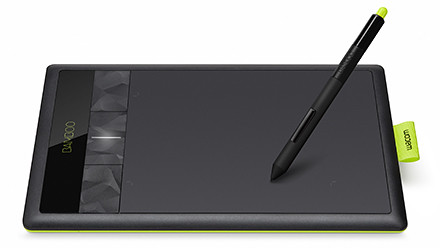
Wacom Bamboo graphics tablet
The 29-year-old Japanese company is the market leader in graphics tablets, enjoying more than 80% of the market share.
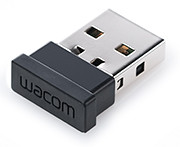
Wireless dongle for Wacom Bamboo
The Bamboo series is the entry level line of tablets for the company, while the Intuos is the mid-tier line, with the Cintiq line the high-end tablet cum LCD display for the heavy-lifting.
This is the third generation of the Bamboo series. The aesthetic design has been restyled to feature a lime green highlight around the edge and a reduced bevel around the tablet’s working area.
All support 1024 pressure levels in the stylus pen tip and a resolution of 2540 pixels. Both the basic Pen and core Touch & Pen models are small sized tablets while the most pricey Fun is medium sized.
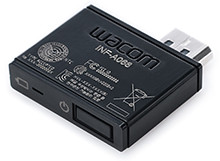
The wireless module inserted in the tablet
The Touch & Pen and the Fun models both feature four customisable ExpressKeys, supports the use of both pen and finger-touch, supports wireless usage through an optional wireless accessory kit for an extra S$65. The kit may not be available in some countries though.
The Pen model does not have any ExpressKeys nor the wireless ability.
Bundled software for the three models are also slightly different. Both Mac and Windows PCs are supported. The main specifications are tabulated below:
(more…)
Tags:Bamboo, graphics tablets, PEN, touch, Wacom
Posted in Accessories, Events, Gadgets, Launch, Prices, Specifications | 4 Comments »
Monday, September 26th, 2011
GoFlex Home is a consumer network attached storage (NAS) hard drive for the home. Easy to set up and use, it allows the access, sharing, streaming, and backup of files and media for computers, network TVs, media players and game consoles connected to the home wireless network.
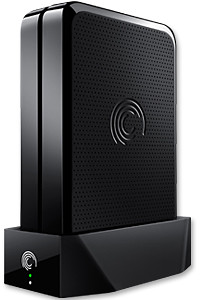
The Seagate GoFlex Home comprises a drive dock and a hard drive.
Secure access can also be opened to computers and iOS/Android tablets and smartphones over the Internet.
Over the weekend, I helped my friend set up an NAS drive for his desktop, netbook, two laptops, iPhone and Android tablet. He had bought the Seagate GoFlex Home 3 TB storage drive during the recent COMEX 2011 but hadn’t had the time to set it up yet.
I helped by using eye-power because he decided to give it a go himself and actually got the thing working in less than 15 minutes. That was the reason why I recommended the drive in the first place, it works with most consumer home Wi-Fi routers with little set-up or configuration needed.
The GoFlex Home comes with two cables and an software installation CD. The following steps were all that was needed to get the personal storage cloud going:
1. Connect the GoFlex Home drive dock to the Wi-Fi router by using the provided Ethernet cable.
2. Pop the GoFlex hard drive into the GoFlex drive dock and plug the power supply into the drive dock and the wall outlet. Switch on the GoFlex Home by pressing the Power button on the drive dock.
3. Pop the CD (or download from Seagate’s website) into the computer (can be a Mac or Windows PC) to install the software needed to access the hard drive. Simply select a language, key in the product information found on the drive, give the drive a name and register it. The name has to be unique globally since it will be used to identify the drive should you access it from the Internet.
4. Install the software on other computers that require access to the shared drive. Up to 5 people/computers on the home network can access the GoFlex Home. By paying to subscribe to the Seagate Share Pro, you get access for an unlimited number of people/computers to the GoFlex Home.
There are three ways to access the drive. One is to use the installed Seagate Dashboard software (on Windows PCs), which allows all features of the drive to be configured and managed. You can add computers and user accounts, backup, access and share files as well.

Use Seagate Dashboard software to configure and manage GoFelx Home
The other way is to use a browser-based Seagate Share either for a computer in the home network or out in the Internet.
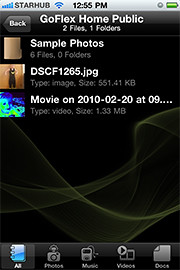
Free iOS/Android app
Both are easy to use with a simple interface, using drag-and-drop or standard dialog boxes we’re familar with.
The third method is via the appropriate free app on a iOS/Android smartphone or tablet, also over the Internet.
The GoFlex Home comes with a USB port which is very useful. You can connect an additional external hard drive to expand the capacity of the original GoFlex hard drive. You can also connect a USB hub for connecting more than one USB device.
In my friend’s case, he connected his printer to the USB port and all his computers on the Wi-Fi network got to share that printer.  No more plugging/unplugging the old printer from one computer to another.
The included backup software allows up to three connected computers to be automatically backed up to the GoFlex Home. Upgrade to Premium Backup ($49.95) to back up an unlimited  number of computers on the GoFlex Home network. You can upgrade at the Application Store that can be accessed through the Seagate Dashboard software.
For each user account set up on the GoFlex Home, three folders are created – a Public, Personal, and Backup folder. The Public folder holds files that can be stored and accessed by everyone on your home network. The Personal and Backup folders can only be accessed by the the user.
What I like about the sharing is the granular control available for the files shared. You can specify who you want to share files with, choose to share just certain files or entire folders, set passwords, and set expiry dates for the shares. Administration is intuitive and easy to pick up. You can send a URL of a shared file via email.
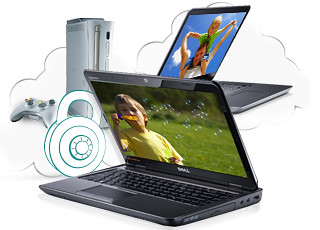
Stream media to other computers and media players on the home wireless network.
Music, photos and video can also be shared and streamed to media players, game consoles or network TVs that support UPnP-AV, DLNA or Windows Media Connect. A wide range of file types are supported.
The GoFlex Home is available in 1TB (S$179), 2TB (S$239) and 3TB (S$339) capacities.
Tags:Android, Apple, Google, iOS, iPad, iPhone, smartphone, tablets
Posted in Accessories, Android, App, Browser, Cloud, Desktops, Gadgets, Howtos, iOS, iPad, iPhone, Notebooks, Phones, Prices, Review, Seagate, Specifications, storage drive, Tablets, TV | 18 Comments »
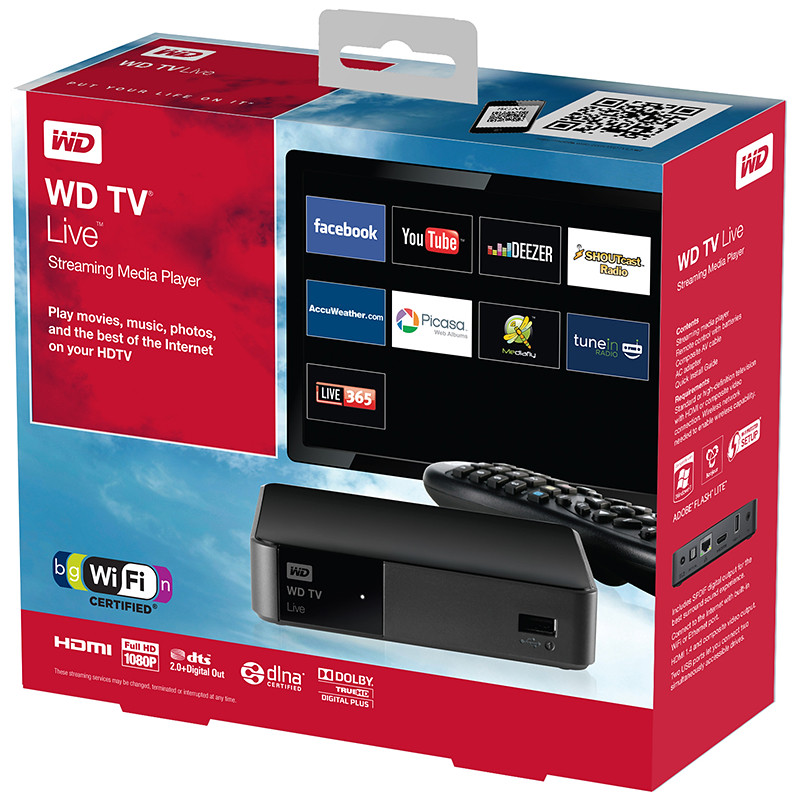 The Wi-Fi enabled media player comes with its own apps to stream media from Internet video, radio and social networking sites such as YouTube, Dailymotion, Facebook, Picassa Web Albums, and TuneIn Radio directly to your TV in Full-HD 1080p resolution. Dailymotion video service is now included to offer video