Posts Tagged ‘Microsoft’

Technical specifications: Nokia Lumia 710

Saturday, December 10th, 2011

The Lumia 710 was launched in Singapore on 7 December 2011 and will hit the shelves in a few weeks at a RRP of S$505 (excl GST and no contract).

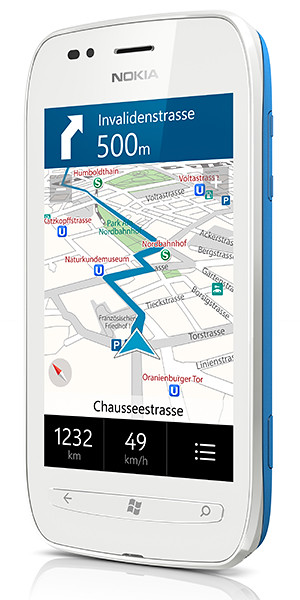
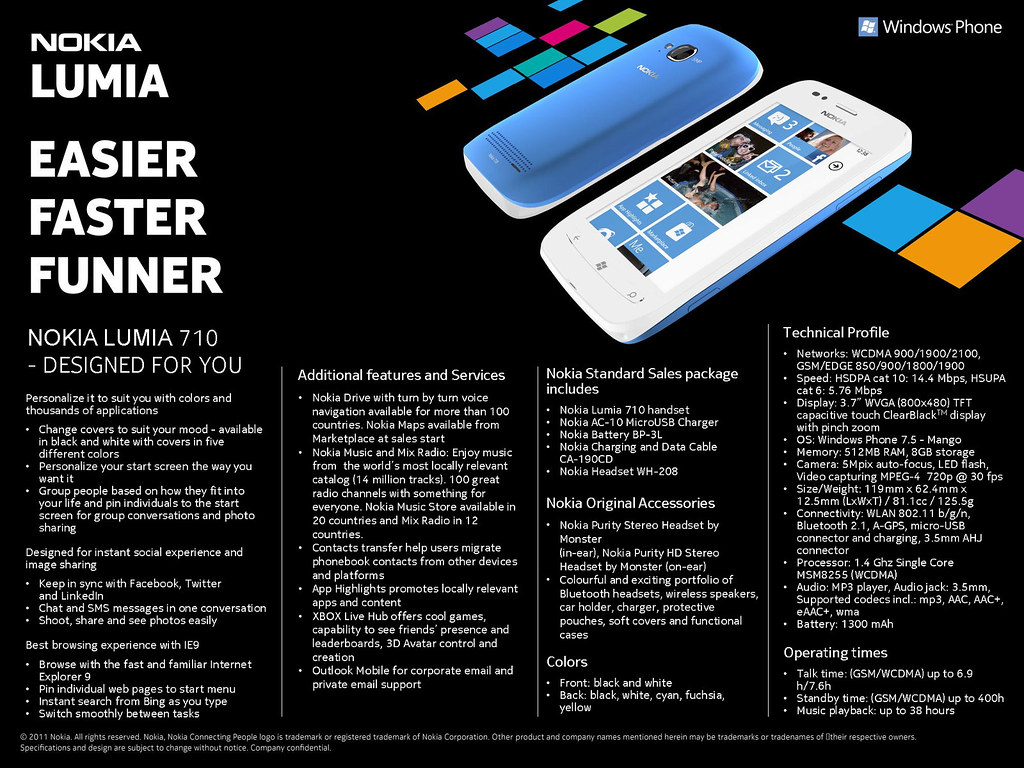
Nokia Lumia 710 on Microsoft Windows Phone 7. Click on image to see full data sheet.

Nokia Lumia 710 on Microsoft Windows Phone 7. Click on image to see full data sheet.

Nokia Lumia 710

Nokia Lumia 710

The Nokia Lumia 710 can be personalized with exchangeable back covers and is designed for instant social & image sharing, and promises a great browsing experience with IE9.

It is available in black and white with black, white, cyan, fuchsia and yellow back covers.

With the same 1.4 GHz processor, hardware acceleration and graphics processor as the Nokia Lumia 800, the Nokia Lumia 710 promises to deliver high performance at an affordable price.

The main technical specifications of the Nokia Lumia 710 are summarized below.

Networks WCDMA 900/1900/2100, GSM/EDGE 850/900/1800/1900
Speed HSDPA cat 10: 14.4 Mbps, HSUPA cat 6: 5.76 Mbps
Display 3.7″ WVGA (800×480) TFT capacitive touch ClearBlackTM display with pinch zoom
Operating System Windows Phone 7.5 – Mango
Memory 512MB RAM, 8GB storage
Camera 5Mpix auto-focus, LED flash, Video capturing MPEG-4 720p @ 30 fps
Size/Weight 119mm x 62.4mm x 12.5mm (LxWxT) / 81.1cc / 125.5g
Connectivity WLAN 802.11 b/g/n, Bluetooth 2.1, A-GPS, micro-USB connector and charging, 3.5mm AHJ connector
Processor 1.4 Ghz Single Core MSM8255 (WCDMA)
Audio MP3 player, Audio jack: 3.5mm, Supported codecs incl.: mp3, AAC, AAC+, eAAC+, wma
Battery 1300 mAh
Talk time (GSM/WCDMA) up to 6.9 h/7.6h
Standby time (GSM/WCDMA) up to 400h
Music playback up to 38 hours


Nokia’s amazing “Prepare to be amazed” launch

Thursday, December 8th, 2011

For its launch of the Lumia 800 and Lumia 710, Nokia has made it clear that it is not just launching these two handsets.

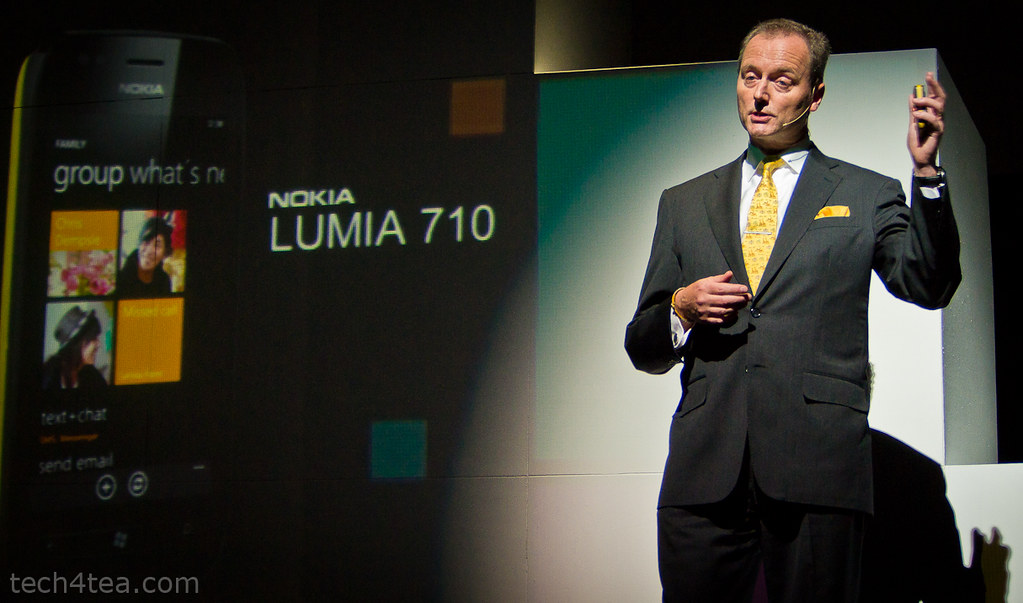
Niklas Savander, Executive Vice President, Markets, Nokia Corporation flew in from Finland to expound the virtues of the Lumia product line in Singapore.

Niklas Savander, Executive Vice President, Markets, Nokia Corporation flew in from Finland to expound the virtues of the Lumia product line in Singapore.

Instead, it is launching a holistic mobile experience for the smartphone user – from the hardware performance to the software user interface, right down to the ecosystem of applications for users and development tools and environment for developers.

Tracey Fellows, Area Vice President, Microsoft Asia Pacific

Tracey Fellows, Area Vice President, Microsoft Asia Pacific

The launch event was a testimony to this holistic approach.

There were customized sessions to woo different segments of that ecosystem.

The first session of the day was a “fireside chat” where Nokia and Microsoft executives briefed developers how they are developing and building the ecosystem.

Nokia is working with global and local developers to create new, innovative and differentiated apps and content for all Nokia devices.

Emphasis has been placed on supporting local developers transition to develop for the Windows Phone platform.

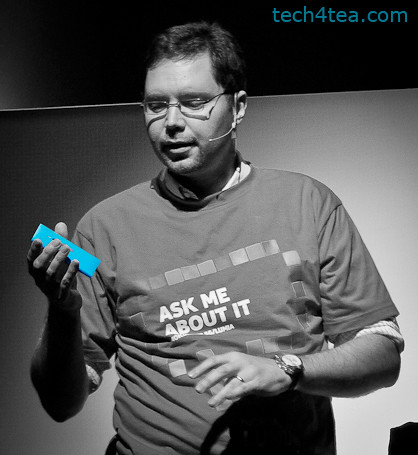
Ask Andrej Sonkin about how excited he is with the Lumia. He is the Head of Smart Devices for Nokia Southeast Asia Pacific.

Ask Andrej Sonkin about how excited he is with the Lumia. He is the Head of Smart Devices for Nokia Southeast Asia Pacific.

It is also partnering with local institutions to actively develop applications.

This was followed by the keynote conference when the actual products were launched, and guests and media had a chance to hands-on the handsets and accessories.

Key executives from both Nokia and Microsoft were on hand for interviews to go into details with their plans for the Singapore market and their local focus, as well as the product specifications for the Nokia Lumia range of products.

The launch event was wrapped up with a bum-boat ride to Clark Quay for a party at Read Bridge.

Microsoft nurtures government-community interaction with GovCamp Singapore

Friday, November 18th, 2011

Microsoft marries the desire of the citizenry for a bigger voice and the Government’s post-election impetus to better cultivate social media – by bringing the community together to examine the role that technology plays in oiling the interactions and engagement.

Panel discussion at GovCamp Singapore

Panel discussion at GovCamp Singapore

Thought leaders, citizens, students, government officials, developers, public servants, web 2.0 advocates, bloggers and community members concerned with technology, open data and open government converged to The Rock Auditorium in Suntec City.

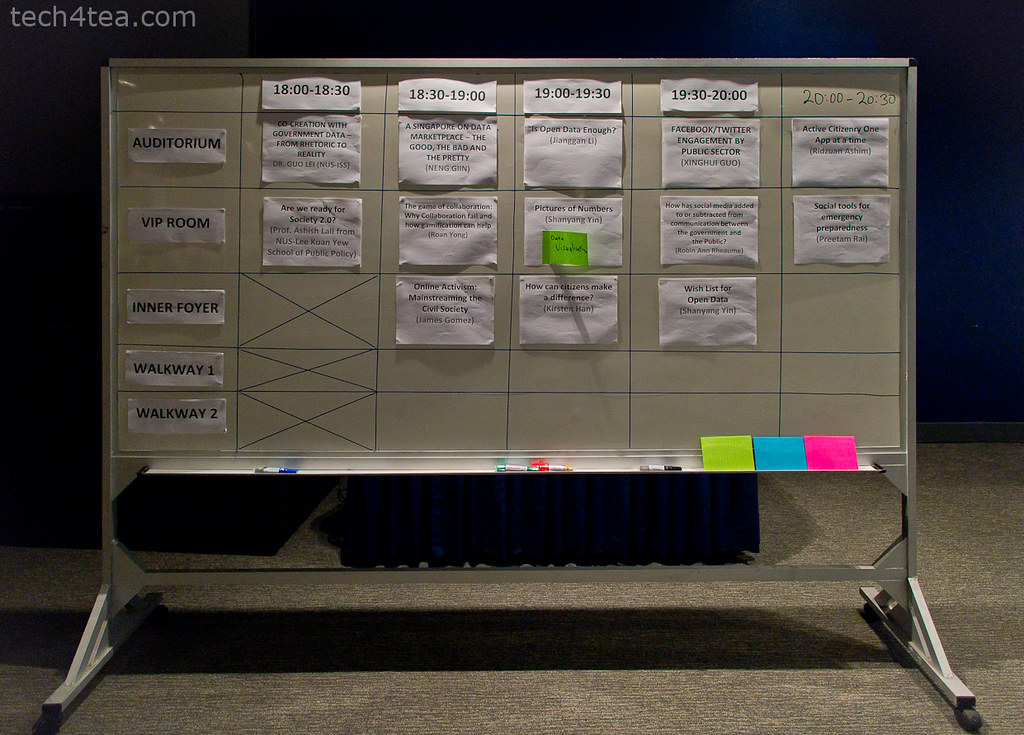
Breakout sessions mooted and voted by participants.

Breakout sessions mooted and voted by participants.

The multi-track conference started at 3pm and will end at 10pm.

Following the opening speech by Jessica Tan, Managing Director, Microsoft Singapore; speech by Guest of Honour, Ms Grace Fu, Senior Minister of State, Ministry of Information, Communications and the Arts; Jane Fountain delivered the keynote speech.

One of the breakout discussions at GovCamp Singapore

One of the breakout discussions at GovCamp Singapore

This was followed by a panel discussion between Jane Fountain, James Kang, Prof Ashish Lall, and Dr Pallab Saha – moderated by Rodrigo Becerra Mizuno, Managing Director, e-Government, Microsoft.

The detailed agenda for GovCamp and the full designations of the speakers can be found here.

Another of the breakout discussions at GovCamp Singapore

Another of the breakout discussions at GovCamp Singapore

After the break, participants broke into smaller discussion groups to focus on topics that they had earlier proposed and voted upon. The list of topics for the sessions can be found here.

Overall, the impression I got from the event was that it was well-attended, with good levels of interaction and discussion. Hopefully, there’ll be more of such engagement sessions in the future.

Access Microsoft Office 365 from a BlackBerry smartphone

Saturday, October 29th, 2011

Research In Motion (RIM) and Microsoft have announced BlackBerry Business Cloud Services for Microsoft Office 365. An open beta for the service has been launched in more than 30 countries.

“BlackBerry Business Cloud Services is an easy and cost-effective way for businesses and government agencies to extend Microsoft Office 365 to BlackBerry smartphones and manage the deployment in the cloud,” said Alan Panezic, Vice President at Research In Motion.The new RIM-hosted online service is targeted at midsized businesses and enterprises – extending Microsoft Exchange Online to BlackBerry smartphones, and allowing organizations to self-manage their BlackBerry deployments in the cloud.

The service mobilizes Microsoft Office 365 Exchange Online via RIM-hosted BlackBerry Management Service. It features advanced Web-based IT and employee self-service smartphone management and security functions

Key features include:

  • Access to Microsoft Exchange Online email, calendar and organizer data from a BlackBerry smartphone.
  • BlackBerry Balance technology, which presents a unified view of work and personal content on a BlackBerry smartphone while keeping the content separate and secure.
  • A web-based console for IT administrators to provision, manage and secure BlackBerry smartphones from anywhere.
  • Online access to employee self-service smartphone security functions, allowing users to reset a device password or remotely lock or wipe a device in the event of loss or theft.

Managed service providers, systems integrators, carriers, resellers and other partners can also use the cloud service to manage BlackBerry deployments on behalf of their customers.

BlackBerry Business Cloud Services for Microsoft Office 365

BlackBerry Business Cloud Services for Microsoft Office 365

A number of Fortune 500 customers and several government agencies in the US participated in an early access program and are among the many organizations that already plan to use the service.

Microsoft Office 365 customers can sign up for the BlackBerry Business Cloud Services beta here. The cloud-based service is available for no additional charge to Microsoft Office 365 Midsized Businesses and Enterprises plan subscribers and works with BlackBerry smartphones on business or consumer data plans.

Quick summary of IT company results

Wednesday, October 19th, 2011

It’s been a busy few days of earnings results from IT bigwigs. Here’s a quick sum-up of the state of the IT industry:

Brisk days of results from Apple, Google, Yahoo, Microsoft, RIM BlackBerry, Amazon, and IBMYahoo! did well with profits beating estimates – could it be because expectations were low?

Conversely, Apple didn’t do so good, missing analysts’ predictions for the first time in at least six years – but that’s probably because expectations were so high!

Google’s doing real well with sales and profit beating estimates – from search advertising growth as usual.

Microsoft is patting itself on its back – for not having bought Yahoo! back in 2008. And taking a swipe at Google’s Android – Steve Balmer says you need to be a computer scientist to use an Android smart phone, unlike Windows Phone 7.

RIM’s still trying to find its way forward by taking a step backward – trying to bridge new QNX with “old” BlackBerry OS 7 – hope that works out.

Amazon is being sued for screwing up the career of an actress by revealing her real age against her will in IMDb.

On the corporate IT front, industry bell weather IBM missed analysts’ estimates on slowing revenue growth at its software, hardware and services businesses.

Windows 8 screenshots

Wednesday, September 14th, 2011

Here are some screenshots from the Windows 8 developer preview during the ongoing BUILD conference (13-16 September 2011) in the Anaheim Convention Centre.

Windows 8 will be Microsoft’s attempt to wrest market share in the fast growing tablet market from market leading iPads from Apple and the whole slew of tablets based on Google’s Android.

Click on the images for a larger view. These screenshots have been provided by Microsoft.

The personalized lock screen shows unread emails and other app notifications.

See apps and content at a glance on the start screen.

Pick the files you want to send or share from one place.

Touch browsing seems fast, fluid and intuitive.

Large buttons for typing on the touch keyboard.

The thumb keyboard to avoid having to reach into the centre of the screen.

Windows 8 developer preview

Wednesday, September 14th, 2011

At the developer-focused BUILD conference, Microsoft has showcased a detailed preview of the next major release of Windows, code-named “Windows 8”, including new tools for developers to write applications for the new operating system.

The ongoing BUILD conference (13-16 September 2011) is being held in the Anaheim Convention Center. Here are some screenshots of the preview. Windows 8 is not expected to be come out of beta until at least the second half of 2012.

Main features

The user interface (UI)  is centred around a touch interface, although it works with a mouse and keyboard too. Microsoft calls the UI “Metro” style – displaying important information first, whilst emphasising simplicity and user control. Internet Explorer 10 aims to provide a fast and fluid touch-browsing experience.

On the start screen, apps form the focal point, the Apps “tiles” fill the entire screen. The apps work together and communicate with each other in Windows 8. For example, photos can be selected and shared from different apps via email, Facebook, Flickr or the hard drive.

The ongoing BUILD conference (13-16 September 2011) is being held in the Anaheim Convention Center.

The ongoing BUILD conference (13-16 September 2011) is being held in the Anaheim Convention Center.

If you use multiple devices, Live roams all the content from the cloud services you use most — photos, email, calendar and contacts — keeping them up-to-date on your devices, be it a desktop, laptop, netbook, tablet or smartphone. With SkyDrive, you can access your files, photos and documents from virtually anywhere with any browser or with Metro style apps in Windows 8.

Windows 8 is an enhanced Windows 7 with lower memory footprint, and runs even on low-end hardware. For PC users, Windows 8 features an enhanced Task Manager and Windows Explorer and new, flexible options for multimonitor setups.

For developers, the Windows Store will allow developers to sell their apps anywhere Windows is sold worldwide, whether they’re creating new games or familiar productivity tools. For games developers, DirectX 11 gaming power underlies Windows 8, allowing the easy creation of full-screen games with smooth, flicker-free action.

Hardware wise, Windows 8 supports ARM-based chipsets, x86 (including x32 and x64) devices, and sensors. It promises instant-on and long battery life for ultrathin PCs and tablets, and is backward compatible with software/devices that run on Windows 7.

Microsoft to demonstrate Windows 8 operating system

Tuesday, September 13th, 2011

The new operating system will run on tablets, desktop and laptop computers via a touch screen, mouse or keyboard. It will also be backward compatible to existing Windows software.

Windows 8 represents Microsoft’s hope of wrestling market share for tablet computers from Apple iPads and Android tablets.

Microsoft will unveil the next iteration of their Windows operating system software today at a developers conference in Anaheim, California. A preview of the design was first released in June this year.

This will be the first time that a Windows operating system is capable of running on chip technology from ARM. Microsoft aims to make Windows 8 capable of running smaller, thinner tablet computers with battery life that can rival that of the market leader – Apple’s iPad.

Out of 60 million media tablets expected to be shipped 2011, 74 percent will be Apple’s iPads, according to an August forecast by IHS. The global market is forecasted to rise to 275.3 million units in 2015, with Apple expected to account for 43.6 percent of the market.

Windows 8 design

The user interface for Windows 8 resembles Microsoft’s Windows Phone 7 smartphone operating system – it uses digital tiles instead of icons to help users navigate between programs. The tiles are on the computer’s home screen can display updated information from inside applications, so that users can see the info at a glance without having to fire up those apps.

Behind-the-scenes story about Microsoft Kinect for Xbox 360

Saturday, July 9th, 2011

Dr Jamie Shotton had joined the Machine Learning & Perception group at Microsoft Research Cambridge (MSRC) in June 2008 as a post-doc for a few months when he was roped in by the Xbox product group to help launch the product by Christmas 2010.

He shared the experience with 4th year undergraduate Engineering students at the University of Cambridge Engineering Department earlier this year.

The body was divided into 31 different body parts to be recognised and reconstituted into a human pose.

The body was divided into 31 different body parts to be recognised and reconstituted into a human pose.

I was browsing through the university’s newsletter last week when I came upon this interesting story about some of the developmental challenges of the Microsoft Kinect for Xbox 360 and how they were surmounted. You can read the full original article here. Images used in this posting are from the original article.

The Kinect for Xbox 360 is a motion sensing input device for the Xbox 360 game console. Based around a webcam-style add-on accessory for the Xbox 360 console, it allows users to control and interact with the Xbox 360 without the need to touch or hold a game controller such as a joystick – depending instead on bodily gestures and spoken commands.

Dr Jamie Shotton from the Cambridge research laboratory in the UK

Dr Jamie Shotton from the Cambridge research laboratory in the UK.

Shotton now works for Microsoft at their Cambridge research laboratory in the UK. He had completed his PhD research in computer vision from 2003 to 2007. His initial research at the MSRC was on automatic visual object recognition – teaching computers how to recognise different types of objects in photographs such as cars, sheep and trees.

“Little did I know at that point how quickly I would get pulled into the frenzy of research and development around Kinect, and how this blue-skies research could be applied to such a practical problem,” Shotton recalled.

Enabling tools

At the point that Shotton was invited, Microsoft had already developed a few enabling tools.

Shotton's research into automatic visual object recognition trained computers to recognise different objects in photographs.

Shotton's research into automatic visual object recognition trained computers to recognise different objects in photographs.

Depth-sensing camera. The new Kinect camera worked at 320×240 pixels and 30 frames per second versus other depth cameras at very low resolutions of 10×10 pixels.  “You could even make out the nose and eyes on your face,” “Shotton observed. The better depth accuracy helped with human pose estimation by eliminating objects in the background since they were further away. The colour and texture of clothing, skin and hair could also be normalised away. The depth camera was “active”, illuminating the subject with its own structured dot pattern of infra-red light so that the camera worked even in the dark.

Prototype human tracking algorithm.  The algorithm constantly compares its predictions of the body’s movements with the actual movements and then makes adjustments to improve the accuracy of its predictions.

Showstoppers

The tracking algorithm suffered from three limitations. First, the subject had to stand in a T-pose for the algorithm to lock it in initially. Second, if the subject moved too erratically and therefore unpredictably, the algorithm would lose track and would not be able to recover until the subject returned to the T-pose for recalibration. This could happen as often as every 5-10 seconds. Finally, the algorithm only worked with the limited number of body sizes and shapes that it had been trained with. Shotton’s mission was to overcome these showstoppers.

Overcoming the limitations

To allow the algorithm to recognise a subject and its posture without having to start from a T-pose, Shotton leveraged a fellow researcher’s (Dr Stenger) technique called “chamfer matching”: the subject’s image was compared with a training database of body images and once the closest match was selected, the 3D data for that match could then be utilised as the human pose for the subject.

However, there was an astronomical number of human poses based on the different combinations of position and orientation of body parts such as the arms, legs, knees and ankles. Shotton divided up the body into 31 parts so that each of the parts could be matched independently before building up the skeleton and body pose from the position of these parts. This was where Shotton’s PhD work on object recognition came in handy.

Although this substantially reduced the size of the image database needed to train the algorithm, the training database was still huge. The team had recorded hours of footage at a motion capture studio with several actors doing “gaming” moves such as dancing, running, fighting and driving.

The millions of training images would have taken months to train the algorithm. The team got help from colleagues at Microsoft Research in Silicon Valley who had developed an engine called “Dryad” for efficient and reliable distributed computation. Using a cluster of 100 powerful computers, the training time was reduced to less than a day.

Read the details of Shotton’s experience in the full original article here.
Microsoft to release web-based Office to stave off Google

Tuesday, June 28th, 2011

Microsoft is offering for the first time a full Internet-based version of Office 2010, in an attempt to counter Google’s Apps for Business – the latter’s equivalent office productivity software online.

Office 365 - Full Microsoft Office on the cloud.Available today in 40 markets, the cloud-based Office 365 suite of programs will cost small businesses $6 per user per month for software that includes Office Web Apps and Exchange e-mail software. For an additional $12 a month, companies can add a full version of Office, including Word and Excel programs, reports Dina Bass in Seattle for Bloomberg. The full online version of Office is a follow-up to last year’s release of the more basic Office Web Apps.


Google charges companies an annual fee $50 per user for its office-productivity software – Apps for Business, and offers a free version for consumers.

Both Microsoft and Google are going after users who want to work on applications hosted on the Internet, rather than software installed on a local hard drive.

Microsoft claims that it has almost 50 million users for its consumer version of Office Web Apps, which are scaled-down versions of the Office applications. Google claims 30 million active users for it Google Apps. This includes some 3 million corporations and other organizations that use its Apps business software.

Work on your documents anytime, anywhere. Microsoft Office 365.

Work on your documents anytime, anywhere. Microsoft Office 365.

This update represents the first time Microsoft will sell a full version of Office through an Internet-based cloud service, and also marks the first time companies can license the programs on a per-user, per-month basis, said Wes Miller, an analyst at Directions on Microsoft in Kirkland, Washington.

For larger businesses, $2 is enough for just basic e-mail, whereas $24 a month will get a full copy of Office and other programs like social networking and videoconferencing. These software services are an update to an earlier product called Business Productivity Online Suite, or BPOS.

“Microsoft released Office 2010 a year ago, and said earlier this month that it’s being adopted by business customers five times faster than the previous version. Sales in the business division, which is mainly revenue from Office, rose to $5.27 billion last quarter, exceeding the $4.9 billion average of analysts’ estimates compiled by Bloomberg. The unit is Microsoft’s biggest in terms of revenue,” reports Bass.