Posts Tagged ‘CS5’
Saturday, May 15th, 2010

Before: Ugly clothes-line in front of charming traditional Japanese shophouse

After: Clothes-line removed with Spot Healing brush using Content-Aware
The most hyped feature in Photoshop CS5 is the Content-Aware Fill. The feature enables you to remove an object in your photo and see it automatically replaced with pixels that match the lighting, tone, and noise of the surrounding area so that it looks like the removed object never existed. Previously, you would have to painstakingly use the Clone Stamp tool to manually copy pixels from surrounding areas to replace the unwanted object.
There are two ways to use Content-Aware Fill. The first is to paint with the Spot Healing Brush (which I will demo today) while the other is as an option of the Fill command to replace content in an active selection.
(more…)
Tags:Adobe, CS5, image editor, photo editor, Photoshop
Posted in Howtos, Photoshop, Software | 3 Comments »
Thursday, May 13th, 2010

Before: Nice sunset over Siloso beach marred by the flying fox cables overhead.

After: Cables removed with Spot Healing Brush and straightened
Use the Spot Healing brush to remove overhead cables and wires from your snapshots. I took the sunset photo at Siloso Beach, on the resort island of Sentosa – to the south of Singapore. Overhead are some flying fox cables on which people slide down from a high tower further inland.
I chose a brush size slightly wider than each of the flying fox cables. Dragging over the cables got Photoshop to replace them seamlessly with pixels from the sky around. To straighten the photo, just select the Ruler Tool (nested below the Eyedropper Tool), drag along the horizon and click the Straighten button (new in CS5) on the options bar at the top of the screen.
Photoshop provides many ways of removing unwanted people or objects from your photos. In this article that I wrote for Digital Life on 12 May 2010, I illustrate the use of some of the tools in Photoshop CS5 in different situations. The article is the first of a new 12-part series that will run in Digital Life every Wednesday.
Tags:Adobe, CS5, image editor, photo editor, Photoshop, tips
Posted in Howtos, Photoshop, Software | No Comments »
Wednesday, May 12th, 2010
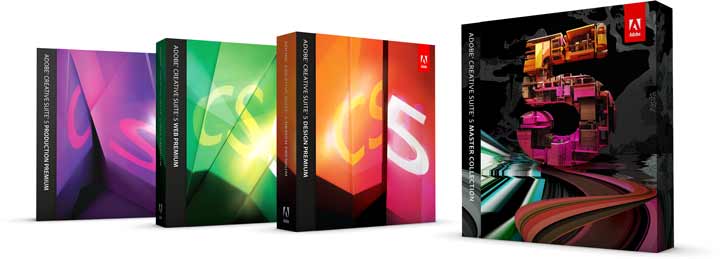
Get Adobe CS5 at S$3925 or Photoshop CS5 at S$1057 instead of the street prices of S$5036 and S$1354 respectively. JK Technology is offering the roadshow promotional prices until end of May 2010. I have listed the prices for the other components of CS5 at the end of this post.
Adobe CS5 launched on 12 Apr 2010
The Singapore leg of the 5 nation promotion took place from 0900 to 1720 hrs at Suntec City Ballroom. Judging by the agenda and the selection of presenters and keynote speakers, it is clear that Adobe sees Singapore as the most significant market in South East Asia, followed by Thailand, Malaysia and the Philippines, and Indonesia. The Thailand stopover, supposed to be the first stop, was postponed indefinitely in view of the political situation there.
(more…)
Tags:Adobe, CS5, discounts, prices, promotions
Posted in Events, Software | No Comments »
Tuesday, May 11th, 2010

Anybody can make music using Apple's GarageBand
A relaxing evening at Bedok Regional Library catching up with fellow creative crew on the local scene. “Sushi chefs” Ivan Chew and Stefano Virgilli put their heads together to produce a short 2-min video slideshow of 40 digital photos, complete with self-composed instrumental soundtrack.
Linus Lim kicked off the evening’s program by waxing lyrical about Adobe Fireworks’ usefulness as a prototyping tool and revealed that the splash screens for the software in Adobe’s CS5 suite were made using Fireworks. He briefed on the enhancements in the CS5 version of Fireworks.
(more…)
Tags:Adobe, Apple, CS5, Fireworks, GarageBand, Premiere Pro
Posted in Events, Software | 1 Comment »
Sunday, May 9th, 2010
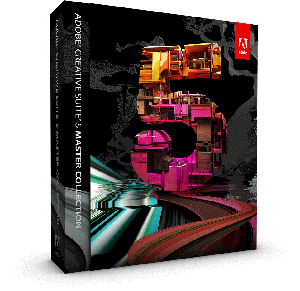
Adobe CS5 Master Collection at US$2599
Event: Adobe Creative Suite 5 Roadshow 2010 in Singapore
Date: 12 May 2010
Time: 0900 ~ 1800 Hrs
Venue: The Ballroom, Level 2, Suntec City
Broad programme:
CS5 features for designers by Terry White
Video production features by Jason Levine
Web design and development by Greg Rewis
(more…)
Tags:Adobe, CS5
Posted in Events, Software | 1 Comment »
Friday, May 7th, 2010

Photoshop CS5 lauched on 12 Apr 2010, shipped on 30 Apr 2010
Photoshop CS5 was launched on 12 April 2010 as part of the Adobe CS5 Suite. It is the flagship product of Adobe’s entire CS5 release and I am impressed by some of its new features.
I will be delving into some of the main features in more detail over the next few weeks.
The main new features are:
- Content-aware fill – remove objects or fill in space through automatic cloning
- HDR Toning – create HDR-like effects from a single exposure
- Painting effects – natural painterly effects with mixer brushes that blend colours
- Puppet Warp – reminds me of liquify with more control
- Automated Lens Correction – using database of preset corrections based on camera model and lenses
- Mini-Bridge Panel – Bridge right within Photoshop
The enhanced features are:
- Intelligent selection tools – select hair easier
- HDR Pro – combine bracketed exposures with more control
- Adobe Camera Raw 6 – including better sharpening and noise reduction
- Black-and-White conversion – using Lab Black-and-White technique
- User-inspired productivity enhancements – things users have been asking for
(more…)
Tags:Adobe, CS5, image editor, photo editor, Photoshop
Posted in Software | 2 Comments »