Archive for the ‘TV’ Category

Personal cloud from Western Digital

Friday, October 14th, 2011

Western Digital offers an easy way to set up a personal private cloud to share documents and media – using the WD My Book Live network drive and mobile apps for Android and iOS smart phones and tablets.

The drives comes in 1TB (S$209), 2TB (S$239), and 3TB (S$299) capacities and are priced roughly US$50 more than non-network external drives with the same capacity.

Western Digital CorporationI’d posted not long ago about setting up a home shared network hard drive in order to share documents and media – photos, music and video – in a private personal cloud in the comfort of the home.

That was followed with a case study of setting up and using the Seagate GoFlex Home storage system – a similar network attached storage (NAS) drive.
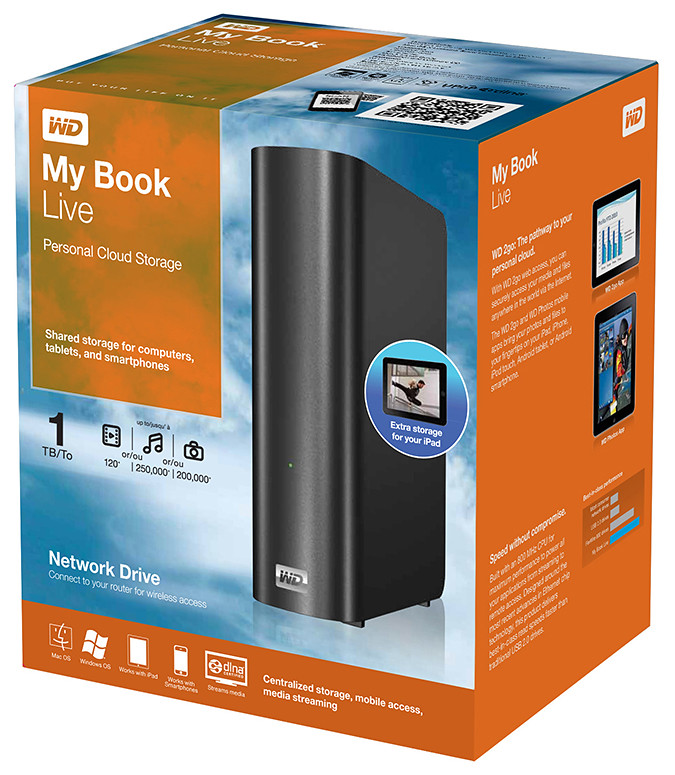
My Book Live is a network attached storage drive from Western Digital

My Book Live is a network attached storage drive from Western Digital

The WD My Book Live network drive from Western Digital is also connected directly to the wireless router to plug into the home wireless network. Both Macs and PCs can store, access and share documents, as well as stream media from the drive.

With all the buzz about consumer public clouds and enterprise private and hybrid (private/public) clouds, the WD My Book Live makes it simple to set up your personal private cloud with the hard-disk and data physically sitting in the security of your home.

Access to this personal cloud can be extended beyond the home to the Internet. Any computer given the access rights can access the shared documents and media on the WD My Book Live through www.WD2go.com.
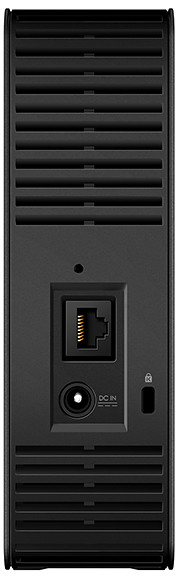
My Book Live comes in capacities of 1TB, 2TB and 3TB

My Book Live comes in capacities of 1TB, 2TB and 3TB

In addition, Android and iOS mobile devices (both smart phones and tablets) can get mobile access to the files stored on the drive via the WD2go apps from Western Digital. The WD Photos and basic WD2go app are free and allows viewing files and streaming media from the WD My Book Live.

For US$2.99, the WD2g Pro app adds the ability to “clip” files – basically download a local copy of files and media to the mobile device; and allow users to share files by emailing either a copy of the files or a link to the WD My Book Live.

Note that once the link is sent out, anybody with the link will have access to that file. There is no expiry date for the sharing, like in Seagate’s GoFlex Home. The only way to stop sharing that file is to either remove that file or rename it – but that affects everybody to whom you’ve sent that link to.

Naturally, both the network drive and the router must be connected and powered up for access. And access from mobile devices is only via the apps over the Internet – instead of direct access over the local home wireless network.

That means that even if you’re at home, the app in your smart phone or tablet will still have to go to the Internet (via wireless or 3G) and come back into the home wireless network to access the files on the WD My Book Live. This is similar to the GoFlex Home.

But Western Digital does not limit the number of users or computers that can share the WD My Book Live. The GoFlex Home limits the number of users/computers that can be set up to connect with it to just 5. GoFlex Home customers need to subscribe to pay to enjoy unlimited connections.

Capacity WD
My Book Live
Seagate
GoFlex Home
1 TB S$209 S$179
2 TB S$239 S$239
3 TB S$299 S$339

WD My Book Live features a built-in media server that streams music, photos and movies to any DLNA-certified multimedia device such as a WD TV Live network media player, Blu-ray Disc player, Xbox 360, PlayStation 3, and connected TV.

My Book Live comes in capacities of 1TB, 2TB and 3TB and is compatible with both Windows and Mac OS, as well as DLNA/UPnP enabled devices.
Setting up and using the Seagate GoFlex Home storage system

Monday, September 26th, 2011

GoFlex Home is a consumer network attached storage (NAS) hard drive for the home. Easy to set up and use, it allows the access, sharing, streaming, and backup of files and media for computers, network TVs, media players and game consoles connected to the home wireless network.

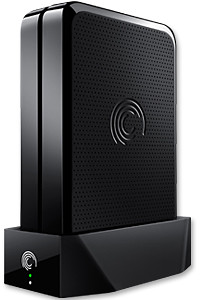
The Seagate GoFlex Home comprises a drive dock and a hard drive.

The Seagate GoFlex Home comprises a drive dock and a hard drive.

Secure access can also be opened to computers and iOS/Android tablets and smartphones over the Internet.

Over the weekend, I helped my friend set up an NAS drive for his desktop, netbook, two laptops, iPhone and Android tablet. He had bought the Seagate GoFlex Home 3 TB storage drive during the recent COMEX 2011 but hadn’t had the time to set it up yet.

I helped by using eye-power because he decided to give it a go himself and actually got the thing working in less than 15 minutes. That was the reason why I recommended the drive in the first place, it works with most consumer home Wi-Fi routers with little set-up or configuration needed.

The GoFlex Home comes with two cables and an software installation CD. The following steps were all that was needed to get the personal storage cloud going:

1. Connect the GoFlex Home drive dock to the Wi-Fi router by using the provided Ethernet cable.

2. Pop the GoFlex hard drive into the GoFlex drive dock and plug the power supply into the drive dock and the wall outlet. Switch on the GoFlex Home by pressing the Power button on the drive dock.

3. Pop the CD (or download from Seagate’s website) into the computer (can be a Mac or Windows PC) to install the software needed to access the hard drive. Simply select a language, key in the product information found on the drive, give the drive a name and register it. The name has to be unique globally since it will be used to identify the drive should you access it from the Internet.

4. Install the software on other computers that require access to the shared drive. Up to 5 people/computers on the home network can access the GoFlex Home. By paying to subscribe to the Seagate Share Pro, you get access for an unlimited number of people/computers to the GoFlex Home.

There are three ways to access the drive. One is to use the installed Seagate Dashboard software (on Windows PCs), which allows all features of the drive to be configured and managed. You can add computers and user accounts, backup, access and share files as well.

Use Seagate Dashboard software to configure and manage GoFelx Home

Use Seagate Dashboard software to configure and manage GoFelx Home

The other way is to use a browser-based Seagate Share either for a computer in the home network or out in the Internet.

Seagate GoFlexAccess App

Free iOS/Android app

Both are easy to use with a simple interface, using drag-and-drop or standard dialog boxes we’re familar with.

The third method is via the appropriate free app on a iOS/Android smartphone or tablet, also over the Internet.

The GoFlex Home comes with a USB port which is very useful. You can connect an additional external hard drive to expand the capacity of the original GoFlex hard drive. You can also connect a USB hub for connecting more than one USB device.

In my friend’s case, he connected his printer to the USB port and all his computers on the Wi-Fi network got to share that printer. USB port on the drive dock for a HDD, printer or USB hubNo more plugging/unplugging the old printer from one computer to another.

The included backup software allows up to three connected computers to be automatically backed up to the GoFlex Home. Upgrade to Premium Backup ($49.95) to back up an unlimited Seagate GoFlex Home home network attached storagenumber of computers on the GoFlex Home network. You can upgrade at the Application Store that can be accessed through the Seagate Dashboard software.

For each user account set up on the GoFlex Home, three folders are created – a Public, Personal, and Backup folder. The Public folder holds files that can be stored and accessed by everyone on your home network. The Personal and Backup folders can only be accessed by the the user.

What I like about the sharing is the granular control available for the files shared. You can specify who you want to share files with, choose to share just certain files or entire folders, set passwords, and set expiry dates for the shares. Administration is intuitive and easy to pick up. You can send a URL of a shared file via email.

Stream media to other computers and media players on the network.

Stream media to other computers and media players on the home wireless network.


Music, photos and video can also be shared and streamed to media players, game consoles or network TVs that support UPnP-AV, DLNA or Windows Media Connect. A wide range of file types are supported.

The GoFlex Home is available in 1TB (S$179), 2TB (S$239) and 3TB (S$339) capacities.

Develop educational apps for the Samsung Smart TV

Tuesday, September 20th, 2011

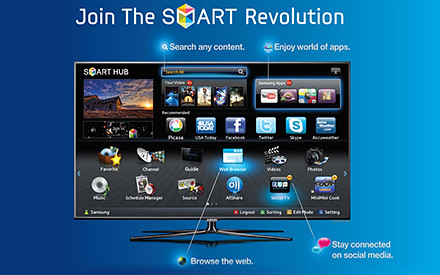
Samsung and MDA has announced a joint call-for-proposal for the development of educational TV apps for the Samsung Smart TV platform and ecosystem.

Develop rich and interactive educational TV apps for the Samsung Smart TV platform.

Develop rich and interactive educational TV apps for the Samsung Smart TV platform.

This comes on the heels of Sony’s renewal of a 5-year MOU with Nanyang Polytechnic to encourage local development of games for the Sony PlayStation.

Samsung Electronics Co LtdDevelopers interested in Samsung’s initiative are invited to attend the Call-for-Proposal briefing at 6pm, 26 September, at Genexis Theatre, Fusionopolis. Starting from 26th September, the call-for-proposal will extend over a period of four weeks and will end on 31st October 2011. Detailed information will be available on the website of the Interactive Digital Media Programme Office (IDMPO) from 26th September.

Shortlisted developers:

  • Will gain 24/7 access to Samsung’s Developer’s Forum (SDF)
  • Will have access to MDA’s testing centre – iJAM@Blk71, located at Block 71, Ayer Rajah Crescent
  • May apply for funding schemes from the IDMPO

Focusing on rich and interactive educational apps for the Singapore audience, this initiative is targeted to promote interest in science, technology, engineering and mathematics, and for self-learning at home at up to tertiary level.

Call-for-Proposal briefing is at 6pm, 26 September, at Genexis Theatre, Fusionopolis.The initiative is also designed to catalyse the development of interactive digital content for TVs in Singapore, and support new interactive digital media (IDM) R&D projects as well as the commercialization efforts of IDM applications and services.



(more…)

Company byte: Samsung Electronics

Friday, August 26th, 2011

Samsung Electronics Co. Ltd. is a global company in semiconductor, telecommunication, digital media and digital convergence technologies with 2010 consolidated sales of US$135.8 billion. It employs some 190,500 people in 206 offices across 68 countries.

Samsung Electronics Co LtdSamsung consists of nine independently operated business units: Visual Display, Mobile Communications, Telecommunication Systems, Digital Appliances, IT Solutions, Digital Imaging, Memory, System LSI and LCD.

Recognized as one of the fastest growing global brands, Samsung Electronics is a leading producer of digital TVs, semiconductor chips, mobile phones and TFT-LCDs.

Follow stories related to Samsung on tech4tea.com.

Company byte: Western Digital Corporation

Sunday, July 24th, 2011

Western Digital (NYSE:WDC) is one of the largest computer hard disk drive manufacturers in the world. WD was founded in 1970 by a former Motorola employee.

Western Digital CorporationWestern Digital provides products and services for people and organizations that collect, manage and use digital information. The company designs and produces reliable, high-performance hard drives and solid state drives that keep users’ data accessible and secure from loss.

Its technologies are configured into applications for client and enterprise computing, embedded systems and consumer electronics, as well as its own consumer storage and home entertainment products.

The company’s storage products are marketed to leading OEMs, systems manufacturers, selected resellers and retailers under the Western Digital and WD brand names.

Other postings on tech4tea.com related to Western Digital can be found here.

