Archive for the ‘Tablets’ Category

China sales of iPhone and iPad helps Apple profits beat estimates

Wednesday, July 20th, 2011

Apple’s stock price surged past $400 for the first time, after record sales of iPhones and iPads pushed third-quarter profit beyond estimates. Net income during the period was $7.31 billion ($7.79 per share), which is more than double of last year’s $3.25 billion ($3.51 per share). This was helped by iPhone sales in China, where total revenue jumped sixfold to $3.8 billion.

Apple's Q3 2011 Unaudited Summary DataOverall sales jumped 82 percent to $28.6 billion. Analysts had predicted a profit of $5.87 per share and a revenue of $25 billion. Apple sold 20.3 million iPhones and 9.3 million iPads in the third quarter, which ended June 25. Mac computer sales were 3.95 million

Having overcome supply shortages for the iPad 2 after its March debut, saw sales of the iPad soar, reported Adam Satariano of Bloomberg. The tablet is now Apple’s second-largest source of revenue – behind the iPhone – less than two years after its initial launch.

After the results were released, Apple shares shot up 7.5 percent to $405 in extended trading. The stock is up 17 percent this year.

The report eased investors’ concerns that sales would suffer from the lack of a new iPhone, which isn’t expected until September. The Cupertino, California-based company also has been operating without the day-to-day attention of Chief Executive Officer Steve Jobs, who has been on medical leave since January.

“China was very key to our results,” said Chief Operating Officer Tim Cook, who has been handling day-to-day leadership at Apple’s headquarters in Cupertino, California, since Chief Executive Officer Steve Jobs’s medical leave in January.

Apple’s results assuaged worries by investors that sales would suffer because a new iPhone will only be available in September. Its foray into China and other fast-growing economies helped compensate slower growth in the U.S. Sales in China, Taiwan and Hong Kong accounted for $8.8 billion in the first three quarters of the fiscal year, Apple revealed.

The Wall Street Journal has cited unmamed sources familiar with the issue that since Jobs went on leave, some members of Apple’s board have discussed CEO succession with executive recruiters. The talks included at least one head of a high-profile technology company, the Journal added.

The results also substantiated the belief that tablets are cannibalizing sales from traditional personal computers. Apple claims that 86 percent of Fortune 500 companies are testing or deploying the iPad, and disclosed that sales of the tablet beat those of the Mac computer among primary and secondary schools.

Company byte: Research In Motion

Monday, July 11th, 2011

Research In Motion Limited (RIM) is a Canadian multinational  telecommunications company that makes the BlackBerry PlayBook tablet computer, as well as BlackBerry smartphones.

Update (30 January, 2013):

Along with the launch of the new BlackBerry 10 platform, President & CEO Thorsten Heins has announced that the company will change its name from Research In Motion to BlackBerry.

Research In Motion, maker of BlackBerry smartphones and the PlayBook tabletRIM was founded in 1984 by Mike Lazaridis, who currently serves as its co-CEO along with Jim Balsillie.

The company designs, manufactures and markets wireless solutions for the worldwide mobile communications market. The introduction of the BlackBerry solution in 1999 provides platforms and solutions for access to information, including e-mail, voice, instant messaging, short message service (SMS), Internet and intranet-based applications and browsing.

Headquartered in Waterloo, Ontario in Canada, RIM operates offices in North America, Europe, Asia Pacific and Latin America. RIM is listed on the NASDAQ Stock Market (NASDAQ: RIMM) and the Toronto Stock Exchange (TSX: RIM).

Click here to follow articles related to RIM and BlackBerry news and products on tech4tea.com.

Travel: Asus Eee Pad Transformer in Germany

Tuesday, July 5th, 2011

We had the chance to bring the freshly launched 10.1-inch Asus tablet with us to Germany and the Czech Republic.

It proved to be the favourite gadget for the kids, and a very useful gadget for the adults.

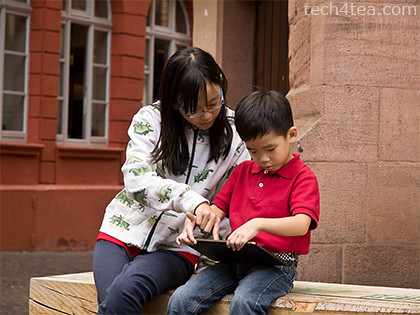
The kids on the Asus Eee Pad Transformer whilst taking a break from sight-seeing.

The kids on the Asus Eee Pad Transformer whilst taking a break from sight-seeing.

The Asus Eee Pad Transformer TF101 was launched in Singapore at the end of April. Here’s the nifty little device in action along the castle route from Frankfurt in Germany to Prague in the Czech Republic and back.

Using an Asus EeePad Transformer tablet instead of paper to do museum sketches

Using an Asus EeePad Transformer tablet instead of paper to do museum sketches

Erin loves visiting museums, and usually she sketches some of the exhibits that interests her on a paper notepad. This time, she was delighted to use the sketching app (Kids Doodle – Movie Kids Paint by Bejoy Mobile) on the Andoid tablet to do her sketches – in colour.

The app was in colour and could even reproduce the neon lighting effect of this exhibit!

The app was in colour and could even reproduce the neon lighting effect of this exhibit!

How do you keep the kids occupied while waiting for tea to arrive? You guessed it, let them at the tablet. Erin used it to write her journal of what she’d seen while Justin plays the games on it.

Erin dressing up her electronic doll in a girly app (Maidens Avatar Creator by Magicsoft) while waiting for tea to be served.

Erin dressing up her electronic doll in a girly app (Maidens Avatar Creator by Magicsoft) while waiting for tea to be served.

We don’t allow games and books during meals, so waiting for the meal to arrive is often the time to catch a breather and relax.

Afternoon tea at the Cafe in the cellar of Heidelberg Castle.

Afternoon tea at the Cafe in the cellar of Heidelberg Castle.

They love those quiz apps from the Android Market.

Anyone for maths quiz before pizza and kebab lunch at Weinheim?

Anyone for maths quiz before pizza and kebab lunch at Weinheim?

As I said mealtimes are reserved for relishing the food, conversation and company.

Pizza and kebab anyone?

Pizza and kebab anyone?

At the Frankfurt Zoo, Erin used the camera on the tablet to snap photos and record videos, which she then uploaded to the Internet, back at the hotel, to share with her friends. We also used it to surf the net check maps and to read up on the sights we planned to visit the next day.

The Frankfurt Zoo has a fabulous collection of primates.

The Frankfurt Zoo has a fabulous collection of primates.

Back at the hotel, the kids also used the tablet to read ebooks and worksheets in pdf format. It was a long vacation and we didn’t want the kids to totally lay off homework.

Almost every town we visited in Germany had an H&M. But the clothes just didn't suit us and we fell back on brands like Espirit and Benetton.

Almost every town we visited in Germany had an H&M. But the clothes just didn't suit us and we fell back on brands like Espirit and Benetton.

And finally shopping. No prizes for guessing how the Justin occupied himself while the rest of the family was busy shopping away.

Seagate unveils hard disk drive for tablet computers

Monday, June 27th, 2011

The Momentus Thin drive, the world’s first 2.5-inch hard drive with a 7 mm profile, gives users  250GB of capacity which is eight times more than a standard 32GB tablet, and will be featured in the 8 and 10-inch versions of the ARCHOS G9 tablet announced today in Paris.

Seagate Momentus Thin HDD for tablets, 2.5-inch hard drive with a 7 mm profile

Seagate Momentus Thin HDD for tablets, 2.5-inch hard drive with a 7 mm profile

The Seagate Momentus Thin drive speedy notebook drive has a super-slim profile of only 7 mm making it usable for handheld tablets such as the ARCHOS G9.

“The Momentus Thin drive gives tablet buyers a compelling option, providing great storagecapacity and performance that dovetail with the processing power of the new ARCHOS products for great Android and multimedia experiences,” said Rocky Pimentel, Seagate Chief Sales and Marketing Officer.

The ARCHOS 80 and 101 G9 tablets features the Seagate Momentus Thin hard drive.

The ARCHOS 80 and 101 G9 tablets features the Seagate Momentus Thin hard drive.

The Seagate Momentus Thin hard drive is ideal for tablet computers and other ultra-portables, entry-level to high-performance laptop PCs, and slim consumer electronics devices. Features include:

  • Seagate SmartAlign technology to smooth the transition to 4K sectors without the need for software utilities
  • 320GB, 250GB and 160GB capacities
  • 7200RPM and 5400RPM spin speeds with 16MB of cache
  • Optional: Government-grade encryption to protect computer data where it lives – on the hard drive – for powerful data security. (The Momentus Thin drive is FIPS 140-2 certified, delivering government-grade encryption, and conforms to the Trusted Computing Group Opal specification, developed to enable the ecosystem for self-encrypting drives and increase their adoption.)

RIM introduces Version 2.1 of the BlackBerry WebWorks SDK for Tablet OS

Friday, June 24th, 2011

This release from Research In Motion (RIM) adds new APIs and application functionality which developers can leverage to create WebWorks applications that deliver a richer, more interactive end-user experience.

The BlackBerry WebWorks SDK is the toolset that supports developers who wish to build applications using standard web technologies for the BlackBerry WebWorks Platform.

BlackBerry WebWorks is RIM’s open source, mobile web platform that enables developers to build standalone, integrated applications for BlackBerry devices.


RIM releases Version 2.1 of the BlackBerry WebWorks SDK for Tablet OS

RIM releases Version 2.1 of the BlackBerry WebWorks SDK for Tablet OS

The new APIs enables the following:

More Ways to Monetize

With support for the BlackBerry In App Payment API, developers can now include In App Payment Services as part of their applications. This enables them to sell digital goods directly from their BlackBerry PlayBook applications.

More Ways to Integrate

Developers can now further integrate their applications with the functionality of the Tablet OS for PlayBook and can create new BlackBerry experiences that leverage the PlayBook’s professional grade features. Among the new APIs that enable deeper integration are:

  • Camera API for taking pictures/video taping from within the WebWorks applications with the PlayBook’s powerful dual HD cameras
  • Microphone API which developers can use to activate the capability to record audiowith the PlayBook’s microphone
  • Identity API provides applications with the ability to retrieve information about the BlackBerry PlayBook PIN
  • File IO API which gives developers the possibility to read, copy and write files onto the Tablet OS file system.

More Development Choices

In addition to JavaScript many Tablet OS WebWorks APIs can now be called using AJAX which allows for increased development flexibility for developers who prefer a RESTful or URI implementation.

The new File Properties API, Home Screen Category and App Securities Permissions also enable deeper app integration with the BlackBerry PlayBook and expand development choices.

To help developers with a smooth transition to version 2.1 of the BlackBerry WebWorks SDK, RIM has also updated the API Reference Guide and included an additional mechanism to call some of the WebWorks APIs.

BlackBerry PlayBook Tablet available in Singapore from 23rd June

Monday, June 20th, 2011

Three versions of the BlackBerry PlayBook from Research In Motion (RIM) will be available this Thursday, June 23, 2011, from SingTel, M1 and Starhub, as well as a number of nation-wide retail stores.

The recommended retail prices for the three Wi-Fi only versions are as follows (GST of 7% included):

  • 16GB: $668SGD
  • 32GB: $798SGD
  • 64GB: $928SGD

Starting today, customers can place orders for the BlackBerry PlayBook. The full list of retailers offering customers the ability to preorder is available here.

Main BlackBerry PlayBook specifications are as follows:

  • 7″ 1024×600 WSVGA capacitive LCD touch screen
  • 0.9 lbs (425g) and 5.1” x 7.6” x 0.4” (130mm x 194mm x 10mm)
  • 1 GHz dual-core processor
  • BlackBerry® Tablet OS with support for symmetric multiprocessing
  • MP3, AAC and WMA audio playback
  • Support for high resolution video playback (H.264, MPEG4, WMV)
  • 1080p HDMI output
  • Dual 1080p HD cameras for video conferencing and video capture (3MP front and 5MP rear)
  • 1 GB RAM memory
  • Up to 64 GB internal storage (16, 32 and 64 GB models)
  • GPS, Orientation Sensor (Accelerometer), 6-Axis Motion Sensor (Gyroscope), Digital Compass (Magnetometer)
  • Stereo speakers and stereo microphones
  • Wi-Fi (802.11 a/b/g/n) connectivity
  • Bluetooth® 2.1+EDR support

Rest and recuperation in Heilbronn

Tuesday, June 14th, 2011

Rest and recuperation – and more ice-cream in this relatively bigger city.

Our 5 weeks-old hotel in Heilbronn

Our 5 weeks-old hotel in Heilbronn. Photo from www.hotelbb.de.

The hotel we were staying in was only 5 weeks old. Though it was named B&B Heilbronn, it was really not a bed & breakfast establishment at all! It was a new branch of the B&B chain of hotels with more than 210 hotels in Germany, Italy, Poland, Portugal, Spain and France.

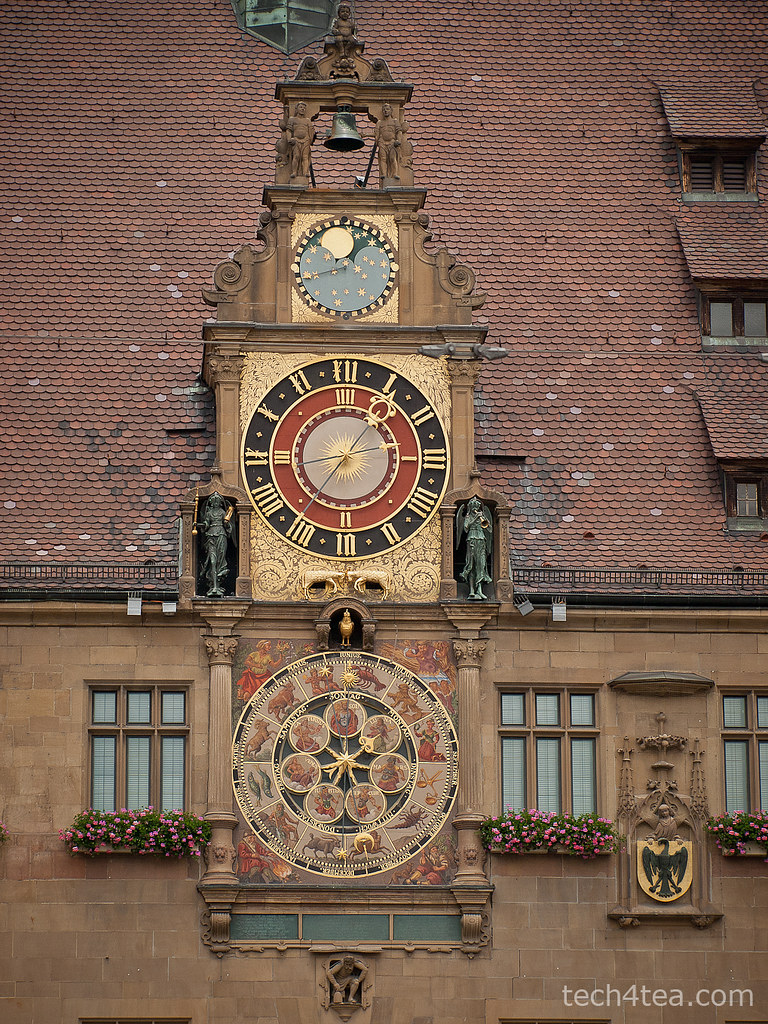
The historical astronomical clock at the City Hall was an amazing mechanical clock that could tell time, AND day of the week, the month and the moonphase. Taken with an Olympus E450.

The historical astronomical clock at the City Hall was an amazing mechanical clock that could tell time, AND day of the week, the month and the moonphase. Taken with an Olympus E450.

The family room we were in comprised one double bed and a double-decker bed for the kids. I had remembered how excited the kids had been with the bunkerbeds we had had in Kurashiki – Japan and thought I would give them the same treat. It was like having a playground right in the bedroom, with the kids clamouring up and down the ladder.

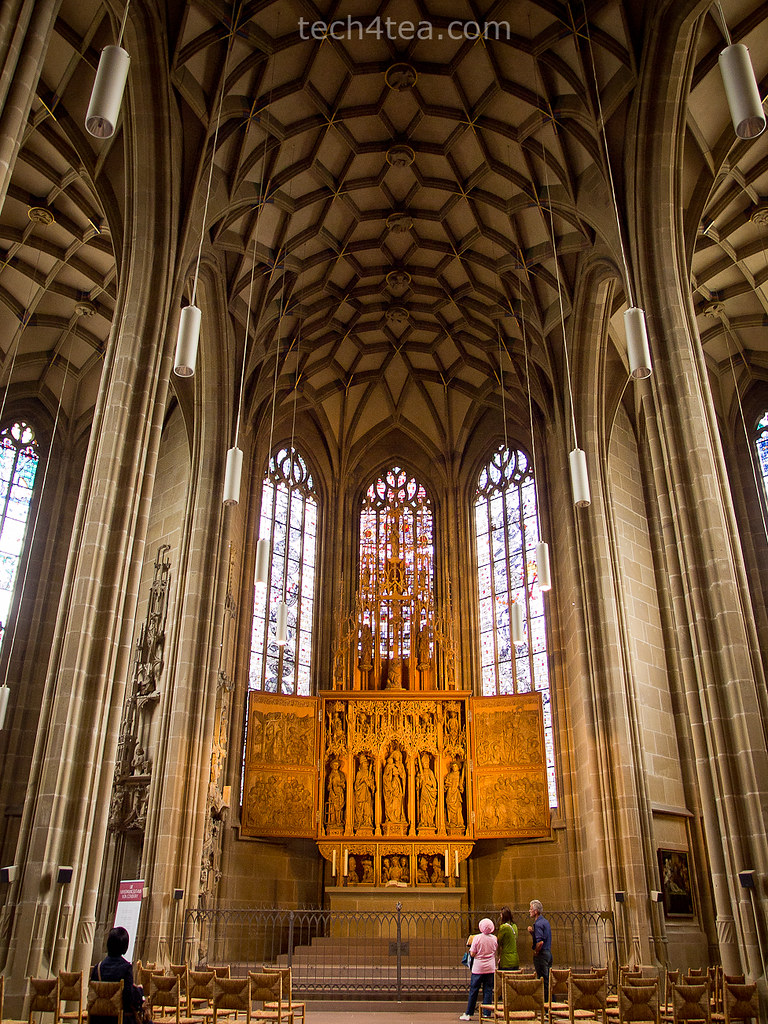
The dim lighting within Saint Killian's Church was a test for the low light capability of the Olympus E5 which passed with flying colours. This handheld snapshot had little noise or grain.

The dim lighting within Saint Killian's Church was a test for the low light capability of the Olympus E5 which passed with flying colours. This handheld snapshot had little noise or grain.

Everything was still so new and the hot water shower was just as shiok as that in the previous hotel – it was real hot and there was no lack in water pressure.

Another impressive low-light shot of a vase of roses in the church. Very little noise and grain even at ISO 1600. Taken handheld with an Olympus E5.

Another impressive low-light shot of a vase of roses in the church. Very little noise and grain even at ISO 1600. Taken handheld with an Olympus E5.

Self-service on-the-spot room booking and checking-in kiosk at the entrance of the hotel.

Self-service on-the-spot room booking and checking-in kiosk at the entrance of the hotel.

The hotel had an interesting concept, no physical keys were used for the rooms. Instead a number code was issued upon check-in for the electronic combination lock on the door of each room. The code was also used to enter the hotel lobby after hours at night. The cleaners came every morning but there was no need for check-out – you would just disappear since there was no key to return.

If you were a walk-in guest, and the receptionist had already left, there was a computer terminal between the external and internal (locked) door of the hotel lobby for you to check for room availability, pay using a credit card and receive a number code for a room. Everything was automated and self-helped.

While we were there, someone actually used the self-service kiosk to book himself a room at the hotel.

While we were there, someone actually used the self-service kiosk to book himself a room at the hotel.

For in-room Wi-Fi, simply connect to the hotel’s network and register with your mobile number on the log-in page and the password is sent to you as an sms in an instant – even for an international number.

As it was a public holiday – what they call a bank holiday – everything was closed except for the church, the train station and the eateries. We walked around town and along the river, and then came upon this ice-cream parlour that was doing business like there was no tomorrow. The queue for people buying ice-cream cones for take away snaked more than twenty metres, while the seats in the parlour and al fresco were full. This Eiscafe Dellarte must be a famous and popular outlet. The banana splits and strawberry bowls looked really delectable. As expected, we stuffed ourselves silly.

Mouth-watering ice-cream concoctions had people downing ice-cream dishes despite a chilly temperature. The cafe is open from 1100 til midnight.

Mouth-watering concoctions had people downing ice-cream dishes despite a chilly temperature.

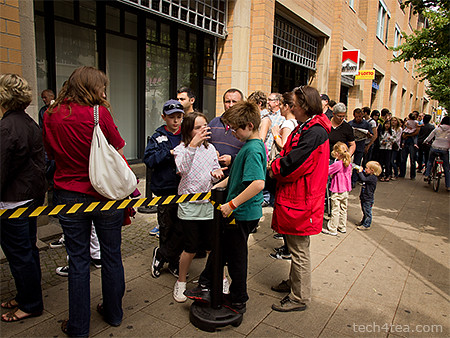
Long queue at Eiscafe Dellarte for take-away ice-cream cones.

Long queue at the Eiscafe Dellarte for take-away ice-cream cones. The cafe is open from 1100 til midnight.

With free Wi-Fi in the room, Erin logged on using the Asus tablet to clock some maths practice on problemsums.com. This vacation spans more than half the June school holidays and the kids really can’t afford to go totally without practice during this period. This was a day for rest and recuperation before we get on the road again and head for the next hotel in Schonach, to the north of Rothenburg ob der Tauber.

Mannheim – first stop on the castle route

Saturday, June 11th, 2011

Mannheim is the start of the castle route that originally extended to Kulmbach but it’s now been extended all the way to Prague. We also visited Schwetzingen and Heidelberg.

Wasserturm (Water Tower) at Friedrichsplatz in Mannheim

Wasserturm (Water Tower) at Friedrichsplatz in Mannheim. Taken with an Olympus E5 DSLR.

Mannheim was a small fishing hamlet as early as 766 AD. In the eleventh century, a fortress was built at the junction of the rivers Rhine and Neckar. The fishing hamlet grew into a trading settlement and eventually into a town.

The Kunsthalle museum in Mannheim

The Kunsthalle museum in Mannheim. Taken with an Olympus E5.

The sleepy town is the second largest town in the region, with a Baroque palace replacing the former fortress in the eighteenth century. We visited the Wasserturm (Water Tower) and the Kunsthalle museum in Friedrichsplatz. The former is a symbol of Mannheim while the small museum featured many quirky installation art. One involved a room full of junk and fake logs to extoll the need to save the planet from environmental pollution.

Using an Asus EeePad Transformer tablet instead of paper to do museum sketches

Using an Asus EeePad Transformer tablet instead of paper to do museum sketches

The centrepiece for the day was a group of artists positioned around various paraphernalia of daily life. Before we could figure out what it was all about, we had to shuffle the kids out when one of the young nubile artists began to undress herself fully.

Using an Asus EeePad Transformer tablet instead of paper to do museum sketches

Using an Asus EeePad Transformer tablet instead of paper to do museum sketches

There were many German school children visiting, holding paper sketch pads to sketch the paintings and exhibits on display. Erin used her Asus EeePad Transformer tablet instead drawing curious looks from the locals. She was trying out this Android app called “Kids Doodle”.

Schloss Schwetzingen

Schloss Schwetzingen. Olympus E450 with Pop-Art effect.

We decided to give the Baroque palace in Mannheim a miss since we were visiting the more reputed Schloss Schwetzingen. Located between Mannheim and Heidelberg in Schwetzingen, the Baroque-Renaissance palace was built as a summer residence on the site of a medieval castle. The original hunting lodge was converted into the main building with two curved side wings added. The palace garden was originally modeled after Versailles palace but converted into an English style garden.

It was a pleasant park visit and we had our picnic lunch by the lake.

Partially scaffolded Heidelberg Castle overlooking the Neckar river

Partially scaffolded Heidelberg Castle overlooking the Neckar river.

After Schwetzingen, we headed for Heidelberg. Sitting right by the river Neckar, it is one of Germany’s most beautiful towns. Germany’s first university was established here in 1386, while the ruins of the castle sits on a hill overlooking the town. Originally a Gothic castle, it repeatedly extended between the 13th and 17th century. It was remodelled in the 16th century into a beautiful Renaissance residence, before being destroyed in the 17th century as a result of the Thirty Years’ Was and the 1689 war with France.

BlackBerry PlayBook launched in Singapore

Wednesday, June 8th, 2011

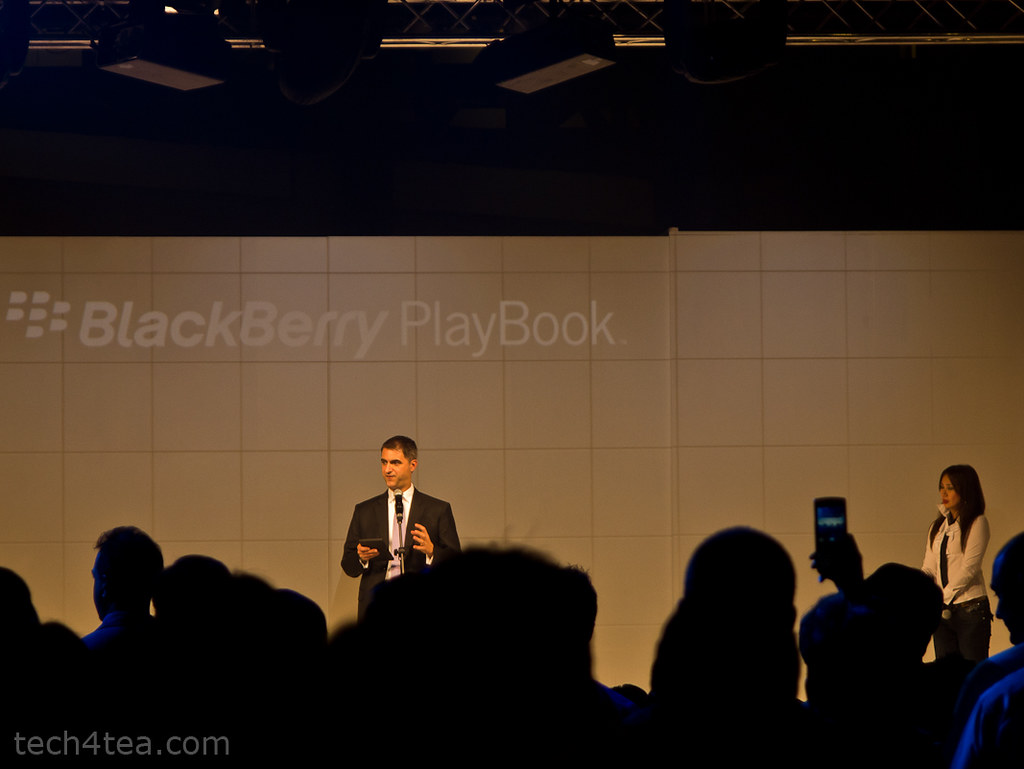
Singapore is the first country in Asia where RIM has launched the 7″ tablet computer. Orders can be placed starting tomorrow with delivery by the end of June.

Official launch of the RIM BlackBerry PlayBook in Singapore

Official launch of the RIM BlackBerry PlayBook in Singapore. Hosted by Venetta Lopez and The Flying Dutchman.

Singapore is an important market for Research In Motion (RIM)  – one that demands high-quality and high-performance technology. The BlackBerry PlayBook is targeted to please both consumers and business customers.

Gary from RIM showing how compact the 7 inch PlayBook is in the hands

Gary from RIM showing how compact the 7 inch PlayBook is in the hands.

For the moment, RIM is working with carrier partners, distributers and retailers sell authentic cases and accessories throughout the island nation. A list of retailers from which to pre-register and pre-order the tablet can be found here.

Retail prices and promotions will be revealed during the PC Show tomorrow. 3G/4G is still being developed and will likely be launched in the US first.

Come July, the PlayBook will get its own native email, contacts and calendar apps instead of relying completely on a companion BlackBerry smartphone. However, to access enterprise email, coupling with a BlackBerry smartphone will still be necessary for security reasons.

The PlayBook was launched at the Red Dot Museum. That's Irene Ang and Patricia Mok planking on the reception desk.

The PlayBook was launched at the Red Dot Museum. That's Irene Ang and Patricia Mok planking on the reception desk.

The launch event was held at the Red Dot Museum at 7:30 pm today.

Apple previews iOS 5 at WWDC 2011

Tuesday, June 7th, 2011

The new version of iOS for Apple’s iPhone, iPad and iPod touch includes Notification Center, iMessage, Newsstand, Twitter integration among 200 New Features.

iOS 5 for Apple iPhone, iPad and iPod touchAt the Worldwide Developers Conference (WWDC) 2011 today, Scott Forstall – Apple’s senior vice president of iOS – paraded 10 of the promised 200 new features for the iPhone, iPad, and iPod Touch. Although customers will only be receiving the update in autumn, developers will get their version of iOS 5 today.

Main new iOS 5 features

Notification Center, a new way to easily view and manage notifications in one place without interruption.

iMessage, a new messaging service that lets users easily send text messages, photos and videos between all iOS devices.

Newsstand, a new way to purchase and organise a user’s newspaper and magazine subscriptions.

PC Free feature, iOS 5 users can activate and set up their iOS device right out of the box and get software updates over the air with no computer required.

“iOS 5 has some great new features, such as Notification Center, iMessage and Newsstand and we can’t wait to see what our developers do with its 1,500 new APIs,” said Steve Jobs, Apple’s CEO. “Perhaps iOS 5’s paramount feature is that it’s built to seamlessly work with iCloud in the Post PC revolution that Apple is leading.”

The details

With iOS 5 and iCloud, you just enter your Apple ID and password and iCloud will seamlessly integrate with your apps to automatically and wirelessly keep all of your mail, contacts, calendars, photos, apps, books, music and more, up-to-date across all your devices without ever having to connect to a computer.

Notification Center in Apple iOS 5Notification Center provides iOS 5 users with an innovative way to easily access all notifications―text messages, missed calls, calendar alerts, app alerts and more, all in one place, from anywhere in iOS 5. When they arrive, notifications appear briefly at the top of the screen without interrupting what you’re doing. With one swipe you can see all your notifications, and a simple tap will take you right to its app for more detail. Notifications also appear on the lock screen, with the ability to be taken to the notifying app with just one swipe. This is similar to the consolidated notification alert bar and window on newer BlackBerry devices like the Torch.

Newsstand in Apple iOS 5Newsstand is an easy-to-organise bookshelf displaying the covers of all your newspaper and magazine subscriptions in one place. A new section of the App Store features just subscription titles, and allows users to quickly find the most popular newspapers and magazines in the world. For subscribed titles, new issues appear in the Newsstand and are updated automatically in the background so you always have the latest issue and the most recent cover art.

Safari gets new features in iOS 5Safari sees new features for the browser in iOS 5. Safari Reader will strip down poorly formatted pages into an RSS-like view, and provides a link that allows you to e-mail the entire text of a story from within Safari. Reading List lets you save articles to read later and they automatically show up on all your iOS devices. Tabbed browsing is now available on the iPad making it easy to flip between multiple web pages on the tablet.

Twitter integration in Apple iOS 5iOS 5 includes built-in Twitter integration, so you can sign in once and then tweet directly from all your Twitter-enabled apps, including Photos, Camera, Safari, YouTube and Maps with a single tap. New APIs give third party developers the ability to take advantage of the single sign-on capability for their own iOS 5 apps.

iMessage in Apple iOS 5iMessage in iOS 5 brings the functionality of iPhone messaging to all of your iOS devices―iPhone, iPad and iPod touch. Built right into the Messages app, iMessage allows you to easily send text messages, photos, videos or contact information to a person or a group on other iOS 5 devices over Wi-Fi or 3G. iMessages are automatically pushed to all your iOS 5 devices, making it easy to maintain one conversation across your iPhone, iPad and iPod touch. iMessage also features delivery and read receipts, typing indication and secure end-to-end encryption.

The new Reminders app helps you manage your tasks; create and group related tasks together; and set time or location-based reminder alerts, priorities and due dates, so you can be reminded of a task as its deadline approaches, or when you arrive or depart a given location. Reminders can also be viewed in iCal and Outlook and are updated automatically.

New features in the Camera and Photos apps give you instant access to the camera right from the lock screen, and you can use the volume-up button to quickly snap a photo. Optional grid lines help line up your shot and a simple tap locks focus and exposure on one subject. The new Photos app lets you crop, rotate, enhance and remove red-eye, and organise your photos into albums right on your device to share them on the go.

PC Free feature in Apple iOS 5With the new PC Free feature, iOS 5 users can activate and set up their iOS device right out of the box with no computer required, and iOS software updates are delivered over the air and installed with just a tap. Wi-Fi Sync in iOS 5 transfers and backs up your content securely over SSL and wirelessly syncs purchased content from your device to your iTunes library.

Additional new features in iOS 5

Game Center in Apple iOS 5Game Center, now with the ability to add photos to your profile, purchase new games from within the Game Center app and easier ways to find friends and new games.

Mail enhancements which include the ability to compose messages using draggable addresses, and a new formatting bar with bold, italics, underline and indention controls; and

• a system-wide split keyboard to make it even easier to type on your iPad.

Availability

Beta software and SDK for Apple iOS 5The iOS 5 beta software and SDK are available immediately for iOS Developer Program members at developer.apple.com. iOS 5 will be available as a free software update for iPhone 4, iPhone 3GS, iPad 2, iPad, iPod touch (fourth generation) and iPod touch (third generation) this autumn. Some features may not be available on all products.