Tim Cook delivered his first major product launch since taking over from Steve Jobs as the CEO. The main anticipation for an iPhone 5 did not come through. Instead an iPhone 4S with changed out innards was offered. By the way, Steve Jobs was absent from the event
"Let's talk iPhone" launches iPhone 4S instead of iPhone 5
The headline for the launch was the iPhone 4S. Identical to the iPhone 4 in terms of external design and appearances, the innards have been completed changed out with much better components. These include a more powerful A5 dual-core CPU promising 2x the previous computing speed and 7x graphics performance, new 8 megapixel camera, full HD video, and iOS 5.
Other highlights inlcude Siri, the voice-activated intelligent assistant and iCloud, a set of cloud services that works and syncs with all the Apple devices a user owns.
New apps and iPod Touch and nano devices were also presented.
Here’s a quick executive summary of the various products launched, their prices (in the US and in Singapore), as well as when they would be available.
Product / Availability
Prices
iPhone 4S
(black & white)
Oct 14:
US, Australia, Canada, France, Germany, Japan & UK Oct 28: 22 countries including Singapore Dec 2011:
Rest of the world
US prices (w 2 yrs contract):
16GB: US$199
32GB: US$299
64GB: US$399
Pointpal is a nifty electronic wallet for managing loyalty programmes for consumers who want to enjoy benefits and freebies offered by participating vendors, without the hassle of carrying a multitude of loyalty cards and keeping track of the stamps and tokens associated with the individual cards.
Do you carry a two-inch thick credit card wallet specially to hold all the different loyalty cards and discount cards that you’ve signed up over time with different F&B outlets or boutiques? Some of these offer one free drink for every three drinks purchased or give a free massage for every eight sessions.
Most of the time, the number of purchases are indicated by stamps on the loyalty card. Accumulate the requisite number of stamps and you surrender the card to the bartender for that free cocktail.
Buy X to get Y free.
A new FREE app has been launched for the iPhone that promises to take the hassle out of participating in these loyalty programmes. Apps for Android and BlackBerry smartphones are in the works. Pointpal has already been launched in Australia.
Scan the QR code to join a new loyalty programme
The entire programme is based on the use of QR codes. Participating vendors will display these 2D barcodes on their advertisements and in their compound so that interested customers who have installed the Pointpal app on their iPhones can scan the QR code to sign up for the loyalty programme for that vendor.
This removes the hassle of filling in paper application forms for each loyalty programme you sign up. You only need to enter some basic details once when you first download and install the Pointpal app. After that, simply scan the vendor’s QR code to join.
After every relevant purchase at a participating outlet, you can key in the purchase and let the cashier or bartender verify the purchases by scanning his special QR code. Once you have accumulated enough purchases, show the app to the cashier redeem rewards and freebies. Again, the cashier or bartender will scan his special QR code to acknowledge redemption and then hand over that free drink or merchandise.
Even if the phone is lost, the records of the purchases with the various vendors are available in Pointpal’s cloud storage.
No more lugging around a fat loyalty card wallet, or looking for that elusive card just to get it stamped or to check number of stamps.
Initial participating vendors include Barcode Cocktail Bar, Nail Vibe, and Wine Universe. More can be found here.
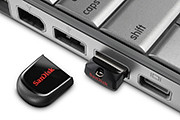
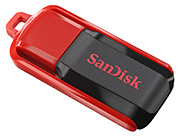
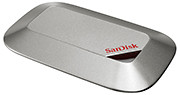
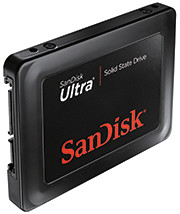
SanDisk launched seven new memory storage devices today, targeted mainly at consumers who are photographers/videographers, smartphone/tablet and general computer users.
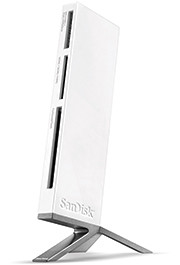
The new products feature higher capacities and higher speeds and include SDXC SD and micro SDXC cards, USB thumbdrives, a USB 3.0 card reader, and two SSD drives for daily and long term storage.
Note that the SDXC memory cards will require SDXC compatible devices to use their full capacity beyond 32GB. They can be used for non-SDXC devices but can only be formatted to a maximum capacity of 32GB for SDHC devices.
The new devices are tabulated below.
Memory device
Price & Description
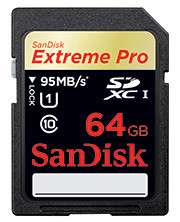
64GB SanDisk Extreme Pro SDXC UHS-I Card
(S$529)
Double the performance and capacity, targeted at photo/video pros.
Up to 90 MB/s write speed and 95 MB/s read speed.
Good for Full HD videos and burst mode photography recording to RAW + JPEG.
8GB – 64GB: S$69 – S$529
Available Q4 2011
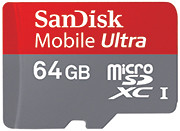
64GB SanDisk Mobile Ultra microSDXC Card
(S$285)
Double the capacity of smartphones and tablets
Up to 30 MB/s transfer speeds.
Good for Full HD videos
Available Q4 2011
Cruzer Fit USB Flash Drive
(4 GB – 16 GB: S$12 – S$36)
Samsung’s first Mango-based smartphone features a vivid Super AMOLED display as well as People Hub – which provides enriched content and social communication experience.
The Omnia W will be available in Singapore by the end of the year for S$498 (incl 7% GST), without line contract.
Samsung Omnia W, based on Windows Phone 7.5 Mango.
Based on the latest release of Microsoft’s Windows Phone, code-named Mango, the phone sports a 3.7” Super AMOLED display, a 1.4 GHz processor and 14.4 Mbps HASPA connectivity.
The design thrust of the Omnia W is to put people at the centre of everything, with emphasis placed on social networking and sharing. Internet Explorer 9 and Bing are integrated into the entire experience.
Windows Phone 7.5
Mango’s unique and intuitive user interface lays out applications in mosaic ‘Live Tiles’ which flow and move in response to users’ touch on the screen. Six specialized Microsoft applications provide an engaging content and communication experience.
Windows Phone People Hub is integrated with built-in social networking services like Windows Live, Facebook, Twitter and LinkedIn, for users to stay connected with their social community constantly.
Office Hub provides enhanced productivity on-the-go and includes access to Windows Live Sky Drive, which provides 25GB of free storage and allows documents and media files to be easily stored and accessed. Users can also create and edit documents through mobile versions of Microsoft Office Excel, Word and PowerPoint, as well as utilize One Note, a note-taking platform that allows easy sharing and storage of voice memos, images and text-based notes.
Stylish, slim metal finish for the Samsung Omnia W
Seamless access to entertainment is enhanced by the integration of a Picture Hub, Music & Video Hub – powered by Microsoft Zune – and Game Hub, which provides the latest in social gaming experiences through Xbox live, for friends to chat with each other while gaming. Windows Phone Marketplace provides access to over 30,000 apps to meet customer needs across entertainment or productivity.
Samsung differentiation
The overall Windows Phone experience is significantly enhanced with the inclusion of Samsung-exclusive productivity apps. This includes Samsung AllShare, which provides seamless content transfer between the smartphone and other DLNA-enabled devices such as HDTV’s, monitors and digital cameras.
The Samsung Omnia W tries to put people and social networking at the centre of its experience.
Video Call is an easy-to-use app which allows ultra-fast vivid 3G video conversations with friends and family. Additionally, Mini Diary enables users to capture their experiences in multimedia formats and create their own personalized digital journal while on the go. An upgraded Samsung eBook client is also available from Samsung Zone.
Users can stay up-to-date with the latest news and events with Now 2.0 app, which provides up-to-the minute current affairs, stock market and weather information. RSS Time allows RSS feeds for newspapers, magazines and blogs to be downloaded onto the device and read in an easily digestible format, while eye-catching articles can be instantly shared via email or Facebook.
The device features enhanced social network integration, with Twitter and LinkedIn weaved throughout the Omnia W in addition to Facebook, for photos and videos to be instantly shared across a variety of social networking sites hassle-free.
Detailed specifications of the Omnia W are tabulated below:
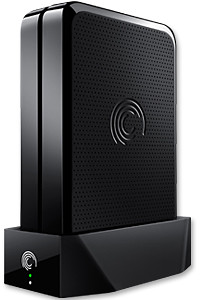
GoFlex Home is a consumer network attached storage (NAS) hard drive for the home. Easy to set up and use, it allows the access, sharing, streaming, and backup of files and media for computers, network TVs, media players and game consoles connected to the home wireless network.
The Seagate GoFlex Home comprises a drive dock and a hard drive.
Secure access can also be opened to computers and iOS/Android tablets and smartphones over the Internet.
Over the weekend, I helped my friend set up an NAS drive for his desktop, netbook, two laptops, iPhone and Android tablet. He had bought the Seagate GoFlex Home 3 TB storage drive during the recent COMEX 2011 but hadn’t had the time to set it up yet.
I helped by using eye-power because he decided to give it a go himself and actually got the thing working in less than 15 minutes. That was the reason why I recommended the drive in the first place, it works with most consumer home Wi-Fi routers with little set-up or configuration needed.
The GoFlex Home comes with two cables and an software installation CD. The following steps were all that was needed to get the personal storage cloud going:
1. Connect the GoFlex Home drive dock to the Wi-Fi router by using the provided Ethernet cable.
2. Pop the GoFlex hard drive into the GoFlex drive dock and plug the power supply into the drive dock and the wall outlet. Switch on the GoFlex Home by pressing the Power button on the drive dock.
3. Pop the CD (or download from Seagate’s website) into the computer (can be a Mac or Windows PC) to install the software needed to access the hard drive. Simply select a language, key in the product information found on the drive, give the drive a name and register it. The name has to be unique globally since it will be used to identify the drive should you access it from the Internet.
4. Install the software on other computers that require access to the shared drive. Up to 5 people/computers on the home network can access the GoFlex Home. By paying to subscribe to the Seagate Share Pro, you get access for an unlimited number of people/computers to the GoFlex Home.
There are three ways to access the drive. One is to use the installed Seagate Dashboard software (on Windows PCs), which allows all features of the drive to be configured and managed. You can add computers and user accounts, backup, access and share files as well.
Use Seagate Dashboard software to configure and manage GoFelx Home
The other way is to use a browser-based Seagate Share either for a computer in the home network or out in the Internet.
Free iOS/Android app
Both are easy to use with a simple interface, using drag-and-drop or standard dialog boxes we’re familar with.
The third method is via the appropriate free app on a iOS/Android smartphone or tablet, also over the Internet.
The GoFlex Home comes with a USB port which is very useful. You can connect an additional external hard drive to expand the capacity of the original GoFlex hard drive. You can also connect a USB hub for connecting more than one USB device.
In my friend’s case, he connected his printer to the USB port and all his computers on the Wi-Fi network got to share that printer. No more plugging/unplugging the old printer from one computer to another.
The included backup software allows up to three connected computers to be automatically backed up to the GoFlex Home. Upgrade to Premium Backup ($49.95) to back up an unlimited number of computers on the GoFlex Home network. You can upgrade at the Application Store that can be accessed through the Seagate Dashboard software.
For each user account set up on the GoFlex Home, three folders are created – a Public, Personal, and Backup folder. The Public folder holds files that can be stored and accessed by everyone on your home network. The Personal and Backup folders can only be accessed by the the user.
What I like about the sharing is the granular control available for the files shared. You can specify who you want to share files with, choose to share just certain files or entire folders, set passwords, and set expiry dates for the shares. Administration is intuitive and easy to pick up. You can send a URL of a shared file via email.
Stream media to other computers and media players on the home wireless network.
Music, photos and video can also be shared and streamed to media players, game consoles or network TVs that support UPnP-AV, DLNA or Windows Media Connect. A wide range of file types are supported.
The GoFlex Home is available in 1TB (S$179), 2TB (S$239) and 3TB (S$339) capacities.
The Formula 1 comes to Singapore this weekend. Check out the F1 apps for the BlackBerry tablet or smartphones – both free on BlackBerry App World.
Formula1.com 2011 app for BlackBerry smartphones.
For BlackBerry smartphone users (device software 4.2.0 or higher), check out the Formula1.com 2011 app from the organisers of Formula 1 itself. Users can access information such as race results, championship standings, timetables, calendars, circuit data etc.
The app streams real-time data directly from Formula One Management’s Technical Centre at the racetrack displaying the same information supplied to the teams from every session, putting you right at the heart of the action. The app also sends you push notifications and keeps you updated even when the app is closed.
Maxis F1 2011 for BlackBerry PlayBook
For BlackBerry PlayBook users, check out the Maxis F1 2011 for BlackBerry PlayBook app from Infindo Technology. Users can get detailed information for all the races with exclusive live commentary, top stories, results, schedule, standings, drivers/teams/circuit info etc.
Both apps are free and valid for the entire 2011 F1 season.
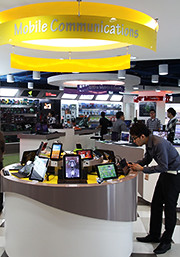
Newstead Technologies has opened a new multi-brand IT concept store in Funan DigitaLife Mall today. “Digital Style” is organised into six thematic zones, based on the needs of the modern IT consumer.
This is in keeping with the times – since consumers today have different purchasing habits and approaches. This is the first of a chain of such stores. Eventually, there will likely be four to five such stores geographically distributed around Singapore, according to Evelyn Chua, Business Development and Marketing Manager of Newstead Technologies.
The 2,647 square feet store is located at #03-32 of the mall and opens from 11 am to 8 pm from Tuesdays to Sundays, and 11 am to 7 pm on Mondays.
The six themes are Entertainment & Media, Gaming, Home Computing, Mobile Communications, Office & Professional, and Ultra Mobile & Business.
The focus is on allowing shoppers to try out, for themselves, different products in the themes they are interested in.
For instance, in the gaming kiosk, the whole spectrum of gaming related gadgets and peripherals – from consoles, laptops, speakers and controllers – are displayed, for shoppers to mix-and-match and plug-and-play the various components together at one-stop.
Across the various themes, products are featured from all the major brands, including Acer, Asus, BlackBerry, Dell, Fujitsu, HP, HTC, Lenovo, Logitech, Microsoft, Motorola, Panasonic, Samsung, Toshiba and others.
Apple related products are absent, so you’ll have to visit authorised Apple resellers, such as Nubox, which is also under Newstead Technologies.
I noticed that digital cameras and video cameras are not sold at the shop.
Update (24 February, 2012): Newstead Technologies has opened its second and bigger Digital Style store in Jurong Point. The next will be at The Star Vista towards the end of 2012.
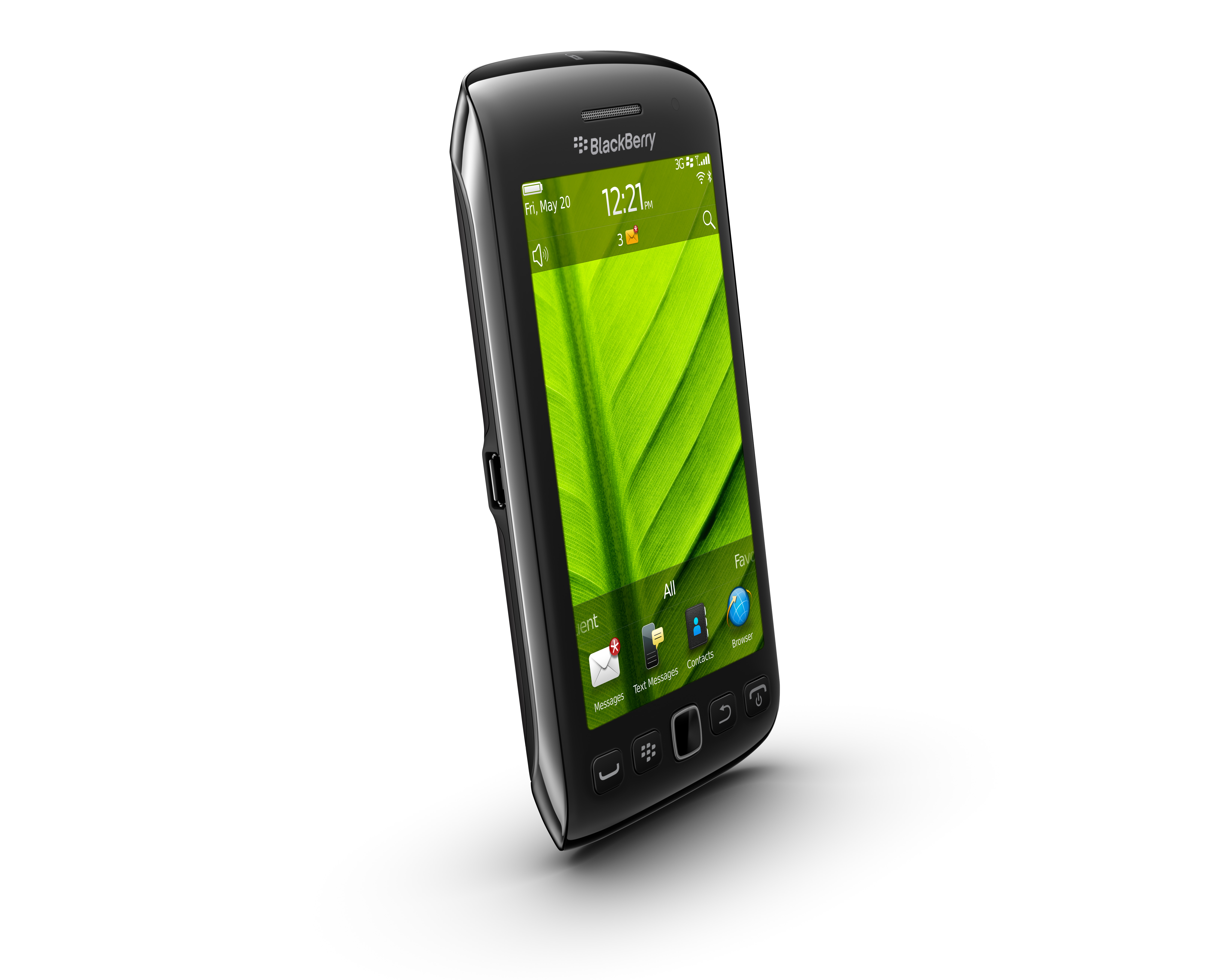
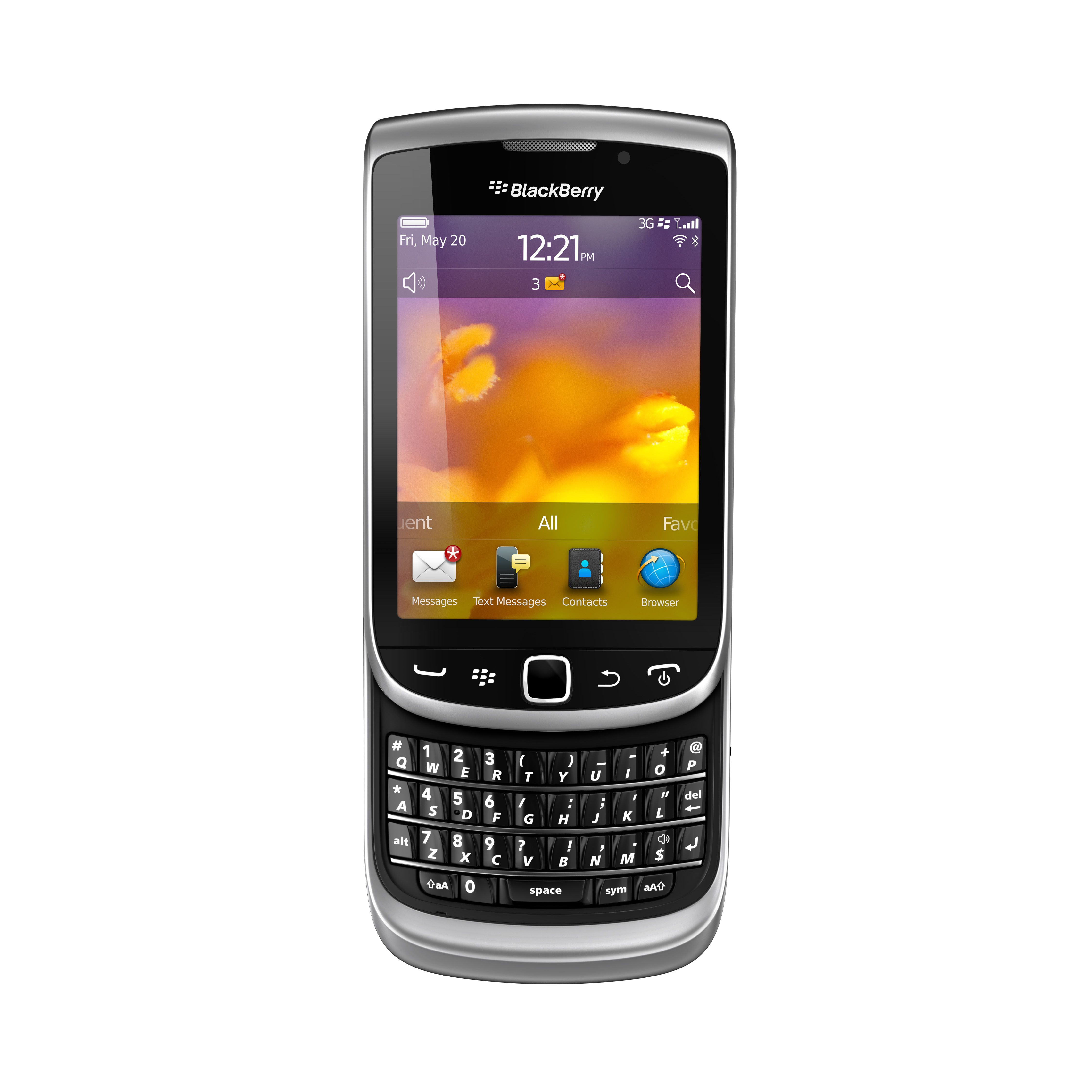
The new BlackBerry Torch 9810 and 9860 will hit the shelves in Singapore next week on 22 September 2011. Pre-orders for both BlackBerry 7 OS based smartphones can be placed with SingTel from today.
Pre-order the BlackBerry Torch 9810 or 9860 online from today.
The two new Torches were first introduced by Research In Motion (RIM) in early-August and unveiled in Singapore in mid-August together with the Bold 9900.
BlackBerry Torch 9860
The BlackBerry Torch 9860 smartphone offers fast and fluid performance in a stylish new all-touch design.
With a new 3.7” display – the largest ever on a BlackBerry smartphone – the new all-touch BlackBerry Torch 9860 smartphone is optimized for high-quality multimedia, web browsing and gaming; whilst offering the real-time communication and collaboration lauded by BlackBerry fans.
BlackBerry Torch 9810
The BlackBerry Torch 9810 is an evolution of the BlackBerry Torch 9800. The new model is faster and more fluid with high performance hardware features while the new BlackBerry 7 OS delivers an enhanced multimedia experience.
Featuring a large 3.2”, high-resolution touch display and a distinctive BlackBerry keyboard that easily slides out to allow fast typing, the BlackBerry Torch 9810 offers the best of both worlds.
The new operating system will run on tablets, desktop and laptop computers via a touch screen, mouse or keyboard. It will also be backward compatible to existing Windows software.
Windows 8 represents Microsoft’s hope of wrestling market share for tablet computers from Apple iPads and Android tablets.
Microsoft will unveil the next iteration of their Windows operating system software today at a developers conference in Anaheim, California. A preview of the design was first released in June this year.
Tough days for PC makers
Windows sales have missed analysts’ estimates for three straight quarters and personal-computer sales have stalled as consumers favor tablets over notebook computers running the software, reported Bloomberg.
Of the 9.3 million iPads sold in the quarter that ended in June, about 20 percent of them went to customers who would have otherwise bought a Windows PC, estimated Colin Gillis, an analyst at BGC Partners LP in New York.
This will be the first time that a Windows operating system is capable of running on chip technology from ARM. Microsoft aims to make Windows 8 capable of running smaller, thinner tablet computers with battery life that can rival that of the market leader – Apple’s iPad.
Out of 60 million media tablets expected to be shipped 2011, 74 percent will be Apple’s iPads, according to an August forecast by IHS. The global market is forecasted to rise to 275.3 million units in 2015, with Apple expected to account for 43.6 percent of the market.
Windows 8 design
The user interface for Windows 8 resembles Microsoft’s Windows Phone 7 smartphone operating system – it uses digital tiles instead of icons to help users navigate between programs. The tiles are on the computer’s home screen can display updated information from inside applications, so that users can see the info at a glance without having to fire up those apps.
The new iPad App was showcased at the TomTom exhibition stand during IFA 2011 in Berlin and will be available in Q4 2011.
“… we have optimised our TomTom App for the iPad. Now customers have one App for all iOS devices.” said Corinne Vigreux, Managing Director at TomTom.Customers who already have the iPhone version of the navigation app will be able to download the new version to their iPads for free.
This latest version will feature enhanced screen resolution, sharpened graphics and more intuitive controls specifically developed for the iPad.


 After every relevant purchase at a participating outlet, you can key in the purchase and let the cashier or bartender verify the purchases by scanning his special QR code. Once you have accumulated enough purchases, show the app to the cashier redeem rewards and freebies. Again, the cashier or bartender will scan his special QR code to acknowledge redemption and then hand over that free drink or merchandise.







 No more plugging/unplugging the old printer from one computer to another.
 number of computers on the GoFlex Home network. You can upgrade at the Application Store that can be accessed through the Seagate Dashboard software.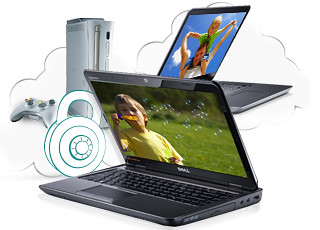



 Across the various themes, products are featured from all the major brands, including Acer, Asus, BlackBerry, Dell, Fujitsu, HP, HTC, Lenovo, Logitech, Microsoft, Motorola, Panasonic, Samsung, Toshiba and others.