More than 300GB of potentially sensitive data was discovered on five second hand storage devices that were advertised as having been wiped of previously stored information.
“Our findings underline that data erasure is critical before any hardware devices are disposed of – personal computers, servers, hard disk drives, USBs and even MP3 players,” said CK Lee, country manager, Kroll Ontrack Singapore.Kroll Ontrack – a leading provider of data recovery and information management products and services, is warning companies to be extra vigilant when disposing of computer equipment in light of recent tests carried out in its labs
It recently conducted a little experiment in Singapore. Specialists from the company purchased five storage devices from a popular international online auction site to see if there was any sensitive data that could be recovered from the supposedly “wiped” devices.
The specialists found more than 300GB of data including personal and corporate proprietary information including Microsoft Office documents, applications, databases, e-mails and photos.
“Simply pressing the ‘delete’ button or using other basic overwriting techniques only removes the pathways to the data and not the data itself and it is essential to remember this when preparing equipment for sale or disposal,” Lee added.The five devices were from different parts of Singapore and included two hard disk drives from a server in RAID configuration, a server, a desktop HDD (Hard Disk Drive) and a laptop HDD.
Recoverable data poses risk of security breaches if it falls into the wrong hands. It is crucial for individuals and businesses to ensure that data is destroyed before disposal. Without the correct data erasure procedures, proprietary information becomes vulnerable.
Kroll Ontrack provides several options for data erasure such as Ontrack Eraser Software and Ontrack Eraser Degausser. Both solutions set out to destroy data in a fast, secure and user-friendly way.
Samsung today launched its Series 7 GAMER notebook (700G), designed to deliver a smarter and richer gaming experience and its premium Series 7 CHRONOS notebook (700Z), designed for maximum performance and productivity.
The Series 7 CHRONOS comprises a 13.3” model (700Z3A – S$1,688) and a 15.6” model (700Z5A – S$1,988), both available in mid November.
The Series 5 GAMER has the single 17.3” model (700G7A), priced at S$2,899, and is available now.
The notebooks come with Windows 7 operating system.
Main highlights of the Series 7 GAMER notebook
Samsung Series 7 GAMER notebook
Powered by a Quad-Core Intel Core i7 processor to deliver powerful performance for demanding applications and games.
Boots up 25% faster.
Has the most powerful graphics card currently available – AMD Radeon HD 6970M 2GB GDDR5 – for good video quality and performance.
3D 17.3” LED display to further enhance gaming experience with realistic image reproduction capabilities.
Equipped with the latest 3D surround sound to enjoy cinematic surround sound system.
High quality gaming keyboard with a desktop layout.
Priced at S$2,899, available now.
Main highlights of the premium Series 7 CHRONOS notebook
Samsung Series 7 CHRONOS
Powered with the 2nd generation Quad-Core Intel’s Core i7 processor and an extra 8GB of flash memory on the motherboard that provides a faster start-up as well as increases overall performance.
2 times faster web browsing (based on Microsoft Internet Explorer).
Only takes 2 seconds to restart, a 33% time-improvement from previous models.
Battery lasts up to five times longer than other notebooks.
15.6” display fitted into a chassis used for the usual 15” models, allowing users to benefit from a large screen in the form factor of a smaller model.
Series 7 CHRONOS 13.3” 700Z3A (S$1,688) and 15.6” 700Z5A (S$1,988) available in mid November.
Western Digital has launched two new portable hard drives designed for use with Mac computers and Apple Time Machine, with capacities of 500GB, 750GB and 1 TB.
Western Digital My Passport for Mac
The Mac-inspired designs of the compact portable hard drives feature matches the external designs of Mac computers.
Powered through the USB 2.0 or Firewire connection, these portable drives allow convenient quick connect external storage without the hassle of lugging additional power adaptors and cables.
My Passport for Mac features a USB 2.0 interface and is an easy way to increase the minimal local storage on MacBook and MacBook Air notebooks.
Western Digital My Passport Studio
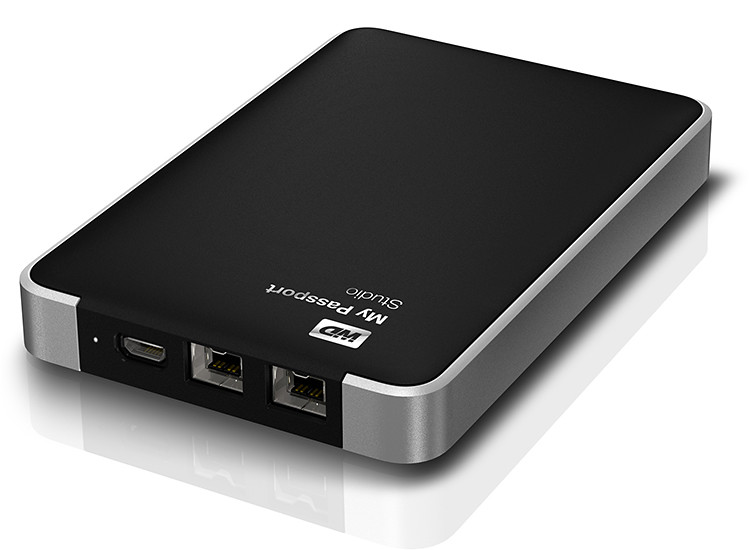
My Passport Studio sports an all-metal design, with two FireWire 800 ports and a USB 2.0 interface. The FireWire ports provide fast upload and transfer speeds and can be used to daisy chain up to five additional drives or peripherals such as HD camcorders.
“The speed of the fifth device at the end of the daisy chain is only slower by less than 10% of the first device on the chain,” according to Sheraine Chua, Regional Sales Manager of Branded Products at Western Digital.
Capacity
My Passport Studio
My Passport for MAC
500 GB
S$169
S$119
750 GB
S$189
S$129
1 TB
S$219
S$159
My Passport Studio also features encryption and password protection software.
SanDisk launched seven new memory storage devices today, targeted mainly at consumers who are photographers/videographers, smartphone/tablet and general computer users.
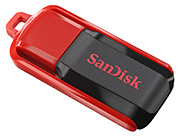
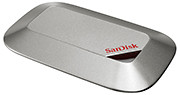
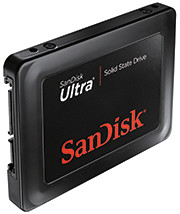
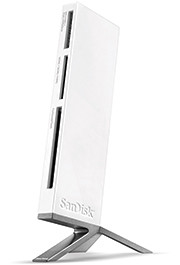
The new products feature higher capacities and higher speeds and include SDXC SD and micro SDXC cards, USB thumbdrives, a USB 3.0 card reader, and two SSD drives for daily and long term storage.
Note that the SDXC memory cards will require SDXC compatible devices to use their full capacity beyond 32GB. They can be used for non-SDXC devices but can only be formatted to a maximum capacity of 32GB for SDHC devices.
The new devices are tabulated below.
Memory device
Price & Description
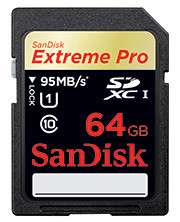
64GB SanDisk Extreme Pro SDXC UHS-I Card
(S$529)
Double the performance and capacity, targeted at photo/video pros.
Up to 90 MB/s write speed and 95 MB/s read speed.
Good for Full HD videos and burst mode photography recording to RAW + JPEG.
8GB – 64GB: S$69 – S$529
Available Q4 2011
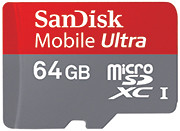
64GB SanDisk Mobile Ultra microSDXC Card
(S$285)
Double the capacity of smartphones and tablets
Up to 30 MB/s transfer speeds.
Good for Full HD videos
Available Q4 2011
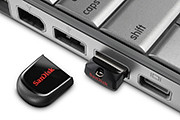
Cruzer Fit USB Flash Drive
(4 GB – 16 GB: S$12 – S$36)
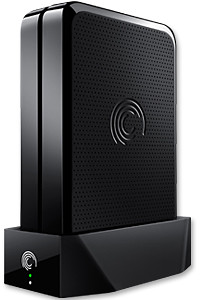
GoFlex Home is a consumer network attached storage (NAS) hard drive for the home. Easy to set up and use, it allows the access, sharing, streaming, and backup of files and media for computers, network TVs, media players and game consoles connected to the home wireless network.
The Seagate GoFlex Home comprises a drive dock and a hard drive.
Secure access can also be opened to computers and iOS/Android tablets and smartphones over the Internet.
Over the weekend, I helped my friend set up an NAS drive for his desktop, netbook, two laptops, iPhone and Android tablet. He had bought the Seagate GoFlex Home 3 TB storage drive during the recent COMEX 2011 but hadn’t had the time to set it up yet.
I helped by using eye-power because he decided to give it a go himself and actually got the thing working in less than 15 minutes. That was the reason why I recommended the drive in the first place, it works with most consumer home Wi-Fi routers with little set-up or configuration needed.
The GoFlex Home comes with two cables and an software installation CD. The following steps were all that was needed to get the personal storage cloud going:
1. Connect the GoFlex Home drive dock to the Wi-Fi router by using the provided Ethernet cable.
2. Pop the GoFlex hard drive into the GoFlex drive dock and plug the power supply into the drive dock and the wall outlet. Switch on the GoFlex Home by pressing the Power button on the drive dock.
3. Pop the CD (or download from Seagate’s website) into the computer (can be a Mac or Windows PC) to install the software needed to access the hard drive. Simply select a language, key in the product information found on the drive, give the drive a name and register it. The name has to be unique globally since it will be used to identify the drive should you access it from the Internet.
4. Install the software on other computers that require access to the shared drive. Up to 5 people/computers on the home network can access the GoFlex Home. By paying to subscribe to the Seagate Share Pro, you get access for an unlimited number of people/computers to the GoFlex Home.
There are three ways to access the drive. One is to use the installed Seagate Dashboard software (on Windows PCs), which allows all features of the drive to be configured and managed. You can add computers and user accounts, backup, access and share files as well.
Use Seagate Dashboard software to configure and manage GoFelx Home
The other way is to use a browser-based Seagate Share either for a computer in the home network or out in the Internet.
Free iOS/Android app
Both are easy to use with a simple interface, using drag-and-drop or standard dialog boxes we’re familar with.
The third method is via the appropriate free app on a iOS/Android smartphone or tablet, also over the Internet.
The GoFlex Home comes with a USB port which is very useful. You can connect an additional external hard drive to expand the capacity of the original GoFlex hard drive. You can also connect a USB hub for connecting more than one USB device.
In my friend’s case, he connected his printer to the USB port and all his computers on the Wi-Fi network got to share that printer. No more plugging/unplugging the old printer from one computer to another.
The included backup software allows up to three connected computers to be automatically backed up to the GoFlex Home. Upgrade to Premium Backup ($49.95) to back up an unlimited number of computers on the GoFlex Home network. You can upgrade at the Application Store that can be accessed through the Seagate Dashboard software.
For each user account set up on the GoFlex Home, three folders are created – a Public, Personal, and Backup folder. The Public folder holds files that can be stored and accessed by everyone on your home network. The Personal and Backup folders can only be accessed by the the user.
What I like about the sharing is the granular control available for the files shared. You can specify who you want to share files with, choose to share just certain files or entire folders, set passwords, and set expiry dates for the shares. Administration is intuitive and easy to pick up. You can send a URL of a shared file via email.
Stream media to other computers and media players on the home wireless network.
Music, photos and video can also be shared and streamed to media players, game consoles or network TVs that support UPnP-AV, DLNA or Windows Media Connect. A wide range of file types are supported.
The GoFlex Home is available in 1TB (S$179), 2TB (S$239) and 3TB (S$339) capacities.
Newstead Technologies has opened a new multi-brand IT concept store in Funan DigitaLife Mall today. “Digital Style” is organised into six thematic zones, based on the needs of the modern IT consumer.
This is in keeping with the times – since consumers today have different purchasing habits and approaches. This is the first of a chain of such stores. Eventually, there will likely be four to five such stores geographically distributed around Singapore, according to Evelyn Chua, Business Development and Marketing Manager of Newstead Technologies.
The 2,647 square feet store is located at #03-32 of the mall and opens from 11 am to 8 pm from Tuesdays to Sundays, and 11 am to 7 pm on Mondays.
The six themes are Entertainment & Media, Gaming, Home Computing, Mobile Communications, Office & Professional, and Ultra Mobile & Business.
The focus is on allowing shoppers to try out, for themselves, different products in the themes they are interested in.
For instance, in the gaming kiosk, the whole spectrum of gaming related gadgets and peripherals – from consoles, laptops, speakers and controllers – are displayed, for shoppers to mix-and-match and plug-and-play the various components together at one-stop.
Across the various themes, products are featured from all the major brands, including Acer, Asus, BlackBerry, Dell, Fujitsu, HP, HTC, Lenovo, Logitech, Microsoft, Motorola, Panasonic, Samsung, Toshiba and others.
Apple related products are absent, so you’ll have to visit authorised Apple resellers, such as Nubox, which is also under Newstead Technologies.
I noticed that digital cameras and video cameras are not sold at the shop.
Update (24 February, 2012): Newstead Technologies has opened its second and bigger Digital Style store in Jurong Point. The next will be at The Star Vista towards the end of 2012.
The new operating system will run on tablets, desktop and laptop computers via a touch screen, mouse or keyboard. It will also be backward compatible to existing Windows software.
Windows 8 represents Microsoft’s hope of wrestling market share for tablet computers from Apple iPads and Android tablets.
Microsoft will unveil the next iteration of their Windows operating system software today at a developers conference in Anaheim, California. A preview of the design was first released in June this year.
Tough days for PC makers
Windows sales have missed analysts’ estimates for three straight quarters and personal-computer sales have stalled as consumers favor tablets over notebook computers running the software, reported Bloomberg.
Of the 9.3 million iPads sold in the quarter that ended in June, about 20 percent of them went to customers who would have otherwise bought a Windows PC, estimated Colin Gillis, an analyst at BGC Partners LP in New York.
This will be the first time that a Windows operating system is capable of running on chip technology from ARM. Microsoft aims to make Windows 8 capable of running smaller, thinner tablet computers with battery life that can rival that of the market leader – Apple’s iPad.
Out of 60 million media tablets expected to be shipped 2011, 74 percent will be Apple’s iPads, according to an August forecast by IHS. The global market is forecasted to rise to 275.3 million units in 2015, with Apple expected to account for 43.6 percent of the market.
Windows 8 design
The user interface for Windows 8 resembles Microsoft’s Windows Phone 7 smartphone operating system – it uses digital tiles instead of icons to help users navigate between programs. The tiles are on the computer’s home screen can display updated information from inside applications, so that users can see the info at a glance without having to fire up those apps.
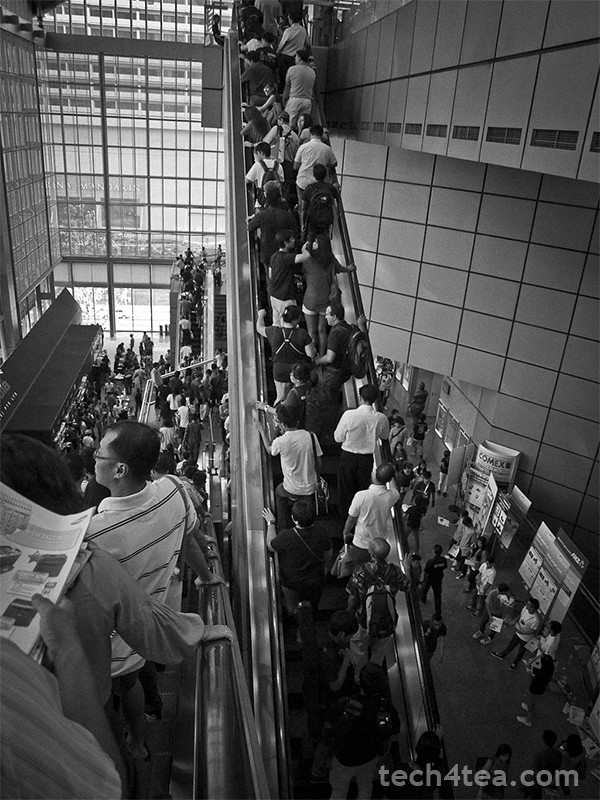
Once a quarter, half of Singapore converges on Suntec City or Singapore Expo to “shop till you drop”. I visited COMEX 2011 on its second of four days to take advantage of promotional prices and to stock up on IT gadgets and peripherals.
Visiting COMEX 2011 on Friday afternoon, the hope was to go in after the initial opening day rush crowd had petered out and before the working folks – who knock off work for the week at five – set in.
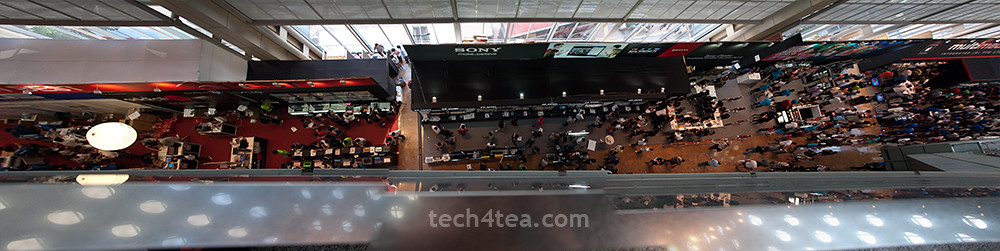
View from Level 6 of COMEX 2011. Combined panorama from 3 photos.
I like to think the ploy worked, though the marketplace was still plenty crowded.
I managed to park the car at Basement 2 of Suntec City itself and dived into the crowd on Level 6 at around half-past-three – shopping list in hand. I’d listed down beforehand the booth numbers of the vendors selling the stuff I wanted and studied the floor plans to work out an optimal route through the madhouse.
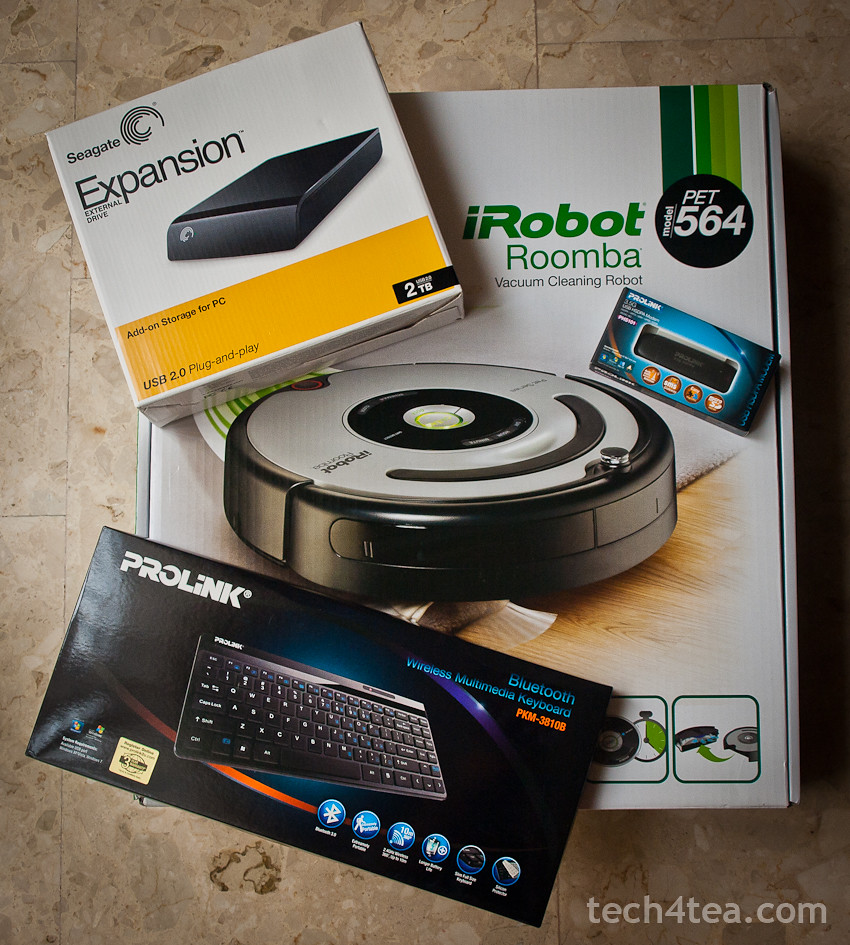
First stop was the Prolink booth where I bought the Prolink PKM-3810B bluetooth keyboard for my BlackBerry PlayBook. The guys at the booth wasn’t sure if it would be compatible with the PlayBook’s OS since it was built for Windows and they’d tested earlier that the keyboard did not play with Android. (Update: I’ve since tested the keyboard with an Android Tab and both worked together without a hitch!)
So I fished out the tablet and tested the display keyboard set. Amazingly both got connected without a hitch, so I became S$48 dollars poorer. And thanks to a cut-out coupon from the Straits Times, I saved S$8 from the original COMEX price of S$56.
My little haul from COMEX 2011
Since I was at Prolink, I bought a 3.5G USB HSDPA Modem for S$69. I was going to renew my home broadband subscription with SingTel. They’d offered a “free” modem for the mobile 1.5 Mbps on condition that I pay S$4 extra per month (if you use your own modem, you get the 1.5 Mbps and data SIM card for free).
Since that worked out to S$96 over the course of two years for the “free” modem, I figured I might as well purchase my own modem for less. Not a lot of savings, but I didn’t like the idea of being suckered into swallowing SingTel’s “free” modem offer.
Next stop was for an external 3.5” hard disk drive. The sweet spot for such storage disks is at 2 TB, and the cheapest 2 TB disk advertised was the Buffalo Drivestation.
“It’s sold out but we have other models that you may want to consider” – sounds all too familiar?
But it’s no darn good if it’s sold out – the “it’s sold out but we have other models that you may want to consider” sounded all too familiar.
So I headed for Seagate and got myself a 2 TB expansion external 3.5” hard disk for S$120. Basic USB 2.0 with no frills.
Last stop was for a robotic maid. The golden retriever at home was driving us nuts with its beautiful golden fur – strewn all over the floor – and the cleaners only come in once a week.
So I checked out the two booths at COMEX selling robotic vacuum cleaners – iClebo and iRobot. I ended up carting home the latter after parting with S$898 for the Pet series iRobot.
“If looks could kill, we’d both have been dead a million times through”.
On the way out of the lift lobby at the B2 carpark, I got waylaid by this guy who saw me lugging the iRobot box and wanted to know where I’d bought it from – while keeping the people in the lift waiting for him.
If looks could kill, we’d both have been dead a million times through.
Nübox will be at Level 3, Booth 3105 and Level 4, Booth 8236 during COMEX 2011. Customers purchasing any MacBook Air, MacBook Pro or iPod from these booths will receive a special bundle worth up to S$361.
Consumers can also enjoy up to 70% discount on an extensive range of accessories including latest iPad 2 cases, mobile charger for iPhones and wireless Bluetooth keyboard. Nubox is offering Windows 7 Home Premium and Parallels Desktop 6 at a special price of S$249 (usual price S$318) with free upgrade to Parallels Desktop 7.
“The Wanted” giveaway
Nubox offers for Apple products during COMEX 2011.
In an exclusive tie-up with Universal Music Group, Nubox is giving away UK’s new pop sensation, The Wanted’s self-debut album and passes to the five-piece band showcase on September 17 at Comex 2011.
The first 200 customers to spend S$300 and above at the Nubox booths during Comex 2011, and “Like” the Nubox Facebook page can redeem The Wanted debut album at Nubox@Raffles City from September 10 to September 16.
The first 50 customers who purchase a Mac and “Like” the Nubox Facebook page will be entitled to a pair of showcase passes and The Wanted debut album. They can redeem the passes and debut album at Nubox@Marina Bay Link Mall from September 10 to September 16.
SanDisk is a Silicon Valley-based S&P 500 and Fortune 500 company producing flash memory storage devices, with more than half its sales outside the United States.
SanDisk Corporation (NASDAQ: SNDK) is a global leader in flash memory storage solutions, from research and development, product design and manufacturing to branding and distribution for OEM and retail channels.
Founded in 1988, and headquartered in California, SanDisk’s diverse product portfolio includes flash memory cards and embedded solutions used in smart phones, tablets, digital cameras, camcorders, digital media players and other consumer electronic devices, as well as USB flash drives and solid-state drives (SSD) for the computing market.
SanDisk’s products are used by consumers, manufacturers and enterprise customers.






 No more plugging/unplugging the old printer from one computer to another.
 number of computers on the GoFlex Home network. You can upgrade at the Application Store that can be accessed through the Seagate Dashboard software.
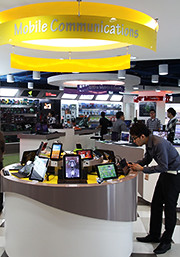 Across the various themes, products are featured from all the major brands, including Acer, Asus, BlackBerry, Dell, Fujitsu, HP, HTC, Lenovo, Logitech, Microsoft, Motorola, Panasonic, Samsung, Toshiba and others.