Archive for the ‘storage drive’ Category
Tuesday, November 1st, 2011
More than 300GB of potentially sensitive data was discovered on five second hand storage devices that were advertised as having been wiped of previously stored information.
“Our findings underline that data erasure is critical before any hardware devices are disposed of – personal computers, servers, hard disk drives, USBs and even MP3 players,” said CK Lee, country manager, Kroll Ontrack Singapore.Kroll Ontrack – a leading provider of data recovery and information management products and services, is warning companies to be extra vigilant when disposing of computer equipment in light of recent tests carried out in its labs
It recently conducted a little experiment in Singapore. Specialists from the company purchased five storage devices from a popular international online auction site to see if there was any sensitive data that could be recovered from the supposedly “wiped” devices.
The specialists found more than 300GB of data including personal and corporate proprietary information including Microsoft Office documents, applications, databases, e-mails and photos.
“Simply pressing the ‘delete’ button or using other basic overwriting techniques only removes the pathways to the data and not the data itself and it is essential to remember this when preparing equipment for sale or disposal,” Lee added.The five devices were from different parts of Singapore and included two hard disk drives from a server in RAID configuration, a server, a desktop HDD (Hard Disk Drive) and a laptop HDD.
Recoverable data poses risk of security breaches if it falls into the wrong hands. It is crucial for individuals and businesses to ensure that data is destroyed before disposal. Without the correct data erasure procedures, proprietary information becomes vulnerable.
Kroll Ontrack provides several options for data erasure such as Ontrack Eraser Software and Ontrack Eraser Degausser. Both solutions set out to destroy data in a fast, secure and user-friendly way.
Tags:HDD, security, storage
Posted in Accessories, Desktops, Enterprise IT, Gadgets, Notebooks, Security, Software, storage drive, Tech news, Utility | No Comments »
Sunday, October 16th, 2011
Western Digital has launched two new portable hard drives designed for use with Mac computers and Apple Time Machine, with capacities of 500GB, 750GB and 1 TB.

Western Digital My Passport for Mac
The Mac-inspired designs of the compact portable hard drives feature matches the external designs of Mac computers.
Powered through the USB 2.0 or Firewire connection, these portable drives allow convenient quick connect external storage without the hassle of lugging additional power adaptors and cables.
My Passport for Mac features a USB 2.0 interface and is an easy way to increase the minimal local storage on MacBook and MacBook Air notebooks.

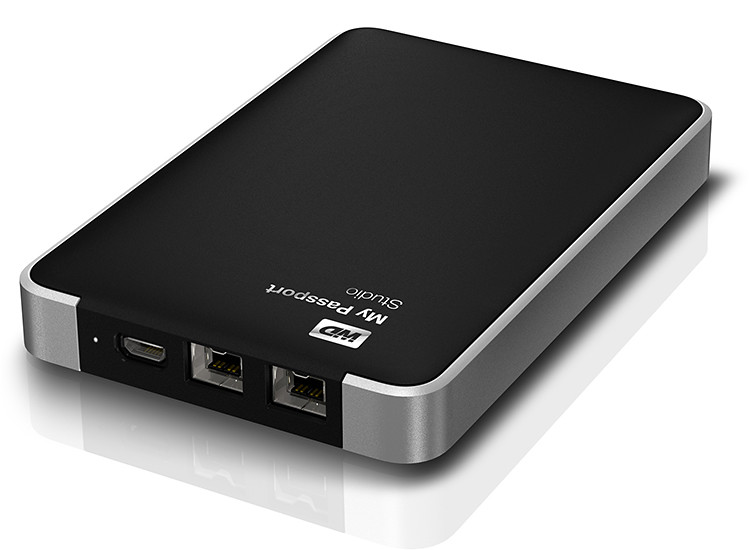
Western Digital My Passport Studio
My Passport Studio sports an all-metal design, with two FireWire 800 ports and a USB 2.0 interface. The FireWire ports provide fast upload and transfer speeds and can be used to daisy chain up to five additional drives or peripherals such as HD camcorders.
“The speed of the fifth device at the end of the daisy chain is only slower by less than 10% of the first device on the chain,” according to Sheraine Chua, Regional Sales Manager of Branded Products at Western Digital.
| Capacity |
My Passport Studio |
My Passport for MAC |
| 500 GB |
S$169 |
S$119 |
| 750 GB |
S$189 |
S$129 |
| 1 TB |
S$219 |
S$159 |
My Passport Studio also features encryption and password protection software.
Tags:drive, Mac, MacBook Pro
Posted in Accessories, Events, Gadgets, Launch, Mac OS, Notebooks, Prices, Specifications, storage drive, Western Digital | 1 Comment »
Thursday, October 13th, 2011
Western Digital launches a slew of media storage, networking and playback products for the connected lifestyle.
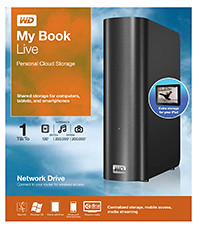
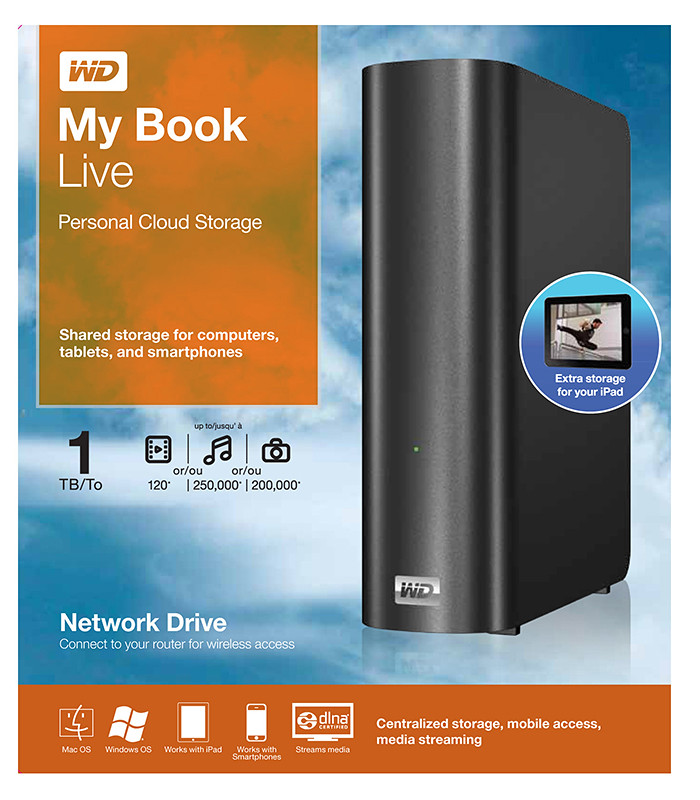
Western Digital My Book Live personal cloud storage
The premise of the Connected Life solution from Western Digital is the simple set-up of a private personal cloud where media can be accessed and shared from any computer at home.
This personal cloud can also be extended into the Internet so that mobile devices such as smart phones and tablet computers can also access data and media in the cloud using apps, while computers can use a browser interface.
The centrepiece of the Connected Life solution from Western Digital is the My Book Live network attached storage. With capacities ranging from 1TB to 3TB, these network capable external hard drives are connected directly to the wireless router at home so that any computer – be it a Mac or a PC – can store and access the media in the drive.

Western Digital WD TV Live streaming media player
The WD TV Live media player that is connected to the wireless network can then stream media from My Book Live and play photos, music and videos on a large TV screen. It can also stream media directly from Internet services such as YouTube.
Outside home, data and media on My Book Live can be accessed on mobile devices using WD apps WD 2go (free), WD 2go Pro (US$2.99), and WD Photos (free).
Tags:Android, cloud, drive, iOS, iPad, iPhone, media player, smartphone, tablets, Western Digital
Posted in Accessories, Android, Cloud, Events, Gadgets, iOS, iPad, iPhone, Launch, Media player, Phones, Prices, Specifications, storage drive, Tablets, Western Digital | 1 Comment »
Thursday, September 29th, 2011
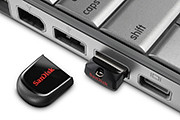
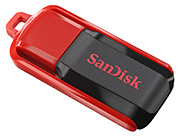
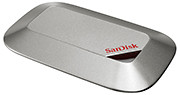
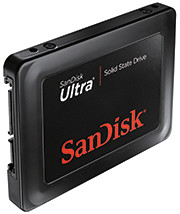
Tags:microSD, SanDisk, SD, SDHC, SDXC, SSD, USB
Posted in Accessories, Cameras, Desktops, Events, Gadgets, Launch, Notebooks, Phones, Prices, SanDisk, Specifications, storage drive, Tablets | 2 Comments »
Monday, September 26th, 2011
GoFlex Home is a consumer network attached storage (NAS) hard drive for the home. Easy to set up and use, it allows the access, sharing, streaming, and backup of files and media for computers, network TVs, media players and game consoles connected to the home wireless network.
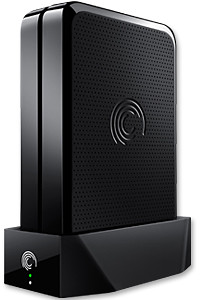
The Seagate GoFlex Home comprises a drive dock and a hard drive.
Secure access can also be opened to computers and iOS/Android tablets and smartphones over the Internet.
Over the weekend, I helped my friend set up an NAS drive for his desktop, netbook, two laptops, iPhone and Android tablet. He had bought the Seagate GoFlex Home 3 TB storage drive during the recent COMEX 2011 but hadn’t had the time to set it up yet.
I helped by using eye-power because he decided to give it a go himself and actually got the thing working in less than 15 minutes. That was the reason why I recommended the drive in the first place, it works with most consumer home Wi-Fi routers with little set-up or configuration needed.
The GoFlex Home comes with two cables and an software installation CD. The following steps were all that was needed to get the personal storage cloud going:
1. Connect the GoFlex Home drive dock to the Wi-Fi router by using the provided Ethernet cable.
2. Pop the GoFlex hard drive into the GoFlex drive dock and plug the power supply into the drive dock and the wall outlet. Switch on the GoFlex Home by pressing the Power button on the drive dock.
3. Pop the CD (or download from Seagate’s website) into the computer (can be a Mac or Windows PC) to install the software needed to access the hard drive. Simply select a language, key in the product information found on the drive, give the drive a name and register it. The name has to be unique globally since it will be used to identify the drive should you access it from the Internet.
4. Install the software on other computers that require access to the shared drive. Up to 5 people/computers on the home network can access the GoFlex Home. By paying to subscribe to the Seagate Share Pro, you get access for an unlimited number of people/computers to the GoFlex Home.
There are three ways to access the drive. One is to use the installed Seagate Dashboard software (on Windows PCs), which allows all features of the drive to be configured and managed. You can add computers and user accounts, backup, access and share files as well.

Use Seagate Dashboard software to configure and manage GoFelx Home
The other way is to use a browser-based Seagate Share either for a computer in the home network or out in the Internet.
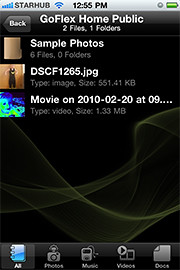
Free iOS/Android app
Both are easy to use with a simple interface, using drag-and-drop or standard dialog boxes we’re familar with.
The third method is via the appropriate free app on a iOS/Android smartphone or tablet, also over the Internet.
The GoFlex Home comes with a USB port which is very useful. You can connect an additional external hard drive to expand the capacity of the original GoFlex hard drive. You can also connect a USB hub for connecting more than one USB device.
In my friend’s case, he connected his printer to the USB port and all his computers on the Wi-Fi network got to share that printer.  No more plugging/unplugging the old printer from one computer to another.
The included backup software allows up to three connected computers to be automatically backed up to the GoFlex Home. Upgrade to Premium Backup ($49.95) to back up an unlimited  number of computers on the GoFlex Home network. You can upgrade at the Application Store that can be accessed through the Seagate Dashboard software.
For each user account set up on the GoFlex Home, three folders are created – a Public, Personal, and Backup folder. The Public folder holds files that can be stored and accessed by everyone on your home network. The Personal and Backup folders can only be accessed by the the user.
What I like about the sharing is the granular control available for the files shared. You can specify who you want to share files with, choose to share just certain files or entire folders, set passwords, and set expiry dates for the shares. Administration is intuitive and easy to pick up. You can send a URL of a shared file via email.
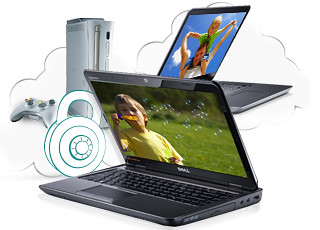
Stream media to other computers and media players on the home wireless network.
Music, photos and video can also be shared and streamed to media players, game consoles or network TVs that support UPnP-AV, DLNA or Windows Media Connect. A wide range of file types are supported.
The GoFlex Home is available in 1TB (S$179), 2TB (S$239) and 3TB (S$339) capacities.
Tags:Android, Apple, Google, iOS, iPad, iPhone, smartphone, tablets
Posted in Accessories, Android, App, Browser, Cloud, Desktops, Gadgets, Howtos, iOS, iPad, iPhone, Notebooks, Phones, Prices, Review, Seagate, Specifications, storage drive, Tablets, TV | 18 Comments »
Saturday, August 27th, 2011
SanDisk is a Silicon Valley-based S&P 500 and Fortune 500 company producing flash memory storage devices, with more than half its sales outside the United States.
 SanDisk Corporation (NASDAQ: SNDK) is a global leader in flash memory storage solutions, from research and development, product design and manufacturing to branding and distribution for OEM and retail channels.
Founded in 1988, and headquartered in California, SanDisk’s diverse product portfolio includes flash memory cards and embedded solutions used in smart phones, tablets, digital cameras, camcorders, digital media players and other consumer electronic devices, as well as USB flash drives and solid-state drives (SSD) for the computing market.
SanDisk’s products are used by consumers, manufacturers and enterprise customers.
Follow articles related to SanDisk on tech4tea.com.
Tags:Flash, memory, microSD, SanDisk, SD, SSD
Posted in Accessories, Company byte, Desktops, Gadgets, Notebooks, Phones, SanDisk, storage drive, Tablets | 3 Comments »
Sunday, July 24th, 2011
Western Digital (NYSE:WDC) is one of the largest computer hard disk drive manufacturers in the world. WD was founded in 1970 by a former Motorola employee.
 Western Digital provides products and services for people and organizations that collect, manage and use digital information. The company designs and produces reliable, high-performance hard drives and solid state drives that keep users’ data accessible and secure from loss.
Its technologies are configured into applications for client and enterprise computing, embedded systems and consumer electronics, as well as its own consumer storage and home entertainment products.
The company’s storage products are marketed to leading OEMs, systems manufacturers, selected resellers and retailers under the Western Digital and WD brand names.
Other postings on tech4tea.com related to Western Digital can be found here.
Tags:drive, Western Digital
Posted in Accessories, Appliances, Company byte, storage drive, TV, Western Digital | 8 Comments »
Thursday, July 14th, 2011
NASDAQ-listed Seagate Technology (STX) is one of the world’s largest manufacturers of hard disk drives. It is currently incorporated in Dublin, Ireland but its principal executive offices are located in Scotts Valley, California in the United States.
 Seagate was originally incorporated in 1978 as Shugart Technology. It is a worldwide leader in the design, manufacturing and marketing of hard disk drives and storage solutions.
In fiscal 2011, the company had a revenue of $11 billion, net income of $0.5 billion and shipped 199 million units (approximate data from Seagate’s website).
Follow articles related to Seagate on tech4tea.com.
Tags:HDD, Seagate, storage
Posted in Accessories, Company byte, Figures, Gadgets, Seagate, storage drive | 4 Comments »
Wednesday, July 13th, 2011
Kroll Ontrack provides technology-driven services and software to help legal, corporate and government entities as well as consumers manage, recover, search, analyze, produce and present data efficiently and cost-effectively.
“Kroll Ontrack has become a leading provider of legal technologies, with operations in North America, Europe, and Asia Pacific. It has patented technologies and capabilities in recovering seemingly deleted files, including internet-based information cleared from the cache.” – WikipediaIn addition to its suite of software, Kroll Ontrack provides data recovery, data destruction, paper and electronic discovery, document review, computer forensics and ESI consulting.
Kroll Ontrack is the technology services division of Kroll Inc., the global risk consulting company. Kroll is a subsidiary of Altegrity, an industry-leading provider of information solutions.
Companies or individuals can contact Kroll Ontrack for free consultation on the best way to erase data from all types of media. Those in Singapore can call (+65) 6296 5131 or visit their website here. Kroll Ontrack provides several options for data erasure such as Ontrack Eraser Software and Ontrack Eraser Degausser. Both solutions set out to data in a fast, secure and user-friendly way.
Tags:HDD, Kroll Ontrack, security, storage
Posted in Accessories, Company byte, Enterprise IT, Security, Software, storage drive, Utility | 2 Comments »