Posts Tagged ‘Adobe’
Monday, January 21st, 2013
The Adobe Creative Cloud is a membership-based service that provides unlimited access to download and install all Creative Suite desktop applications, and other selected Adobe programs.
Creative Cloud for teams (US$840 per user per year), the first of the Creative Cloud membership options available in Singapore, is tailored for small and medium businesses.

Creative Cloud for Teams is now available in Singapore.
First released in the US in April 2012, Adobe Creative Cloud includes unlimited access to download and install all Creative Suite desktop applications, plus Photoshop Lightroom, Adobe Muse, Adobe Edge tools and services; game developer tools and integration with Photoshop Touch apps.
(more…)
Tags:Adobe, Creative Cloud, Creative Suite, CS6, Lightroom, Photoshop, Singapore
Posted in Acrobat, Adobe, After Effects, Creative Suite, Dreamweaver, Fireworks, Flash, Illustrator, InDesign, Launch, Photoshop, Premiere Pro, Prices, Software | 2 Comments »
Friday, January 4th, 2013
The Samsung GALAXY Note 10.1 LTE will hit the shelves in Singapore tomorrow. The tablet will be available at S$998 (without contract), in deep grey.

The Samsung GALAXY Note 10.1 LTE Android tablet will be available in Singapore from tomorrow at S$998 (without contract).
Introduced back in late August last year (in the WiFi and 3G+WiFi configurations), the LTE+WiFi version of the GALAXY Note 10.1 will be available in Singapore from tomorrow.
(more…)
Tags:10.1, Adobe, Android, Android 4, Galaxy, Ice Cream Sandwich, ICS, Note, photo editor, Photoshop, Photoshop Touch, S Note, S Pen, Samsung, tablets
Posted in Adobe, Android, App, Availability, Gadgets, Galaxy, Operating Systems, Photography, Photoshop, Prices, Samsung, Software, Specifications, Tablets | No Comments »
Tuesday, September 25th, 2012
Adobe introduces the latest versions of the photo and video editing software with revamped user interfaces that makes editing, organising and sharing easier.
Available as stand-alone products (S$131 each), Photoshop Elements 11 and Premiere Elements 11 can also be purchased together as a bundle (S$197).

Check the buying guide for Adobe Photoshop Elements 11, Premiere Elements 11 or the bundle.
Photoshop Elements 11 offers a complete solution for editing, organizing and sharing photo creations while Premiere Elements 11 offers easy creation of engaging home movies with professional flair.
Prices listed are the Adobe direct store prices in SGD and reseller prices may vary.
Prices do not include tax or shipping and handling.
Adobe Photoshop Elements 11 and Adobe Premiere Elements 11 software for Windows and Mac are now available here.
Both solutions are available for Windows and Mac.
Powerful, intuitive tools in Photoshop Elements 11
Make photos look their best with editing options that offer virtually everything from quick fixes to a number of creative possibilities.
- A completely refreshed, user-friendly interface featuring the same engine as Adobe Photoshop – includes easily-navigated Quick, Guided and Expert editing modes; one-click options; a helpful Action bar; and big, bold icons to help users get the most from their shots.
 Organise photos based on people, places (via Google maps geo-tagging) or events easily and intuitively.
- New Guided Edits make pro-level effects like tilt-shift, vignettes and high and low-key easy to create.
- New filters – Comic, Graphic Novel and Pen & Ink – inspire creativity by turning photos into stunning illustrations.
- Intelligent Photoshop technology makes it easy to extract objects from different photos.
- Easily share photos via email, Facebook, YouTube, Vimeo and more.
Easy pro-quality videos with Premiere Elements 11
Create attractive, pro-level videos with automated moviemaking options to take the work out of editing.
- An entirely new and improved user interface including many of the same updates found in Photoshop Elements 11.
 Add polish with a wide range of great-looking effects, transitions, themes, titles, disc menus, and professional-level effects and sound.
- Give videos Hollywood movie styles with FilmLooks; easily apply slow and fast motion effects; dial-in colors with slider controls; effortlessly integrate blends for seamless transitions; and make adjustments with Quick Presets.
- Show off finished creations with integrated video sharing on Vimeo.
Tags:Adobe, editor, Elements, photo, photo editor, Photoshop, Premiere, software, video, video editor
Posted in Adobe, Availability, Photography, Prices, Software, Specifications | No Comments »
Tuesday, August 21st, 2012
Having created a niche with the 5-inch GALAXY Note that straddled between a 7-inch tablet and a 3.5-inch smartphone, Samsung has introduced the 10.1-inch version of the GALAXY Note.
There will be three configurations: the WiFi/16GB (S$798) and 3G+WiFi/16GB (S$998) versions will be available on 25 August, while the LTE+WiFi version will be released later in the year.
Update (4 January, 2013):
The Samsung GALAXY Note 10.1 LTE will hit the shelves in Singapore from 5 Jaunary 2013. The tablet will be available at
S$998 (without contract), in deep grey.

Samsung GALAXY Note 10.1 was launched in Singapore today.
Hitherto, most people have used tablets as a content consuming tool – checking emails, surfing the Web, viewing photos, reading documents and ebooks, playing back videos and music.
I tried out the GALAXY Note 10.1 during its launch in Singapore today. I found it to be extremely responsive, comparable to a Wacom graphics tablet. The Photoshop Touch was also fast and easy to use, making photo editing pleasant and fun on a tablet.
In terms of content creation, some type short notes and emails using the onscreen keyboard, while those who write longer text documents type them out by connecting an external keyboard.
| Samsung GALAXY Note 10.1 |
| OS |
Android 4.0.4 (ICS) |
| Screen |
10.1″ WXGA LCD +Digitizer |
| Resolution |
1280 x 800 |
| Battery |
7,000 mAh |
| Processor |
1.4 GHz Quad-core |
| Camera |
Rear: 5mp |
| Front: 1.9mp |
| Video |
Full HD(1080p) |
| Memory |
Int: 16 GB,
RAM: 2 GB |
| Ext: Up to 32 GB microSD |
| Size /mm |
262 x 180 x 600 |
| Weight |
597 g |
|
Price
|
3G/WiFi: S$998,
WiFi: S$798
|
The GALAXY Note 10.1 tries to make possible serious content creation using a tablet.
From note-taking via typing or handwriting with a stylus, research and clipping from the Web using S Note app, to powerful photo-editing using Photoshop Touch.
What differentiates the GALAXY Note 10.1 from the GALAXY Tab 10.1? It’s the combination of the stylus (S Pen) and the user interface that integrates with the stylus.
The GALAXY Note 10.1 comes with 2i-screen multi-tasking, where two apps are displayed running side-by-side on the screen, and videos can be displayed on a floating window for a picture-in-picture effect.
As for other Samsung products, users will be able to access the edutainment content and apps available on the Samsung Learning Hub.
For more details about the Samsung GALAXY Note 10.1, read the press release below.
(more…)
Tags:10.1, Adobe, Android, Android 4, Galaxy, Ice Cream Sandwich, ICS, Note, photo editor, Photoshop, Photoshop Touch, S Note, S Pen, Samsung, tablets
Posted in Adobe, Android, App, Events, Gadgets, Galaxy, Launch, Operating Systems, Press Release, Prices, Samsung, Software, Specifications, Tablets | 4 Comments »
Wednesday, May 9th, 2012
The FREE Stockphoto plugin enables designers to search and directly download images within the programs without interrupting their workflow.

The new iStockphoto plug-in works right withing Adobe Photoshop, Illustrator and InDesign.
A one-click comp replace feature automatically exchanges complimentary watermarked images with purchased images, perfectly resized and positioned within the working page layout or design.

Search and replace images easily.
Adobe Photoshop, InDesign and Illustrator users can now search iStock’s millions of files, download multiple comps during the creative process, finalise their designs and then simply replace the desired comp with the purchased image in exactly the right spot and in the right dimensions, saving time and increasing productivity.
The free plugin allows customers to access purchased credits, review past purchases, add to light boxes and almost all of the other standard account management features that can be accessed directly from the iStock site.
It is immediately available for download and is compatible with Mac and Windows versions of CS6, CS5.5 and CS5.

The iStockphoto plug-in is free.

Compatible with CS 5, 5.5 & 6.
iStockphoto offers easy, affordable inspiration with millions of vetted, royalty-free photos, illustrations, video, audio and Flash files.
Tags:Adobe, Illustrator, InDesign, iStockphoto, Photoshop, plug-in
Posted in App, Illustrator, InDesign, Launch, Photos, Photoshop, Software | No Comments »
Wednesday, May 9th, 2012
Adobe has announced the immediate availability of Adobe Creative Suite 6.
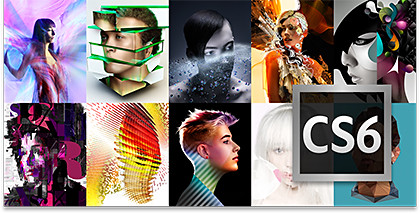
Adobe CS6 is available now.
Launched globally two weeks ago, Adobe Creative Suite 6 (CS6) comprises some 14 software for photo and video editing, graphics design and and web development, Flash/HTML and app building tools, as well as desktop publishing.
| Suite |
Price |
| Master Collection |
S$3,925 |
| Production Premium |
S$2,868 |
| Design & Web Premium |
S$2,868 |
| Design & Web Standard |
S$1,963 |
These software include Photoshop, Dreamweaver, Illustrator, Premiere Pro, After Effects, InDesign and Flash.
The component software have been packaged in into four suites, depending on the needs of the customer.
A subscription-based version of CS6 (Creative Cloud: US$600 per year) is also available in the US although it is not available in Singapore and some other parts of the world.
Tags:Adobe, After Effects, Creative Suite, CS6, Dreamweaver, Fireworks, Flash, Illustrator, InDesign, Photoshop, Premiere Pro
Posted in Acrobat, Adobe, After Effects, Availability, Creative Suite, Dreamweaver, Fireworks, Flash, Illustrator, InDesign, Photoshop, Premiere Pro, Prices, Software, Specifications | No Comments »
Tuesday, April 24th, 2012
The latest iteration of Adobe’s flagship software suite has been launched. Available in May 2012, there will be 4 suites, comprising different combinations of 14 print, web and video software.
The suites are: Master Collection (S$3,924), Design & Web Premium (S$2,868), Design & Web Standard (S$1,962), and Production Premium (S$2,868).
Adobe has also launched the new subscription-based Creative Cloud (US$600 per year). This is not available in Singapore yet.

Adobe Creative Suite 6
Singapore was the first venue in the world to launch Adobe Creative Suite 6.
Shantanu Narayen, Adobe CEO, and David Wadhwani, SVP, Digital Media Business, Adobe, will host a launch event and press conference on the release of Adobe Creative Cloud and CS 6 at 10:00 am Pacific Time, 23 April.
Content-Aware XXX
The Content-Aware Scale (CS4) and Content-Aware Fill (CS5) features have new siblings in CS6 – Content-Aware Patch and Content-Aware Move.
Ever used the Content-Aware Fill on a photo and see it pick up pixels from wrong regions of the image?
Don’t you just wish you could simply specify and constrain from which portions of the photo Photoshop took the pixels from?
Content-Aware Patch now allows you to do so, just like the regular Patch tool.
Content-Aware Move combines a few steps into one. You just need to roughly select the subject that needs to be moved (quick-select the subject and then expand the selection), and use the feature to move it to another part of the image.
Photoshop pastes the selected subject to the destination, smooths out the border between the subject and the new background pixels, and then Content-Aware Fills the hole left behind by the moved subject.
CS6 is part of Adobe’s 2-year renewal of its creative suite of software. One year on from each major release is a mid-cycle update, as with Adobe CS5.5.
The Mercury engine that was introduced in Premiere Pro in CS5 has been implemented in other products in CS6, notably Photoshop and Illustrator.
For Photoshop, the impressive Content-Aware Fill feature in Photoshop CS5 has been supplemented with two new enhancements – Content-Aware Patch and Content-Aware Move.
Dreamweaver and other component products in CS5 was based on perpetuating the Flash platform.
Having had the rug pulled from under its feet by the late Steve Jobs, Adobe has shifted the emphasis for Dreamweaver in CS5.5 and CS6 more towards facilitating HTML5, “an open Web standard that’s replacing Adobe’s older Flash tools for many Web designers” (quoted from Bloomberg).
There are also more tools for designing apps for smartphones and tablets.
A big step for Adobe this time round is its foray into a subscription-based model, although it is not available in Singapore yet.
Creative Cloud will charge US$50 a month for a one-year commitment (US$75 without one).
Subscribers can access the 14 programs, which can be installed on an Apple Mac or on a Windows PC.
Users can use the installed software even when they are not connected to the Internet.
A cloud-based service will also enable users to collaborate and share work with colleagues and clients through a Web browser.
The list of software as well as the composition of each suite can be found here.
Tags:Adobe, After Effects, Creative Suite 6, CS6, Dreamweaver, Flash, Illustrator, InDesign, Photoshop, Premiere Pro
Posted in Adobe, App, Creative Suite, Events, Launch, Phones, Prices, Software, Specifications, Tablets | 2 Comments »
Tuesday, April 17th, 2012
Adobe Creative Cloud and Creative Suite 6 will be launched on April 23 at 10:00 am Pacific Time.

Watch the Webcast of the launch of Adobe CS6 and Adobe Creative Cloud.
Shantanu Narayen, Adobe CEO, and David Wadhwani, SVP, Digital Media Business, Adobe, will host a launch event and press conference to announce how the company is reinventing creative software with the first release of Adobe Creative Cloud and the new Creative Suite 6.

Adobe CS6 will be launched in Singapore on April 23.
This will be the first full public demonstration of Adobe Creative Cloud in action.
The company will also preview future updates, available later this year, to its Creative Cloud offering.
In addition, the company will unveil new primary research on the impact of creativity on our culture and economy, and reveal new initiatives that encourage creativity in education.
In Singapore, the Adobe CS6 launch will be on the afternoon of April 23.
Tags:Adobe, Adobe Creative Cloud, Adobe Creative Suite, CS6, launch, Singapore
Posted in Adobe, Creative Suite, Launch, Photography, Software | 1 Comment »
Wednesday, October 5th, 2011
Adobe announced its slate of six new apps for Apple iPads and Android tablets during the MAX 2011 conference in Los Angeles. Here’s a brief description of what each of the apps does.
Each of the six apps has an introductory price-tag of US$9.99. The Android version is will be available in November 2010 while the iOS version will only be available in 2012.
| Adobe Touch App |
Description of App |
Adobe Photoshop Touch


|
Transform images with core Photoshop features in an app custom-built for tablets. With simple finger gestures, users can combine multiple photos into layered images, make popular edits and apply professional effects. The tablet-exclusive Scribble Selection Tool allows users to easily extract objects in an image by simply scribbling on what to keep and then what to remove.
With Refine Edge technology from Adobe Photoshop, even hard-to-select areas with soft edges, such as hair, are easily captured when making selections. Additionally, the app helps users quickly find images, share creations, and view comments through integration with Facebook and Google Search. Using the syncing capabilities that are a component of Adobe Creative Cloud, files can be opened in Adobe Photoshop. |
Adobe Collage


|
Capture and refine ideas and concepts by combining inspirational images, drawings, text and Creative Suite files into modern, conceptual mood boards.
Features include importing of images, four customizable pen types for drawing, adding text, and applying color themes. A virtually unconstrained canvas grows as needed to accommodate more assets. Files can be shared or transferred for access in Adobe Photoshop. |
Adobe Debut

|
Present designs to clients and stakeholders virtually anywhere. Adobe Debut quickly opens tablet-compatible versions of Creative Suite files for convenient and beautiful viewing on the tablet, including Photoshop layers and Illustrator art boards. Feedback is gathered using a markup pen tool to add notes and drawings on top of the work. |
Adobe Ideas

|
Easy-to-master, vector-based tool for drawing. By using a stylus or finger, strokes appear smooth at any zoom level. Starting with a blank canvas, users can choose color themes, and pull in tablet-compatible image files that can be controlled as separate layers. Finished results are easily accessed in Adobe Illustrator or Photoshop. |
Adobe Kuler

|
Generate color themes easily to inspire design projects. Color can be explored and discovered, with hundreds of thousands of Kuler themes already available via the creative community. Social engagement in the community is enhanced by rating and commenting on themes, which can be exported as color swatches for Adobe Creative Suite projects. |
Adobe Proto


|
Develop interactive wireframes and prototypes for websites and mobile apps on a tablet. Ideas are communicated and shared with teams and clients using a touch-based interface.
Gestures quickly express a design concept, explain website structure or demonstrate interactivity. The wireframe or prototype then can be exported as industry standard HTML, CSS and JavaScript, and shared in popular browsers for immediate review and approval. |
Tags:Adobe, Android, Apple, Apps, iOS, iPad
Posted in Adobe, Android, App, iOS, iPad, Launch, Prices, Software, Specifications, Tablets | 1 Comment »
Tuesday, October 4th, 2011
Six new apps for Apple iPads and Android tablets have been announced by Adobe at its MAX 2011 technology conference.
At US$9.99 each, the six apps address different areas of the creative process: image editing; ideation; sketching; mood boards; website and mobile app prototyping; and presenting finished work.
The six new Adobe Touch Apps are:
- Adobe Photoshop Touch
- Adobe Collage
- Adobe Debut
- Adobe Ideas
- Adobe Kuler
- Adobe Proto
More details of the Touch Apps are tabulated here.
Adobe Touch Apps are essential components of Adobe Creative Cloud, a major new company initiative also announced today. Adobe Creative Cloud will allow subscribers to access desktop and tablet applications, find creative services, and share their work.
Files created via Adobe Touch Apps can be shared, viewed across devices or transferred into Adobe Creative Suite software for further refinement. Adobe Touch Apps are designed to work with both finger and stylus input.
Adobe Touch Apps will be available for Android devices in November 2011. iOS availability will likely be announced only in early 2012, although Adobe Ideas is already available for the iPad.
Access to the file viewing, sharing and transfer functionality of Adobe Creative Cloud is included in the price of each Adobe Touch App. Details regarding pricing of the Adobe Creative Cloud and its expanded capabilities around applications, services and community will be announced in November 2011.
Tags:Adobe, Android, Apple, Apps, iPad, tablets
Posted in Adobe, Android, App, Creative Suite, iOS, iPad, Launch, Software, Tablets | 1 Comment »





