Archive for the ‘Technology’ Category
Tuesday, November 8th, 2011
The partnership will see TM hosting Akamai NetStorage – a secure managed service for the storage of large volume of data – via its Internet Protocol-based (IP-based) network to customers in South Asia.
 Akamai Technologies is a leading cloud platform provider while Telekom Malaysia Berhad (TM) is a New Generation Network service provider in Malaysia.
TM’s IP network is delivered over its diverse international network infrastructure with worldwide Point of Presence (POPs) connectivity.
“The Akamai NetStorage will attract a high voume of Internet traffic to TM’s network, and definitely strengthen Malaysia’s position as a regional Internet hub,” said Rozaimy Abd Rahman, Executive Vice President of TM Global.Akamai NetStorage will be deployed in TM’s Data Center in Cyberjaya, Malaysia, which is targeted for completion by end of 2011. This will be Akamai’s only such storage facility in South Asia.
Historically, Internet users in Asia used to receive large amounts of content such as websites and videos from North America only.
The partnership with TM will allow Akamai to gain storage and co-location capacity in South Asia, and will serve to increase the transit bandwidth on the Akamai Intelligent Platform, Akamai’s cloud-based platform with global reach and local delivery capabilities.
Akamai Intelligent Platform delivers astronomical amounts of Web content on its infrastructure:
- 1M mobile apps delivered day
- Over 1 trillion Internet interactions daily
- 85% of Internet users are a single network hop away
- More than $200B in online commerce enabled annually
- Scalable and 100% available
Akamai NetStorage service offers multiple terabytes of storage capacity on demand, automatic failover capability, content replication and connectivity to multiple Internet service providers. It also intelligently monitors network traffic and automatically avoids congestion and overloads for better overall user experience.
“With the collaboration, TM’s customers will be able to enjoy excellent internet connectivity and enhanced surfing experience as the source of content is stored locally here, which will result in seamless network performance,” Rozaimy added.TM has aggressively enhanced, improved and upgraded its IP service platform to further meet the ever demanding customers’ expectations. Earlier this year, the company has embarked into IPv6 capability to address the exhaustion of IPv4 in the region.
TM IP service is equipped with the latest security features such as black hole and clean pipe to secure its IP network against any unwanted threats.
VADS Berhad, a subsidiary of TM, provides global storage and serves as a major hub for data in the region.
As the largest Data Centre provider in the country, TM leverages on its 14 carrier-neutral data centres nationwide which are ISO 27001 certified and which fulfill all Tier 3 standards and Tier 4 ready.
 This is backed by its extensive nationwide and global high-speed IP network, and its existing vast customer base to offer high Service Level Assurance, superlative levels of availability, security with high redundancy for its clients.
It will enable companies to have an IT infrastructure without the complexity of procurement and capital investment.
Tags:Akamai, cloud, Malaysia, NetStorage, storage, TM
Posted in Cloud, Enterprise IT, Internet, Launch, Tech news | No Comments »
Wednesday, October 26th, 2011
CA Technologies promises to improve Virtualisation security with a new securty solution that enforces end-to-end privileged user management suport for VMware vSphere Environments.
 CA Technologies is leveraging on CA Access Control for Virtual Environments to extend its identity and access management (IAM) security expertise. The new solution complements and protects VMware virtual environments.
“We see CA Access Control for Virtual Environments as a key solution that will meet our needs in virtualization security and help us to comply with PCI-DSS requirements,” said Arieh Berger, manager, Operating Systems and Information Security, EL AL Airlines. “By complementing and extending the security that comes with VMware, CA Access Control for Virtual Environments will allow us to enact segregation of duties and control privileged user access – all automatically.”The solution helps customers confidently virtualize critical applications by addressing security and compliance concerns, and helping control privileged user access to the virtual environment.
Virtualization management tools provide IT administrators with tremendous flexibility and power to make significant, rapid changes to their virtual environments.
This authority increases the insider threat and raises the need to protect virtual environments from user mistakes, misuse or blatant, malicious actions by those users with the most privilege.
CA Access Control for Virtual Environments is available direct from CA Technologies or through a growing global partner channel.
CA Access Control for Virtual Environments helps customers:
- Achieve compliance for their virtual data center through privileged user management for the hypervisor and guest virtual machines;
- Gain visibility and control over virtual environments with activity logging and privileged user password vaulting;
- Automate security operations and reduce security costs by applying security controls according to pre-set policies;
- Expedite adoption of virtualization technology for critical applications by improving security controls; and
- Create a secure, multi-tenant environment by isolating virtual machines through network zoning.
Tags:CA, security, virtualisation
Posted in Cloud, Enterprise IT, Launch, Security, Software, Utility | 1 Comment »
Wednesday, October 26th, 2011
Equinix has introduced the Equinix Marketplace, a new service that enables any company with a presence in any Equinix International Business Exchange (IBX) data center to quickly find and directly connect to a global value-chain of more than 4,000 potential partners, customers and suppliers of digital services.
 Equinix Marketplace soughts to help companies more effectively reach new customers, offer new services, and connect to members of their digital supply chain to improve application performance, reduce cost and generate revenue.
By creating a custom profile and storefront in the Equinix Marketplace, sellers of services, ranging from network connectivity to private clouds to alternative trading systems, can drive sales by promoting their services to other participants—thousands of potential customers or partners that are a simple cross-connect away in Equinix data centers.
“AboveNet is excited about the opportunity to participate in the Equinix Marketplace. The Equinix Marketplace provides AboveNet an additional marketing channel to reach prospective customers to deliver our low latency High Bandwidth Connectivity solutions to Equinix facilities,” said Nick Ridolfi, senior vice president of sales for AboveNet.Currently, the vertical ecosystems inside Equinix data centers include companies such as Bloomberg, Verizon, Syniverse, GoGrid, and Abovenet. These companies are already connecting and doing business with customers and partners that are also inside Equinix, and now the Equinix Marketplace makes it even easier to do so.
Platform Equinix is home to ecosystems containing thousands of digital-driven enterprises including more than 700 cloud and IT service providers, 675 high-performance backbone and mobile networks, 450 online media, content and advertising destinations, and 600 electronic trading and financial market participants.
Buyers, on the other hand, can quickly locate the right services in the right data center locations from the suppliers now available in the Equinix Marketplace. This reduces the time-to-market to integrate with new partners and deploy new services, to reduce costs and improve the performance and efficiency of their digital supply chain.
Tags:data center, Equinix, Marketplace
Posted in Cloud, Enterprise IT, Launch, Tech news, Utility | 1 Comment »
Wednesday, October 19th, 2011
It’s been a busy few days of earnings results from IT bigwigs. Here’s a quick sum-up of the state of the IT industry:
 Yahoo! did well with profits beating estimates – could it be because expectations were low?
Conversely, Apple didn’t do so good, missing analysts’ predictions for the first time in at least six years – but that’s probably because expectations were so high!
Google’s doing real well with sales and profit beating estimates – from search advertising growth as usual.
Microsoft is patting itself on its back – for not having bought Yahoo! back in 2008. And taking a swipe at Google’s Android – Steve Balmer says you need to be a computer scientist to use an Android smart phone, unlike Windows Phone 7.
RIM’s still trying to find its way forward by taking a step backward – trying to bridge new QNX with “old” BlackBerry OS 7 – hope that works out.
Amazon is being sued for screwing up the career of an actress by revealing her real age against her will in IMDb.
On the corporate IT front, industry bell weather IBM missed analysts’ estimates on slowing revenue growth at its software, hardware and services businesses.
Tags:Android, Apple, BlackBerry, Google, IBM, Microsoft, RIM, Windows Phone 7, Yahoo
Posted in Amazon, Android, Apple, Enterprise IT, Figures, Google, IBM, Microsoft, Opinion, RIM, Tech news, Technology, Windows Phone 7, Yahoo | No Comments »
Saturday, October 15th, 2011
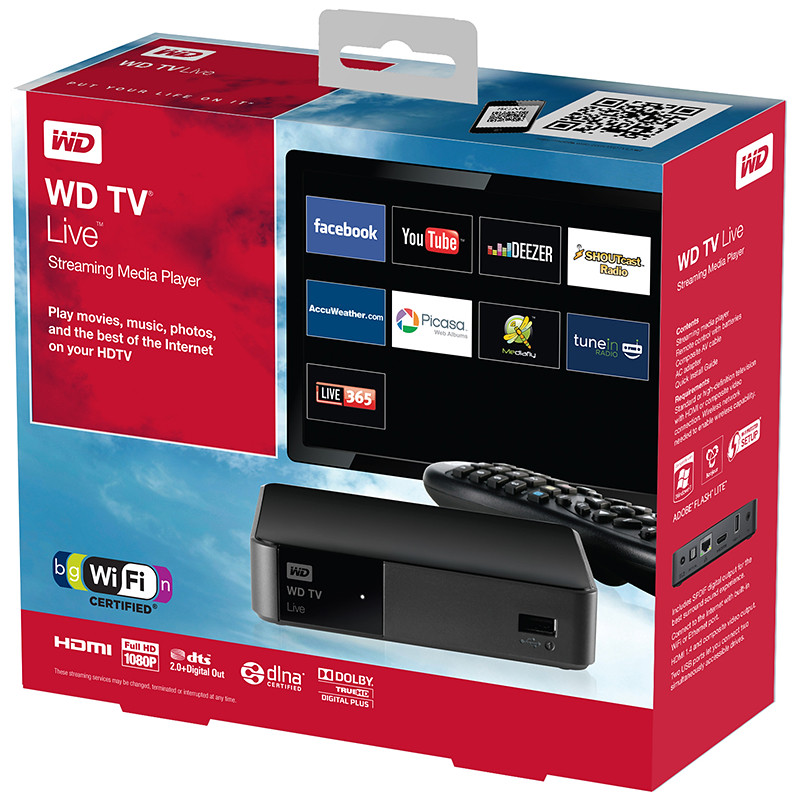
The S$189 WD TV Live is an easy to use Wi-Fi enabled media player that can stream media either from a network attached storage drive in the local network, or directly from the Internet – via an Ethernet connection or the high performance 802.11n wireless connectivity.
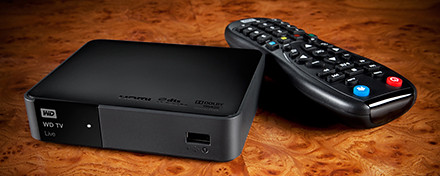
Western Digital WD TV Live wireless streaming media player
If you don’t already own an Apple TV or Google TV, check out WD TV Live from Western Digital.
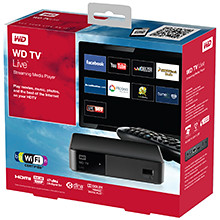 The Wi-Fi enabled media player comes with its own apps to stream media from Internet video, radio and social networking sites such as YouTube, Dailymotion, Facebook, Picassa Web Albums, and TuneIn Radio directly to your TV in Full-HD 1080p resolution. Dailymotion video service is now included to offer video
WD TV Live also includes Fun Spot Games, a casual gaming service that offers arcade, strategy, and card games, puzzles, and quizzes. Some of these games include Sudoku, Black Jack and Poker.
WD TV Live allows users to enjoy personal media such as photos, video and music on their home entertainment systems.
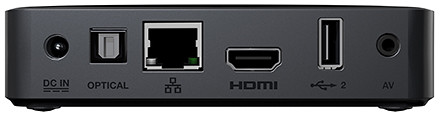
Access Internet media content using WD TV Live in Full-HD 1080p resolution.
It supports a wide range of file formats for streaming content from any connected USB drive, digital camcorder or camera, network drive such as the My Book Live personal cloud storage, and any networked PC or Mac computer in the home.
Tags:media player, Western Digital, wireless
Posted in Accessories, Cloud, Events, Gadgets, Launch, Media player, Music, Photos, Prices, Specifications, TV, Video, Western Digital | 2 Comments »
Friday, October 14th, 2011
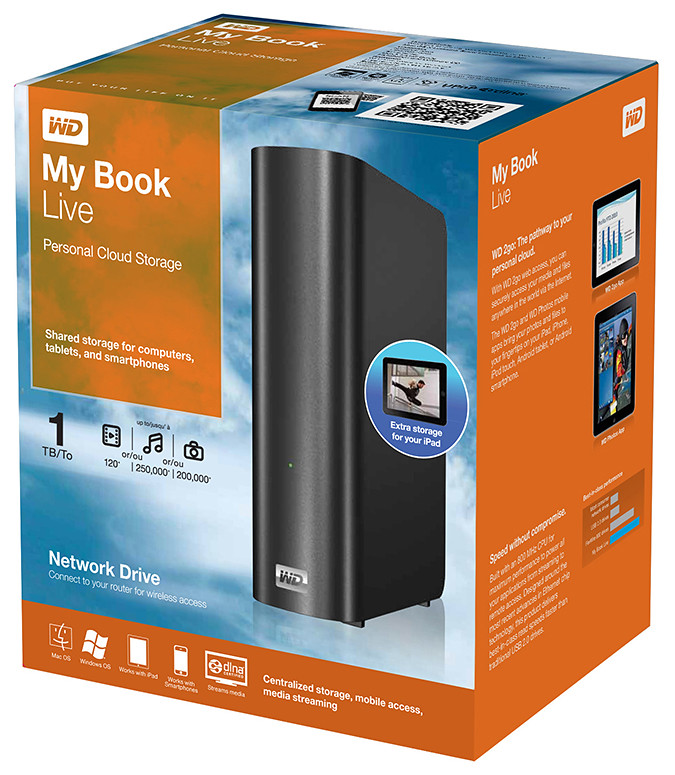
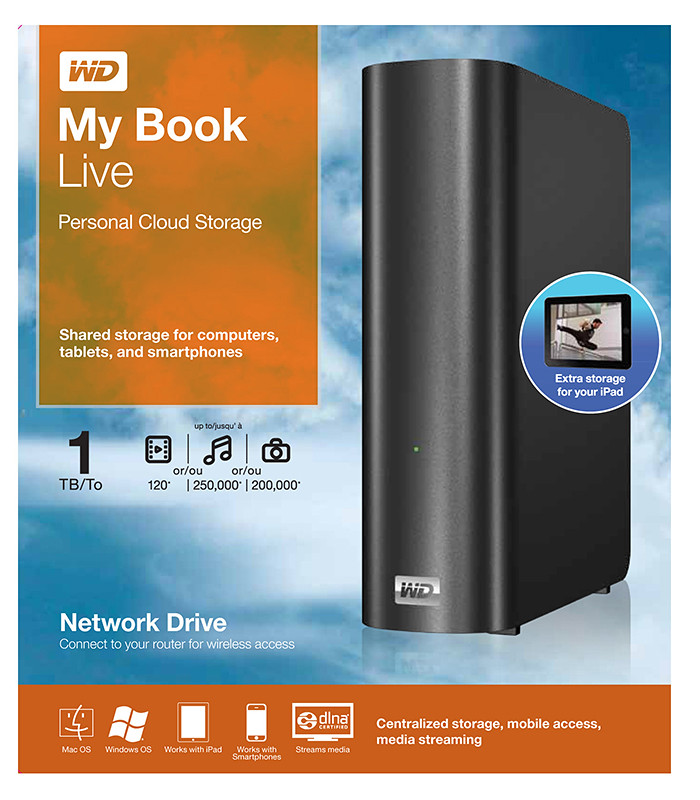
Western Digital offers an easy way to set up a personal private cloud to share documents and media – using the WD My Book Live network drive and mobile apps for Android and iOS smart phones and tablets.
The drives comes in 1TB (S$209), 2TB (S$239), and 3TB (S$299) capacities and are priced roughly US$50 more than non-network external drives with the same capacity.
 I’d posted not long ago about setting up a home shared network hard drive in order to share documents and media – photos, music and video – in a private personal cloud in the comfort of the home.
That was followed with a case study of setting up and using the Seagate GoFlex Home storage system – a similar network attached storage (NAS) drive.
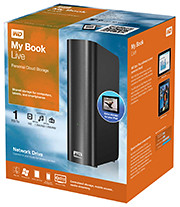
My Book Live is a network attached storage drive from Western Digital
The WD My Book Live network drive from Western Digital is also connected directly to the wireless router to plug into the home wireless network. Both Macs and PCs can store, access and share documents, as well as stream media from the drive.
With all the buzz about consumer public clouds and enterprise private and hybrid (private/public) clouds, the WD My Book Live makes it simple to set up your personal private cloud with the hard-disk and data physically sitting in the security of your home.
Access to this personal cloud can be extended beyond the home to the Internet. Any computer given the access rights can access the shared documents and media on the WD My Book Live through www.WD2go.com.
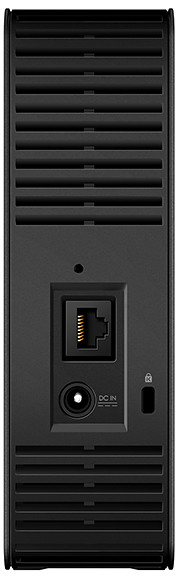
My Book Live comes in capacities of 1TB, 2TB and 3TB
In addition, Android and iOS mobile devices (both smart phones and tablets) can get mobile access to the files stored on the drive via the WD2go apps from Western Digital. The WD Photos and basic WD2go app are free and allows viewing files and streaming media from the WD My Book Live.
For US$2.99, the WD2g Pro app adds the ability to “clip” files – basically download a local copy of files and media to the mobile device; and allow users to share files by emailing either a copy of the files or a link to the WD My Book Live.
Note that once the link is sent out, anybody with the link will have access to that file. There is no expiry date for the sharing, like in Seagate’s GoFlex Home. The only way to stop sharing that file is to either remove that file or rename it – but that affects everybody to whom you’ve sent that link to.
Naturally, both the network drive and the router must be connected and powered up for access. And access from mobile devices is only via the apps over the Internet – instead of direct access over the local home wireless network.
That means that even if you’re at home, the app in your smart phone or tablet will still have to go to the Internet (via wireless or 3G) and come back into the home wireless network to access the files on the WD My Book Live. This is similar to the GoFlex Home.
But Western Digital does not limit the number of users or computers that can share the WD My Book Live. The GoFlex Home limits the number of users/computers that can be set up to connect with it to just 5. GoFlex Home customers need to subscribe to pay to enjoy unlimited connections.
| Capacity |
WD
My Book Live |
Seagate
GoFlex Home |
| 1 TB |
S$209 |
S$179 |
| 2 TB |
S$239 |
S$239 |
| 3 TB |
S$299 |
S$339 |
WD My Book Live features a built-in media server that streams music, photos and movies to any DLNA-certified multimedia device such as a WD TV Live network media player, Blu-ray Disc player, Xbox 360, PlayStation 3, and connected TV.
My Book Live comes in capacities of 1TB, 2TB and 3TB and is compatible with both Windows and Mac OS, as well as DLNA/UPnP enabled devices.
Tags:drive, media player, smartphone, tablets, Western Digital
Posted in Android, App, Cloud, Events, Gadgets, iOS, iPad, iPhone, Launch, Phones, Prices, Specifications, Tablets, TV, Western Digital | 1 Comment »
Thursday, October 13th, 2011
Western Digital launches a slew of media storage, networking and playback products for the connected lifestyle.
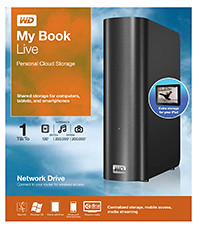
Western Digital My Book Live personal cloud storage
The premise of the Connected Life solution from Western Digital is the simple set-up of a private personal cloud where media can be accessed and shared from any computer at home.
This personal cloud can also be extended into the Internet so that mobile devices such as smart phones and tablet computers can also access data and media in the cloud using apps, while computers can use a browser interface.
The centrepiece of the Connected Life solution from Western Digital is the My Book Live network attached storage. With capacities ranging from 1TB to 3TB, these network capable external hard drives are connected directly to the wireless router at home so that any computer – be it a Mac or a PC – can store and access the media in the drive.
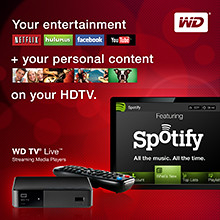
Western Digital WD TV Live streaming media player
The WD TV Live media player that is connected to the wireless network can then stream media from My Book Live and play photos, music and videos on a large TV screen. It can also stream media directly from Internet services such as YouTube.
Outside home, data and media on My Book Live can be accessed on mobile devices using WD apps WD 2go (free), WD 2go Pro (US$2.99), and WD Photos (free).
Tags:Android, cloud, drive, iOS, iPad, iPhone, media player, smartphone, tablets, Western Digital
Posted in Accessories, Android, Cloud, Events, Gadgets, iOS, iPad, iPhone, Launch, Media player, Phones, Prices, Specifications, storage drive, Tablets, Western Digital | 1 Comment »
Saturday, October 8th, 2011
The second of two presentations at the NUS-ISS seminar, “Did you shanzhai today?“, on Friday was on her research on the model of imitation-based innovation that has developed in China over recent years.

Dr. Virginia Cha, Chief Research, ISS-NUS
Dr. Virginia Cha is the Chief of Research at the Institute of Systems Science (ISS).
ISS is a specialist training institute of the National University of Singapore (NUS) offering professional information technology upgrading, conversion and continuing education and training programmes to managers and IT practitioners and technologists.
Cha has been following the shanzhai (山寨) phenomenon in China for the past few years, and shared the findings of her recent field trip to Shenzhen (深圳) in China in August and September this year, when she visited the hive of shanzhai community in Huaqiangbei (华强北).
Essentially, shanzhai describes the model of innovation where entrepreneurs in China start by copying a successful newly launched product The big question I had prior to her talk was “what is the difference between shanzhai and outright piracy?”– say a tablet computer or smartphone – add innovative features that enhance performance or localisation, and quickly bring it to market.
Some shanzhai products eventually became so successful that the original products they’d been based on ended up picking up features added by the shanzhai makers.
Cha made it clear with examples that many who merely imitated products usually failed eventually. The successful shanzhai practitioners were those who were able to exercise innovation by enhancing the product they started off imitating. The imitation was only a start – a quick level up.Some of these shanzhai makers became so successful they mature into large companies themselves and attracted other pirates and shanzhai imitators.
All in all, it was an informative lecture, enriched by plenty of actual shanzhai hardware that Virginia had procured for the purpose of research during her field trip. From her description, Huaqiangbei might just end up becoming the equivalent of the Sillicon Valley in the US.
Tags:China, Huaqiangbei, ISS, NUS, shanzhai, Shenzhen, Virginia Cha
Posted in Events, Seminars, Technology | 1 Comment »
Wednesday, October 5th, 2011
Tim Cook delivered his first major product launch since taking over from Steve Jobs as the CEO. The main anticipation for an iPhone 5 did not come through. Instead an iPhone 4S with changed out innards was offered. By the way, Steve Jobs was absent from the event

"Let's talk iPhone" launches iPhone 4S instead of iPhone 5
The headline for the launch was the iPhone 4S. Identical to the iPhone 4 in terms of external design and appearances, the innards have been completed changed out with much better components. These include a more powerful A5 dual-core CPU promising 2x the previous computing speed and 7x graphics performance, new 8 megapixel camera, full HD video, and iOS 5.
Other highlights inlcude Siri, the voice-activated intelligent assistant and iCloud, a set of cloud services that works and syncs with all the Apple devices a user owns.
New apps and iPod Touch and nano devices were also presented.
Here’s a quick executive summary of the various products launched, their prices (in the US and in Singapore), as well as when they would be available.
| Product / Availability |
Prices |
iPhone 4S
(black & white)
Oct 14:
US, Australia, Canada, France, Germany, Japan & UK
Oct 28:
22 countries including Singapore
Dec 2011:
Rest of the world |
US prices (w 2 yrs contract):
16GB: US$199
32GB: US$299
64GB: US$399
Singapore prices (incl GST):
iPhone 4S: TBA
iPhone 4: S$788
iPhone 3GS: S$548 |
Siri voice-activated intelligent assistant
Comes as Beta on iPhone 4S |
Free |
iOS 5
Available on Oct 12 |
Free software update via iTunes 10.5 |
Cards App
Available on Oct 12 |
US: US$2.99
Elsewhere: US$4.99 |
iCloud
Available on Oct 12 |
5GB: free
10GB: US$20/yr
20GB: US$40/yr
50GB: US$100/yr |
iPod nano
(black & white)
Available today |
US prices:
8GB: US$129
16GB: US$149
Singapore prices (incl GST):
8GB: S$180
16GB: S$208 |
iPad Touch
(black & white)
Available on Oct 12 |
US prices:
8GB: US$199
32GB: US$299
64GB: US$399
Singapore prices (incl GST):
8GB: S$288
32GB: S$428
64GB: S$588 |
Tags:Apple, iOS, iPhone, smartphone
Posted in App, Apple, Cloud, Events, Gadgets, iOS, iPhone, Launch, Phones, Prices, Specifications | No Comments »
Monday, September 26th, 2011
GoFlex Home is a consumer network attached storage (NAS) hard drive for the home. Easy to set up and use, it allows the access, sharing, streaming, and backup of files and media for computers, network TVs, media players and game consoles connected to the home wireless network.
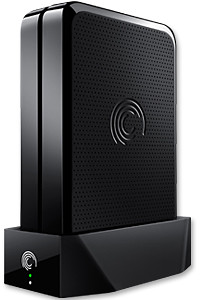
The Seagate GoFlex Home comprises a drive dock and a hard drive.
Secure access can also be opened to computers and iOS/Android tablets and smartphones over the Internet.
Over the weekend, I helped my friend set up an NAS drive for his desktop, netbook, two laptops, iPhone and Android tablet. He had bought the Seagate GoFlex Home 3 TB storage drive during the recent COMEX 2011 but hadn’t had the time to set it up yet.
I helped by using eye-power because he decided to give it a go himself and actually got the thing working in less than 15 minutes. That was the reason why I recommended the drive in the first place, it works with most consumer home Wi-Fi routers with little set-up or configuration needed.
The GoFlex Home comes with two cables and an software installation CD. The following steps were all that was needed to get the personal storage cloud going:
1. Connect the GoFlex Home drive dock to the Wi-Fi router by using the provided Ethernet cable.
2. Pop the GoFlex hard drive into the GoFlex drive dock and plug the power supply into the drive dock and the wall outlet. Switch on the GoFlex Home by pressing the Power button on the drive dock.
3. Pop the CD (or download from Seagate’s website) into the computer (can be a Mac or Windows PC) to install the software needed to access the hard drive. Simply select a language, key in the product information found on the drive, give the drive a name and register it. The name has to be unique globally since it will be used to identify the drive should you access it from the Internet.
4. Install the software on other computers that require access to the shared drive. Up to 5 people/computers on the home network can access the GoFlex Home. By paying to subscribe to the Seagate Share Pro, you get access for an unlimited number of people/computers to the GoFlex Home.
There are three ways to access the drive. One is to use the installed Seagate Dashboard software (on Windows PCs), which allows all features of the drive to be configured and managed. You can add computers and user accounts, backup, access and share files as well.

Use Seagate Dashboard software to configure and manage GoFelx Home
The other way is to use a browser-based Seagate Share either for a computer in the home network or out in the Internet.
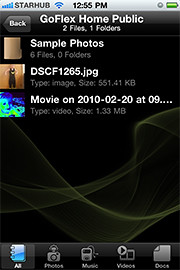
Free iOS/Android app
Both are easy to use with a simple interface, using drag-and-drop or standard dialog boxes we’re familar with.
The third method is via the appropriate free app on a iOS/Android smartphone or tablet, also over the Internet.
The GoFlex Home comes with a USB port which is very useful. You can connect an additional external hard drive to expand the capacity of the original GoFlex hard drive. You can also connect a USB hub for connecting more than one USB device.
In my friend’s case, he connected his printer to the USB port and all his computers on the Wi-Fi network got to share that printer.  No more plugging/unplugging the old printer from one computer to another.
The included backup software allows up to three connected computers to be automatically backed up to the GoFlex Home. Upgrade to Premium Backup ($49.95) to back up an unlimited  number of computers on the GoFlex Home network. You can upgrade at the Application Store that can be accessed through the Seagate Dashboard software.
For each user account set up on the GoFlex Home, three folders are created – a Public, Personal, and Backup folder. The Public folder holds files that can be stored and accessed by everyone on your home network. The Personal and Backup folders can only be accessed by the the user.
What I like about the sharing is the granular control available for the files shared. You can specify who you want to share files with, choose to share just certain files or entire folders, set passwords, and set expiry dates for the shares. Administration is intuitive and easy to pick up. You can send a URL of a shared file via email.
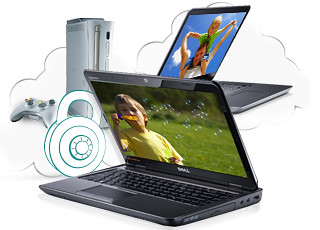
Stream media to other computers and media players on the home wireless network.
Music, photos and video can also be shared and streamed to media players, game consoles or network TVs that support UPnP-AV, DLNA or Windows Media Connect. A wide range of file types are supported.
The GoFlex Home is available in 1TB (S$179), 2TB (S$239) and 3TB (S$339) capacities.
Tags:Android, Apple, Google, iOS, iPad, iPhone, smartphone, tablets
Posted in Accessories, Android, App, Browser, Cloud, Desktops, Gadgets, Howtos, iOS, iPad, iPhone, Notebooks, Phones, Prices, Review, Seagate, Specifications, storage drive, Tablets, TV | 18 Comments »