Archive for the ‘Browser’ Category
Wednesday, May 16th, 2012
First released in the US during CES 2012 in January this year, and then announced during MWC 2012 in February for markets outside the US, Nokia’s third Lumia smartphone will be in Singapore for S$849 from 26 May 2012.

Nokia Lumia 900, running on Windows Phone 7.5 Mango, will be available in Singapore for S$849.
The Lumia series of smartphones from Nokia leads the Finnish company’s renewed focus on the Windows Phone platform.
| Nokia Lumia 900 |
| OS |
Windows Phone 7.5 |
| Screen |
4.3″ |
| Resolution |
800 x 480, WVGA |
| Battery |
1,830 mAh |
| Processor |
1.4 GHz Single Core Snapdragon APQ8055 + MDM9200 |
| Camera |
Rear: 8mp (F2.2) |
| Front: 1.3mp (f2.4) |
| Video |
720p @ 30 fps |
| Memory |
Int: 16 GB |
| Ext: Nil |
| Size /mm |
127.8 x 68.5 x 11.5 |
| Weight |
160 g |
| Price |
S$849 |
The Lumia 900 runs on Microsoft’s latest Windows Phone 7.5 operating system – with its sleek Metro user interface and dynamic live tiles.
Following the launch of the Lumia 800 and Lumia 710 Windows smartphones, the Lumia 900 is bigger, faster and more powerful than its predecessors.
It has a huge 4.3” glass display and 1,800mAH battery.
The handsomely designed smartphone comes in Black, White and Cyan.
The Lumia 900 boasts a powerful 8-megapixel camera with Carl Zeiss optics, dual-LED flash, autofocus and a wide-angle focal length of 28mm.
At f2.2, its large aperture means images and videos are vivid and sharp even in low light.
The Nokia Lumia 900 also comes with a 1 MP front-facing camera, so you can enjoy high-quality free phone and video calls via Tango – the pre-loaded video-call app.

Nokia Lumia 900
For web-surfing there is Internet Explorer 9 browser, Bing search and HTML 5.
As a Windows Phone, an Office Hub app allows viewing and editing of Microsoft Word, Excel, OneNote and PowerPoint documents on the phone.
People Hub collates all your social networking apps in one place – including Facebook, Twitter and LinkedIn.
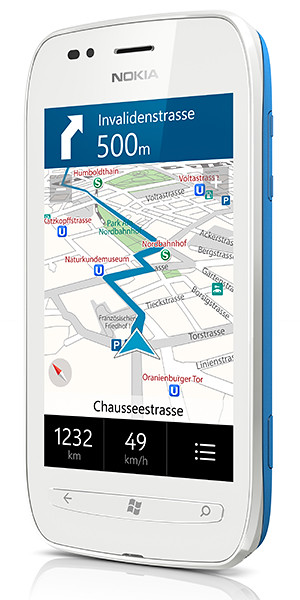
And as a Nokia phone, there are Nokia Maps and Nokia Drive apps to help you find your way around; as well as Nokia Music and Mix Radio apps for audio entertainment on the move.
Follow the links below to other articles I’ve posted about Nokia Lumia smartphones on tech4tea.com.
(more…)
Tags:availability, Lumia, Lumia 900, Mango, Nokia, smartphones, Windows Phone 7.5
Posted in Announce, App, Availability, Gadgets, Internet Explorer, Lumia, Nokia, Office, Operating Systems, Phones, Prices, Software, Specifications, Windows Phone 7 | 1 Comment »
Thursday, January 5th, 2012
The Windows Phone 7.5 Mango smartphone from Samsung will be available in Singapore this month at S$498 (incl GST, excl line contract).
Update (6 January 2012): The Omnia W will be available for purchase starting from 7 January.

Samsung Omnia W, available in Singapore on 7 Jaunuary at S$498 (incl GST, excl line contract).
First announced back in November last year, the Omnia W is the first smartphone from Samsung using Microsoft’s Windows Phone 7.5 Mango operating system.
I played with the phone during its launch yesterday together with two other smartphones (GALAXY Nexus and GALAXY W) and two tablets (GALAXY Tab 7.7 and GALAXY Tab 7.0 Plus).

The Omnia W uses Microsoft Windows Phone 7.5 Mango
The phone was fast and responsive and the interface reminded me of Nokia’s newly launched Lumia 800, which is also based on Windows Phone 7.5 Mango.
Samsung’s Omnia W has a sleek design with a metallic finish and a rich 3.7” Super AMOLED display, giving vivid clarity for photos and videos captured with the 5MP camera.
The latest Windows Phone version provides enhanced usability including superior web browsing with integration of Internet Explorer 9 and Bing, as well as Office Hub that provides productivity on-the-go.
The smartphone includes Samsung-exclusive productivity apps including Samsung AllShare that provides seamless content transfer between the smartphone and other DLNA-enabled devices such as HDTVs, monitors and digital cameras.
Here are the main technical specifications of the Omnia W.
(more…)
Tags:eve, launch, Mango, Microsoft, Samsung, smartphone, Windows Phone 7
Posted in Events, Gadgets, Internet Explorer, Launch, Lumia, Microsoft, Omnia, Phones, Prices, Samsung, Specifications, Windows Phone 7 | 2 Comments »
Saturday, December 10th, 2011
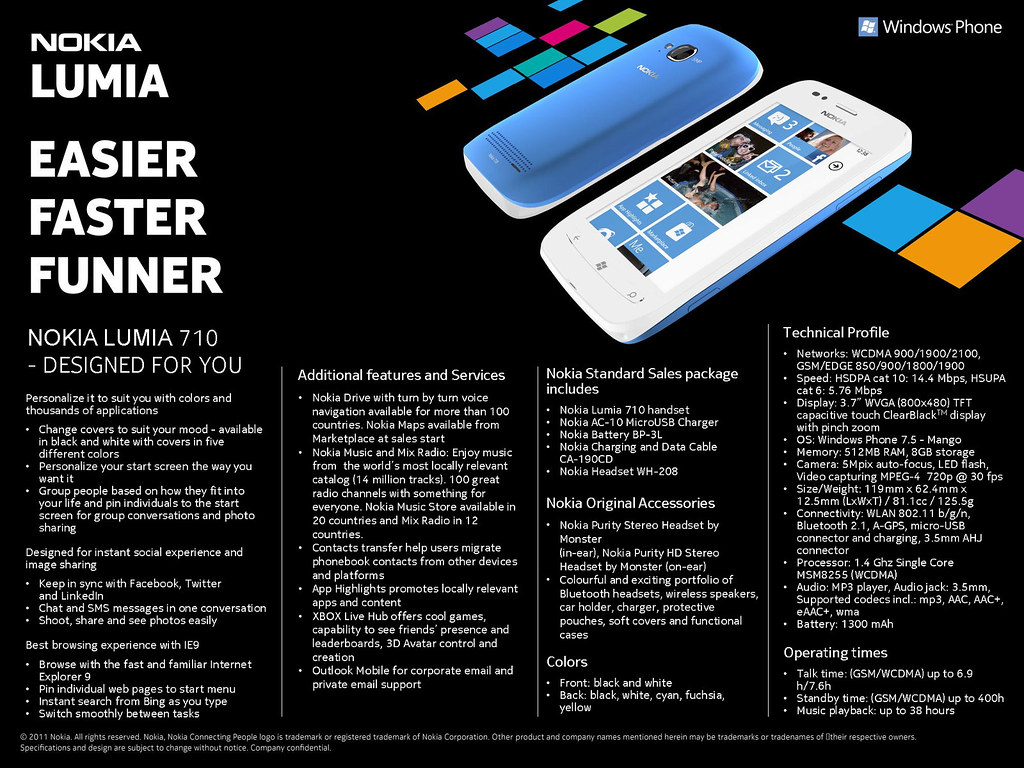
The Lumia 710 was launched in Singapore on 7 December 2011 and will hit the shelves in a few weeks at a RRP of S$505 (excl GST and no contract).
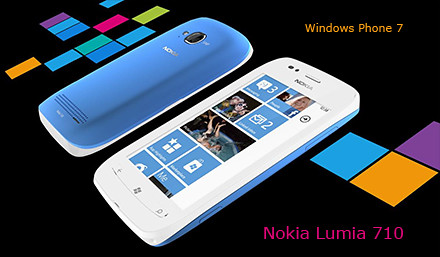
Nokia Lumia 710 on Microsoft Windows Phone 7. Click on image to see full data sheet.

Nokia Lumia 710
The Nokia Lumia 710 can be personalized with exchangeable back covers and is designed for instant social & image sharing, and promises a great browsing experience with IE9.
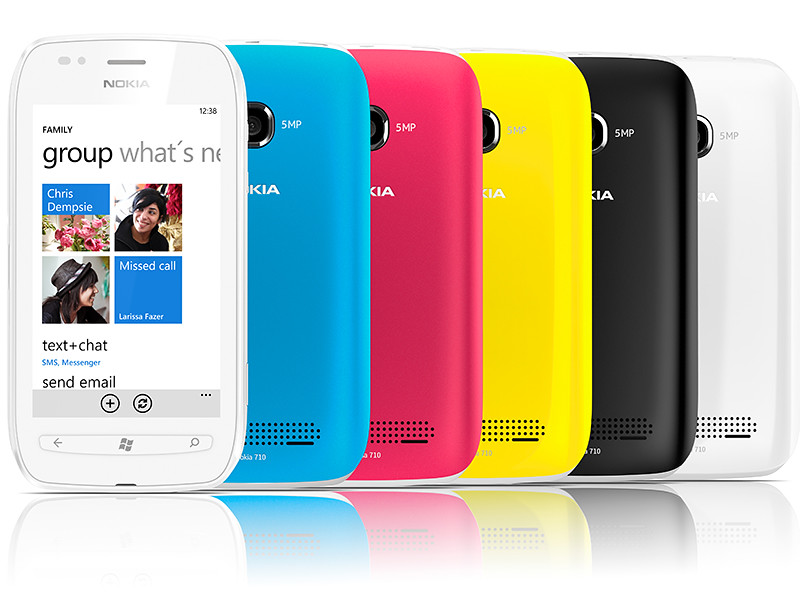
It is available in black and white with black, white, cyan, fuchsia and yellow back covers.
With the same 1.4 GHz processor, hardware acceleration and graphics processor as the Nokia Lumia 800, the Nokia Lumia 710 promises to deliver high performance at an affordable price.
The main technical specifications of the Nokia Lumia 710 are summarized below.
| Networks |
WCDMA 900/1900/2100, GSM/EDGE 850/900/1800/1900 |
| Speed |
HSDPA cat 10: 14.4 Mbps, HSUPA cat 6: 5.76 Mbps |
| Display |
3.7″ WVGA (800×480) TFT capacitive touch ClearBlackTM display with pinch zoom |
| Operating System |
Windows Phone 7.5 – Mango |
| Memory |
512MB RAM, 8GB storage |
| Camera |
5Mpix auto-focus, LED flash, Video capturing MPEG-4 720p @ 30 fps |
| Size/Weight |
119mm x 62.4mm x 12.5mm (LxWxT) / 81.1cc / 125.5g |
| Connectivity |
WLAN 802.11 b/g/n, Bluetooth 2.1, A-GPS, micro-USB connector and charging, 3.5mm AHJ connector |
| Processor |
1.4 Ghz Single Core MSM8255 (WCDMA) |
| Audio |
MP3 player, Audio jack: 3.5mm, Supported codecs incl.: mp3, AAC, AAC+, eAAC+, wma |
| Battery |
1300 mAh |
| Talk time |
(GSM/WCDMA) up to 6.9 h/7.6h |
| Standby time |
(GSM/WCDMA) up to 400h |
| Music playback |
up to 38 hours |
Tags:Lumia, Lumia 710, Microsoft, Nokia, smartphone, Windows Phone 7
Posted in App, Gadgets, Internet Explorer, Lumia, Microsoft, Nokia, Phones, Prices, Software, Specifications, Windows Phone 7 | 4 Comments »
Thursday, December 8th, 2011
For its launch of the Lumia 800 and Lumia 710, Nokia has made it clear that it is not just launching these two handsets.

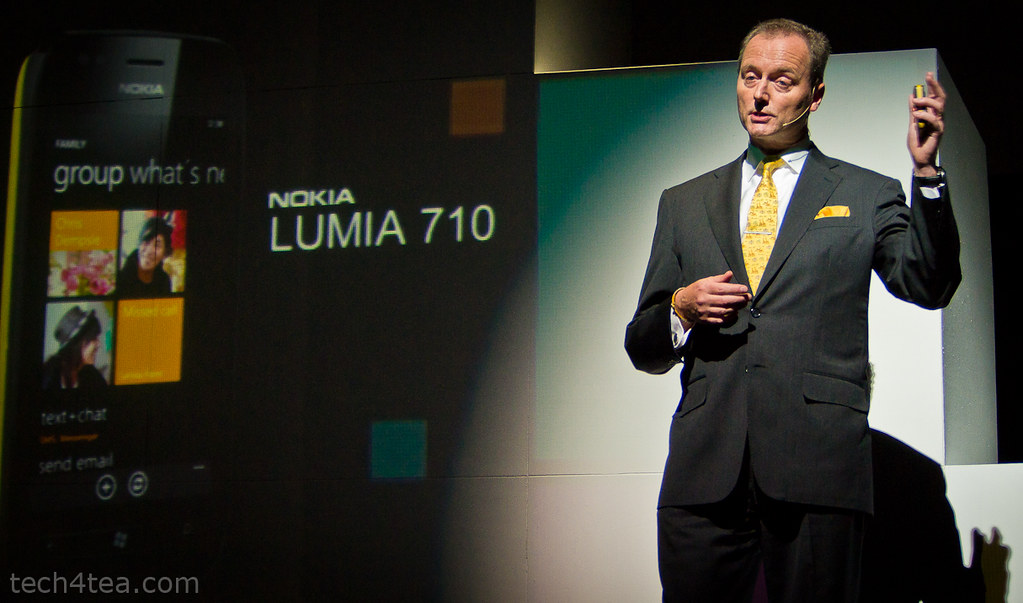
Niklas Savander, Executive Vice President, Markets, Nokia Corporation flew in from Finland to expound the virtues of the Lumia product line in Singapore.
Instead, it is launching a holistic mobile experience for the smartphone user – from the hardware performance to the software user interface, right down to the ecosystem of applications for users and development tools and environment for developers.

Tracey Fellows, Area Vice President, Microsoft Asia Pacific
The launch event was a testimony to this holistic approach.
There were customized sessions to woo different segments of that ecosystem.
The first session of the day was a “fireside chat” where Nokia and Microsoft executives briefed developers how they are developing and building the ecosystem.
Nokia is working with global and local developers to create new, innovative and differentiated apps and content for all Nokia devices.
Emphasis has been placed on supporting local developers transition to develop for the Windows Phone platform.

Ask Andrej Sonkin about how excited he is with the Lumia. He is the Head of Smart Devices for Nokia Southeast Asia Pacific.
It is also partnering with local institutions to actively develop applications.
This was followed by the keynote conference when the actual products were launched, and guests and media had a chance to hands-on the handsets and accessories.
Key executives from both Nokia and Microsoft were on hand for interviews to go into details with their plans for the Singapore market and their local focus, as well as the product specifications for the Nokia Lumia range of products.
The launch event was wrapped up with a bum-boat ride to Clark Quay for a party at Read Bridge.
Tags:Apps, Lumia, Lumia 710, Lumia 800, Microsoft, Nokia, smartphone, Windows Phone 7
Posted in App, Browser, Events, Gadgets, Internet Explorer, Launch, Lumia, Microsoft, Nokia, Operating Systems, Opinion, Phones, Software, Tech news, Windows Phone 7 | 3 Comments »
Wednesday, December 7th, 2011
The first Nokia smartphones based on Windows Phone debut in Singapore. Lumia 800 (S$775 excl GST) will be available in Singapore this Saturday on 10 Decmeber 2011. Lumia 710 (S$505 excl GST) will arrive shortly.

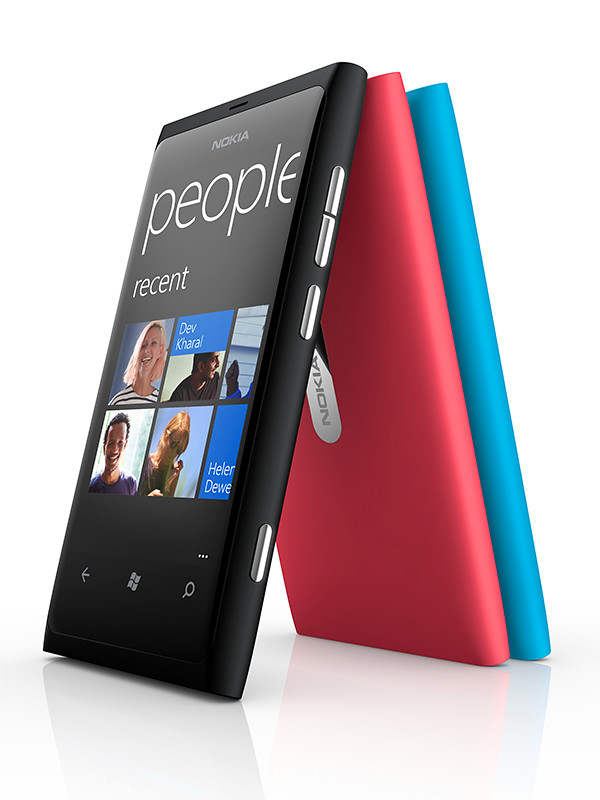
Nokia Lumia 800, Windows Phone 7, S$775 before GST

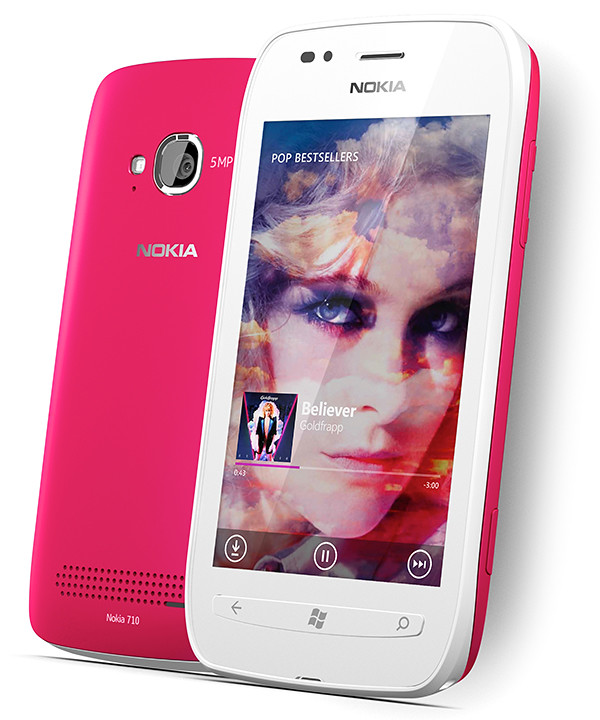
Nokia Lumia 710, Windows Phone 7, S$505 before GST
Nokia kicks off Christmas vigil with a new beginning – the Nokia Lumia 800 promises consumers the best integrated social experience and fast Internet browsing, bringing content to life for the consumer.

Nokia Lumia 800 comes in vivid colours
Judging from my hands-on with the sleek looking gadget so far, it has every chance of fulfilling that promise.
From the few Windows Phone 7 smartphones available thus far, the Lumia 800 seems to deliver the best Windows Phone experience on the market.
The Lumia 800 comes with in vivid colours and is housed in a sleek, polycarbonate body with a 3.7 inch AMOLED ClearBlack curved display.
Containing Carl Zeiss optics, it offers users an instant-share camera experience and HD video playback, and the best social and Internet performance, with one-touch access to social networks.
Here are the main tech specs for the Nokia Lumia 800.

Nokia Lumia 710 comes with interchangeable covers
For those looking for a more fun and personal device, the Lumia 710 comes with colorful changeable covers and is more affordable.
Here are the main tech specs for the Nokia Lumia 710.
Both models include signature Nokia experiences optimised for Windows Phone, including Nokia Drive, Nokia Maps and Nokia Music.
Nokia has also introduced the on-ear Nokia Purity HD Stereo Headset and the in-ear Nokia Purity Stereo Headset by Monster, intended to shoe-in a range of premium audio accessories to complement the Nokia Lumia range of smartphones.
Tags:Lumia, Lumia 710, Lumia 800, Nokia, smartphone
Posted in Accessories, App, Audio, Events, Gadgets, Internet Explorer, Launch, Lumia, Nokia, Operating Systems, Party, Phones, Prices, Software, Specifications, Windows Phone 7 | 6 Comments »
Wednesday, November 16th, 2011
Facebook has identified perpetrators of the recent flood of violent photos and hardcore porn in some users’ newsfeeds.
“We’ve built enforcement mechanisms to quickly shut down the malicious Pages and accounts that attempt to exploit it,” Facebook told Bloomberg.Facebook said that it is now working with its legal team to “ensure appropriate consequences follow.”
This was after porn images of extreme violence, and fake photographs of celebs including Justin Bieber in sexual situations inundated the profiles of some Facebook users.
Exploiting a browser vulnerability, users were tricked into pasting malware into their browsers, which resulted in sharing the offensive content.
Tags:Facebook, porn
Posted in Browser, Facebook, Internet, Photos, Tech news | No Comments »
Monday, September 26th, 2011
GoFlex Home is a consumer network attached storage (NAS) hard drive for the home. Easy to set up and use, it allows the access, sharing, streaming, and backup of files and media for computers, network TVs, media players and game consoles connected to the home wireless network.
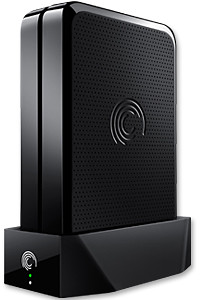
The Seagate GoFlex Home comprises a drive dock and a hard drive.
Secure access can also be opened to computers and iOS/Android tablets and smartphones over the Internet.
Over the weekend, I helped my friend set up an NAS drive for his desktop, netbook, two laptops, iPhone and Android tablet. He had bought the Seagate GoFlex Home 3 TB storage drive during the recent COMEX 2011 but hadn’t had the time to set it up yet.
I helped by using eye-power because he decided to give it a go himself and actually got the thing working in less than 15 minutes. That was the reason why I recommended the drive in the first place, it works with most consumer home Wi-Fi routers with little set-up or configuration needed.
The GoFlex Home comes with two cables and an software installation CD. The following steps were all that was needed to get the personal storage cloud going:
1. Connect the GoFlex Home drive dock to the Wi-Fi router by using the provided Ethernet cable.
2. Pop the GoFlex hard drive into the GoFlex drive dock and plug the power supply into the drive dock and the wall outlet. Switch on the GoFlex Home by pressing the Power button on the drive dock.
3. Pop the CD (or download from Seagate’s website) into the computer (can be a Mac or Windows PC) to install the software needed to access the hard drive. Simply select a language, key in the product information found on the drive, give the drive a name and register it. The name has to be unique globally since it will be used to identify the drive should you access it from the Internet.
4. Install the software on other computers that require access to the shared drive. Up to 5 people/computers on the home network can access the GoFlex Home. By paying to subscribe to the Seagate Share Pro, you get access for an unlimited number of people/computers to the GoFlex Home.
There are three ways to access the drive. One is to use the installed Seagate Dashboard software (on Windows PCs), which allows all features of the drive to be configured and managed. You can add computers and user accounts, backup, access and share files as well.

Use Seagate Dashboard software to configure and manage GoFelx Home
The other way is to use a browser-based Seagate Share either for a computer in the home network or out in the Internet.
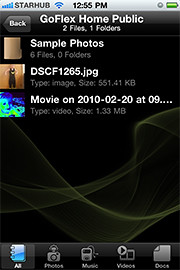
Free iOS/Android app
Both are easy to use with a simple interface, using drag-and-drop or standard dialog boxes we’re familar with.
The third method is via the appropriate free app on a iOS/Android smartphone or tablet, also over the Internet.
The GoFlex Home comes with a USB port which is very useful. You can connect an additional external hard drive to expand the capacity of the original GoFlex hard drive. You can also connect a USB hub for connecting more than one USB device.
In my friend’s case, he connected his printer to the USB port and all his computers on the Wi-Fi network got to share that printer.  No more plugging/unplugging the old printer from one computer to another.
The included backup software allows up to three connected computers to be automatically backed up to the GoFlex Home. Upgrade to Premium Backup ($49.95) to back up an unlimited  number of computers on the GoFlex Home network. You can upgrade at the Application Store that can be accessed through the Seagate Dashboard software.
For each user account set up on the GoFlex Home, three folders are created – a Public, Personal, and Backup folder. The Public folder holds files that can be stored and accessed by everyone on your home network. The Personal and Backup folders can only be accessed by the the user.
What I like about the sharing is the granular control available for the files shared. You can specify who you want to share files with, choose to share just certain files or entire folders, set passwords, and set expiry dates for the shares. Administration is intuitive and easy to pick up. You can send a URL of a shared file via email.
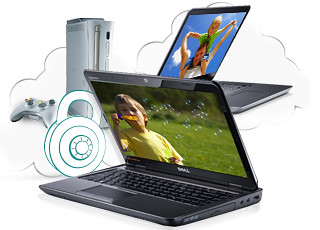
Stream media to other computers and media players on the home wireless network.
Music, photos and video can also be shared and streamed to media players, game consoles or network TVs that support UPnP-AV, DLNA or Windows Media Connect. A wide range of file types are supported.
The GoFlex Home is available in 1TB (S$179), 2TB (S$239) and 3TB (S$339) capacities.
Tags:Android, Apple, Google, iOS, iPad, iPhone, smartphone, tablets
Posted in Accessories, Android, App, Browser, Cloud, Desktops, Gadgets, Howtos, iOS, iPad, iPhone, Notebooks, Phones, Prices, Review, Seagate, Specifications, storage drive, Tablets, TV | 18 Comments »
Wednesday, September 14th, 2011
Here are some screenshots from the Windows 8 developer preview during the ongoing BUILD conference (13-16 September 2011) in the Anaheim Convention Centre.
Windows 8 will be Microsoft’s attempt to wrest market share in the fast growing tablet market from market leading iPads from Apple and the whole slew of tablets based on Google’s Android.
Click on the images for a larger view. These screenshots have been provided by Microsoft.

The personalized lock screen shows unread emails and other app notifications.

See apps and content at a glance on the start screen.

Pick the files you want to send or share from one place.

Touch browsing seems fast, fluid and intuitive.

Large buttons for typing on the touch keyboard.

The thumb keyboard to avoid having to reach into the centre of the screen.
Tags:Microsoft, preview, tablets, Windows 8
Posted in App, Events, Internet Explorer, Microsoft, Operating Systems, Software, Tablets, Tech news, Windows 7, Windows 8 | 1 Comment »
Wednesday, September 14th, 2011
At the developer-focused BUILD conference, Microsoft has showcased a detailed preview of the next major release of Windows, code-named “Windows 8”, including new tools for developers to write applications for the new operating system.
The ongoing BUILD conference (13-16 September 2011) is being held in the Anaheim Convention Center. Here are some screenshots of the preview. Windows 8 is not expected to be come out of beta until at least the second half of 2012.
Main features
The user interface (UI) is centred around a touch interface, although it works with a mouse and keyboard too. Microsoft calls the UI “Metro” style – displaying important information first, whilst emphasising simplicity and user control. Internet Explorer 10 aims to provide a fast and fluid touch-browsing experience.
On the start screen, apps form the focal point, the Apps “tiles” fill the entire screen. The apps work together and communicate with each other in Windows 8. For example, photos can be selected and shared from different apps via email, Facebook, Flickr or the hard drive.
The ongoing BUILD conference (13-16 September 2011) is being held in the Anaheim Convention Center.
If you use multiple devices, Live roams all the content from the cloud services you use most — photos, email, calendar and contacts — keeping them up-to-date on your devices, be it a desktop, laptop, netbook, tablet or smartphone. With SkyDrive, you can access your files, photos and documents from virtually anywhere with any browser or with Metro style apps in Windows 8.
Windows 8 is an enhanced Windows 7 with lower memory footprint, and runs even on low-end hardware. For PC users, Windows 8 features an enhanced Task Manager and Windows Explorer and new, flexible options for multimonitor setups.
For developers, the Windows Store will allow developers to sell their apps anywhere Windows is sold worldwide, whether they’re creating new games or familiar productivity tools. For games developers, DirectX 11 gaming power underlies Windows 8, allowing the easy creation of full-screen games with smooth, flicker-free action.
Hardware wise, Windows 8 supports ARM-based chipsets, x86 (including x32 and x64) devices, and sensors. It promises instant-on and long battery life for ultrathin PCs and tablets, and is backward compatible with software/devices that run on Windows 7.
Tags:Microsoft, preview, Windows 8
Posted in App, Browser, Events, Internet Explorer, Microsoft, Operating Systems, Software, Tablets, Tech news, Windows 7, Windows 8 | 1 Comment »
Monday, June 6th, 2011
As planned, Steve Jobs – who is currently on a medical leave of absence from Apple – made an appearance to host the WWDC 2011. He unveiled the personally unveiled iCloud and left the briefing on Mac OS X Lion and iOS 5 to his staff.
The 5-day Worldwide Developers Conference (WWDC) 2011 is being held at San Francisco.
 iCloud
Steve Jobs personally unveiled the much anticipated iCloud services from Apple. The set of free cloud services promises to work seamlessly with applications on the iPhone, iPad, iPod touch, Mac or PC to automatically and wirelessly store a user’s content in iCloud and again automatically and wirelessly push it to all of the same user’s devices. When anything changes on any one of the devices, all of the user’s other devices are wirelessly updated almost instantly.
The iCloud beta and Cloud Storage APIs are available immediately to iOS and Mac Developer Program members at developer.apple.com. iCloud will be available this autumn concurrently with iOS 5.
 Users can sign up for iCloud for free on an iPhone, iPad or iPod touch running iOS 5 or a Mac running Mac OS X Lion with a valid Apple ID. iCloud includes 5GB of free cloud storage for Mail, Document Storage and Backup. Purchased music, apps, books and Photo Stream do not count against the storage limit. iTunes Match will be available for US$24.99 per year (US only).
iOS 5
 Scott Forstall – Apple’s senior vice president of iOS – paraded 10 of the promised 200 new features for the iPhone, iPad, and iPod Touch.
Main new features include: Notification Center, a new way to easily view and manage notifications in one place without interruption; iMessage, a new messaging service that lets users easily send text messages, photos and videos between all iOS devices; Newsstand, a new way to purchase and organise a user’s newspaper and magazine subscriptions; and PC Free feature, where iOS 5 users can activate and set up their iOS device right out of the box and get software updates over the air with no computer required.
 The iOS 5 beta software and SDK are available immediately for iOS Developer Program members at developer.apple.com. iOS 5 will be available as a free software update for iPhone 4, iPhone 3GS, iPad 2, iPad, iPod touch (fourth generation) and iPod touch (third generation) this autumn.
Mac OS X Lion
 Philip Schiller, Apple’s senior vice president of Worldwide Product Marketing, briefed WWDC 2011 attendees on the eighth major release of Apple’s desktop operating system, which features more than 250 new features and 3,000 new developer APIs.
Main new features of the Mac OS X Lion includes: new Multi-Touch gestures; system-wide support for full screen apps; Mission Control, an innovative view of everything running on your Mac; Launchpad, a new home for all your apps; and a completely redesigned Mail app. The Mac App Store will now be built right into the OS.
 Mac OS X Lion will be available in July as an upgrade to Mac OS X version 10.6 Snow Leopard from the Mac App Store for US$29.99. At about 4GB, it is the size of an HD movie from the iTunes Store. Mac OS X Lion Server requires Lion and will be available in July from the Mac App Store for US$49.99.
Tags:Apple, iCloud, iOS, iPad, iPhone, iPod Touch, Lion, Mac OS X
Posted in Apple, Events, Gadgets, iOS, iPad, iPhone, Launch, Operating Systems, Phones, Prices, Safari, Software, Specifications, Tablets | 1 Comment »