Western Digital offers an easy way to set up a personal private cloud to share documents and media – using the WD My Book Live network drive and mobile apps for Android and iOS smart phones and tablets.
The drives comes in 1TB (S$209), 2TB (S$239), and 3TB (S$299) capacities and are priced roughly US$50 more than non-network external drives with the same capacity.
 I’d posted not long ago about setting up a home shared network hard drive in order to share documents and media – photos, music and video – in a private personal cloud in the comfort of the home.
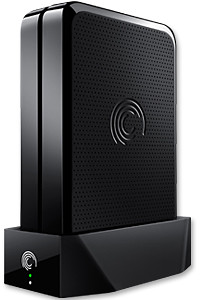
That was followed with a case study of setting up and using the Seagate GoFlex Home storage system – a similar network attached storage (NAS) drive.
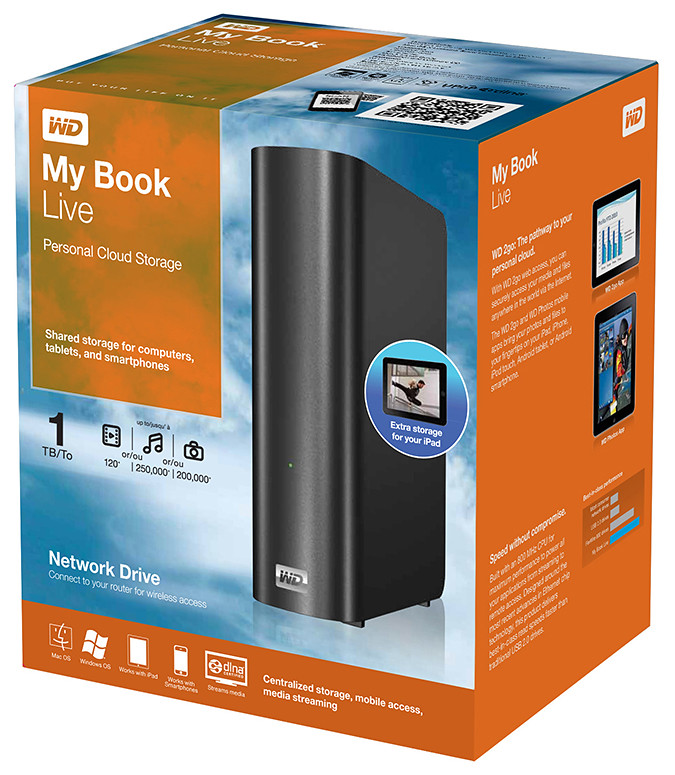
My Book Live is a network attached storage drive from Western Digital
The WD My Book Live network drive from Western Digital is also connected directly to the wireless router to plug into the home wireless network. Both Macs and PCs can store, access and share documents, as well as stream media from the drive.
With all the buzz about consumer public clouds and enterprise private and hybrid (private/public) clouds, the WD My Book Live makes it simple to set up your personal private cloud with the hard-disk and data physically sitting in the security of your home.
Access to this personal cloud can be extended beyond the home to the Internet. Any computer given the access rights can access the shared documents and media on the WD My Book Live through www.WD2go.com.
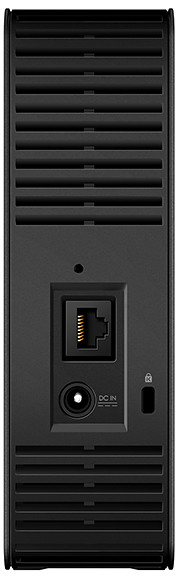
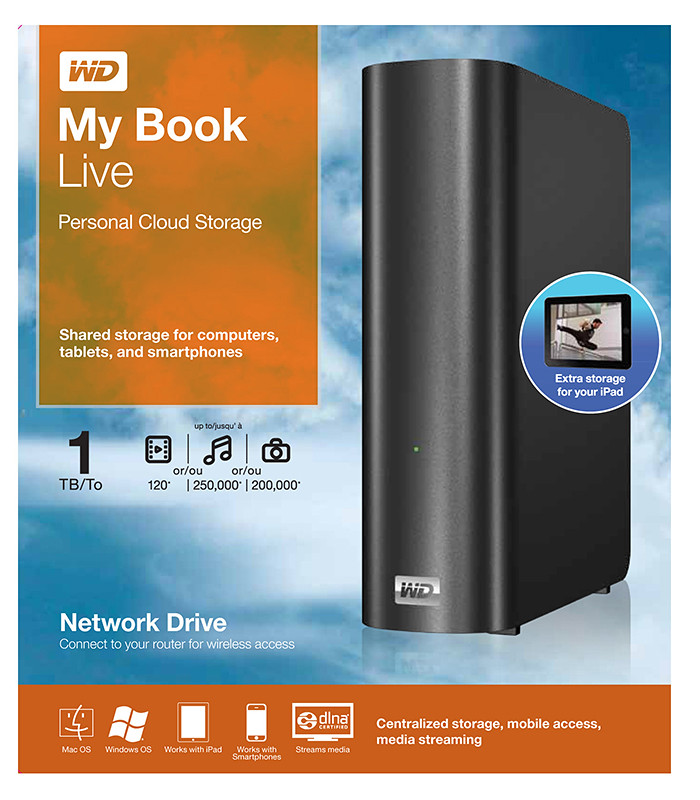
My Book Live comes in capacities of 1TB, 2TB and 3TB
In addition, Android and iOS mobile devices (both smart phones and tablets) can get mobile access to the files stored on the drive via the WD2go apps from Western Digital. The WD Photos and basic WD2go app are free and allows viewing files and streaming media from the WD My Book Live.
For US$2.99, the WD2g Pro app adds the ability to “clip” files – basically download a local copy of files and media to the mobile device; and allow users to share files by emailing either a copy of the files or a link to the WD My Book Live.
Note that once the link is sent out, anybody with the link will have access to that file. There is no expiry date for the sharing, like in Seagate’s GoFlex Home. The only way to stop sharing that file is to either remove that file or rename it – but that affects everybody to whom you’ve sent that link to.
Naturally, both the network drive and the router must be connected and powered up for access. And access from mobile devices is only via the apps over the Internet – instead of direct access over the local home wireless network.
That means that even if you’re at home, the app in your smart phone or tablet will still have to go to the Internet (via wireless or 3G) and come back into the home wireless network to access the files on the WD My Book Live. This is similar to the GoFlex Home.
But Western Digital does not limit the number of users or computers that can share the WD My Book Live. The GoFlex Home limits the number of users/computers that can be set up to connect with it to just 5. GoFlex Home customers need to subscribe to pay to enjoy unlimited connections.
| Capacity | WD My Book Live |
Seagate GoFlex Home |
|---|---|---|
| 1 TB | S$209 | S$179 |
| 2 TB | S$239 | S$239 |
| 3 TB | S$299 | S$339 |
WD My Book Live features a built-in media server that streams music, photos and movies to any DLNA-certified multimedia device such as a WD TV Live network media player, Blu-ray Disc player, Xbox 360, PlayStation 3, and connected TV.
My Book Live comes in capacities of 1TB, 2TB and 3TB and is compatible with both Windows and Mac OS, as well as DLNA/UPnP enabled devices.


 After every relevant purchase at a participating outlet, you can key in the purchase and let the cashier or bartender verify the purchases by scanning his special QR code. Once you have accumulated enough purchases, show the app to the cashier redeem rewards and freebies. Again, the cashier or bartender will scan his special QR code to acknowledge redemption and then hand over that free drink or merchandise.


 No more plugging/unplugging the old printer from one computer to another.
 number of computers on the GoFlex Home network. You can upgrade at the Application Store that can be accessed through the Seagate Dashboard software.



 At the Worldwide Developers Conference (WWDC) 2011 today, Scott Forstall – Apple’s senior vice president of iOS – paraded 10 of the promised 200 new features for the iPhone, iPad, and iPod Touch. Although customers will only be receiving the update in autumn, developers will get their version of iOS 5 today.
 Notification Center provides iOS 5 users with an innovative way to easily access all notifications―text messages, missed calls, calendar alerts, app alerts and more, all in one place, from anywhere in iOS 5. When they arrive, notifications appear briefly at the top of the screen without interrupting what you’re doing. With one swipe you can see all your notifications, and a simple tap will take you right to its app for more detail. Notifications also appear on the lock screen, with the ability to be taken to the notifying app with just one swipe. This is similar to the consolidated notification alert bar and window on newer BlackBerry devices like the
  Newsstand is an easy-to-organise bookshelf displaying the covers of all your newspaper and magazine subscriptions in one place. A new section of the App Store features just subscription titles, and allows users to quickly find the most popular newspapers and magazines in the world. For subscribed titles, new issues appear in the Newsstand and are updated automatically in the background so you always have the latest issue and the most recent cover art.
 Safari sees new features for the browser in iOS 5. Safari Reader will strip down poorly formatted pages into an RSS-like view, and provides a link that allows you to e-mail the entire text of a story from within Safari. Reading List lets you save articles to read later and they automatically show up on all your iOS devices. Tabbed browsing is now available on the iPad making it easy to flip between multiple web pages on the tablet.
 iOS 5 includes built-in Twitter integration, so you can sign in once and then tweet directly from all your Twitter-enabled apps, including Photos, Camera, Safari, YouTube and Maps with a single tap. New APIs give third party developers the ability to take advantage of the single sign-on capability for their own iOS 5 apps.
 iMessage in iOS 5 brings the functionality of iPhone messaging to all of your iOS devices―iPhone, iPad and iPod touch. Built right into the Messages app, iMessage allows you to easily send text messages, photos, videos or contact information to a person or a group on other iOS 5 devices over Wi-Fi or 3G. iMessages are automatically pushed to all your iOS 5 devices, making it easy to maintain one conversation across your iPhone, iPad and iPod touch. iMessage also features delivery and read receipts, typing indication and secure end-to-end encryption.
 With the new PC Free feature, iOS 5 users can activate and set up their iOS device right out of the box with no computer required, and iOS software updates are delivered over the air and installed with just a tap. Wi-Fi Sync in iOS 5 transfers and backs up your content securely over SSL and wirelessly syncs purchased content from your device to your iTunes library.
 • Game Center, now with the ability to add photos to your profile, purchase new games from within the Game Center app and easier ways to find friends and new games.
 The iOS 5 beta software and SDK are available immediately for iOS Developer Program members at


