Posts Tagged ‘navigation’

TomTom to help ease London traffic congestion during the Olympics

Tuesday, July 24th, 2012

There will be numerous road disruptions in London during the 2012 Olympics. TomTom will be providing – at 6pm every day – the latest map updates on road changes for the following day, via the Map Share community.

TomTom will provide free map updates to help alleviate traffic congestion during the London 2012 Olympics.

TomTom will provide free map updates to help alleviate traffic congestion during the London 2012 Olympics.

Good news for those driving in London during the Summer Olympics, which opens on 27 July and ends on 12 August.

TomTom’s map experts have predicted that 28 July is likely to be the most disrupted travel day in and around London with more than 9000 road changes.

The next most congested day is likely to be August 1 when more than 3000 changes will be made.

With the temporary road closures, changes in traffic flow and turn restrictions, TomTom will be helping drivers avoid travel disruptions with additional daily updates to their maps via the Map Share community.

After 6pm (GMT) every day, TomTom users will be able to download – for free – the following day’s road changes to their navigation device and reset any changes no longer required from the previous day for free.

(more…)

PC Show 2012 promotions: TomTom

Sunday, June 3rd, 2012

TomTom will be at the PC Show 2012 at Suntec Singapore at Level 3 Concourse, Booth 304; and Level 4, Booth A2022.

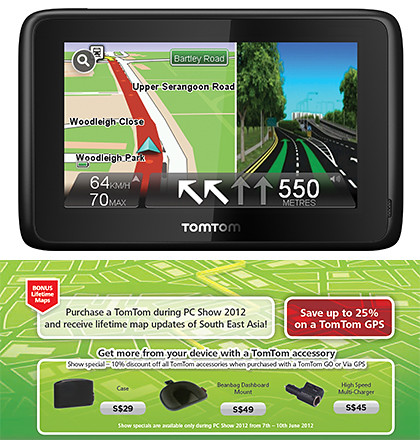
TomTom's PC Show 2012 promotions for portable GPS navigation devices.

Click on picture to view/download TomTom's PC Show 2012 brochures.

With the purchase of any TomTom GPS at the PC Show, customers will, for the first time ever, receive Lifetime Maps of South East Asia.

With road networks changing on average 15% a year, the map update service ensures that TomTom drivers enjoy a lifetime of free map updates – with four new maps of South East Asia released each year.

This means drivers will receive lifetime updates for the maps of: Singapore, Malaysia, Thailand, Indonesia, Brunei, Hong Kong & Macau, all 7 of which come pre-loaded on TomTom devices.

TomTom will be at Level 3 Concourse, Booth 304; and Level 4, Booth A2022 during PC Show 2012.

Click to enlarge to see TomTom is located at the PC Show 2012.

TomTom is also offering S$50 off the VIA 220 (S$149) & VIA 280 (S$229) as well as GO 2050 (S$349) & GO2050 World (S$429). The VIA 260 (S$149) will be discounted by S$40. Prices in brackets are AFTER discounts.

Here’s the brochure for TomTom’s PC Show 2012 promotions for in-car location and navigation products and services.

New TomTom App for iPhone/iPad available in iTunes

Sunday, April 22nd, 2012

TomTom South East Asia V1.10 is now available in the iTunes store. Priced at US$69.99, existing V1.9 users can download the update for free.

TomTom App for iPhone/iPad South East Asia V1.10 available now on iTunes.

TomTom App for iPhone/iPad South East Asia V1.10 available now on iTunes.

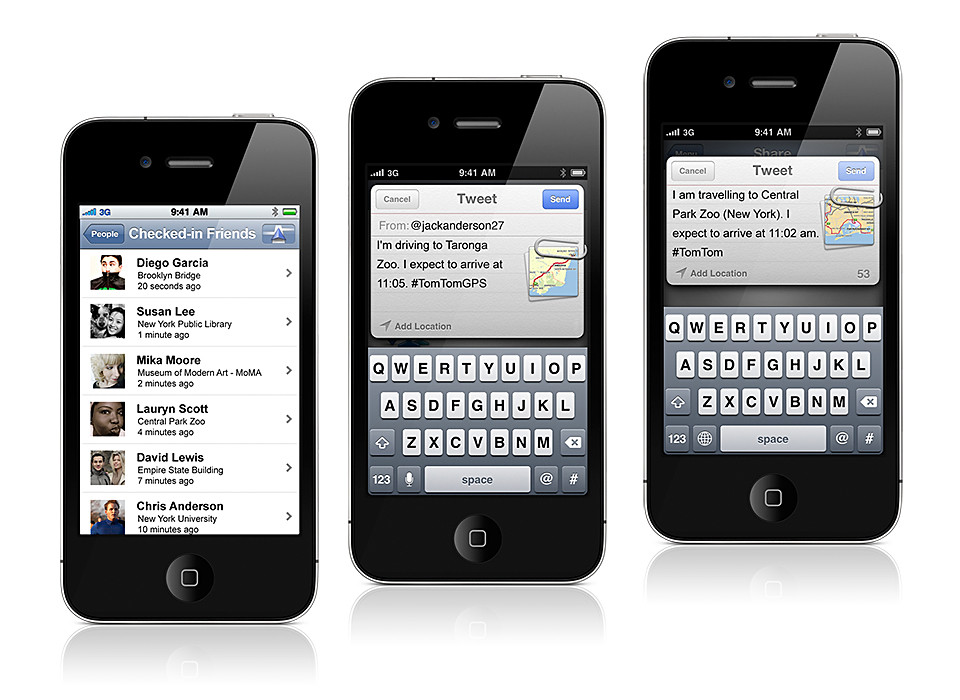
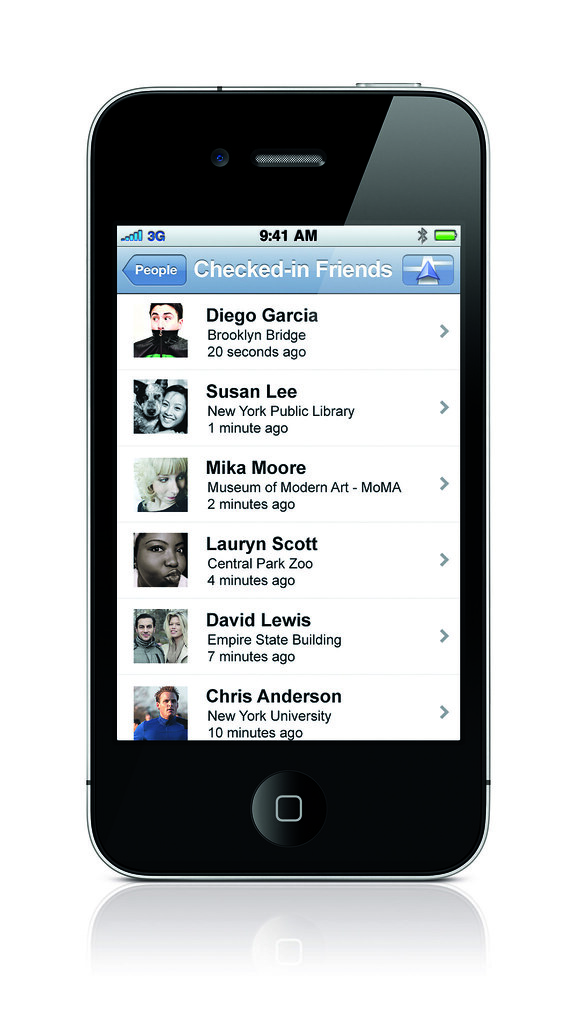
The latest version of the TomTom App integrates TomTom navigation with social media applications such as Facebook and Twitter – allowing users to navigate to friends, places and events more easily.

TomTom App for iPhone/iPad South East Asia V1.10 First previewed during CES 2012 in January, the TomTom navigation app for iPhone and iPad fully supports social networks as a source for turn-by-turn navigation.

The new version automatically plans routes based on information from Facebook events and places.

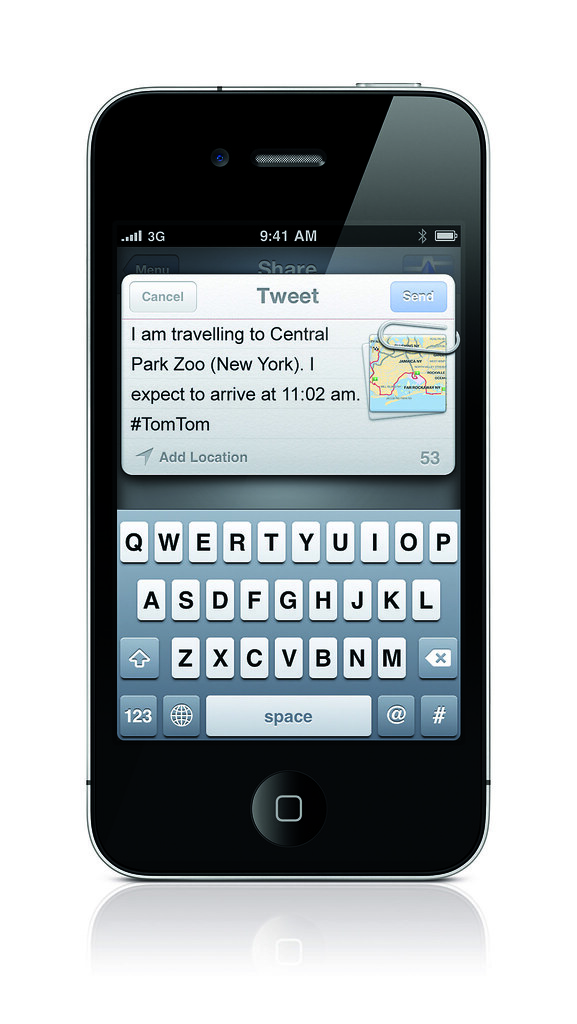
Additionally, drivers can use the app to share their destination and arrival time on Twitter, Facebook, by email and by SMS text.

The app offers regional coverage and the update includes the latest maps of Singapore, Malaysia, Indonesia, Thailand, and Brunei.

IT Show 2012 promotions: TomTom

Saturday, March 3rd, 2012

TomTom will be at IT Show 2012 in Suntec Singapore at Level 6, Hall 603, Booth 6711; with promotional prices and free accessories for its GO and Via dedicated GPS navigation devices.

TomTom will be at Level 6, Hall 603, Booth 6711 during IT Show 2012.

TomTom will be at Level 6, Hall 603, Booth 6711 during IT Show 2012.

TomTom will be offering an extra two-year South East Asia Map Update Service, as well as a 10% discount on all TomTom accessories with the purchase of a TomTom GO or Via GPS.

TomTom Model IT Show Price Usual Price
Via 220 S$159 S$199
Via 260 S$199 S$239
Via 280 S$239 S$279
Go 2050 S$349 S$399
Go 2050 World S$429 S$479

The five TomTom portable navigation devices arrived in Singapore in November 2011.

The above is a summary of the discounted prices. Below are the flyers from TomTom for the IT Show.

(more…)

CES preview: TomTom App for iPhone/iPad goes social

Wednesday, January 11th, 2012

The latest version of the TomTom App (V1.10) integrates TomTom navigation with Facebook and Twitter allowing users to navigate to friends, places and events more easily.

The new TomTom App will be available within Q1 2012. Customers who already have the App (V1.9) will be able to download the new features for free.

TomTom App for iPhone/iPad integrates with Twitter and Facebook.

TomTom App for iPhone/iPad integrates with Twitter and Facebook.

The TomTom app uses social networks as a source for turn-by-turn navigation.

The TomTom app uses social networks as a source for turn-by-turn navigation.

The TomTom App for iPhone and iPad will be the first to use social networks as a source for turn-by-turn navigation.

It can automatically plan routes based on information from Facebook events, places and friends.

Drivers can also use the App to share their destination and arrival time on Twitter, Facebook, by email and SMS text.

The current TomTom App for iPhone/iPad (V1.9) already offers drivers:

  • The updated and accurate maps with no need for a mobile signal or data plan.
  • Free daily map changes from the TomTom community through Map Share.
  • Reliable arrival times at all times of day with IQ Routes.
  • Real-time camera alerts via TomTom Speed Cameras.
  • A powerful search with Google and Facebook.
  • Clear turn-by-turn guidance while on the phone thanks to iOS Multitasking support.
  • Seamless integration with contacts, photos, music, email and calendar.

Love traffic jams – love Clementi and Bukit Timah

Monday, December 19th, 2011

TomTom study reveals the best and worst travel times on Singapore roads.

West and central parts of Singapore experience the largest traffic slowdowns during the morning peak hours.

West and central parts of Singapore experience the largest traffic slowdowns during the morning peak hours.

TomTom did a study on driving times between the City and different suburbs during the peak hours.

The time taken to drive from each suburb to Raffles Place during peak hour in the morning (8-9am) was compared with the time taken during silent hours (1-5am) – when traffic was not a constraint to vehicle speed.

Traffic slowdowns during the evening peak hours in Singapore.

Traffic slowdowns during the evening peak hours in Singapore.

Similarly, the time taken to drive from Raffles Place to each suburb during the peak hour in the evening (5-7pm) was compared with the time taken during silent hours.

The spread of traffic degradation seems broader in the morning peak hours compared to the evening peak hours.

The spread of traffic degradation seems broader in the morning peak hours compared to the evening peak hours.

Clementi and Bukit Timah were found to suffer the greatest slow downs during the two peak hours compared to unobstructed driving timings between these two suburbs and the City.

New Zealand based Valerie Cross of TomTom Asia Pacific told me during her visit to Singapore that IQ Routes takes into consideration the different travel times for each road during different times of the day. “That’s because the actual travel speeds of each road varies throughout the day, and IQ Routes takes that into account.”Bishan and Jurong West were another two suburbs that experiences severe slowdowns during the peak hours.

For the evening peak hour, the overall spread of degradation was much smaller than during the morning peak hour.

Tampines is an interesting exception in that is the least affected by the morning peak hour, yet it was most severely affected during the evening peak hour.

There doesn’t seem to be any obvious reason to that.

TomTom derived the traffic data from the logs of portable navigation devices (PND) of its users when the latter connected their GPS devices to the Internet for updates.

The traffic data were extracted without any tags that could be used to identify the PND users.

Historic traffic data along roads are used during route planning by TomTom PNDs.

Historic traffic data along roads are used during route planning by TomTom PNDs.

These historical traffic data is also used by TomTom to inject intelligence into the route planning algorithms of its PNDs, in the form of its IQ Routes feature.

Instead of planning routes based on jam-free traffic conditions and maximum road speed limits, IQ Routes take into consideration the historical and real travel timings of those roads considered for the routes for more accurate “fastest route” recommendations.

It’s as if the PND is a local choosing to drive further on a less congested road in order to avoid a 300m stretch that typically takes an hour due to peak hour traffic.

HD Traffic uses live data for route planning.

The next step beyond IQ Routes is live traffic information, which TomTom offers for 22 countries in the form of its HD Traffic feature.

Unfortunately, it is not available and for the moment, TomTom does not yet have any plans to introduce that to its Singapore users, because of the complexity of setting up its own live traffic sources and integration with other live traffic sources.

Travel: When technology fails you

Monday, November 28th, 2011

That’s when old school topo skills come in useful.
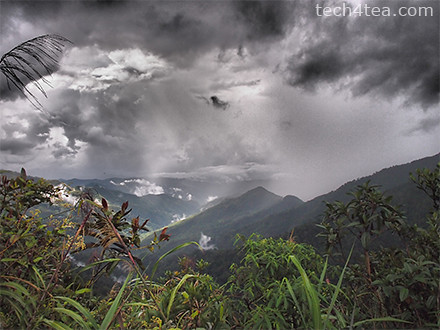
View from Base HQ of Mount Kinabalu. Taken with Dramatic Tone Art Effect on the Olympus PEN E-P3.

View from Base HQ of Mount Kinabalu. Taken with Dramatic Tone Art Effect on the Olympus PEN E-P3.

In the interest of packing light and reducing the gadget count, I’d decided to leave behind the TomTom VIA 280 dedicated GPS portable navigation device (PND) at home.

Mt Kinabalu, shrouded in clouds

Mt Kinabalu, shrouded in clouds

We were also undecided whether to rent a car to self-drive from Kota Kinabalu to Mount Kinabalu or to take a local tour.

Furthermore,  I’d just installed the equivalent turn-by-turn navigation app from TomTom on an  iPhone 3GS and found it to work as well as the PND while driving around Singapore.

When we arrived at 8pm last night, we found the rental rates at the airport to be reasonable and decided to go for the self-drive option.

Imagine our dismay when we found the iPhone 3GS could not get a GPS fix.

The other iPhone 3G that we had did not have any problems getting a fix so we realized the problem lay with the GPS unit within the iPhone 3GS.

Fresh Bougainvillea enroute to Mount Kinabalu

Fresh Bougainvillea enroute to Mount Kinabalu

Fortunately, the 15-minute journey from the airport to the hotel was short and simple, and we managed it through good old verbal instructions from the rental guy and maps from the brochure.
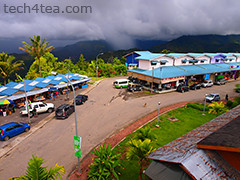
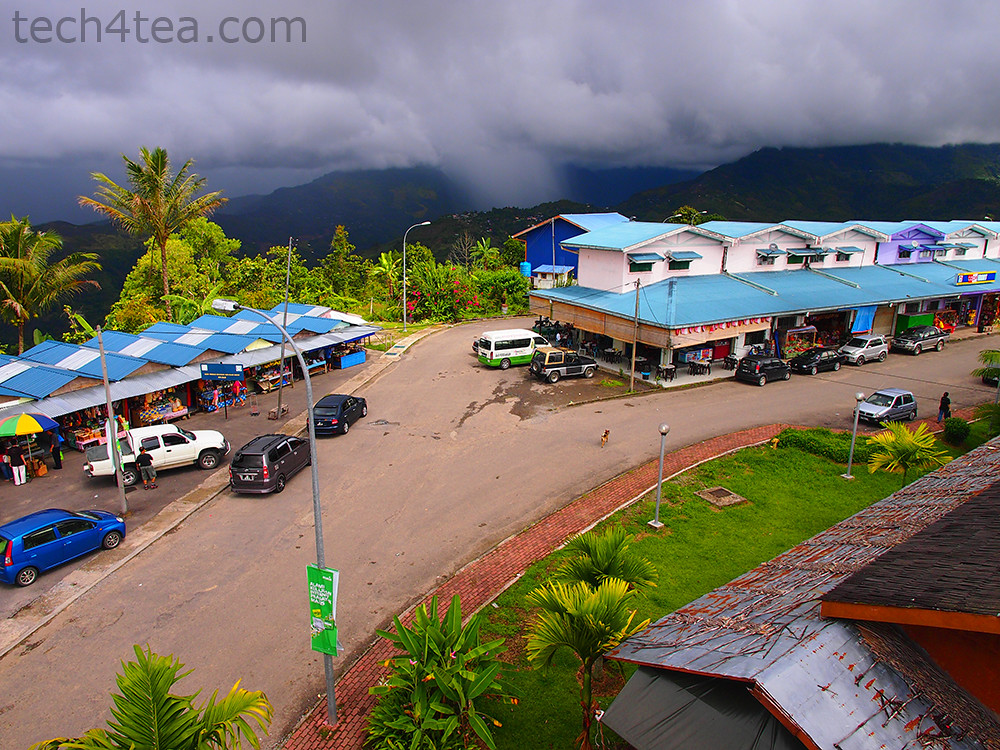
Pekan Nabalu enroute to Mt Kinabalu. Taken using Pop Art effect on Olympus PEN E-P3.

Pekan Nabalu enroute to Mt Kinabalu. Taken using Pop Art effect on Olympus PEN E-P3.

By the time we reached “Le Meridin” hotel (the neon light for the second “e” in Meridien must have burnt out), the iPhone 3GS still couldn’t get a fix.

The next morning, it was the same story, the 3GS couldn’t get a fix even though the 3G could.

Who would have thought a relatively simple and basic module like the GPS would fail on a month-old iPhone (Yes – I know – it’s two generations behind the iPhone 4S).
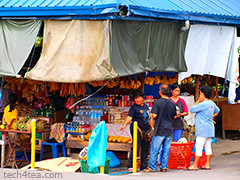
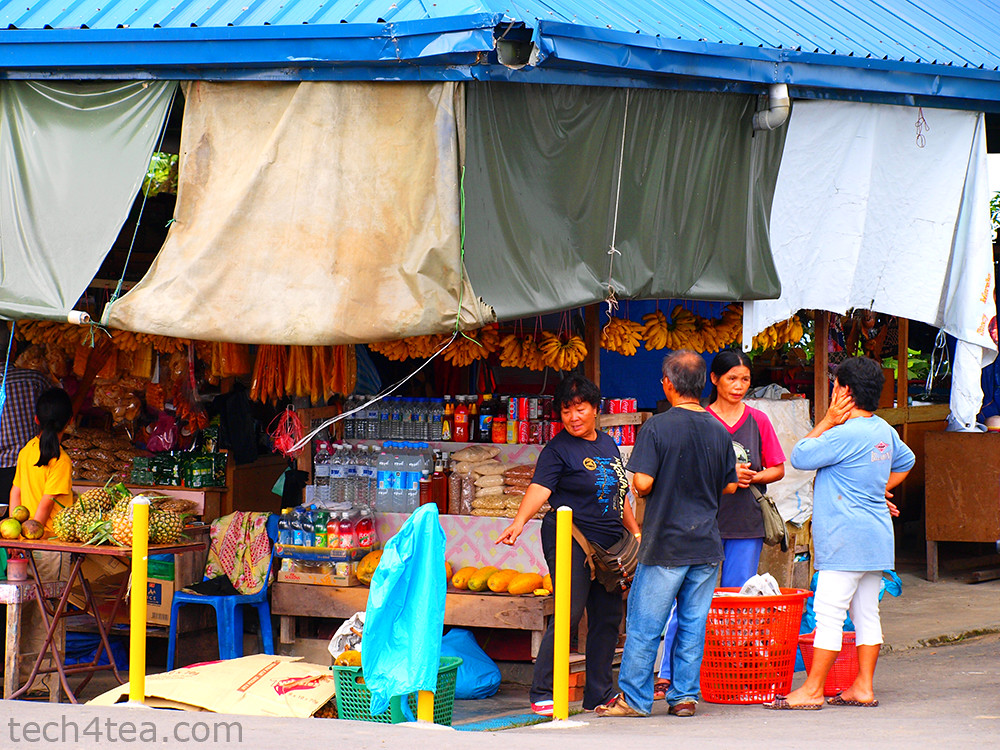
Stores at Pekan Nabalu. Olympus PEN E-P3 with Pop Art effect.

Stores at Pekan Nabalu. Olympus PEN E-P3 with Pop Art effect.

And the iPhone 3G (Yes – that’s THREE generations behind the iPhone 4S – and proud of that) didn’t have that app installed, and I wasn’t prepared to chalk up huge data roaming fees using the Google Maps app on the 3G.

So it was back to paper maps, driving instructions from the concierge, and old school topographical skills.

We’d driven around the complicated and tiny country roads of the Loire Valley in France on nothing more than paper maps, and surely the single highway route to Mt Kinabalu would be a piece of cake.

Prior to starting off, I ran the route through the Google Maps app on my iPhone 3G to download map data into the app’s cache using the hotel’s free WiFi. That should serve as reference later on during the drive.

Wild squirrel on the alert, at the foothills of Mt Kinabalu.

Wild squirrel on the alert, at the foothills of Mt Kinabalu.

We made the 2-hour drive to Mt Kinabalu smoothly. There was only one wrong turn prior to reaching the highway and a quick check on the Google Maps app on the iPhone 3G guided us back to the highway and we were on our way.
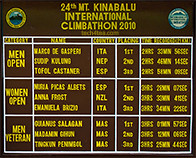
As in a marathon, most amateurs complete in more than 4 hours, although most choose to do the climb over 2 days, planning the arrival at the peak at sunrise.

As in a marathon, most amateurs complete in more than 4 hours, although most choose to do the climb over 2 days, planning the arrival at the peak at sunrise.

After a lunch stop at Pekan Nabalu, we reached the base HQ of Mt Kinabalu. Only at this highest mountain in Malaysia and South East Asia did the iPhone 3GS finally pick up a GPS signal, and it promptly told us we were some 300km away in Bandar Seri Begawan, the capital of Brunei.

After a long while it finally placed us at Mt Kinabalu. All along the way back to Kota Kinabalu, the GPS of the iPhone 3GS kept flip-flopping between our true location and Bandar Seri Begawan, forcing the GPS app to recalculate routes.

Half-way home, the 3GS decided it had had enough. It finally ran out of battery – from the constant search for a GPS signal, as well as its exertions to recalculate routes.

By which time, we’d all but given up on depending on the iPhone. I sure hope TomTom comes up with a GPS app on the Android.

Maiden run: TomTom VIA 280

Sunday, November 20th, 2011

I tried out the TomTom VIA 280 for the first time during my drive from Singapore to Kuala Lumpur (KL) today after receiving the review unit yesterday. Here are the initial impressions.

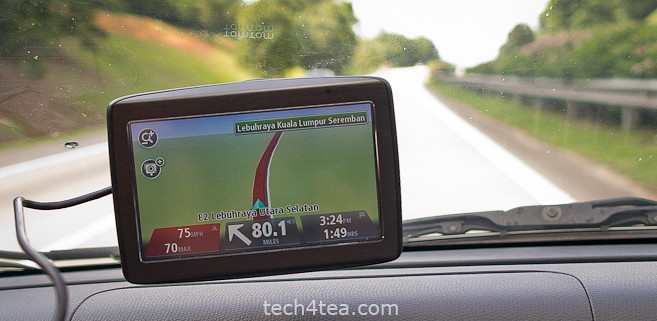
TomTom VIA 280 on its maiden run on the Malaysian North-South expressway.

TomTom VIA 280 on its maiden run on the Malaysian North-South expressway.

Set up was straightforward. Plug the main unit to the cigarette plug using the USB cable, attach the main unit to the windscreen and you’re set to go.

Once you start the engine, the TomTom VIA 280 switches on. Switching off the engine, switches off the VIA 280 automatically.

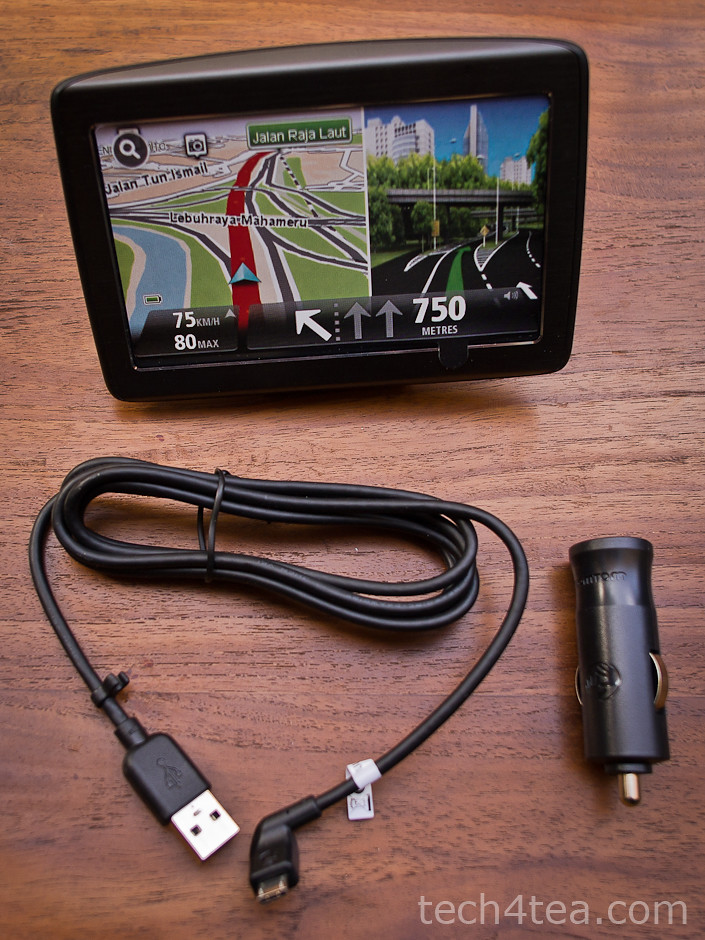
Only three components in the box: the main unit, the USB cable and the cigartette plug.

Only three components in the box: the main unit, the USB cable and the cigarette plug.

The user-interface was real easy. The route chosen was optimal. Changes to the route was simple. What impressed me most was how fast the recalculation took place.

I started off using the VIA 280 for a short journey running an errand round the neighbourhood. Just press “Navigate to” icon on the main menu, select “POI” (Point of interest), followed by “POI near you”, and then browse the various categories.

It was easy enough to find the neighbourhood shopping centre and set it as the destination. The map display was clear and the estimated distance to the next turning was accurate.

For the KL trip, I first set it as a “Favourite”. Next I set the route for it under “Plan route”. The recommended route was through the Causeway. But I preferred the Tuas Second Link.

By choosing the “Change route” option, you could ask for alternative routes, to travel via the Second Link or to avoid using the Causeway – which I did.

As I approached the second link, I realised that for the first time in my life, I’d forgotten to top up. The fuel gauge read just more than half-tank.

The Singapore government requires Singaporean drivers driving to Malaysia to have their petrol tanks at least ¾ tank full, otherwise if you’re caught in a spot-check, you’re fined S$500.

First impressions:

For a maiden run, the VIA 280 made a very positive impression.

The VIA 280 strikes me as a no-frills PND which is more than competent to handle all the functionalities one would expect for helping the driver navigate from point A to point B.

Now where’s the nearest petrol station?

Tapping anywhere on the map on the screen activated the main menu.

The following menu options: “Change route” > “Travel via…” > “Point of Interest” > “POI near you” > “Petrol station” revealed a list of petrol stations nearby, according to distance. 15 minutes later, we were back on track to hit the customs.

The drive on the North-South expressway was uneventful. En route, I deliberately deviated from the recommended route to see how the VIA 280 reacted. Both times, it came up with a new route in less than 3 seconds – impressive.

After the four-hour drive, we finally reached our destination 2 minutes before the time of arrival initially estimated by the VIA 280 at the beginning of the journey.

Mr Postman delivers: TomTom VIA 280

Saturday, November 19th, 2011

The courier dropped off the TomTom VIA 280 GPS portable navigation device (PND) for review. The VIA range is the new family of PNDs that TomTom just introduced to Singapore this week.

TomTom VIA 280 (Click to see the other accessories), the screen display here is a sticker.

TomTom VIA 280, the screen display here is a sticker.

TomTom has been selling the XL 250, XXL 550 and GO 750 PNDs in Singapore.This week, it introduced the GO 2050 and GI 2050 World, as well as the VIA 220, VIA 260 and VIA 280.

Only three components in the box: the main unit, the USB cable and the cigartette plug.

Only three components in the box: the main unit, the USB cable and the cigartette plug.

Compared to the GO family of PNDs, the VIA range represents the lower end, no-frills selection of PNDs.

I’d tried the GO 750 before and was impressed by it, but I was curious whether the VIA would cut it. Over the next week, I’ll be driving to Kuala Lumpur and back with the VIA 280 – and then I’ll let you know whether the VIA 280 is any good.

For now, a look at the new box of VIA 280 shows three parts: the main unit itself, the plug for the car’s cigarette lighter, and the USB cable which connects the main unit to the plug.

The same USB cable is also used to connect the main unit to the computer for software and map updates.

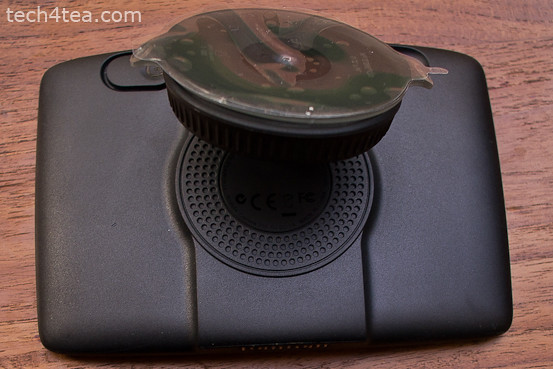
The integrated mount behind the TomTom VIA 280 comprises an adjustable suction disc.

The integrated mount behind the TomTom VIA 280 comprises an adjustable suction disc.

Behind the main unit is the integrated mount, with a suction disc. After connecting the cable, bend the suction disc outwards, press it against the windscreen and turn the knob around the disc to tighten the grip of the disc on the windscreen.

Then adjust the angle until the screen of the main unit is at the right viewing angle from the driver’s seat.

Press the power button behind the main unit and it’s ready to operate.

Tomorrow, I’ll be driving up to KL in the morning. We’ll see how it fares then.

TomTom App optimised for iPad

Sunday, October 30th, 2011

TomTom App for iPhone 1.9 is now available and optimised for iPad, offering higher resolution and improved user interface for the iPad at no extra cost. The app for South East Asia is available now at US$69.99 but existing app customers download for free.

TomTom App for iPhone/iPad Version 1.9

TomTom App for iPhone/iPad Version 1.9

First announced and show-cased during IFA 2011 in Berlin last month, Existing TomTom App customers can download the new version to their iPads for free.

The user interface has been enhanced to fit the larger screen of the iPad while the resolution has been increased for a sharper display. The new release is also compatible with Apple’s new iOS5.

TomTom, Europe's largest maker of portable navigation devicesThe TomTom App for iPhone/iPad 1.9 comes with a new map release, which includes updated roads, more accurate information about fixed speed camera locations and points of interest.

The new release makes use of the extra iPad screen space by showing both driving view and advanced lane guidance at the same time. Drivers can also switch to driving view with one touch from anywhere within the app, and can access guidance options in a tap.