This is what 17% of Singaporeans would rather do than to lose their mobile phones, a survey of mobile phone owners in Singapore found.
Other noxious things that these 17% of mobile phone owners were willing to put themselves through – rather than lose their mobile phones – include getting a root canal and eating rotten eggs.
In fact, “32 percent of Singaporeans would rather lose their childhood photographs than lose their mobile phones,” the Norton Mobile Survey found.
The Norton Mobile Survey is based on research conducted in January 2011 by The Leading Edge, an independent market research firm, on behalf of Symantec Corporation. The Leading Edge conducted an online survey among 500 adults, between the ages 18 and 54, within each of the following six markets: Singapore, India, Australia, Taiwan, China and Japan.
The Singapore sample size comprised the following:
BlackBerry 6, the latest BlackBerry smartphone operating system from Research In Motion (RIM), is now available to existing owners and new customers of BlackBerry® Curve™ 3G and BlackBerry® Bold™ 9700 smartphones for free.
The new BlackBerry 6 operating system includes an intuitive user interface, enhanced web browsing experience, universal search, social feeds and an engaging multimedia experience.
To upgrade, existing owners of the BlackBerry Curve 3G and BlackBerry Bold 9700 can connect their smartphone to their computer and go to ap.blackberry.com/blackberry6 to download the update.
You will find detailed instructions and additional information at the website as well.
Two units of the beta-release Playbook were specially flown into Singapore as part of the Adobe Refresh Roadshow.
True multi-tasking using SMP for the dual-core processor.
The beta version of the BlackBerry Playbook was first unveiled during the Adobe Max 2010 developer conference in October last year. Two units were brought in by Sarim Aziz, Senior Application Development Consultant at RIM, to make its first appearance in Singapore.
Aziz showed how the Playbook was able to mult-itask various memory/CPU intensive applications simultaneously without missing a beat.
He explained that the both of the processors in the dual-core Playbook were allowed to work simultaneously to enable true multi-tasking using Symmetric Multi-Processing – apps continue to run at full tilt even in the background without being paused.
I had the chance to play with the 0.9 lbs (425g) Playbook and here are some snapshots. Check out the details at the Playbook’s website. Essentially, it is about 9mm thick, sports front/rear cameras (3 and 5 megapixels respectively, both capable of HD video), a 1 GHz dual-core processor with 1 GB RAM.
The operating system is from QNX, which RIM acquired in Apr 2010. Both Flash and HTML5 are supported.
BlackBerry Playbook from RIM - shown for the first time in Singapore.
In terms of interface, something interesting is that the 1” black border around the 7” 1024×600 pixel screen is also touch-capable. Swipe down from the top border brings in the operating system’s menu, like the Start button in Windows – not sure if this will stay in the final product.
Tapping the lower left corner activates the soft keyboard onscreen, and swiping upwards from the bottom border displays the thumbnails of apps currently running so that you can switch to another app.
Even with 8-10 apps running, Quake was going at 60 fps without dropping frames. Apparently, should the RAM maxed out, the operating system will quietly shut down the least used App to free up memory space. Quietly – as in it won’t even ask the user.
Price-wise, we’re probably looking in the region of US$500 with launch in late March to early April for N America followed by the rest of the world.
Two product “evangelists” and the Product Manager of Flash Professional show designers and attendees how to design once but deploy to different hardware and software platforms and screen sizes.
Instead of designing for the standard desktop monitor at standard screen resolutions, end-users are accessing web content using a whole range of devices with different screen sizes/resolutions, and on different hardware and software platforms.
These devices range from the traditional PC to the whole range of smartphones and more recently the tablets and web TVs.
Flash Professional Product Manager, Richard Galvan, went through the trends of the day and predicted that the number of people surfing the Internet using smartphones and tablets will surpass the number using PCs by 2013 – maybe earlier.
He demonstrated how the existing and upcoming versions of Adobe’s Flash Professional and Flex application development platform facilitates the ability to develope apps only once but deploy to devices running different operating systems such as Google’s Android, Apple’s iOS and RIM’s BlackBerry.
The product “evangelists” Paul Burnett and Michael Stoddart also illustrated how the software assisted coders by providing features such as code hints, code completion and code snippets – so much so that even designers could have a go at the coding.
Some of the sneak peeks of features being explored for future products were also presented. Some of these were first shown in Adobe Max 2010 developer conference in October last year.
The beta version of the BlackBerry Playbook, which made its first appearance during Adobe Max, was also displayed for the first time in Singapore.
Photoshop on a tablet?
Galvan also gave a demo on the recently released Wallaby – an experimental piece of software for converting Flash files into HTML5.
The simple animation he converted were identical before and after conversion – handy for banner ads without audio, video, or ActionScript.
Multi-touch interface for a future version of Photoshop?
Galvan believed that Flash and HTML5 were complementary instead of being mutually exclusive. He emphasised that Flash and HTML5 will continue to complement each other into the future, with Flash providing additional features and capabilities to HTML5 based content.
The roadshow was held at the NTUC auditorium at One Marina Boulevard from 8.30am to 5.30pm.
At long last, Adobe has released an experimental piece of software codenamed Wallaby that can convert Flash files into HTML5. It’ll be interesting to see how the Flash vs HTML5 rivalry pens out.
This tool was first demo-ed at Adobe Max 2010 developer conference in October last year. The cross-platform AIR app is available for free download as a technology preview for developers.
Wallaby allows Flash developers to deployFlash content on Apple iOS devices like iPads and iPhones, which has banned Flash on Steve Jobs’ accusations that it is vulnerable to exploits, battery draining, and prone to frequent crashes.
FLA files from Flash can be instantly converted to HTML5 by a simple drag-and-drop. The HTML can then be edited in Dreamweaver or any HTML authoring tool.
Tom Barclay, senior product manager for Flash pointed out that not all elements from Flash files will make it into HTML5. Although the overall look and feel can be ported, much will be discarded in the migration.
The Wallaby Release Notes describe what features are supported, what differences we have already discovered between the various browsers, what device variations have been found, and any currently known issues. What is thrashed: audio, video, ActionScript, as well as blend modes and filters (apart from simple alpha), dynamic masks, some Text Layout Framework text, and 3D tweens and transforms.
What is supported: vector art and images, classic text, keyframes, MovieClips and graphics, classic motion and shape tweens, rollover buttons, and instance names.
Immediate application of the tool would mainly be for making basic banner ads and animations, especially if the FLA files have already been developed.
Apple had released iAd Producer in December last year. It is a free tool “for online advertisers to create content for Apple’s iAd platform, helping the company to establish HTML5 as a viable alternative to Adobe Flash technology on mobile devices,” wrote Daniel Ionescu of PCWorld.
iAd Producer is a visual HTML5 authoring tool, available to Apple developers for producing advertisements for iOS devices, using a combination of HTML5, Javascript and CSS3.
In a bid to drum up interest in a staid workhorse product, and get consumers to look beyond its ubiquitous role as a document reader, Adobe has embarked upon an innovative campaign to convince people that Acrobat X is more than just a reader, or a document archiver.
Acrobat X contains a complete suite of modules to facilitate “sharing and collaboration of digital documents amongst co-worders”.
What is Acrobat?
To the man in the street, Acrobat brings immediately to mind Acrobat Reader, the ubiquitous free browser plug-in that enables the opening and viewing of documents saved in the equally ubiquitous PDF format.
Nothing exciting. In fact, many third party software publishe PDF reading software that promises to be smaller and faster than the original.
The other half of Acrobat comprises other modules that facilitate document archival via conversion of documents from proprietary formats to the universal PDF format. It enhances document collaboration by tracking and managing comments and amendments that co-workers can add – even simultaneously – and then reconcile into a neatly compiled working document.
Have you tried circulating minutes to members of a meeting and manually compiling spurious comments that come in from those members suggesting amendments? An Acrobat-based workflow can alleviate much of those grunt work and save everybody’s time and effort.
The price of such rigorous sharing is security, and this is implemented via document encryption and password-based access and rights.
Another form of document collaboration involves the interaction between the publishers and readers, and this is managed by the form authoring and editing module in Acrobat.
As for content, in addition to just plain text documents, Acrobat can add sound, video and graphics to the text. The latest PDF Portfolio module assembles the source files of multi-media elements together into a single multi-document portfolio packaged in slick Flash-based presentations (Unfortunately, there’s no HTML5 versions available – pity!).
Users don’t have to track multiple files manually to put them together outside of Acrobat.
Adobe PDF Guild
No wonder the folks at Adobe believe they have a product that does magic. They are aware, however, that general awareness of Acrobat’s full capabilities beyond that of the Reader is sorely lacking.
That’s why Adobe has launched the PDF Guild. Based on a metaphor of magic and wizardry, the PDF Guild seeks to build a community of Acrobat users that shares the knowledge and expertise of its members in the software rigorously with each other.
For starters, Adobe has built a simple self-paced computer-based learning package in the guise of a simple RPG (role-playing game) “adventure” to entice people to try out Acrobat and experience for themselves how easy to accomplish the tasks that Acrobat boasts it can achieve.
Five “quests” challenge the curious who signs up to complete assignments and quiz questions on “Document Conversion”, “Document Collaboration”, “Document Security”, “Dynamic Forms” and “Rich Documents”.
I’ve cleared all five quests and found that the hands-on experience did provide a clearer understanding how to do stuff in Acrobat.
To participate, visit www.adobepdfguild.com. Participants who don’t yet own a copy of Acrobat X can download and install a 30-day trial version. You’ll need a Facebook account too to participate.
Everything you need to complete the assigned tasks are provided, right down to working documents that you can download, work with in Acrobat and then save. The result is than uploaded from within www.adobepdfguild.com. Stumped along the way? Hints are available to make the road a little less difficult.
The magic? You start out as an the sorcerer’s apprentice and as you accomplish points, you get promoted to high ranks of wizardry, like Sorcerer, Mage and ultimately Wizard.
Goodies? The points earned can be used to redeem stuff from Adobe, from notepads and thumbdrives to free copies of Adobe Photoshop Elements 9 and Adobe Premiere Elements 9. Additional ways of earning points include introducing friends via email or Facebook, and participating in discussions at the Guild’s Facebook page.
Olympus has unveiled 3 new digital compacts. This continues its 2011 trend of releasing new cameras at the beginning of every month.
Olympus SZ-20
Olympus SZ-30MR
Olympus TG-810
Having launched seven cameras on 6 January and four on 8 February, Olympus has announced another 3 new models on 2 March. The three models are: TG-810, SZ-20, SZ-30MR.
The TG-810 will be available in Singapore in March but availability of the two new SZ series models have yet to be ascertained.
The three models and their main highlights are listed below:
Model
Date available
Estimated price
Colours
Highlights
TG-810
March 2011
S$540
Colours:
Black
Silver
Blue
Red
– 14 megapixels CCD.
– 5x optical zoom from 28 to 140 mm (35mm equiv).
– 3” 920k dots TFT LCD display.
– HD movie (MPEG-4 AVC/H.264) at 1280 x 720 pixels with dedicated REC button.
Battle-hardened for the rugged adventurer, this jock is:
– waterproof to a depth of 10m
– shockproof against falls from 2m
– crushproof against loads of up to 100kgf
– dustproof, freezeproof; basically abuse-proof.
– equipped with GPS and electronic compass
SZ-20
Avail: TBD
Price: TBD
Colours:
Black
Silver
– 16 megapixels backlit CMOS.
– 12.5x optical zoom from 24 to 300 mm (35mm equiv).
– 3” 460k dots LCD display.
– HD movie (MPEG-4 AVC/H.264) at 1920 x 1080 pixels with dedicated REC button.
For the avid traveller and sports fan, this compact has large zoom, high sensitivity sensor and good for high-speed continuous shooting. Additional features include:
– Hand-held starlight mode combines 4 exposures to eliminate blur and noise in low light.
– Smart Panorama captures up to 360-degrees.
– High-speed continuous shooting of 7 (full-size) or 15 (5 megapixels) photos per second.
SZ-30MR
Avail: TBD
Price: TBD
Colours:
Black
Silver
– 16 megapixels backlit CMOS.
– 24x optical zoom lens from wide angle of 25 to 600 mm (35mm equiv).
– 3” 460k dots LCD display.
– HD movie (MPEG-4 AVC/H.264) at 1920 x 1080 pixels with dedicated REC button.
Has everything the SZ-20 has, and more. Zooms twice as far. Multi recording shoots 1080p HD movies and full resolution photos simultaneously.
Common features
Features that the 3 new cameras share (and together with many other recent Olympus models) include:
– 8 Magic Filters for in-camera special effects for stills.
– 6 of them available in movie recording.
– 3D photo shooting.
– Multi Picture format for 3D photos.
– Pet mode for auto-detecting dogs and cats.
– Auto Release when dog/cat faces the camera.
– Eye-Fi card compatible.
The Diorama Art Filter mode in Olympus cameras gives an interesting fast-forward effect, like those you see in documentaries where a flower blooms from bud to full-bloom in seconds, or of clouds racing across the sky.
I shot the video below using the Olympus XZ-1 compact digital camera, shooting it as an HD movie while in Diorama mode.
The Diorama mode is one of six Art Filters included in the camera to add special effects in-camera to photos taken. The Diorama mode imposes an extremely shallow depth of field to simulate photos taken of miniature models.
In newer Olympus cameras, these Art Filters can also be used when shooting videos, although the frame rate or size might be different from the basic normal movie shooting mode.
In the video below, you can see only part of the track is in focus while the rest are blurred. Also, although the snippet is only 12 sec long, the actual sequence lasted more than half a minute.
Steve Jobs emerges from medical leave to unveil the iPad 2, an evolutionary upgrade of its predecessor, making it thinner, lighter and faster.
The iPad 2 was unveiled as anticipated on 2 Mar at the Yerba Buena Center for the Arts in San Francisco. Specifications were in line with virulent speculations prior to the event. What was more uncertain was whether Steve Jobs would helm the launch.
He did, and Apple’s stock price rose $2.81 to $352.12 on the Nasdaq in a sign of investor confidence. The stock has risen 9.2% this year.
Steve Jobs has been on medical leave since 17 Jan but had stated that he would still “be involved in major strategic decisions for the company.” He is on his third period of medical leave in seven years and there has been rife rumours about how dire his health has become. For some, his attendance at the event was as important as the launch of the new tablet.
With 350,000 apps on the Apps Store, with 65,000 dedicated to the iPad 2, the tablet will hit US shelves on 11 March and ship internationally on 25 March. The $499 starting price is the same as the original iPad when it was first launched in Apr 2010.
Competitors already in the market include the Samsung Galaxy and Motorola Xoom – both Android-based tablets. Research In Motion plans to release four versions of its Playbook this year while HP will roll out the WebOS-based Touchpad.
Here are the more noteworthy features of the iPad 2:
It’s available in white.
Has 2 cameras for video conferencing: one front (VGA-quality), one back(720p).
Faster: New A5 dual-core processor claimed to be twice as fast as the previous iPad.
Faster: Graphics performance nine times faster than before.
Thinner: by one-third to 8.8mm.
Lighter: 1.3 pounds from 1.5 before.
Optional extras:
Optional $39 HDMI adaptor that connects the iPad’s 30-pin port to an external display so that iPad’s display is mirrored on the external display.
New magnetic protective case that puts the iPad to sleep when it is closed. Bendable and doubles up as an iPan stand. Comes in 10 colours (plastic ones: $39, leather: $69).
iMovie and Garageband as Apps at $4.99 each on the Apps store
The XZ-1 is the flagship compact digital camera from Olympus. It stays compact despite packing in the image quality and manual control of entry level DSLRs, plus a host of other nifty features.
The XZ-1 is a 10-megapixel high-end compact with 4x optical zoom from 28mm to 112mm (35mm equivalent). It records HD movies, has a 610k dots OLED display and features 6 Art Filters that can be applied to movies recorded. The camera comes in black or white and retails at S$748 (incl GST).
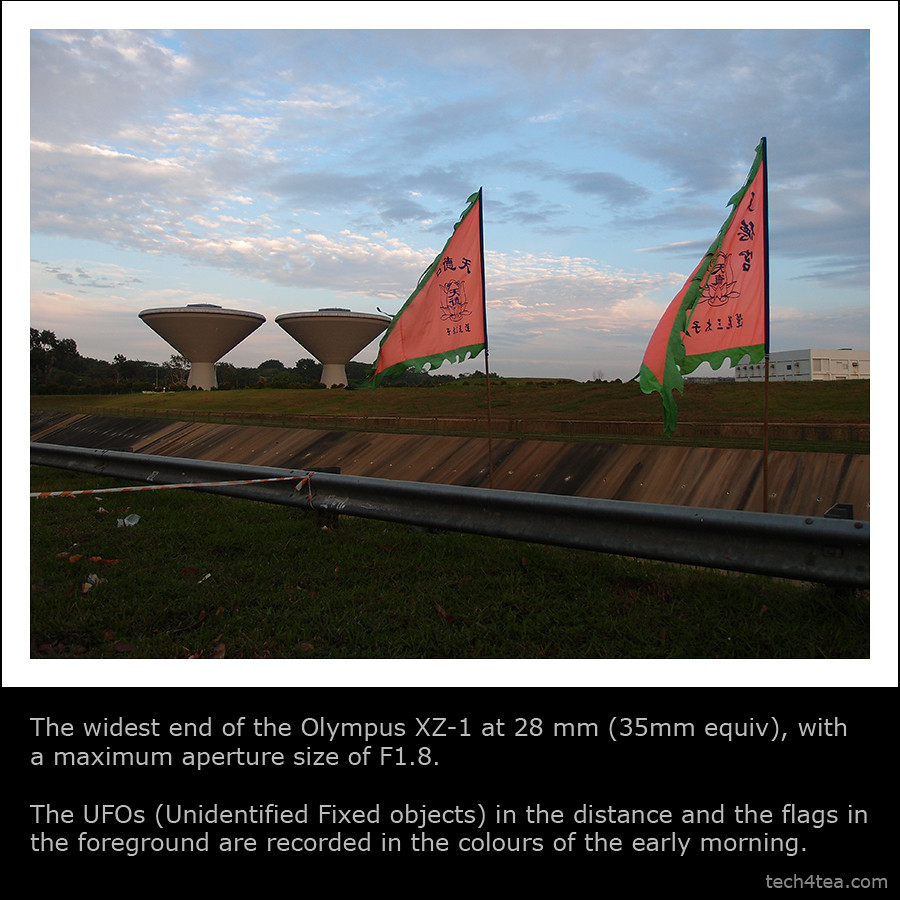
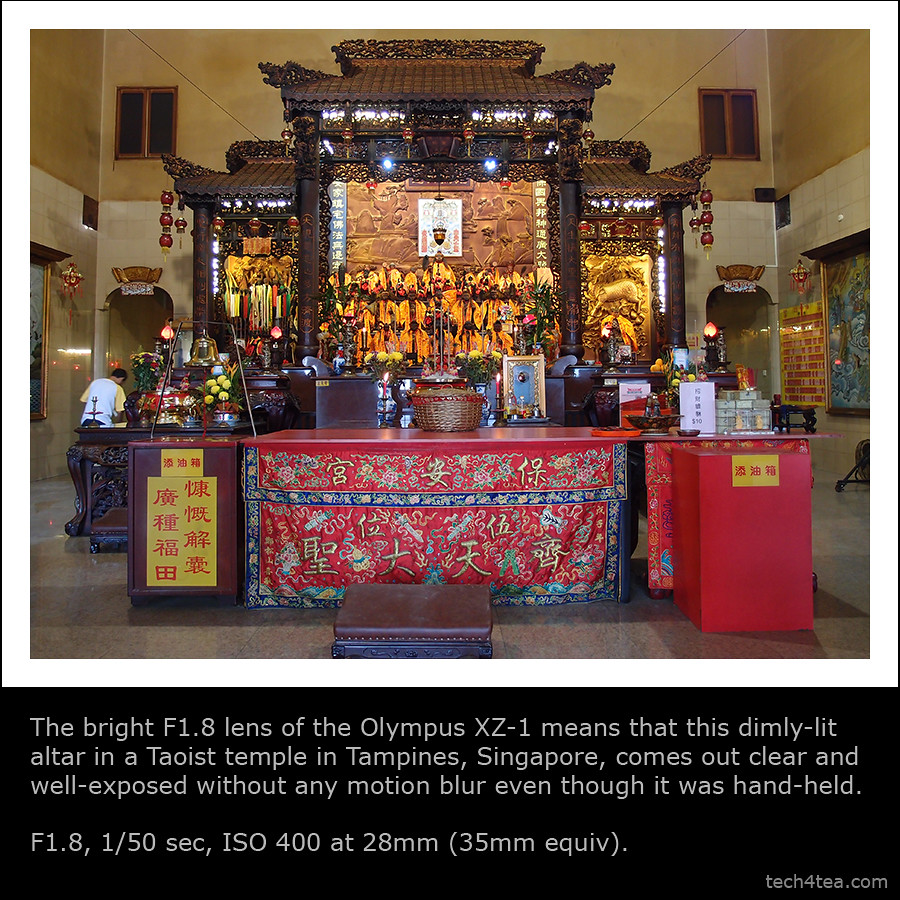
Hopefully these photos will provide a better idea of what the camera can and cannot do.


 Flash Professional Product Manager,
 The product “evangelists”


 This tool was first demo-ed at Adobe Max 2010 developer conference in October last year. The cross-platform AIR app is available for
  FLA files from Flash can be instantly converted to HTML5 by a simple drag-and-drop. The HTML can then be edited in Dreamweaver or any HTML authoring tool.
 Apple had released iAd Producer in December last year. It is a free tool “for online advertisers to create content for Apple’s iAd platform, helping the company to establish HTML5 as a viable alternative to Adobe Flash technology on mobile devices,” wrote Daniel Ionescu of PCWorld.


 The iPad 2 was unveiled as anticipated on 2 Mar at the Yerba Buena Center for the Arts in San Francisco. Specifications were in line with virulent speculations prior to the event. What was more uncertain was whether Steve Jobs would helm the launch.
 With 350,000 apps on the Apps Store, with 65,000 dedicated to the iPad 2, the tablet will hit US shelves on 11 March and ship internationally on 25 March. The $499 starting price is the same as the original iPad when it was first launched in Apr 2010.
 1. Wi-Fi only versions:
 The XZ-1 is a 10-megapixel high-end compact with 4x optical zoom from 28mm to 112mm (35mm equivalent). It records HD movies, has a 610k dots OLED display and features 6 Art Filters that can be applied to movies recorded. The camera comes in black or white and retails at S$748 (incl GST).